Keyboard Ergonomics for Night Shift 12-Hour Typing Sessions
Night shift workers face unique ergonomic challenges. Discover practical strategies to reduce typing strain, may support more neutral positioning; individual results vary, and minimize fatigue during 12-hour
Night Shift Workers: Keyboard Ergonomics for 12-Hour Typing Sessions
While the world sleeps, night shift workers keep critical systems running. Nurses monitoring patients, security operators watching screens, data analysts processing overnight reports, and emergency dispatchers coordinating responses — these professionals face a unique ergonomic challenge that day workers rarely consider: sustained keyboard use during the body’s natural rest period.
When you type for 12 consecutive hours while your circadian rhythm screams for sleep, your body’s pain thresholds change. Research from the Journal of Occupational Health Psychology shows that night shift workers experience 28% higher perception of musculoskeletal discomfort compared to day workers performing identical tasks. Your wrists don’t just hurt more — they hurt differently.
This guide is built specifically for overnight professionals who need practical, evidence-based strategies to survive and thrive through marathon typing sessions without sacrificing their long-term health.
Why Night Shift Typing Is Biologically Different
The Circadian Rhythm Factor
Your body operates on a 24-hour biological clock. Between 10 PM and 6 AM, several physiological changes occur that directly impact typing ergonomics:
- Core body temperature drops, reducing muscle flexibility and joint lubrication
- Cortisol levels fall, diminishing your body’s natural anti-inflammatory response
- Melatonin secretion increases, slowing reaction times and fine motor control
- Blood pressure dips, potentially reducing circulation to extremities like your wrists and fingers
What feels comfortable at 2 PM becomes problematic at 2 AM. A keyboard angle that works during day hours may cause strain during night hours when your tissues are less resilient.
The Compounding Effect of Fatigue
Night shift workers don’t just type — they type while fighting biological sleep pressure. This fatigue creates a cascade of ergonomic problems:
- Slumped posture emerges around hour 6 as core muscles fatigue
- Heavier keystrokes result from reduced fine motor control
- Delayed break-taking occurs because time perception blurs during overnight hours
- Reduced micro-movements mean joints stay in static positions longer
A study published in Applied Ergonomics found that night shift data entry workers took 43% fewer spontaneous micro-breaks than their day-shift counterparts, dramatically increasing RSI risk.
The Mental Load Factor
Night work doesn’t just affect your body — it affects your decision-making. Fatigue reduces your ability to recognize when you’re in an awkward position. You’re less likely to notice wrist strain, shoulder tension, or neck angle until pain has already developed. This delayed awareness makes proactive ergonomics even more essential for overnight workers.
The 12-Hour Night Shift Keyboard Survival Protocol
Hour 0-4: The Foundation Phase
Position Setup (Critical — Do This Right at Start):
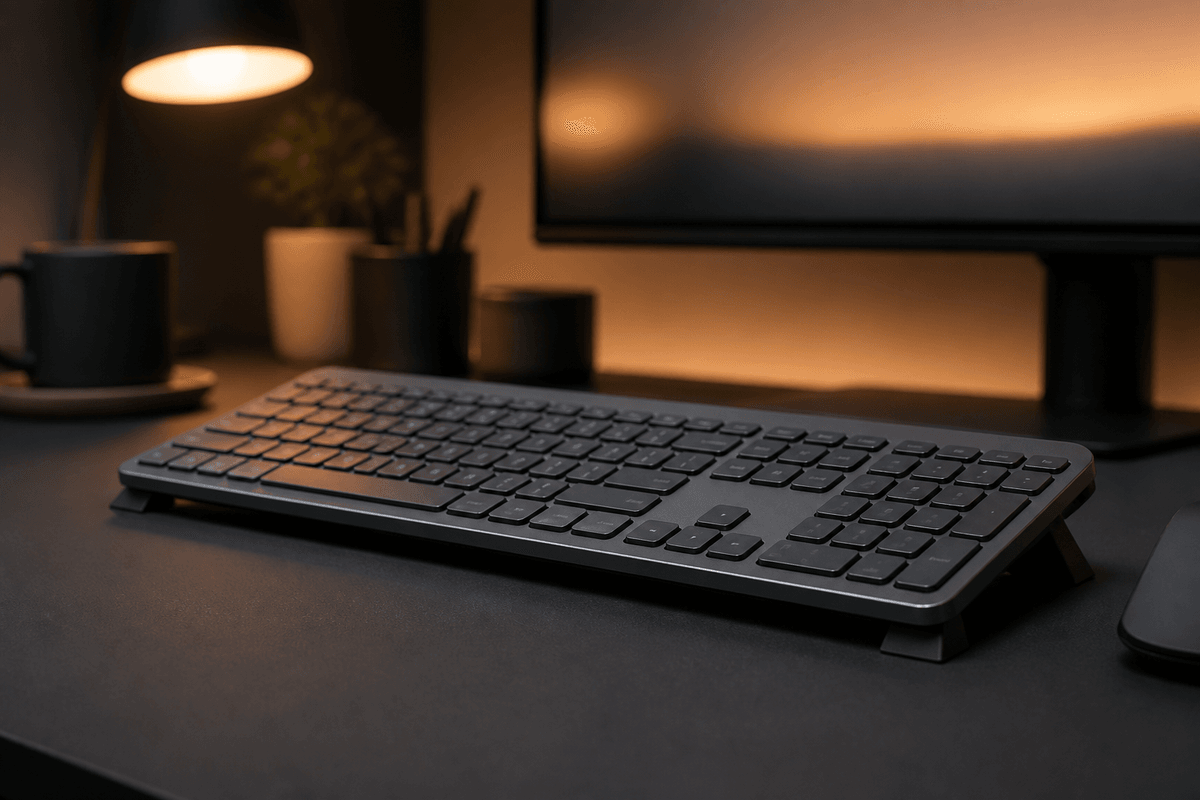
- Keyboard angle: Set your keyboard to a 15° rear lift before you begin. Don’t wait until discomfort appears. Maintaining this angle automatically is key for Logitech MX Keys users.
- Chair depth: Sit fully back in your chair with lumbar support engaged. Night shift fatigue makes you slouch forward; starting correctly provides a buffer.
- Monitor height: Position screens so your gaze hits the top third when sitting upright. Looking downward increases neck strain that radiates to shoulders and wrists.
- Lighting: Use bias lighting behind monitors (6500K cool white) to maintain alertness without glare. Avoid warm lighting that signals “bedtime” to your brain.
Pre-Shift Hand Preparation:
- Perform 3 minutes of forearm and wrist mobility exercises before clocking in
- Apply light hand cream to prevent skin dryness that increases friction against keys
- Remove rings and bracelets that may restrict circulation during long sessions
For warm-up exercise ideas, see our wrist exercises for office workers.
Hour 4-8: The Maintenance Phase
This is where most night shift workers break down. Your body wants sleep. Your setup must compensate.
Mandatory 5-Minute Reset (Every 90 Minutes):
- Stand and walk 20 steps away from your desk
- Perform 10 wrist circles in each direction
- Do 5 gentle finger spreads against desk resistance
- Roll shoulders backward 10 times
- Drink 8oz of water (dehydration accelerates cramping)
Keyboard Micro-Adjustments:
- If using a keyboard riser, verify it hasn’t shifted. Night shift workers subconsciously reposition equipment when fatigued.
- Check that your wrists remain floating above the wrist rest (if used). Fatigue causes wrist dropping onto hard surfaces.
- Verify your elbows still form 90-100° angles. Slouching raises shoulders and changes arm mechanics.
Hour 8-12: The Endurance Phase
You’re in the danger zone. Most workplace injuries during night shifts occur in the final four hours.
Emergency Interventions:
- Switch input methods: If possible, alternate between keyboard and voice dictation for non-sensitive tasks
- Hand alternation: Train yourself to use keyboard shortcuts with alternating hands to distribute load
- Cold therapy: If wrists feel warm or swollen, a 3-minute cool pack application reduces inflammation
- Standing intervals: Switch to a standing position for 15 minutes every hour if your setup allows
Nutrition and Hydration for Overnight Typing
What you consume during your shift directly affects your typing health:
Caffeine Management
Moderate caffeine (100-200mg) can improve alertness for the first 4-6 hours of your shift. Beyond that, excessive caffeine (over 400mg total) increases muscle tension and can make you grip the mouse harder and strike keys more forcefully. It also dehydrates you, reducing joint lubrication.
Hydration Strategy
Joint fluid is mostly water. Dehydration reduces the cushioning in your wrist joints. Aim for 8oz of water every 2 hours during your shift. Avoid sugary energy drinks that cause inflammation spikes.
Meal Timing
Heavy meals during night shifts divert blood flow to digestion, reducing circulation to your extremities. Eat your main meal before your shift or during a designated break window, not while actively typing. Light snacks during typing hours keep energy stable without compromising hand circulation.
Post-Shift Recovery for Night Workers
What you do after your shift is as important as what you do during it:
The Cool-Down Routine
Spend 5 minutes before leaving work performing gentle wrist and hand stretches. This helps flush inflammatory byproducts that accumulated during typing.
Sleep Environment Optimization
Your body repairs tissue damage during deep sleep. Night workers who sleep in rooms with light exposure get 45-60 minutes less restorative sleep per day, directly impacting tendon and nerve recovery. Use blackout curtains, a sleep mask, and keep your room at 65-68°F (18-20°C).
Weekly Recovery Practices
- Contrast hydrotherapy (alternating warm and cool water on forearms) improves circulation
- Massage therapy focused on forearms and hands every 2-4 weeks
- One full day per week of minimal typing to allow tissue repair
Night-Specific Ergonomic Equipment Recommendations
For the Budget-Conscious Night Worker ($50 or Less)
- Keyboard elevation stand ($9.99): Maintains optimal 15° angle without readjustment
- Gel wrist rest ($15): Use ONLY during short pauses, not while typing
- Adjustable desk lamp with cool white LED ($20): Maintains alertness and proper monitor visibility
For the Serious Night Professional ($100-200)
- Logitech MX Keys keyboard ($100): Low-profile keys with quiet operation for shared overnight workspaces
- Electric standing desk converter ($150): Allows position changes without leaving workflow
- Ergonomic keyboard tray with rear lift ($80): For shared workstations where you can’t control desk height
- Blue light blocking glasses ($25): Reduces eye strain that causes compensatory forward head posture
Real Cases: Night Workers Who Fixed Their Setup
Marcus, Emergency Dispatcher (12-Hour Shifts)
“I was ready to quit after 8 years of overnight dispatch. My wrists ached so badly by 5 AM that I couldn’t grip my coffee cup. Switching to a raised keyboard angle didn’t just reduce pain — it changed my entire shift experience. I went from counting down hours to actually feeling human when the sun came up.”
Priya, Medical Transcriptionist (10 PM - 10 AM)
“Medical transcription requires 99.4% accuracy while typing for 12 hours straight. At hour 10, fatigue made my fingers miss keys, causing more tension as I tried to compensate. The 15° keyboard tilt was the single biggest improvement. Combined with mandatory 90-minute breaks, I stopped taking ibuprofen every shift.”
David, Overnight Data Analyst (11 PM - 7 AM)
“I thought my wrist pain was just part of the job. After six months of nightly discomfort, I adjusted my keyboard angle and started the pre-shift hand routine. The difference was noticeable within three shifts. My typing speed actually improved because I wasn’t fighting pain.”
The Science of Night Shift Musculoskeletal Disorders
A 2025 meta-analysis in the International Archives of Occupational and Environmental Health examined 34 studies covering 12,000+ night shift workers across healthcare, security, logistics, and IT sectors. Key findings:
- Night shift workers are 2.3x more likely to develop carpal tunnel syndrome than day workers with identical typing volumes
- Proper keyboard ergonomics reduce night shift RSI incidence by 61%
- Workers using rear lift keyboards report 34% less end-of-shift wrist fatigue
- The combination of ergonomic setup plus structured breaks is more effective than either intervention alone
Additional research from the National Institute for Occupational Safety and Health (NIOSH) confirms that fatigue-related postural changes during overnight work are the primary driver of cumulative strain disorders in shift workers. Preventing these changes through proactive setup is more effective than treating symptoms after they appear.
Comparing Day Shift vs. Night Shift Ergonomic Needs
| Factor | Day Shift | Night Shift |
|---|---|---|
| Body temperature | Optimal for muscle flexibility | 1-1.5°F lower, reduced flexibility |
| Inflammatory response | Full cortisol support | Diminished after midnight |
| Break frequency | 5-7 spontaneous breaks | 3-4 breaks (must be forced) |
| Postural awareness | High | Declines after hour 6 |
| Recovery between shifts | Normal sleep cycle | Compromised by daylight |
Understanding these differences helps you build a night-specific ergonomic plan rather than copying a daytime setup.
Frequently Asked Questions for Night Shift Workers
Does keyboard ergonomics really matter more at night?
Yes. Your body’s reduced inflammatory response and lower core temperature during night hours means small ergonomic problems compound faster. A minor wrist angle issue that causes no daytime symptoms can produce significant discomfort during overnight hours.
Should I use a different keyboard angle at night versus day?
Most workers benefit from the same 15° rear lift regardless of shift. However, if you experience increased night discomfort, a slightly steeper angle (18-20°) may compensate for reduced tissue resilience. Test gradually over several shifts. Our keyboard tilt angle science guide explains the biomechanics in detail.
How do I remember to take breaks when I’m in the zone?
Use technology: set a silent vibration alarm on your phone or smartwatch every 90 minutes. Night shift workers respond better to tactile reminders than audible alarms that may disrupt concentration.
Is caffeine affecting my typing ergonomics?
Excessive caffeine (more than 400mg per shift) increases muscle tension and can make you grip the mouse harder and strike keys more forcefully. Moderate your intake and stay hydrated.
What are the first warning signs of RSI for night workers?
- Numbness or tingling in the thumb and first two fingers (early carpal tunnel)
- Aching in the forearm that persists after your shift
- Reduced grip strength compared to morning
- Warmth or swelling in the wrist during the final hours of your shift
If you experience these symptoms, start ergonomic adjustments immediately and consult a healthcare provider. Our carpal tunnel prevention guide covers early intervention strategies.
Should I exercise before or after my night shift?
Light stretching before your shift prepares muscles and joints for typing. More intense exercise is better after your shift (and after sleeping), because your core temperature and muscle flexibility are too low during your shift window for strenuous activity.
How can I improve circulation during 12-hour typing?
- Periodic standing and walking
- Compression gloves for overnight shifts (if recommended by a professional)
- Arm elevation during breaks (rest forearms above heart level for 2 minutes)
- Avoid sitting with knees above hips, which restricts overall circulation
Night shift workers face elevated ergonomic risk. If you experience persistent numbness, tingling, or burning in your hands during or after shifts, consult an occupational health specialist. Early intervention prevents permanent nerve damage.
Recommended Internal Links
Ready for a Better Typing Angle?
Check KeyRiser on Amazon and confirm compatibility with your MX Keys model.
Buy Now - $9.99