Office Syndrome Prevention: Complete Guide for Desk Workers
Prevent office syndrome with evidence-based ergonomic strategies. Stop wrist pain, neck strain, back pain, eye strain before they start with these methods.
Office Syndrome Prevention: Essential Guide for 2026
Spending 8+ hours daily at a desk puts you at risk for office syndrome – a cluster of painful conditions affecting millions worldwide. The good news? It’s largely preventable.
What is Office Syndrome?
Office syndrome includes multiple musculoskeletal problems:
- Carpal tunnel syndrome – numbness and tingling in hands
- Neck strain – chronic tension and stiffness
- Lower back pain – the most common complaint
- Eye strain (Computer Vision Syndrome)
According to the Bureau of Labor Statistics, musculoskeletal disorders account for 33% of all worker injuries. That’s preventable suffering.
The 5 Prevention Pillars
1. Ergonomic Workstation Setup
Monitor: Top of screen at eye level, 20-26 inches away.
Chair: Feet flat on floor, knees at 90°, lumbar support active.
Keyboard: Elbows at 90° when typing, wrists neutral (not bent).
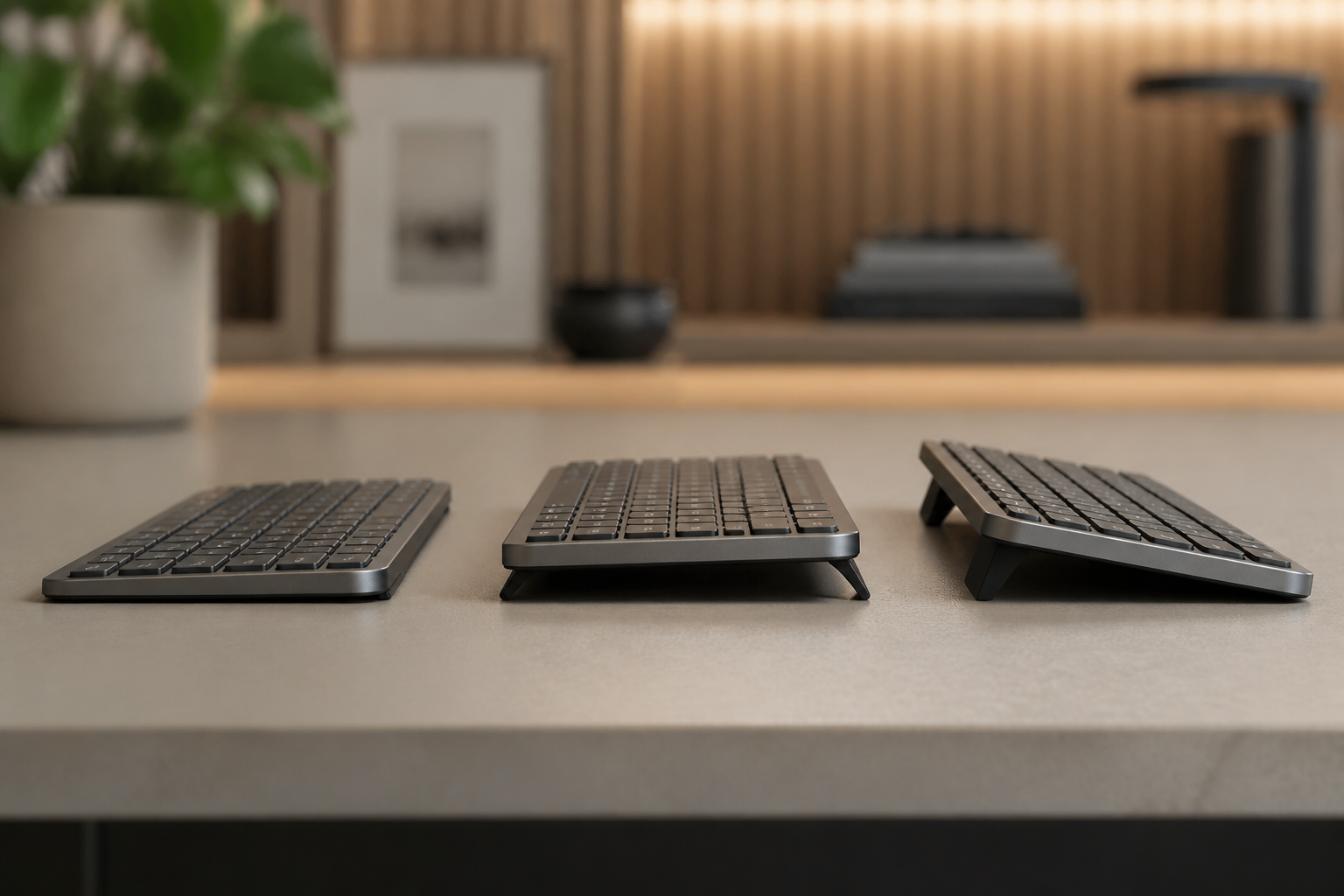
Key Insight: The optimal keyboard tilt is 15 degrees negative (front higher than back). This keeps wrists neutral and reduces strain on wrists and forearms.
2. The 20-20-20 Rule
Digital eye strain affects 90% of computer workers. Combat it:
- Every 20 minutes
- Look at something 20 feet away
- For 20 seconds
3. Movement Breaks
Sitting is the new smoking. Your prescription:
Every 30 Minutes:
- Stand and stretch
- Walk for water
- 10 shoulder rolls
Every Hour:
- 5-minute walking break
- Wrist circles (10 each direction)
- Shoulder blade squeezes (10 reps)
4. Keyboard Ergonomics
Your keyboard position affects wrists, forearms, shoulders, and neck. Poor ergonomics causes:
- Wrist extension (bending upward) straining tendons
- Ulnar deviation stressing your pinky side
- Shoulder tension from reaching forward
The Fix: A keyboard stand with optimal rear lift maintains neutral wrist position.
5. Lifestyle Factors
Hydration: 8 glasses daily. Hydrated muscles resist strain better.
Sleep: 7-9 hours. Quality rest aids muscle recovery.
Exercise: 150 minutes weekly. Core strength supports your back.
Warning Signs
See a professional if you experience:
- Persistent numbness or tingling
- Pain that wakes you at night
- Weakness when gripping
- Visible joint swelling
Take Action Today
- Assess your keyboard angle – Is it flat or negatively tilted?
- Set hourly movement reminders
- Invest in ergonomic tools – Start with keyboard positioning
A precision keyboard stand is a low-cost investment that pays for itself by preventing medical issues.
Medical Disclaimer
This article is for informational purposes only and does not constitute medical advice. If you experience persistent pain or suspect a medical condition, please consult a qualified healthcare provider.
---## Frequently Asked Questions
Q: What is office syndrome?
A: Office syndrome refers to musculoskeletal disorders caused by prolonged computer use, including wrist pain, neck strain, and back problems. Proper ergonomic setup can prevent most symptoms.
Q: How do I know if I have office syndrome?
A: Common signs include persistent wrist pain, neck stiffness, back discomfort, and numbness or tingling in hands. If symptoms persist, consult a healthcare professional.
Q: Can office syndrome be prevented?
A: Yes, most office syndrome symptoms are preventable through proper ergonomic setup, regular breaks, and maintaining good posture. Early intervention is key.
Q: What’s the most important ergonomic change I can make?
A: Proper keyboard positioning is critical. Elevating the front of your keyboard to the optimal angle significantly improves typing angle and is the most cost-effective ergonomic upgrade.
Q: How much does proper ergonomic setup cost?
A: A precision keyboard stand is a low-cost investment that works with any keyboard. This is one of the most cost-effective ergonomic interventions available.
Related Reading
Ready for a Better Typing Angle?
Check KeyRiser on Amazon and confirm compatibility with your MX Keys model.
Buy Now - $9.99