15 °
Fixed 15° angle reduces wrist strain during long sessions
KeyRiser adds a fixed 15° typing angle to Logitech MX Keys, MX Keys S, and MX Keys Mini — installs in 60 seconds, no tools, no glue.
KeyRiser adds a stable 15° rear lift to Logitech MX Keys, MX Keys S, and MX Keys Mini. See the live price on Amazon.
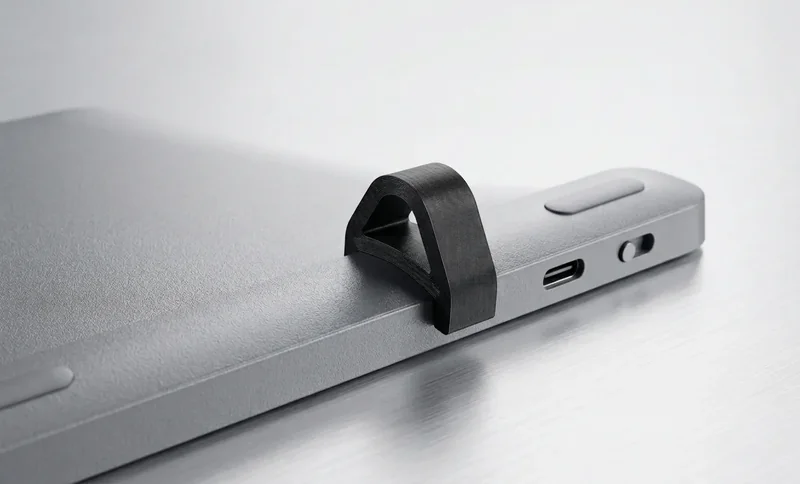
Focused design for Logitech MX Keys users who want a cleaner raised typing angle without replacing their keyboard
Raises the rear edge of supported MX Keys keyboards to create a cleaner typing angle for long work sessions, coding days, and focused writing.
Designed around the Logitech MX Keys family, so the two riser feet sit predictably under supported models instead of acting like a generic wedge.
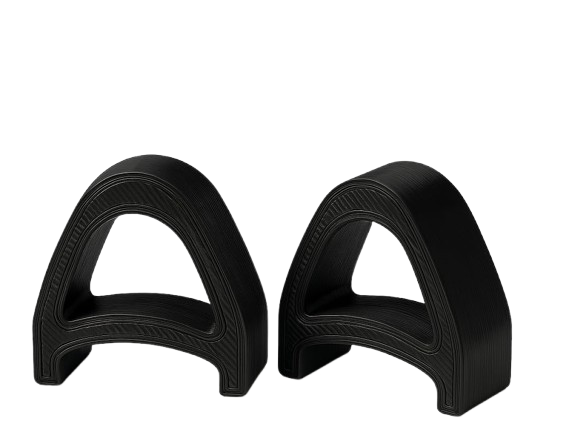
A compact two-piece stand with a low-profile look that fits modern desks, home offices, and professional workstations.
Installed fit on MX Keys, the two-piece pair, and the snap-on setup.
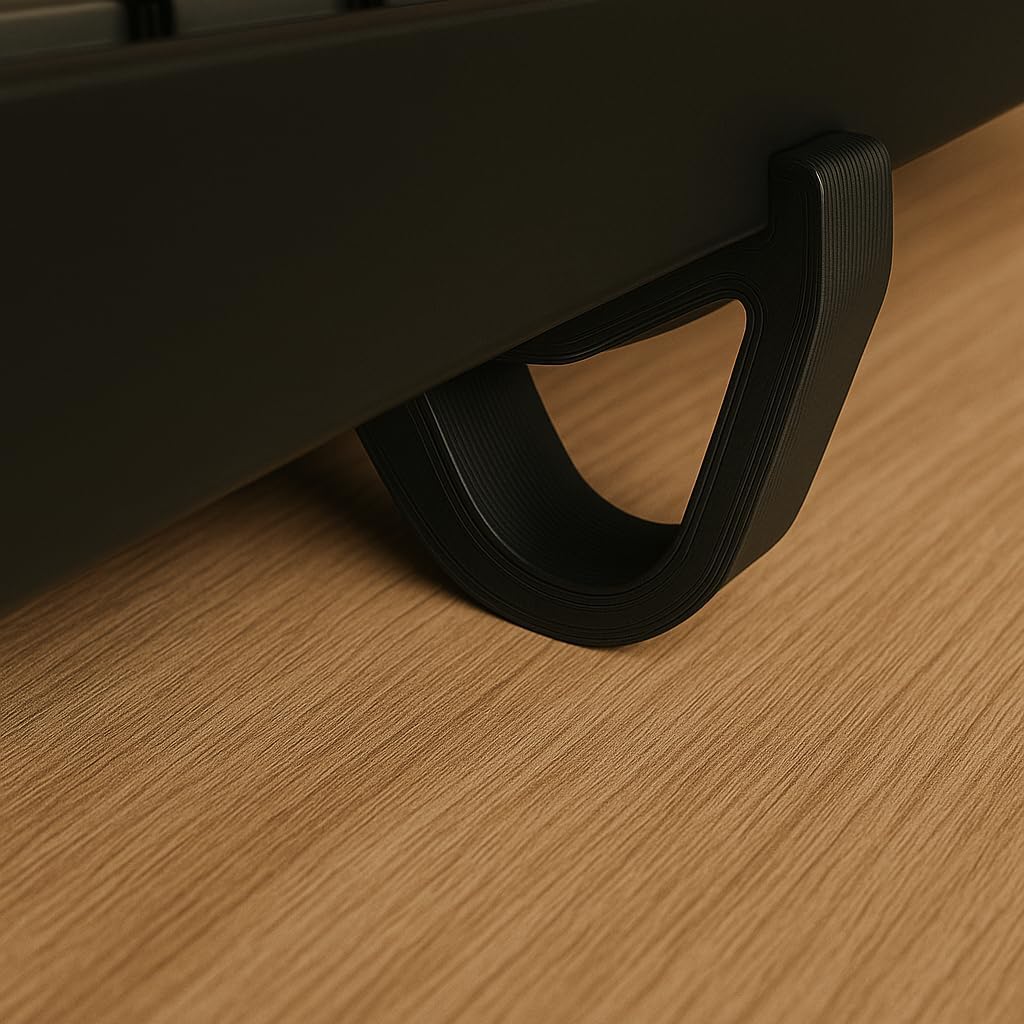
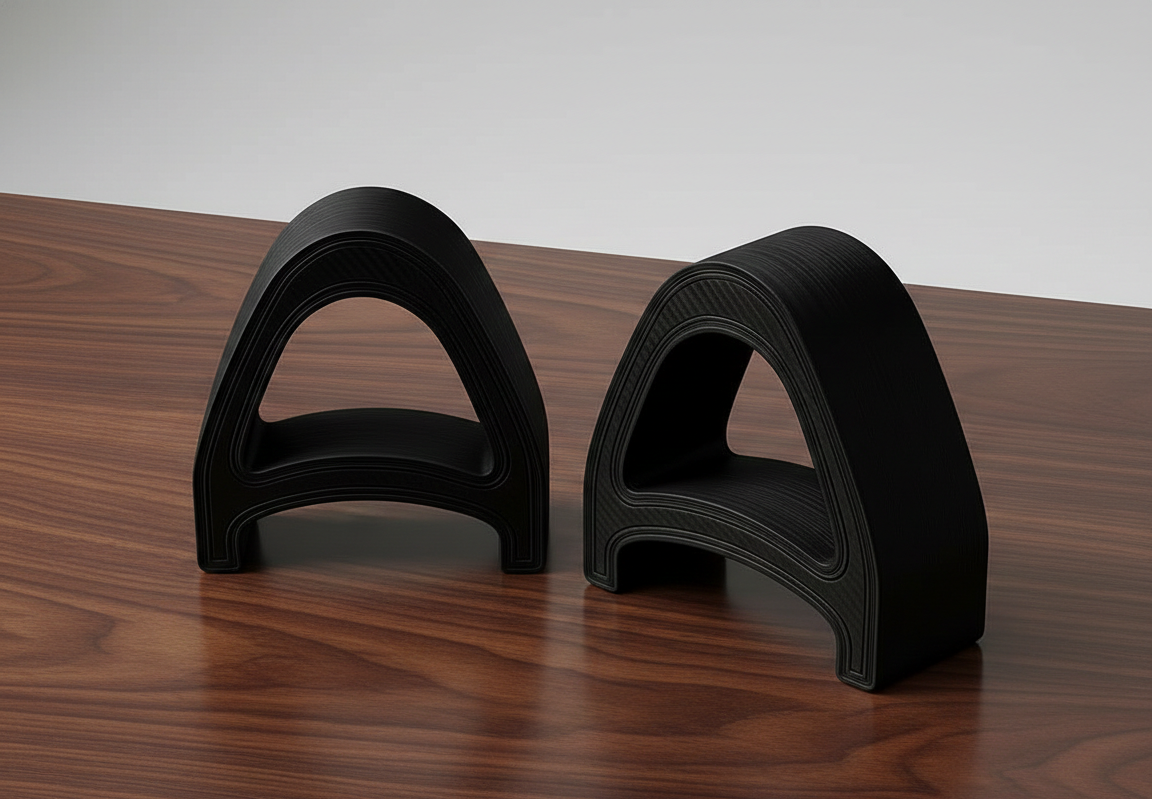
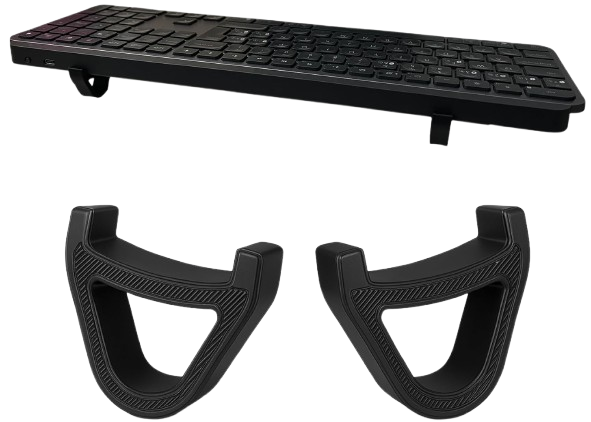
Three simple steps to a cleaner MX Keys typing angle
Attach one KeyRiser foot to each side of the rear edge of your compatible Logitech MX Keys keyboard.
The fixed 15° tilt raises the rear edge while keeping your familiar keyboard layout, shortcuts, and desk footprint.
Type with your MX Keys raised to a steadier, more wrist-friendly angle for everyday work.
No generic promises: KeyRiser is built around clear fit, a fixed typing angle, and product-specific design.
Designed for Logitech MX Keys, MX Keys S, and MX Keys Mini instead of generic keyboard dimensions.
Raises the rear edge of the keyboard for a cleaner typing position while keeping your existing keyboard.
A compact riser that sits under the keyboard without asking you to change your typing workflow.
The product details that matter before you add it to your desk.
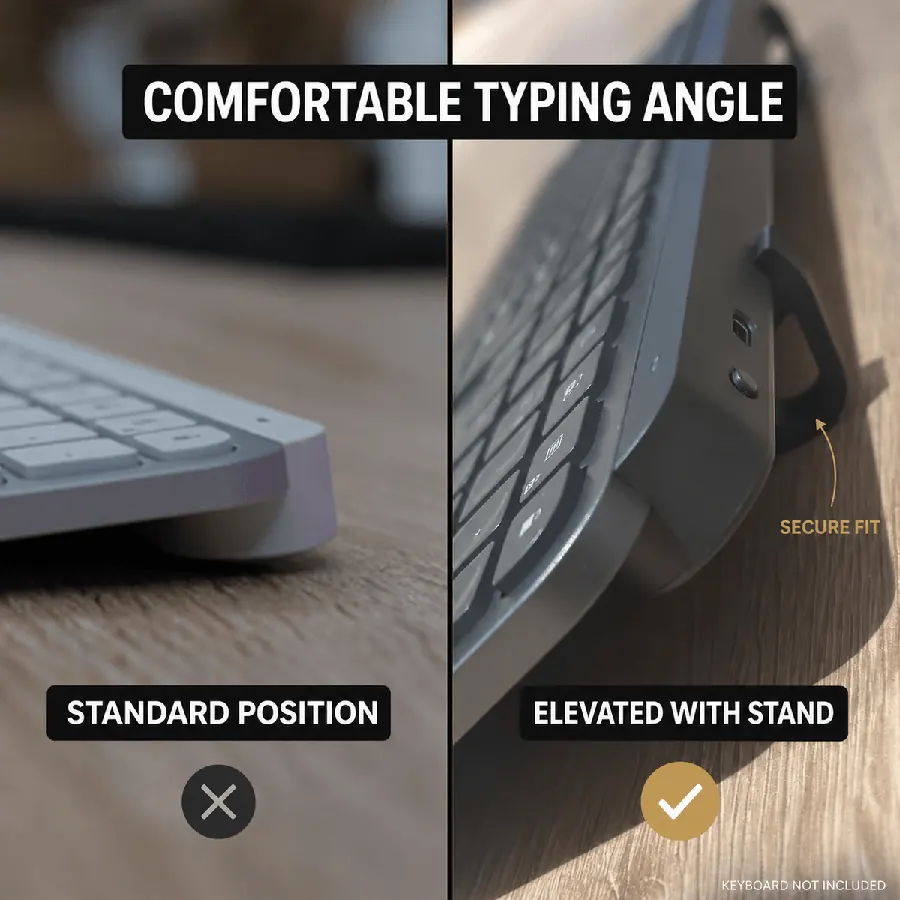
Fixed 15° angle reduces wrist strain during long sessions
Two compact pieces install in seconds — no tools needed
Works with MX Keys, MX Keys S, and MX Keys Mini
Current Amazon price for the two-piece riser
The smart choice for ergonomic keyboard elevation
*DIY: Unstable, inconsistent angle, unprofessional look
Everything you need to know about our ergonomic keyboard stand
KeyRiser uses a fixed 15° rear lift to give supported Logitech MX Keys keyboards a more defined typing angle. Comfort depends on your desk setup, typing habits, and body position. Learn more about our specifications.
KeyRiser is designed for Logitech MX Keys, Logitech MX Keys, Logitech MX Keys S, and Logitech MX Keys Mini. It is not a universal keyboard stand, so do not use it with unlisted keyboard models.
Shipping options and delivery estimates are shown by Amazon on the live listing and during checkout. They can vary by stock, location, and account.
KeyRiser is made for the Logitech MX Keys family. Check your model before ordering so the stand fits correctly.
Full size wireless keyboard
Full size wireless keyboard
Compact wireless keyboard
Not designed for other models
Upgrade your Logitech MX Keys setup with compact riser feet designed for a cleaner desk, a steadier fit, and a fixed 15° raised angle.
From the desk
What people say after they raise the angle
Short reactions about the 15° snap-on fit for MX Keys, MX Keys S, and Mini — without a bulky stand.
Snapped KeyRiser under my MX Keys in under a minute. Fixed 15° lift, zero tools. Desk still looks clean.
Finally not typing flat all day. That 15° rear raise on MX Keys is a small change with a big feel.
Tried a bulky stand before — ate half my desk. KeyRiser is just two PLA feet. Same keyboard, more space.
Pack of 2 arrived, clicked onto MX Keys Mini. Fit felt intentional, not generic wedge vibes.
Aftermarket for Logitech MX Keys done right: snap-on, low profile, no glue. My setup stays minimal.
WFH tip that stuck: raise the rear edge. KeyRiser locks a consistent 15° so I stop fiddling with stock feet.
MX Keys Mini + KeyRiser = compact board that doesn’t sit pancake-flat. Install was literally snap, type.
I don’t want a giant plastic tower under my keyboard. Two small risers > another appliance on the desk.
15° less-flat typing on the same MX Keys I already like. That’s the whole pitch — and it delivers.
PLA print quality surprised me for a 2-pack accessory. Solid seat under MX Keys S, no wobble.
Home office upgrade that didn’t require replacing the keyboard. Snap-on feet, fixed angle, done.
MX Keys S owner here — KeyRiser sits flush at the rear. Feels like it was designed around this board.
Clean look matters. KeyRiser disappears under the keyboard; you notice the angle, not a bulky stand.
Long coding sessions feel less “flat board fatigue.” Still my MX Keys — just raised 15° in the back.
Desk real estate is precious. Two riser feet beat any full-size stand I’ve tried for MX Keys.
Independent aftermarket accessory, not a Logitech product — and honestly that’s fine. Fit on Mini was spot on.
Love that it’s a pack of 2. One left, one right, keyboard sits level. Simple product, clear job.
Tilt and go: snapped both pieces on, typed a paragraph, never looked back. No tools, no adhesives.
Pairs nicely with a cream/wood desk aesthetic. Small PLA parts, big difference vs typing flat.
If your MX Keys feels too flat, this is the boring-but-effective fix. Fixed 15°, snap-on, keep your board.
Snapped KeyRiser under my MX Keys in under a minute. Fixed 15° lift, zero tools. Desk still looks clean.
Finally not typing flat all day. That 15° rear raise on MX Keys is a small change with a big feel.
Tried a bulky stand before — ate half my desk. KeyRiser is just two PLA feet. Same keyboard, more space.
Pack of 2 arrived, clicked onto MX Keys Mini. Fit felt intentional, not generic wedge vibes.
Aftermarket for Logitech MX Keys done right: snap-on, low profile, no glue. My setup stays minimal.
WFH tip that stuck: raise the rear edge. KeyRiser locks a consistent 15° so I stop fiddling with stock feet.
MX Keys Mini + KeyRiser = compact board that doesn’t sit pancake-flat. Install was literally snap, type.
I don’t want a giant plastic tower under my keyboard. Two small risers > another appliance on the desk.
15° less-flat typing on the same MX Keys I already like. That’s the whole pitch — and it delivers.
PLA print quality surprised me for a 2-pack accessory. Solid seat under MX Keys S, no wobble.
Home office upgrade that didn’t require replacing the keyboard. Snap-on feet, fixed angle, done.
MX Keys S owner here — KeyRiser sits flush at the rear. Feels like it was designed around this board.
Clean look matters. KeyRiser disappears under the keyboard; you notice the angle, not a bulky stand.
Long coding sessions feel less “flat board fatigue.” Still my MX Keys — just raised 15° in the back.
Desk real estate is precious. Two riser feet beat any full-size stand I’ve tried for MX Keys.
Independent aftermarket accessory, not a Logitech product — and honestly that’s fine. Fit on Mini was spot on.
Love that it’s a pack of 2. One left, one right, keyboard sits level. Simple product, clear job.
Tilt and go: snapped both pieces on, typed a paragraph, never looked back. No tools, no adhesives.
Pairs nicely with a cream/wood desk aesthetic. Small PLA parts, big difference vs typing flat.
If your MX Keys feels too flat, this is the boring-but-effective fix. Fixed 15°, snap-on, keep your board.
Illustrative customer reactions