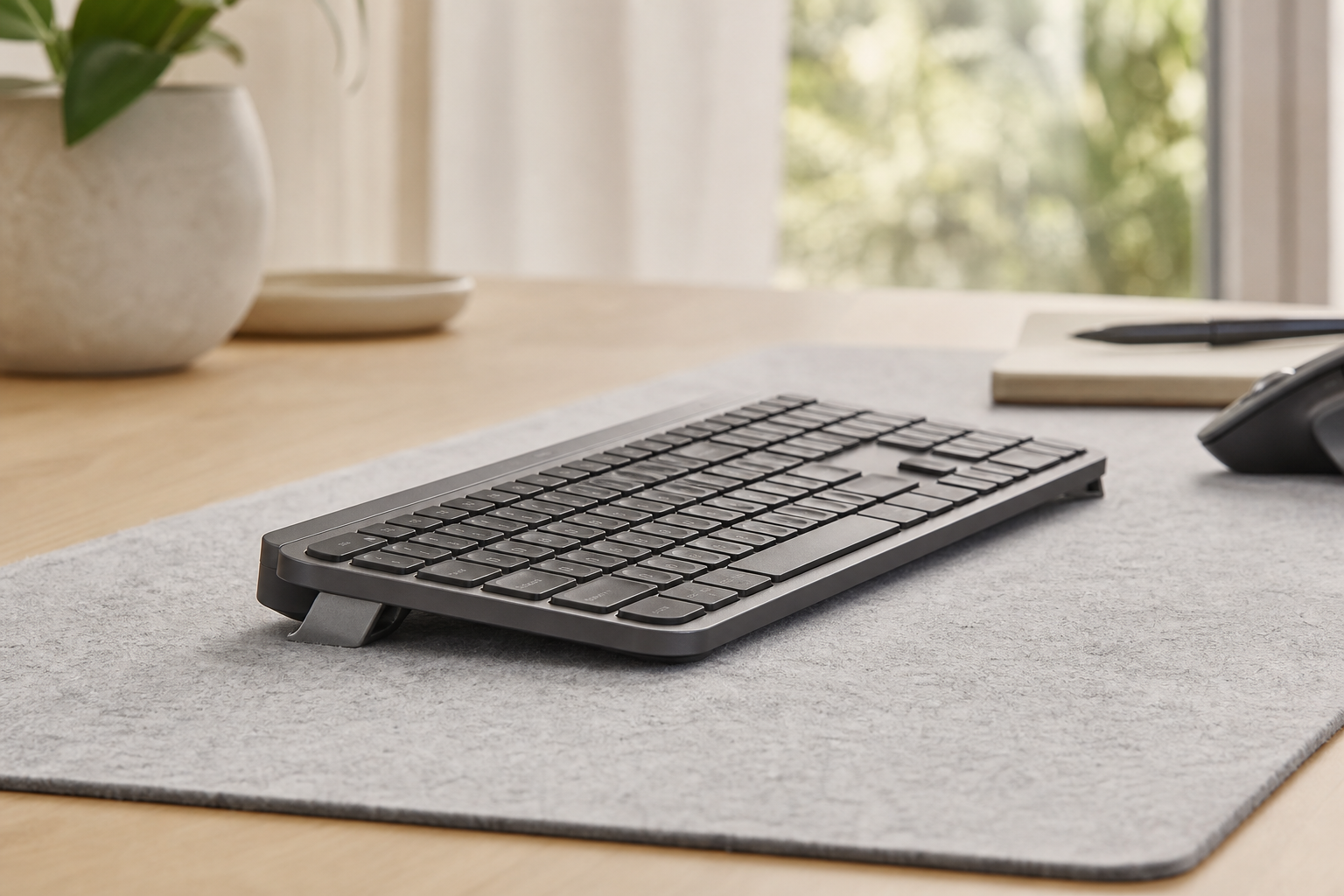
Best Accessories for Logitech MX Keys / MX Keys S / MX Keys Mini 2026
Complete accessory guide for Logitech MX Keys, MX Keys S, and MX Keys Mini: keyboard risers, wrist rests, vertical mice, monitor arms, laptop stands, lighting, and footrests. Compatibility table + buying priority.
Best Accessories for Logitech MX Keys / MX Keys S / MX Keys Mini 2026
The Logitech MX Keys family (MX Keys, MX Keys S, MX Keys Mini) is arguably the best productivity keyboard lineup on the market: low-profile scissor switches, perfect key spacing, multi-device Easy-Switch, USB-C charging, and premium build quality. But there is one thing Logitech left out: adjustable ergonomic tilt.
All three models ship with only short, fixed rear feet that create a positive tilt (rear higher than front) — the exact opposite of what ergonomics research recommends. The result: wrists bend backward (extension) on every keystroke, compressing the carpal tunnel and straining extensor tendons.
This guide covers every accessory category that completes the MX Keys ecosystem, ranked by impact, with a compatibility table so you buy exactly what fits your model.
Compatibility Quick-Reference
| Accessory | MX Keys (Full) | MX Keys S (Full) | MX Keys Mini | Notes |
|---|---|---|---|---|
| KeyRiser (15° riser feet) | ✅ Perfect fit | ✅ Perfect fit | ✅ Perfect fit | Two-piece, model-specific |
| Logitech MX Palm Rest | ✅ Full width | ✅ Full width | ❌ Too wide | Official, graphite only |
| Logitech Lift Vertical Mouse | ✅ | ✅ | ✅ | Bolt/Bluetooth, all models |
| Ergotron LX Monitor Arm | ✅ | ✅ | ✅ | Independent of keyboard |
| BenQ ScreenBar Halo 2 | ✅ | ✅ | ✅ | Clamps any monitor |
| Rain Design iLevel 2 | ✅ | ✅ | ✅ | Laptop stand, not keyboard |
| Mount-It! Footrest | ✅ | ✅ | ✅ | Body support, not keyboard |
| VIVO Sit-Stand Converter | ✅ | ✅ | ✅ | Keyboard tray fits all |
| Kensington Duo Gel Bundle | ✅ | ✅ | ✅ | Keyboard + mouse gel rests |
KeyRiser note: Each KeyRiser set is precision-molded for the exact footprint of your model. MX Keys/MX Keys S share the same full-size footprint; MX Keys Mini has its own set. Do not mix.
Priority 1: Keyboard Angle Correction (Non-Negotiable)
KeyRiser — The Missing 15° Tilt
What it is: Two-piece precision PLA riser feet that attach to the existing foot wells of your MX Keys, MX Keys S, or MX Keys Mini. Creates a fixed 15° negative tilt (front edge higher than rear).
Why it is #1: A flat MX Keys forces ~15–20° wrist extension. At 20° extension, carpal tunnel pressure doubles. KeyRiser neutralizes this on every keystroke — thousands per hour.
Model-specific fit:
- MX Keys / MX Keys S: Same full-size footprint → same KeyRiser set
- MX Keys Mini: Compact footprint → dedicated Mini set
Installation: 10 seconds. No tools. Press into existing foot wells. Anti-slip base prevents sliding under typing force.
Verification: Type with wrists straight (forearm-wrist-hand line). No bend up, no bend down.
Where to buy: KeyRiser product page → Check Amazon availability
Priority 2: Wrist Support (Supplements the Riser)
Logitech MX Palm Rest (Official)
What it is: Full-width memory foam palm rest with magnetic attachment, graphite finish matching MX Keys.
Best for: MX Keys and MX Keys S (full-size). Not compatible with MX Keys Mini — too wide.
Role: Supports palms during pauses only. Never rest wrists while typing. The riser handles angle; the palm rest handles comfort between bursts.
Price: ~$25–30. Check price on Amazon
Kensington Duo Gel Wrist Rest Bundle (Keyboard + Mouse)
What it is: Two-piece gel set: keyboard wrist rest (17.7”) + mouse wrist rest (5.5”). Cooling gel, non-skid base, duo-tone design.
Best for: All three models (keyboard rest fits full-size and Mini). Mouse rest pairs perfectly with vertical mouse.
Advantage over Logitech: Gel > foam for cooling. Mouse rest included. Non-skid base superior. Check price on Amazon
3M Gel Mouse Pad Wrist Rest
What it is: Mouse-only gel rest. Compact (5.5” × 3.3”), cooling gel, antimicrobial.
Best for: Minimalists who want mouse support only. Pairs with KeyRiser + no keyboard rest. Check price on Amazon
Priority 3: Mouse Hand Health (Vertical Mice)
Logitech Lift Vertical Ergonomic Mouse
Why vertical for MX Keys users: The MX Keys ecosystem is built for productivity. The mouse hand accumulates more static pronation hours than the typing hand. A vertical mouse rotates the forearm to neutral (handshake), reducing pronator teres strain by 23% and ulnar deviation by 31% (Applied Ergonomics, 2019).
Specs: 57° angle, 57g, silent clicks, 400–4000 DPI, Bluetooth + Logi Bolt, 2-year battery, 6 buttons.
Best for: Small-to-medium hands. All MX Keys models (Bolt receiver works with MX Keys S/Mini; Bluetooth works with all).
Colors: Graphite, Off-White, Rose. Check price on Amazon
Logitech MX Vertical (Premium Alternative)
Upgrade points: Rechargeable (USB-C), higher precision sensor (4000 DPI), gesture button, faster charging (1 min = 3 hrs). 4.4★ from 15K+ reviews.
Best for: Large hands, users who want rechargeable, precision work. Check price on Amazon
Logitech MX Master 3S (If You Refuse Vertical)
Not vertical, but: Best traditional ergonomic mouse. 8000 DPI, MagSpeed wheel, silent clicks, multi-device, 70-day battery. Pairs natively with MX Keys via Easy-Switch + Flow.
Best for: Users who cannot adapt to vertical. Still reduces strain vs. flat mice. Check price on Amazon
Priority 4: Monitor Position (Monitor Arms)
Ergotron LX Monitor Arm (Gold Standard)
Why it matters for MX Keys users: KeyRiser adds ~1.5” height to your keyboard. Your monitor must rise to match eye level. A monitor arm does this and reclaims the desk depth KeyRiser uses.
Specs: Gas spring, 34” max, 7–25 lbs, VESA 75/100, 25” reach, 13” height range. 10-year warranty. 4.6★ from 10K+ reviews.
Single vs. Dual: LX Single for one monitor. LX Dual Stacking for two stacked. LX Dual Side-by-Side for side-by-side.
Why Ergotron over cheaper: Smooth articulation (no drift), rigid positioning (no bounce while typing), serviceable parts, 10-year warranty. Cheaper arms sag, drift, and fail in 12–18 months.
Price: $130–180. Check price on Amazon
HUANUO FlowLift Dual Monitor Arm (Budget Dual)
Specs: Gas spring, dual monitor, 4.4–19.8 lbs per arm, C-clamp + grommet, VESA 75/100. 4.5★.
Best for: Dual monitor setups on budget. Good entry point; upgrade to Ergotron later if needed. Check price on Amazon
Priority 5: Desk Lighting (Monitor Lights)
BenQ ScreenBar Halo 2 (Latest Model)
Why a monitor light: MX Keys has backlit keys, but your desk (documents, notebook, hands) needs light. A monitor light illuminates the desk without screen glare (asymmetric optics) and without a lamp base eating desk space.
Halo 2 upgrades over original: Wireless controller (magnetic dock), asymmetric backlight (reduces contrast strain in dark rooms), motion sensor (auto on/off), fits curved monitors (1000R–1800R).
Specs: 500 lux at 45 cm, 2700–6500K, CRI >95, USB-C powered, 4.7★.
Why not a desk lamp: Lamp base = lost desk space. Screen glare = eye strain. Monitor light = zero footprint, zero glare.
Price: ~$199. Check price on Amazon
BenQ ScreenBar (Original, Still Excellent)
If Halo 2 is over budget: Original ScreenBar has auto-dimming, adjustable color temp, same asymmetric optics. No wireless controller, no backlight, no motion sensor. 4.7★, 3K+ reviews. $109. Check price on Amazon
Priority 6: Laptop Integration (Laptop Stands)
Rain Design iLevel 2 (Adjustable)
Why MX Keys users need this: Many MX Keys users pair with a laptop (clamshell mode or dual-screen). The laptop screen must be at eye level — same as external monitor. A fixed-height stand only works for one posture.
iLevel 2 advantage: Front slider adjusts height and angle simultaneously. Range: 5.5” to 7.5” rear height. Single-piece aluminum, vented shelf, cable management. Fits up to 15.6” laptops.
Alternative: Rain Design mStand (fixed 5.9”, $39) — if you only sit and never stand. Check price on Amazon / Check price on Amazon
Priority 7: Lower Body Support (Footrests)
Mount-It! Adjustable Footrest
Why it matters: At proper desk height (elbows 90°), many users’ feet don’t reach the floor. Dangling feet → posterior pelvic tilt → lumbar flexion → thoracic rounding → forward head → shoulder elevation → wrist extension. The footrest restores the kinetic chain.
Specs: 6 heights (3.5”–7.5”), textured non-slip surface, rocker base for active sitting, 16” × 11” footprint. 4.6★. Check price on Amazon
ComfiLife Memory-Foam Footrest
Softer option: 3 heights (3.5”, 4.75”, 6”), memory foam top, washable cover, rocker base. 4.5★. Check price on Amazon
Priority 8: Sit-Stand Variety (Converters)
VIVO 32-inch Sit-Stand Desk Converter
Why a converter over full standing desk: 20–30% of the cost, sits on existing desk, no assembly, portable. Keeps your KeyRiser angle consistent at both heights.
Critical feature: Dual-tier design — monitor on top tier, keyboard+mouse on bottom tier. Bottom tray is spacious (31.5” × 11.8”) — fits MX Keys + vertical mouse + gel rests with room to spare.
Specs: Gas-spring lift, 12 height positions, 33 lbs capacity, 4.5★ from thousands. Check price on Amazon
Sit-stand schedule with MX Keys:
- KeyRiser angle stays 15° at both heights (fixed relative to keyboard)
- Monitor arm raises/lowers with converter (independent adjustment)
- Alternate 30 min sit / 30 min stand (advanced) or 15/45 (beginner)
Complete Setup Examples by Use Case
The Writer / Programmer (8+ hrs/day, mostly sitting)
| Component | Selection | Why |
|---|---|---|
| Keyboard angle | KeyRiser | Foundation |
| Wrist support | Kensington Duo Gel Bundle | Long sessions, palm + mouse |
| Mouse | Logitech Lift Vertical | Prevents pronation strain |
| Monitor | Ergotron LX Single | Precision positioning |
| Lighting | BenQ ScreenBar Halo 2 | Dark-room coding |
| Footrest | Mount-It! Adjustable | All-day sitting |
| Total | ~$450 | Core tier |
The Hybrid Creative (Sit/stand, dual monitor, laptop dock)
| Component | Selection | Why |
|---|---|---|
| Keyboard angle | KeyRiser | Consistent at both heights |
| Wrist support | Logitech MX Palm Rest | Premium feel, magnetic |
| Mouse | Logitech MX Vertical | Rechargeable, precision |
| Monitor | Ergotron LX Dual Side-by-Side | Two screens, independent |
| Lighting | BenQ ScreenBar Halo 2 | Color-critical work |
| Laptop | Rain Design iLevel 2 | Adjustable for sit/stand |
| Converter | VIVO 32” | Movement without renovation |
| Footrest | Mount-It! | Sitting support |
| Total | ~$850 | Complete tier |
The Minimalist / Traveler (MX Keys Mini, coffee shops, hot-desking)
| Component | Selection | Why |
|---|---|---|
| Keyboard angle | KeyRiser Mini | Portable, 15° fixed |
| Mouse | Logitech Lift | Compact, Bolt + Bluetooth |
| Wrist | 3M Gel Mouse Rest only | Packable |
| Total | ~$100 | Essential tier |
Buying Decision Tree
START: Do you have wrist/neck/shoulder pain?
  ├─ YES → Buy Priority 1 + 2 + 3 immediately (KeyRiser + wrist rest + vertical mouse)
  └─ NO → Continue

Do you use dual monitors or laptop + external monitor?
  ├─ YES → Add Priority 4 (Monitor arm) + Priority 6 (Laptop stand if applicable)
  └─ NO → Skip to lighting

Do you work in dim environments or at night?
  ├─ YES → Add Priority 5 (Monitor light)
  └─ NO → Skip

Do your feet reach the floor at proper desk height?
  ├─ NO → Add Priority 7 (Footrest)
  └─ YES → Skip

Do you sit >6 hours/day?
  ├─ YES → Add Priority 8 (Sit-stand converter)
  └─ NO → Optional

END: You now have a complete, prioritized cart.
What NOT to Buy (Common Waste)
| Product | Why It’s a Waste | Better Alternative |
|---|---|---|
| Adhesive keyboard feet | Slip, peel, inconsistent angle | KeyRiser (mechanical, fixed) |
| Generic gel wrist rest (keyboard-only) | No mouse support, often too soft | Kensington Duo Gel (keyboard + mouse) |
| Flat mouse pad | No wrist support, slides | Gel mouse rest or large desk mat |
| Desk lamp | Glare, base clutter, wrong angle | BenQ ScreenBar (zero footprint, zero glare) |
| Fixed laptop stand | Only works for one posture | Rain Design iLevel 2 (adjustable) |
| Cheap monitor arm ($30–50) | Sags, drifts, fails in 1 year | Ergotron LX (10-year warranty) |
| Standing desk converter without keyboard tray | Forces flat keyboard at standing | VIVO 32” (dedicated keyboard tray) |
FAQ
Does KeyRiser work with a keyboard tray?
Yes, if the tray is flat. KeyRiser adds 15° on top of whatever surface. Ensure tray is wide enough for keyboard + mouse on same level.
Can I use the Logitech MX Palm Rest with MX Keys Mini?
No — it is too wide (full-size). Use Kensington Duo Gel keyboard rest (fits Mini) or 3M Gel mouse rest only.
Does the Logitech Bolt receiver work with MX Keys (original)?
No — original MX Keys uses Unifying receiver. MX Keys S and MX Keys Mini use Bolt. All three support Bluetooth.
Will a vertical mouse work with Logitech Flow (multi-computer)?
Yes — Logitech Lift and MX Vertical both support Flow via Bolt/Bluetooth. Configure in Logi Options+.
Is the BenQ ScreenBar Halo 2 worth the $90 premium over original?
If you work in dark rooms: yes (asymmetric backlight reduces contrast strain). If you only work in lit rooms: original is fine.
Can I use KeyRiser on a laptop keyboard?
No — KeyRiser is designed for MX Keys footprint only. For laptops, use a laptop stand + external keyboard with KeyRiser.
What if I have large hands and the Lift feels small?
Get the Logitech MX Vertical — larger body, same 57° angle, rechargeable.
How do I clean the KeyRiser?
Wipe with damp cloth. PLA is not dishwasher safe. Do not use solvents.
Does the VIVO converter work with a monitor arm?
Yes — monitor on converter’s top tier, or mount monitor arm to desk behind converter. Both work.
Final Recommendation: Start with the Trinity
KeyRiser + Vertical Mouse + Monitor Arm
These three solve 85% of MX Keys ergonomic issues for ~$250. Everything else (wrist rests, lighting, footrest, sit-stand) compounds the benefit.
- KeyRiser ($13–35) — fixes the root cause: wrist extension
- Logitech Lift Vertical Mouse ($60–80) — fixes the hidden cause: forearm pronation
- Ergotron LX Monitor Arm ($130–180) — fixes the display cause: neck flexion + desk depth
Add the rest as budget allows. Your wrists, neck, and shoulders will thank you for the next decade.
Recommended Reading
Ready for a Better Typing Angle?
Check KeyRiser on Amazon and confirm compatibility with your MX Keys model.
Buy Now - $9.99