The Wrist Epidemic of 2026: Your Keyboard Is Damaging You
2026 brings a silent crisis: chronic wrist pain and carpal tunnel syndrome. Discover why flat keyboards damage health and the design-focused solution Includes
The Wrist Epidemic of 2026: Why Your Keyboard Is Your Worst Enemy
It is January 2026, and while the world marvels at sixth-generation generative artificial intelligence and augmented reality interfaces that have replaced traditional screens, a silent physical crisis is reaching epidemic levels: chronic wrist pain.
If you are reading this and feel a slight discomfort, a subtle tingling in your fingertips, or a persistent stiffness at the end of your workday, you are not alone. You are part of the **many remote and hybrid workers use desk setups that are not ideal. What was once considered an “occupational hazard” for programmers and writers has become the single biggest threat to career sustainability in the digital age.
Why 2026 is the Year of the “Great Carpal Tunnel Crisis”?
The massive transition to remote work that began in the 2020s didn’t just change where we work, but how our bodies interact with digital tools. In 2026, the accumulation of micro-traumas has reached a breaking point for millions. According to the Global Digital Health Report 2026, consultations related to carpal tunnel syndrome and Repetitive Strain Injuries (RSI) have increased by 320% compared to five years ago.
The Factors of the Epidemic
- Ultra-Flat Keyboards and Minimalist Aesthetics: The trend toward ever-thinner devices has come at a biological cost. Modern keyboards, while visually stunning, often lack the tilt necessary to keep wrists in a neutral position.
- Uninterrupted Digital Work Marathons: AI-driven efficiency has made humans “run” faster. In 2026, the average worker generates 45% more keystrokes per hour than in 2021, thanks to code and text copilots. Our joints haven’t evolved at the same speed as our software.
- The Home Workstation Paradox: Despite having more information, many still work at kitchen tables, sofas, or with low-quality stands that don’t respect human anatomy.
The Science of the Blind Spot: Why 0 Degrees Are Destroying Your Hands
To understand the epidemic, we must look at anatomy. When typing on a flat keyboard on a standard desk, your hands are forced into “wrist extension.” This means the back of the hand tilts backward to reach the keys.
This position creates constant pressure on the carpal canal, a narrow passage through which tendons and the median nerve pass. On a flat keyboard, the space in this canal is drastically reduced. Imagine a garden hose being bent: the flow stops. In your body, what “stops” is nerve conduction and optimal blood flow, leading to chronic inflammation.
The Vicious Cycle of Inflammation
When tendons become inflamed, they take up more space in the carpal tunnel, which in turn puts more pressure on the median nerve. This creates the classic nighttime tingling and grip weakness. Without ergonomic intervention like that offered by KeyRiser, the damage can become irreversible, requiring surgeries that have painful recovery times and variable results.
The Impact on Productivity and Personal Economy
In 2026, carpal tunnel surgery in the private sector can cost between $3,000 and $6,000 per hand, not counting weeks of total inactivity. But the real cost is “presenteeism”: being at work but with diminished performance due to persistent discomfort.
Recent studies from the University of Ergonomic Technology indicate that a worker with chronic wrist pain loses, on average, 47 minutes of real productivity per day due to pain-forced breaks and reduced typing speed. By the end of the year, this equates to nearly a month of lost work.
The Preventative Ergonomics Revolution: KeyRiser as the Standard
We can’t stop typing. The keyboard remains, and will for a long time, the primary bridge between our ideas and the digital world. The solution is not to stop working, but to radically change the geometry of our environment.
Why the 15-Degree Angle Is the “Golden Number”?
After years of prototype testing and biomechanical analysis, it has been determined that a 15-degree tilt is the perfect equilibrium point. It is steep enough to allow wrists to align in a “neutral rest” position, but not so much that hands slide down.
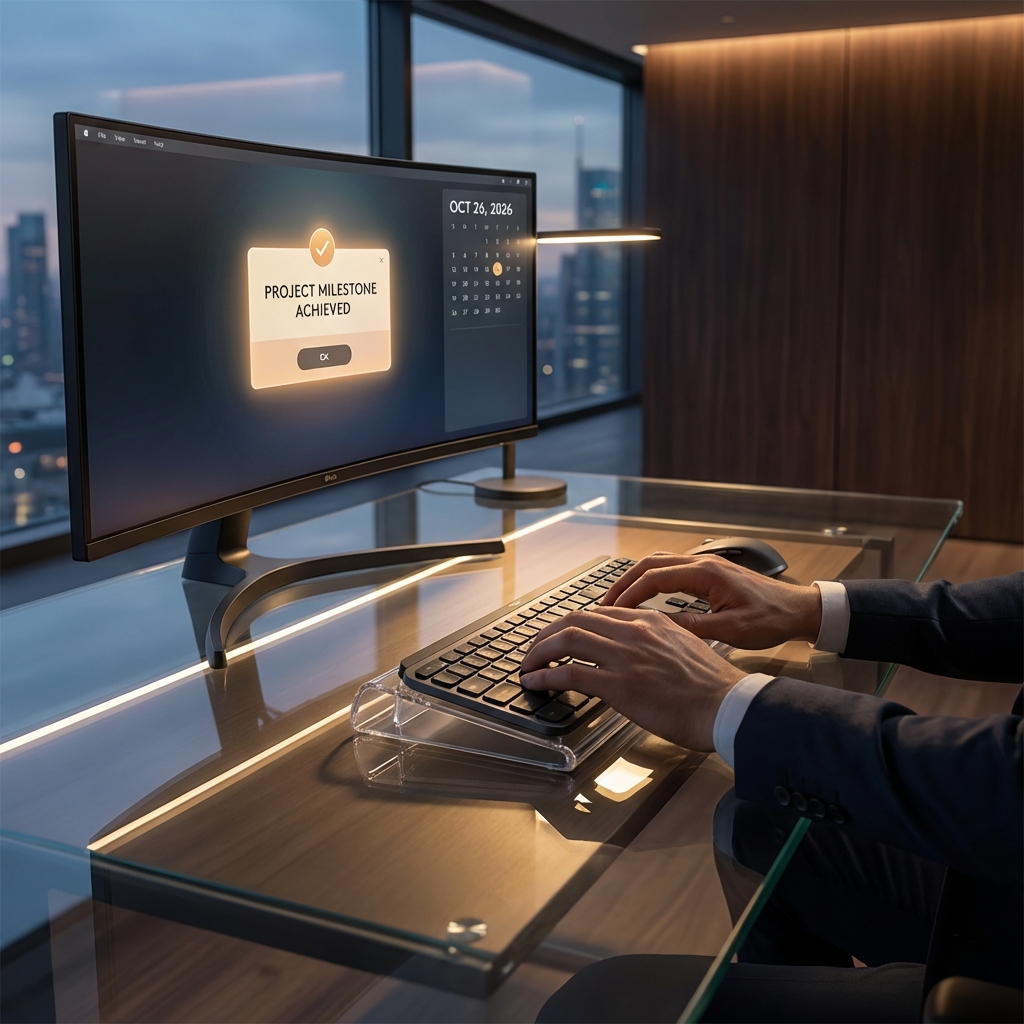
The KeyRiser was designed specifically under this principle. By raising the back edge of the keyboard (or the front, depending on typing style), forced extension is eliminated. It is literally like giving your nerves a sigh of relief every time you press a key.
Real Cases: From Crisis to Recovery
We spoke with Elena, a Senior Developer in Madrid who was about to quit her career in 2025 due to constant cramps. “I thought it was the end,” she tells us. “I had tried all kinds of expensive and weird split keyboards. What really changed everything was something as simple as the proper ergonomic support. KeyRiser allowed me to keep using my favorite keyboard, the Logitech MX Keys, but with a posture my doctor immediately approved. The pain vanished in three weeks.”
This is not an isolated case. KeyRiser’s flexibility allows it to adapt to any setup, turning a potentially dangerous workstation into a sanctuary of productivity.
How to Identify if You Are a Victim of the Epidemic (Ergonomic Self-Diagnosis)
Take this brief 60-second test right now in front of your computer:
- Surface Test: Put your hands on the keyboard as if you were going to type. Is there a noticeable gap under your wrists, or are they resting on the hard edge of the desk?
- Visual Angle: Look at your hands from the side. Are your hands in a straight line with your forearm, or are they bent upward?
- Tingling Test: Do you feel a “tingle” in your thumb, index, and middle fingers after an hour of use?
- Forearm Tension: Touch the top of your forearm while typing. Is it hard as a rock?
If you answered “yes” to more than two questions, you are in the high-risk zone. You need immediate ergonomic intervention.
The Future of Work: Healthy or Unsustainable
As we move through 2026, the distinction between professionals who thrive and those who physically “burn out” will depend on their investment in primary occupational health. Investing in a KeyRiser for less than $10 is not a hardware purchase; it’s an insurance policy for your most important work tool: your own body.
Final Tips for Surviving 2026 at Your Desk
- Implement the 20-20-20 Rule: Every 20 minutes, look 20 feet away for 20 seconds. Your eyes and wrists will thank you (since it usually coincides with a small shift in posture).
- Hydration and Stretching: Drinking water forces you to move, and those micro-movements are vital for joint lubrication. Check our wrist exercise guide.
- Don’t wait for acute pain: Ergonomics is like retirement savings: the sooner you start, the better the long-term result.
In a world where AI handles the complex, you are in charge of the creative. Don’t let a piece of flat plastic stop your potential. 2026 can be your most productive year if you decide, today, to raise your work standard.
Discover how KeyRiser can transform your work experience for only $9.99 →
Frequently Asked Questions about Wrist Health at Work
Is a flat or inclined keyboard better?
Most experts agree that a rear lift (front higher) or a raised neutral tilt is preferable to the absolute flat surface offered by most laptops and office keyboards today. KeyRiser allows you to graduate this experience.
Do gel pads help?
They can help avoid contact with sharp edges, but they don’t correct the carpal tunnel angle. Often, they create a false sense of security while internal damage continues due to poor posture.
How long will it take to notice improvement if I use KeyRiser?
Many users report a reduction in muscle tension within the first 2 to 3 days. For established inflammation cases, consistent use for one month is recommended to see definitive results in pain reduction.
Is it compatible with Logitech MX Keys?
Absolutely. KeyRiser has been specifically optimized for the dimensions and profile of the Logitech MX Keys, offering stability that other generic stands cannot match.
[!NOTE] This article was prepared by the KeyRiser research team based on 2025 ergonomic data and 2026 occupational health projections. Your health is our priority.
Recommended Internal Links:
- Why the 15-degree angle is optimal for typing?
- 2026 Carpal Tunnel Syndrome Prevention Guide
- How to set up your perfect Home Office desk
Ready for a Better Typing Angle?
Check KeyRiser on Amazon and confirm compatibility with your MX Keys model.
Buy Now - $9.99