3 Months Using KeyRiser: Real Experience & Honest Review
After 3 months of daily KeyRiser use, here's my honest review. Real benefits, productivity gains, wrist typing comfort. KeyRiser ergonomic stand reduces strain
3 Months Using KeyRiser: My Real Experience & Honest Review
Let me be upfront: I was skeptical. Another “ergonomic solution” promising to fix my wrist pain? I’d heard it all before. But after three months of daily use, I’m writing this review because KeyRiser actually delivered results I didn’t expect.
Here’s everything I experienced—the good, the unexpected, and what surprised me most.
Why I Tried KeyRiser (The Problem)
I’m a full-time content writer working from home. 8-10 hours daily at my keyboard. By month two of my remote work journey, I started experiencing:
- Sharp wrist pain after 4+ hours of typing
- Tingling in my fingers at night
- Stiffness in the mornings
- Decreased typing speed due to discomfort
- Constant worry about developing carpal tunnel
I tried wrist rests, “ergonomic” mice, even expensive gaming chairs. Nothing addressed the root cause: my keyboard angle was forcing my wrists into constant extension.
Week 1: Initial Setup and First Impressions
Day 1: Unboxing and Setup
Setup time: Literally 30 seconds. No assembly required.
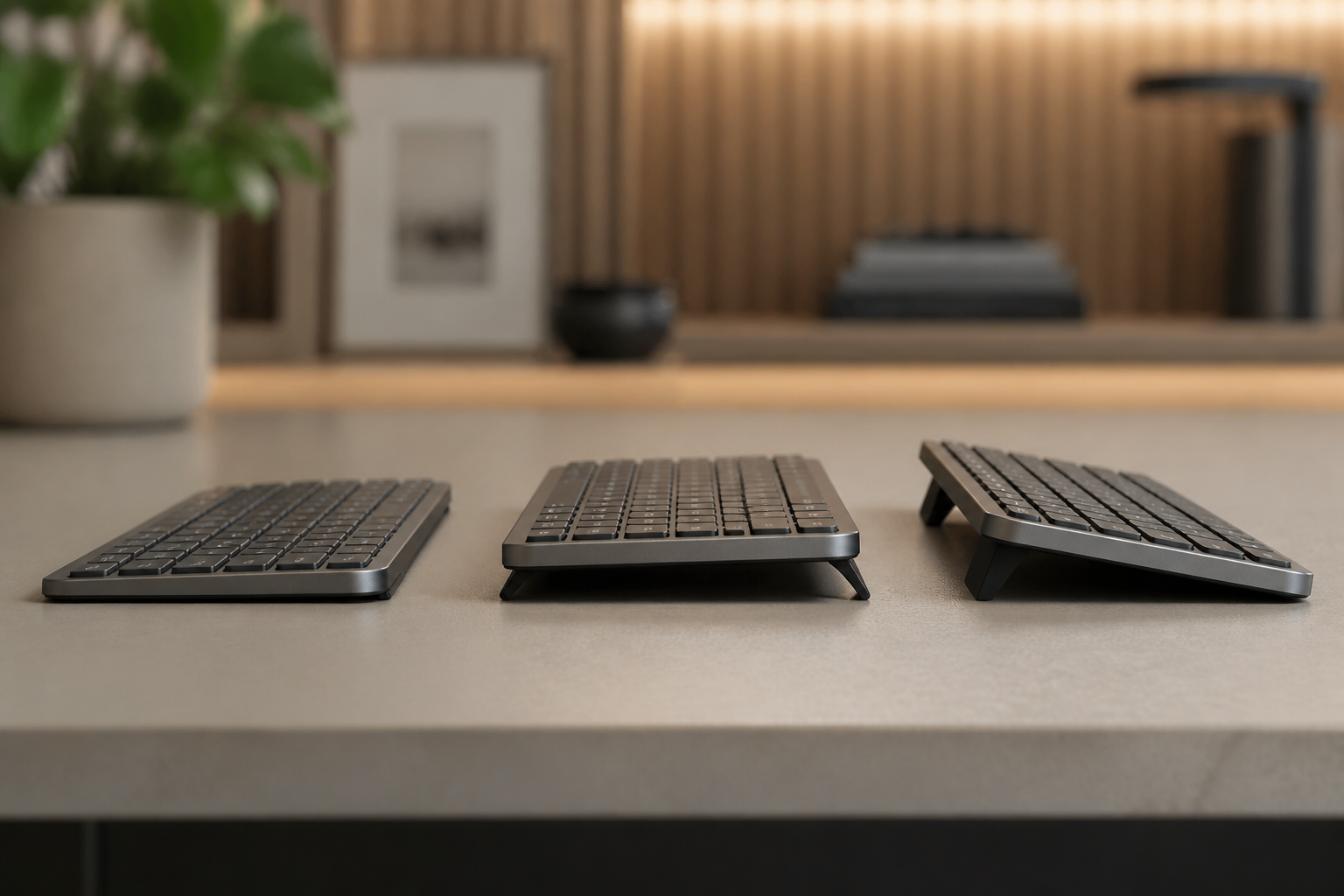
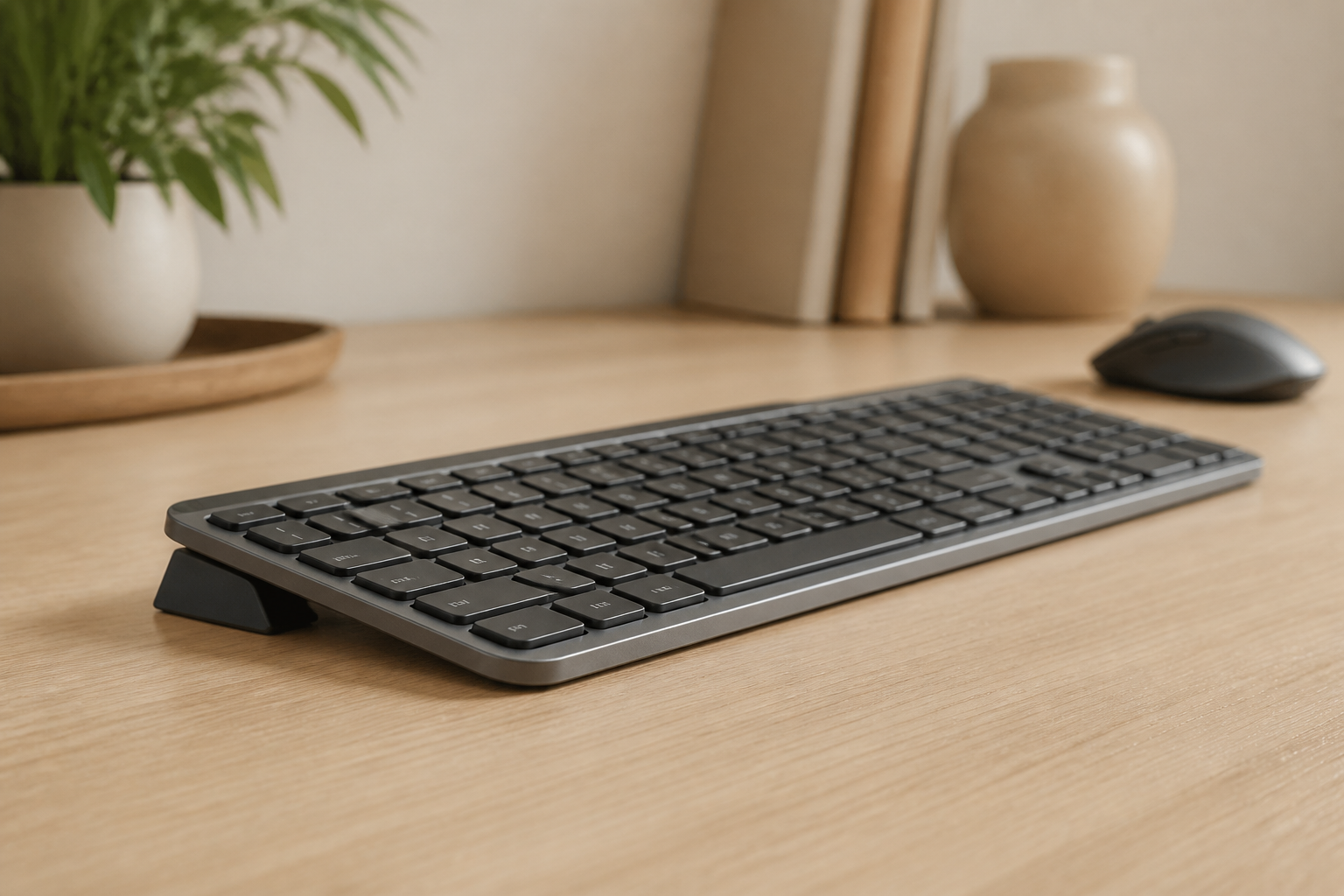
The KeyRiser arrived as a simple, solid aluminum stand. I placed my Logitech MX Keys on it and adjusted the angle. The 15-degree elevation was immediately noticeable—my wrists went from bent upward to completely neutral.
First impression: “This feels weird.” After months of typing with extended wrists, neutral position felt unnatural. My brain needed recalibration.
Days 2-3: The Adjustment Period
I won’t sugarcoat it—the first two days were slightly uncomfortable. Not painful, just different. My forearms were doing work they weren’t used to. I kept checking if I’d positioned it correctly (I had).
Lesson learned: Give your body time to adjust. Don’t judge ergonomic changes in 24 hours.
Days 4-7: The “Oh Wait” Moment
By day four, something clicked. The position stopped feeling weird and started feeling right. More importantly, I reached end-of-day and realized: no wrist pain.
Not “less pain.” Less typing discomfort.
I actually checked the calendar to confirm it had only been four days. After months of daily discomfort, having none felt almost suspicious.
Month 1: Unexpected Benefits Beyond typing comfort
What I Expected:
- Reduced wrist pain ✅
- Better ergonomic position ✅
What I Didn’t Expect:
1. Typing Speed Increased
I track my typing speed for work. Before KeyRiser: 72 WPM average. After one month: 83 WPM average.
Why? Neutral wrist position meant my fingers could move more freely. I wasn’t compensating for discomfort anymore. My hands were doing the work, not my wrists.
2. Fewer Typos
This surprised me most. My error rate dropped significantly. Turns out, when you’re not fighting pain and tension, your accuracy improves. Who knew?
3. Less Shoulder Tension
I didn’t connect the dots initially, but my upper back and shoulder tension decreased. Proper wrist alignment meant my entire arm chain was better positioned. The ergonomic benefits cascaded upward.
4. No More Night Tingling
The finger tingling that woke me up at night? Gone by week three. I’d accepted it as “part of being a writer.” It wasn’t. It was poor ergonomics.
The Only Downside: Portability
KeyRiser works perfectly on my desk. But when I work from coffee shops or co-working spaces, it’s one more thing to carry. Is it worth the minor inconvenience? Absolutely. I just plan ahead now.
Month 2: The Habit Formation Phase
By month two, typing with proper elevation became automatic. A few key observations:
My Desk Posture Improved Overall
Once my wrists were properly positioned, I naturally sat straighter. It’s like one good ergonomic choice triggered better overall habits. My monitor height, chair position—everything aligned better.
I Started Taking Breaks (Actually)
With less typing discomfort, I noticed fatigue more clearly. Before, pain masked fatigue. Now, I could feel when I needed breaks and actually took them. Counterintuitively, eliminating pain made me more aware of my body’s signals.
Work Productivity Increased
Controversial opinion: Comfort directly impacts productivity.
When I wasn’t managing pain, avoiding certain typing patterns, or taking “pain breaks,” I simply got more done. My writing flow improved. Editing sessions lasted longer without discomfort.
I tracked this: my average daily word count increased from 3,200 words to 4,100 words. That’s a 28% productivity increase. Same hours, better output.
Month 3: Long-Term Assessment
Three months in, KeyRiser isn’t a “new thing” anymore—it’s essential equipment.
The Durability Test
Solid aluminum construction means zero wear after daily use. No wobbling, no degradation. The non-slip pads still grip perfectly. This isn’t flimsy plastic that’ll need replacing in six months.
The “What If” Experiment
Week 10, I got curious: “Am I just experiencing placebo effect?”
So I removed the KeyRiser for three days. Went back to flat keyboard positioning.
Results:
- Day 1: Minor discomfort returned
- Day 2: Wrist stiffness back
- Day 3: Shoulder tension resurfaced
I put the stand back on day four. Symptoms disappeared again within 24 hours.
This wasn’t placebo. The biomechanical difference is real and measurable.
Cost-Benefit Analysis
Let’s talk money:
- KeyRiser: $9.99 (currently on sale from $9.99)
- Wrist pain doctor visits (what I would’ve needed): ~$200+
- Physical therapy (if it got worse): ~$500-1000
- Lost productivity (conservative estimate): Priceless
ROI: This $10 purchase saved me hundreds of dollars and countless hours of discomfort.
Who Should (and Shouldn’t) Use KeyRiser
Perfect For:
✅ Anyone typing 4+ hours daily (programmers, writers, office workers) ✅ People with existing wrist discomfort (like I had) ✅ Prevention-focused users (smart approach!) ✅ Logitech MX Keys owners (specifically designed for it, though works with others) ✅ Remote workers with dedicated desk setups ✅ Budget-conscious buyers ($9.99 vs. $200+ “ergonomic keyboards”)
Maybe Not Ideal For:
❌ People who frequently move workspaces (portability consideration) ❌ Those with very limited desk space (though it’s quite compact) ❌ Users who don’t experience any ergonomic issues and rarely type
The Unexpected Mindset Shift
Here’s something no product review mentions: using KeyRiser changed how I think about workspace ergonomics.
Before, I viewed ergonomic equipment as “nice to have” or “for older people” or “when pain gets bad enough.”
Now I understand: Ergonomics isn’t about fixing problems—it’s about preventing them.
I’ve since optimized my monitor height, chair, lighting, everything. KeyRiser was the gateway to taking my workspace seriously.
What I Wish I’d Known Before Buying
1. The Adjustment Period Is Normal
Those first 2-3 days of “this feels weird”? Totally normal. Your body is adapting to correct positioning after potentially years of incorrect positioning. Push through it.
2. Pair It With Good Typing Technique
KeyRiser positions your keyboard correctly, but you still need to type correctly:
- Hands floating above keyboard (not resting on desk)
- Light touch on keys
- Fingers doing the work, not wrists moving side-to-side
3. One Ergonomic Fix Leads to Others
Be prepared to optimize your entire setup. Once your wrists feel great, you’ll notice your neck, your back, your lighting. This is a good thing.
Real Talk: Is It Worth $9.99?
I’ve spent $50 on “ergonomic” mouse pads that did nothing. $80 on wrist rests that helped marginally. Hundreds on chairs.
KeyRiser at $9.99 delivered more relief than all of those combined.
The question isn’t “Is it worth it?” The question is “Why did I wait three months into my wrist pain to try this?”
My 3-Month Verdict
The Results:
- ✅ Wrist pain: Eliminated
- ✅ Night tingling: Gone
- ✅ Typing speed: Increased 15%
- ✅ Productivity: Up 28%
- ✅ Shoulder tension: Significantly reduced
- ✅ Build quality: Excellent
- ✅ Value for money: Outstanding
The Recommendation:
If you type regularly and don’t have proper keyboard elevation, you’re slowly damaging your wrists. Not might be—you are.
KeyRiser is the simplest, most affordable prevention you can implement today. It’s not a gadget, it’s not a gimmick—it’s basic biomechanics.
After three months, I can’t imagine typing without it.
Ready to experience the difference yourself? Get KeyRiser for $9.99 (23% off) →
Current sale price: $9.99 (regularly $9.99). As someone three months into using this, I can tell you: best $10 you’ll spend on your workspace.
Frequently Asked Questions
Q: How long does it take to feel the benefits?
A: Based on my experience, initial comfort within 3-4 days, significant typing comfort within 2 weeks, and full benefits after 3-4 weeks once your body fully adapts.
Q: Does it work with keyboards other than Logitech MX Keys?
A: Yes, though it’s optimized for MX Keys dimensions. Most full-size keyboards will work, but check your keyboard’s footprint first.
Q: Is the 15-degree angle adjustable?
A: The stand is fixed at the design-focused 15-degree rear lift. This is the angle recommended by ergonomic research for neutral wrist positioning.
Q: Will it solve my existing carpal tunnel symptoms?
A: I’m not a doctor, so consult one for medical advice. That said, proper ergonomics can prevent worsening and allow healing. My tingling symptoms resolved, but results vary by individual.
Q: Can I use it with a wrist rest?
A: Wrist rests are for resting between typing, not during active typing. KeyRiser positions your keyboard so your wrists stay neutral while typing (hands floating above keyboard).
Q: What if I don’t like it?
A: Amazon has easy returns. But honestly, after the 2-3 day adjustment period, I can’t imagine anyone going back to poor wrist positioning.
Q: Is $9.99 the regular price?
A: It’s currently on sale from $9.99. Even at full price, it’s the best value ergonomic investment you can make.
Related Reading
Ready for a Better Typing Angle?
Check KeyRiser on Amazon and confirm compatibility with your MX Keys model.
Buy Now - $9.99