KeyRiser Too Steep? What to Do If 15° Feels Aggressive
If KeyRiser's 15° rear lift feels aggressive on day one, tweak chair and desk height, try short sessions, and return via Amazon if it still fights you.
KeyRiser Feels Too Steep? What to Do If 15° Feels Aggressive
A fixed 15° rear lift can feel steep on day one if you have only typed on a flat MX Keys. That is a change of posture, not proof the feet are defective. Lower the chair or desk slightly, keep sessions short for a few days, and stop if discomfort turns into pain. If the angle still fights you, return the set through Amazon.
This page is not a second copy of why 15° exists. For the angle explainers already on the site, see What angle should a keyboard be? and the 15° tilt article — one paragraph of context, then back to adaptation. The opposite listing complaint, a dead-flat MX Keys, lives in Your MX Keys is too flat. Here the objection is: the lift is on, and it feels like a lot.
KeyRiser is not a medical device and is not affiliated with Logitech. Comfort is individual. No percentage in this article is a measured adaptation rate.
Why fixed 15° can surprise on day one
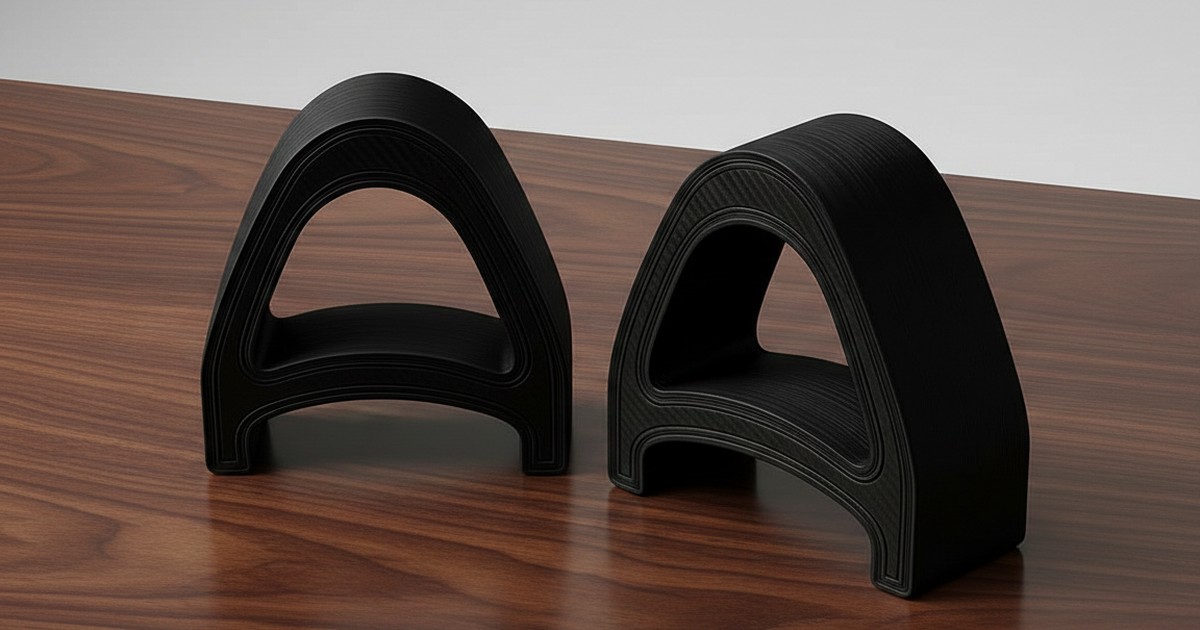
Logitech MX Keys, MX Keys S, and MX Keys Mini ship effectively flat. There are no flip-out rear legs. After months or years on that plane, your wrists, forearms, and shoulders have a routine. Two rear feet change the plane in one step: the back edge comes up, the front stays toward the desk, and every key now sits on a slope you can see from the side of the board.
The surprise is usually visual and positional at once. You see more of the keycaps’ front faces. Home row is not where muscle memory left it yesterday. Fast typists notice it first because they hit the board harder and more often. Slow, careful typing can hide the slope for a whole afternoon and then dump it on you during a long email.
None of that means the feet installed wrong. A correct KeyRiser seat is two PLA parts on the rear underside of a listed chassis — install steps. If the keyboard rocks, a foot hangs off a corner, or the front edge is in the air, fix the seat before you judge the angle. A bad install can feel “too steep” because you are fighting wobble, not because 15° is 15°.
Change of posture is not a defective product
KeyRiser does not offer 8°, 12°, and 15° in the same box. The geometry is fixed. That is a product choice: repeatable rear lift, two small parts, no knob to drift mid-week. It is also why day-one feelings run hot. You cannot click the feet down a notch. You can change the rest of the triangle — chair, desk, monitor distance — and you can give your typing a few short sessions before you decide.
A defective set looks like: a foot that will not seat on a listed MX Keys / S / Mini, a crack, a missing piece, or a wobble that survives a reseat on a stable desk. A steep feeling on a flush, even pair is in a different bucket. Treat the first as a support/return issue. Treat the second as setup and preference.
You do not owe the accessory a loyalty test. Amazon’s return path exists so a fixed angle can be a trial, not a trap. Use it if you need it. Do not invent a home modification to turn KeyRiser into a different product.
Chair and desk height tweaks that change the feel
Rear lift is one variable. Chair height and desk height are the other two. If the MX Keys was flat and already a little high, adding 15° at the back can make the whole board feel like it is coming at you. If the desk was low and you were already shrugging, the same lift can feel easier. The accessory does not know which desk you have.
Practical, non-clinical adjustments people actually make:
- Chair up a little, or desk down a little, so elbows stay roughly by your sides and you are not reaching up into the slope. The goal is a typing height that already made sense on the flat board, not a new sport.
- Sit closer or farther by a few centimeters. A slope that feels aggressive at full arm stretch often calms down when the keyboard sits under the shoulders instead of on the far side of a desk mat.
- Monitor stays put until the keyboard is stable. Raising the screen to “match” a new keyboard angle in the first hour is how you stack two experiments. Finish the keyboard question first.
- Feet flat on the floor, or on a rest you already own. Do not buy a new chair to evaluate two PLA feet.
These are comfort preferences, not treatment. If you have an injury, a clinician’s plan beats a blog checklist. Persistent pain, numbness, tingling, or weakness is a stop-and-get-help signal, not a prompt to add another accessory.
If the whole workstation is the real mess — desk too high, chair too low, keyboard as the only lever — KeyRiser will not flatten a bad triangle. It only lifts the rear of a compatible MX Keys.
Short-session adaptation protocol
Working hypothesis — not a measured study: many people judge a new keyboard angle too early, in the same sitting where they also installed it, answered chat, and compared side-profile photos. A short protocol is more honest than a single evening.
Use it as a template, not as a study.
Day 0 — baseline. Type on the flat MX Keys for a normal short block. Note only what you notice: shoulders, wrists, whether you perch on the front edge of the chair. No scores, no medical diary.
Install. Seat both feet on a listed model. Press-test. If the seat is wrong, stop the experiment and fix or return. Do not collect “too steep” data on a rocking board.
Days 1–3 — short blocks. Keep the feet on. Type in 20–40 minute blocks you already had on the calendar. Do not add a coding marathon to “get used to it faster.” Between blocks, the chair and desk tweaks above are allowed. Stacking books under the front edge is not.
Days 4–7 — preference, not heroics. You are asking: do I prefer this slope to flat on this desk, with this chair, on a keyboard I already like? If the answer is a clear no, that is a complete answer. If it is a maybe, one more week is optional, not required.
Skip the protocol entirely if you feel sharp pain, pins and needles, or weakness. Those are not “adaptation.” Stop typing on the setup and talk to a qualified professional.
This is not a clinical trial and not a 7-day recovery plan. It is a way to avoid returning a product after twelve minutes, or keeping one you dislike because a blog implied you failed.
Signs this angle isn’t for you
Preference is enough. You do not need a dramatic symptom to send the set back.
Signals that 15° fixed rear lift may be the wrong tool:
- After several short sessions and a chair/desk tweak, you still find yourself perching, shrugging, or wanting the board flat again.
- You type in short bursts and hate the side profile every time you sit down — not just on hour one.
- You actually wanted negative tilt (front edge up) or a split/tented keyboard. KeyRiser is rear lift on an MX Keys. Different category.
- The desk cannot change (fixed-height slab, no chair travel) and the slope has nowhere to go.
Signals that are not “the angle failed”:
- You installed the feet on the front edge.
- You put them on a keyboard that is not MX Keys / S / Mini.
- The desk is glass and the whole board slides — that is surface grip, not degrees.
- You compared KeyRiser to a $300 split keyboard you do not own and called the slope “not ergo enough.” Different problem.
What not to do
Do not stack objects under the front edge to “dial 15 down to 8.” You will create a wobble machine and a return that looks used for the wrong reason.
Do not heat, sand, or trim the PLA to flatten the ramp. You will not get a supported product; you will get plastic dust.
Do not move the feet to a Wave Keys, a laptop, or a friend’s unlabeled compact “just to see.” Compatibility is the three named models. Forcing a near-fit is how chassis get marked.
Do not chase the feeling with a wrist rest in the first hour as a way to bury the slope. If you later want a rest, that is a separate accessory question; this site already has a riser vs wrist rest comparison. Do not turn day-one surprise into a pile of desk gear.
Do not treat KeyRiser as treatment for an injury. If you are in care for a wrist or shoulder problem, ask that clinician before you change typing geometry.
Clean Amazon return path
KeyRiser sells through Amazon. Price, stock, shipping, and returns are Amazon’s terms on the live listing — not a promise in this article. If the angle is not for you and the set is in returnable condition, use the order’s return flow.
Typical avoidable returns are the ones this cluster tries to prevent: wrong keyboard, feet on the front edge, “too steep” judged during a bad seat. If you confirmed compatibility, installed on the rear edge, and still dislike 15°, that is a legitimate preference return. You are not failing a test.
Keep the pair together. Do not send one foot. Do not wait for a custom firmware. There isn’t one.
When you would rather keep a compatible MX Keys and only change the slope, the listing is still Buy KeyRiser on Amazon (ASIN B0F6QGSXHV) after a successful trial — not before you have seated it. If you already own it and you are keeping it, you are done; no extra SKU.
FAQ
Why does 15° feel steep?
Because the MX Keys family is flat from the factory, and KeyRiser is a one-step rear lift, not a gradual knob. Visual slope plus a new wrist line is a lot of change at once. Confirm the feet are on the rear edge and flush before you blame the number.
How long should I try KeyRiser before returning?
Working hypothesis — not a measured study: a few short sessions over several days is a more honest trial than one evening. There is no validated “80% adapt by day 4” figure here. If you know on day one that you wanted a different category of product, return sooner. If you feel pain, stop and get clinical advice rather than waiting out a calendar.
Can I make KeyRiser less steep?
Not in a supported way. The angle is fixed. You can change chair height, desk height, and keyboard distance. You should not stack, sand, or heat the feet. If less slope is a hard requirement, this is the wrong accessory.
Will Amazon take a return if I don’t like the angle?
Returns are governed by the Amazon order, not by this blog. Preference is a normal reason people send accessories back. Follow the listing’s process and condition rules. KeyRiser does not run a parallel returns desk.
Did I install it backward?
If the front edge is high and the rear is down, yes — the feet are on the wrong edge. Remove them and use the install guide. Backward install feels wrong in a different way than a correct 15° rear lift.
Should I buy a new ergonomic keyboard instead?
Only if you want a different layout (split, tenting, column stagger), not just a rear lift on an MX Keys you already like. A riser and a new keyboard solve different problems.
This guide is for educational purposes and is not medical advice. If pain, numbness, tingling, or weakness persists, consult a qualified health professional.
KeyRiser is two rear feet and a fixed 15° lift for MX Keys, MX Keys S, and MX Keys Mini. If that slope becomes a preference you keep, good. If it does not, Amazon is the clean exit — not a pile of books under the board.
Ready for a Better Typing Angle?
Check KeyRiser on Amazon and confirm compatibility with your MX Keys model.
Buy Now - $9.99