15 °
固定15°角度,长时间使用减轻手腕疲劳
KeyRiser 为 Logitech MX Keys、MX Keys、MX Keys、MX Keys S 和 MX Keys Mini 增加固定的 15° 打字角度——60 秒装好,无需工具、无需胶水。
KeyRiser 为 Logitech MX Keys、MX Keys、MX Keys、MX Keys S 和 MX Keys Mini 提供稳定的 15° 后部抬升。价格请在 Amazon 查看。
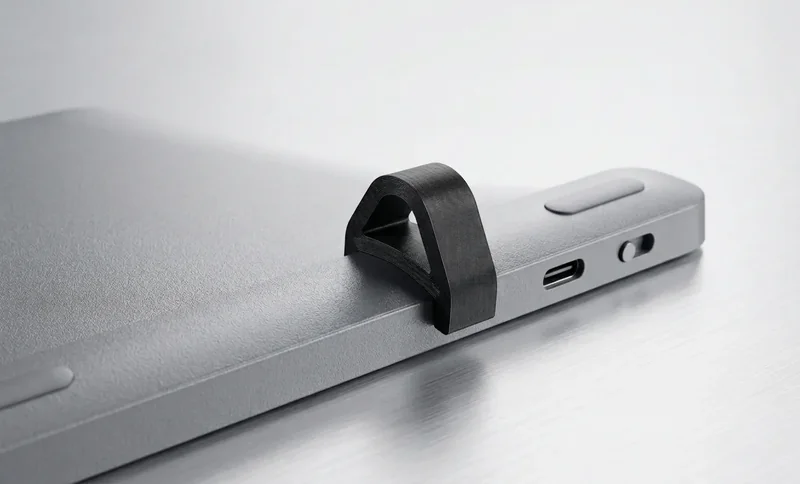
面向 Logitech MX Keys 用户的专注人体工学方案,无需更换键盘即可改善角度
抬高 MX Keys 后侧边缘,帮助长时间工作、编码和写作时保持更自然的打字姿势。
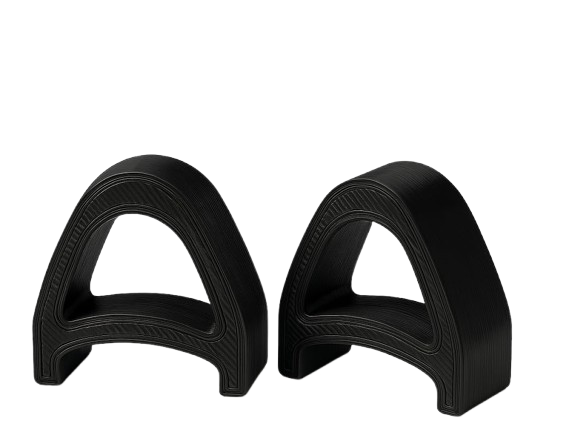
围绕 Logitech MX Keys 系列设计,让两个支架能整洁地放在键盘下方,而不是像通用配件。
低调的两件式支架,适合现代桌面、家庭办公和专业工作区。
MX Keys 安装效果、两件套和卡扣安装。
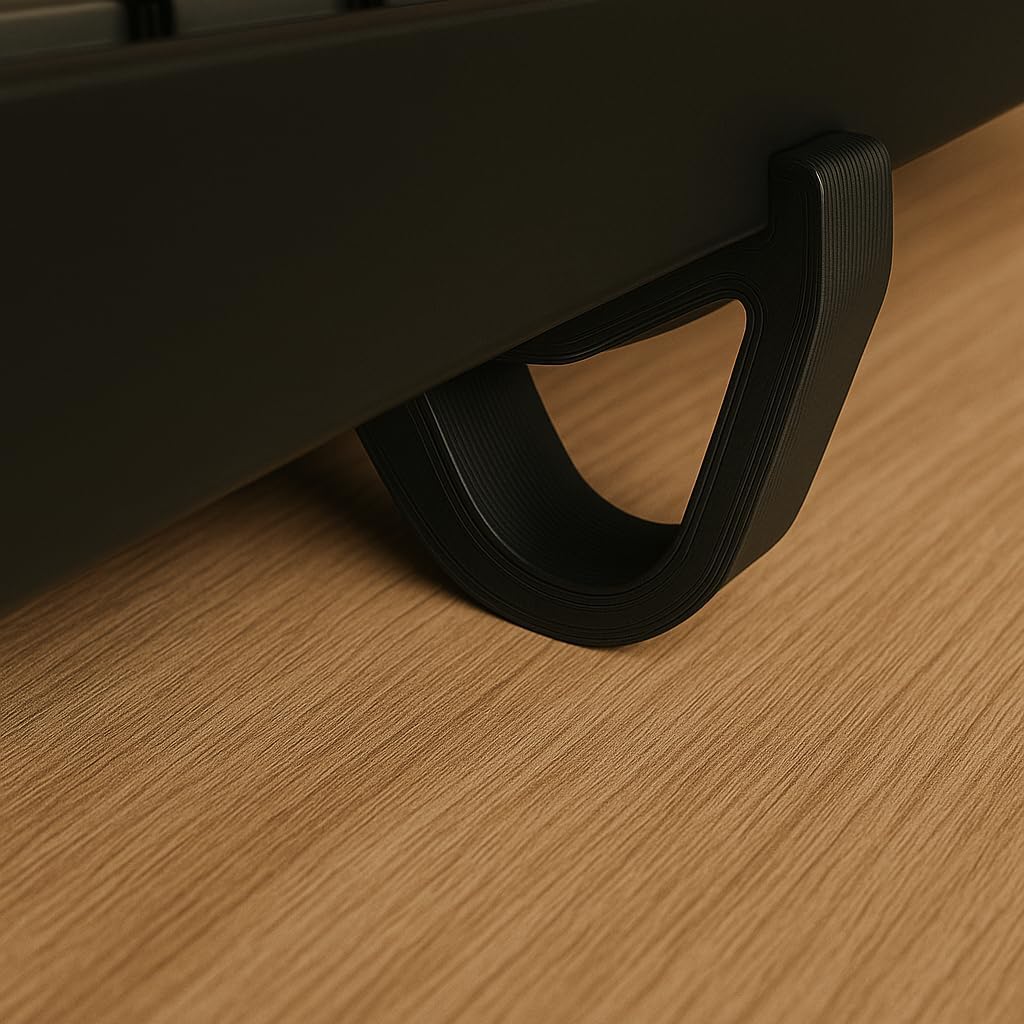
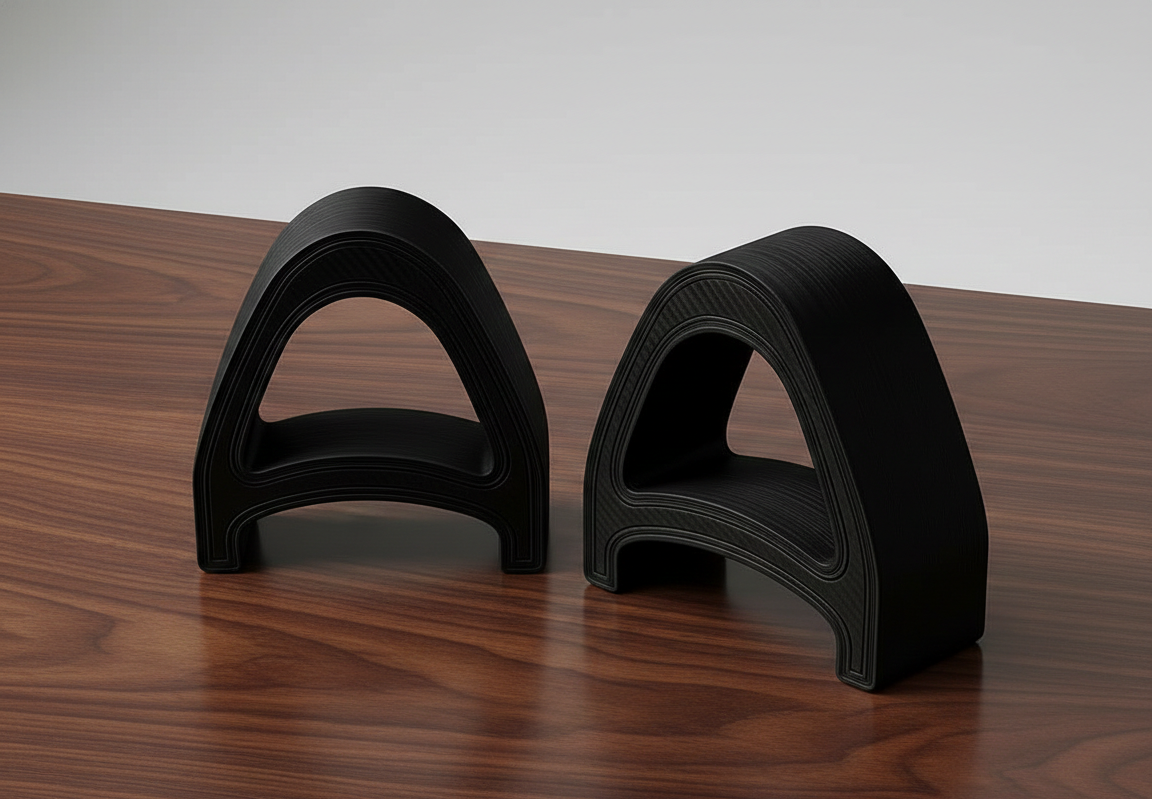
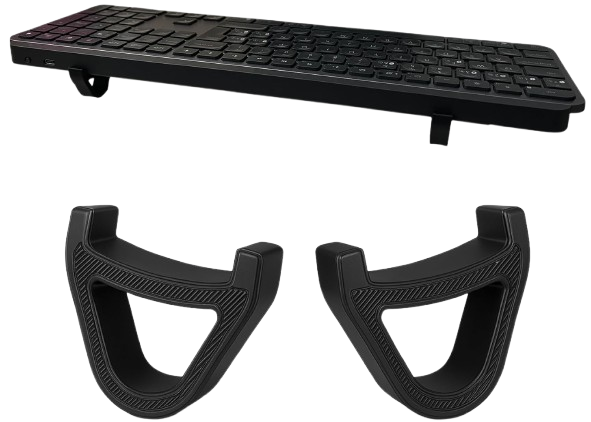
三个简单步骤改善 MX Keys 打字角度
将 KeyRiser 放在您的 Logitech MX Keys 键盘下方 — 定制凹槽可立即将其锁定到位。
精确的 15° 角度将您的手腕定位在中立、无压力的对齐位置。
让 MX Keys 抬升到更稳定、更护腕的角度,用于日常工作打字。
不使用泛泛承诺:KeyRiser 基于明确适配、固定角度和产品专用设计。
适用于 Logitech MX Keys、MX Keys S、MX Keys Mini,而非通用键盘尺寸。
抬高键盘后沿,让你继续使用已经习惯的键盘。
放在键盘下方的紧凑支架,无需改变工作流程。
放到桌面前值得了解的产品要点。
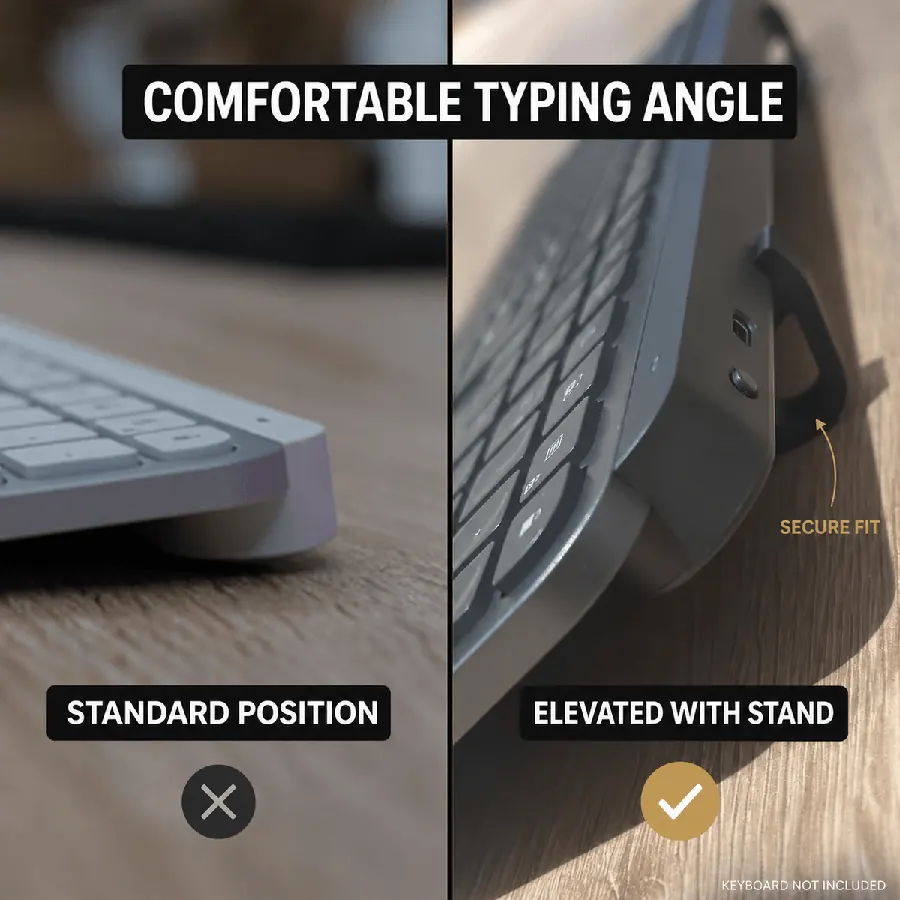
固定15°角度,长时间使用减轻手腕疲劳
两个紧凑部件,数秒即可安装 — 无需工具
兼容 MX Keys、MX Keys、MX Keys、MX Keys S 和 MX Keys Mini
两件套升高器的亚马逊当前价格
人体工学键盘升高的明智选择
*DIY: 不稳定,角度不一致,外观不专业
关于我们的人体工学键盘支架您需要了解的一切
能!我们的支架采用专用 15° 抬高角度,帮助获得更舒适的输入姿势。了解更多规格。
专为 Logitech MX Keys 与 Mini 设计,我们的支架也适用于大多数标准尺寸键盘。许多客户成功将其与类似尺寸的其他键盘搭配使用。
我们在亚马逊提供Amazon配送详情,美国通常 Amazon当前配送预估。国际配送根据目的地约 Amazon当前配送预估。
KeyRiser 专为 Logitech MX Keys 系列打造。下单前请确认型号以确保正确贴合。
全尺寸无线键盘
全尺寸无线键盘
紧凑型无线键盘
不适用于其他型号
用这款紧凑支架升级 Logitech MX Keys,让桌面更整洁、放置更稳定、打字角度更舒适。
来自桌面
抬高角度后的真实感受
关于 MX Keys、MX Keys S 与 Mini 的 15° 卡扣安装的简短反馈——无需笨重支架。
Snapped KeyRiser under my MX Keys in under a minute. Fixed 15° lift, zero tools. Desk still looks clean.
Finally not typing flat all day. That 15° rear raise on MX Keys is a small change with a big feel.
Tried a bulky stand before — ate half my desk. KeyRiser is just two PLA feet. Same keyboard, more space.
Pack of 2 arrived, clicked onto MX Keys Mini. Fit felt intentional, not generic wedge vibes.
Aftermarket for Logitech MX Keys done right: snap-on, low profile, no glue. My setup stays minimal.
WFH tip that stuck: raise the rear edge. KeyRiser locks a consistent 15° so I stop fiddling with stock feet.
MX Keys Mini + KeyRiser = compact board that doesn’t sit pancake-flat. Install was literally snap, type.
I don’t want a giant plastic tower under my keyboard. Two small risers > another appliance on the desk.
15° less-flat typing on the same MX Keys I already like. That’s the whole pitch — and it delivers.
PLA print quality surprised me for a 2-pack accessory. Solid seat under MX Keys S, no wobble.
Home office upgrade that didn’t require replacing the keyboard. Snap-on feet, fixed angle, done.
MX Keys S owner here — KeyRiser sits flush at the rear. Feels like it was designed around this board.
Clean look matters. KeyRiser disappears under the keyboard; you notice the angle, not a bulky stand.
Long coding sessions feel less “flat board fatigue.” Still my MX Keys — just raised 15° in the back.
Desk real estate is precious. Two riser feet beat any full-size stand I’ve tried for MX Keys.
Independent aftermarket accessory, not a Logitech product — and honestly that’s fine. Fit on Mini was spot on.
Love that it’s a pack of 2. One left, one right, keyboard sits level. Simple product, clear job.
Tilt and go: snapped both pieces on, typed a paragraph, never looked back. No tools, no adhesives.
Pairs nicely with a cream/wood desk aesthetic. Small PLA parts, big difference vs typing flat.
If your MX Keys feels too flat, this is the boring-but-effective fix. Fixed 15°, snap-on, keep your board.
Snapped KeyRiser under my MX Keys in under a minute. Fixed 15° lift, zero tools. Desk still looks clean.
Finally not typing flat all day. That 15° rear raise on MX Keys is a small change with a big feel.
Tried a bulky stand before — ate half my desk. KeyRiser is just two PLA feet. Same keyboard, more space.
Pack of 2 arrived, clicked onto MX Keys Mini. Fit felt intentional, not generic wedge vibes.
Aftermarket for Logitech MX Keys done right: snap-on, low profile, no glue. My setup stays minimal.
WFH tip that stuck: raise the rear edge. KeyRiser locks a consistent 15° so I stop fiddling with stock feet.
MX Keys Mini + KeyRiser = compact board that doesn’t sit pancake-flat. Install was literally snap, type.
I don’t want a giant plastic tower under my keyboard. Two small risers > another appliance on the desk.
15° less-flat typing on the same MX Keys I already like. That’s the whole pitch — and it delivers.
PLA print quality surprised me for a 2-pack accessory. Solid seat under MX Keys S, no wobble.
Home office upgrade that didn’t require replacing the keyboard. Snap-on feet, fixed angle, done.
MX Keys S owner here — KeyRiser sits flush at the rear. Feels like it was designed around this board.
Clean look matters. KeyRiser disappears under the keyboard; you notice the angle, not a bulky stand.
Long coding sessions feel less “flat board fatigue.” Still my MX Keys — just raised 15° in the back.
Desk real estate is precious. Two riser feet beat any full-size stand I’ve tried for MX Keys.
Independent aftermarket accessory, not a Logitech product — and honestly that’s fine. Fit on Mini was spot on.
Love that it’s a pack of 2. One left, one right, keyboard sits level. Simple product, clear job.
Tilt and go: snapped both pieces on, typed a paragraph, never looked back. No tools, no adhesives.
Pairs nicely with a cream/wood desk aesthetic. Small PLA parts, big difference vs typing flat.
If your MX Keys feels too flat, this is the boring-but-effective fix. Fixed 15°, snap-on, keep your board.
示意性客户反馈