15 °
固定15°の角度で長時間のセッションでも手首の負担を軽減
KeyRiserはLogitech MX Keys、MX Keys、MX Keys S、MX Keys Miniに固定15°のタイピング角度を追加。60秒で取り付け、工具も接着剤も不要です。
KeyRiser は Logitech MX Keys、MX Keys、MX Keys S、MX Keys Mini に安定した15°のリアリフトを追加します。価格は Amazon で確認できます。
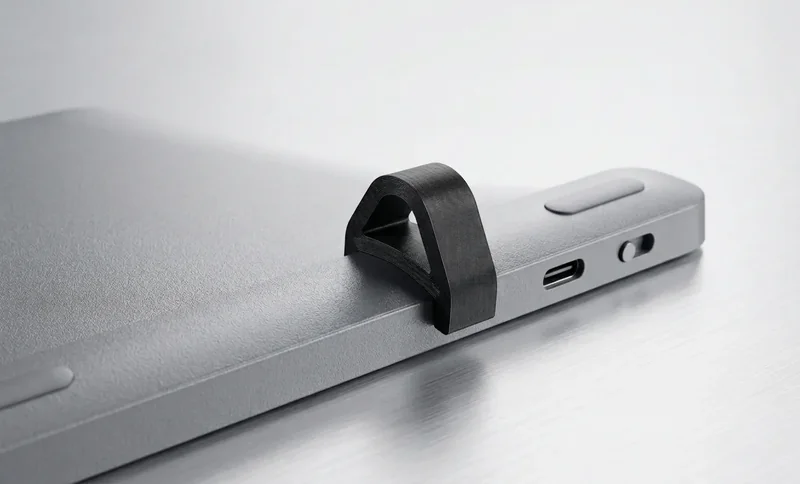
キーボードを替えずに角度を整えたい Logitech MX Keys ユーザー向けのエルゴノミクス
MX Keys の背面を持ち上げ、長時間の作業や執筆でもより自然なタイピング姿勢を取りやすくします。
Logitech MX Keys ファミリーに合わせて設計され、2つのライザーがキーボード下にすっきり収まります。
モダンなデスクや在宅ワーク環境に合う、低く目立ちにくい2ピース構成のスタンドです。
MX Keys装着時のフィット、2ピース、スナップオン手順。
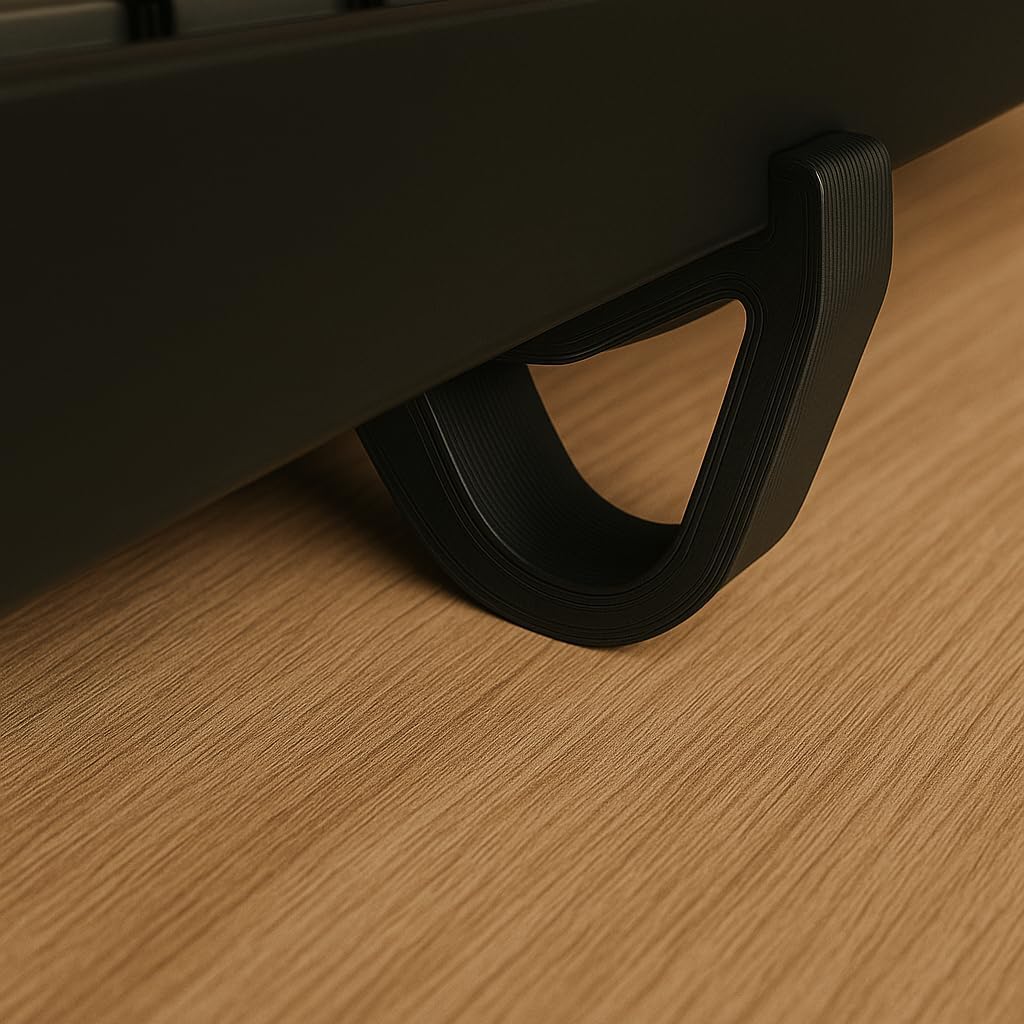
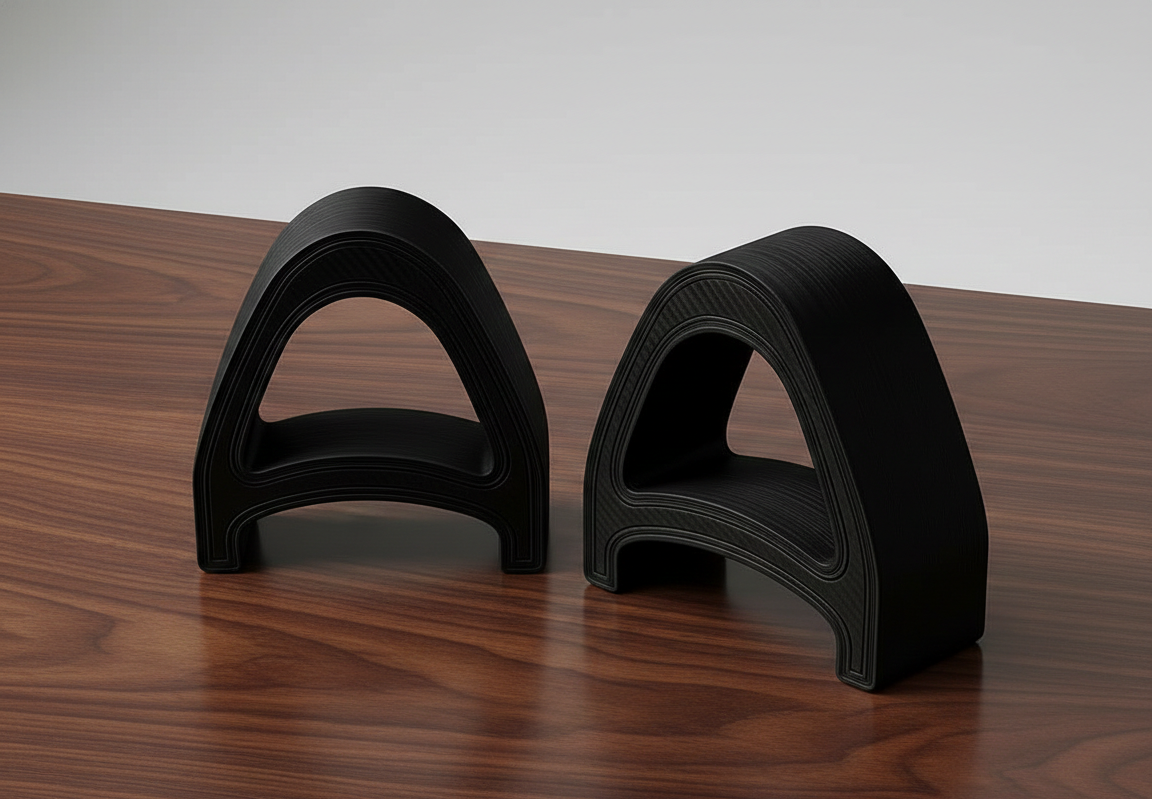
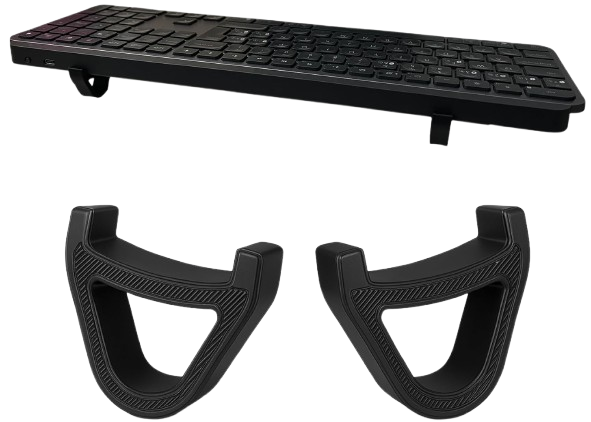
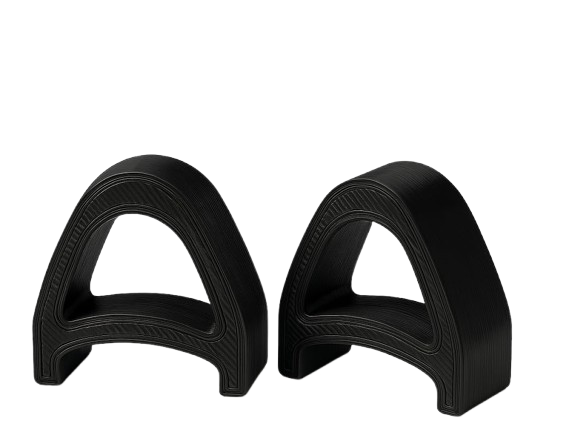
MX Keys のタイピング角度を整える3つの簡単な手順
Logitech MX Keysキーボードの下にKeyRiserを置きます — カスタム溝が瞬時に固定します。
精密な15°の角度が手首をニュートラルで負担のないアライメントに配置します。
MX Keys をより安定した手首にやさしい角度に上げて、日々の作業を進められます。
一般的な約束ではなく、明確な対応機種、固定角度、製品専用設計に基づいています。
Logitech MX Keys、MX Keys S、MX Keys Mini 向けに設計されています。
今のキーボードを使いながら、後端を持ち上げてタイピング角度を整えます。
作業フローを変えずにキーボード下へ置けるコンパクトなライザーです。
デスクに追加する前に知っておきたい製品の要点。
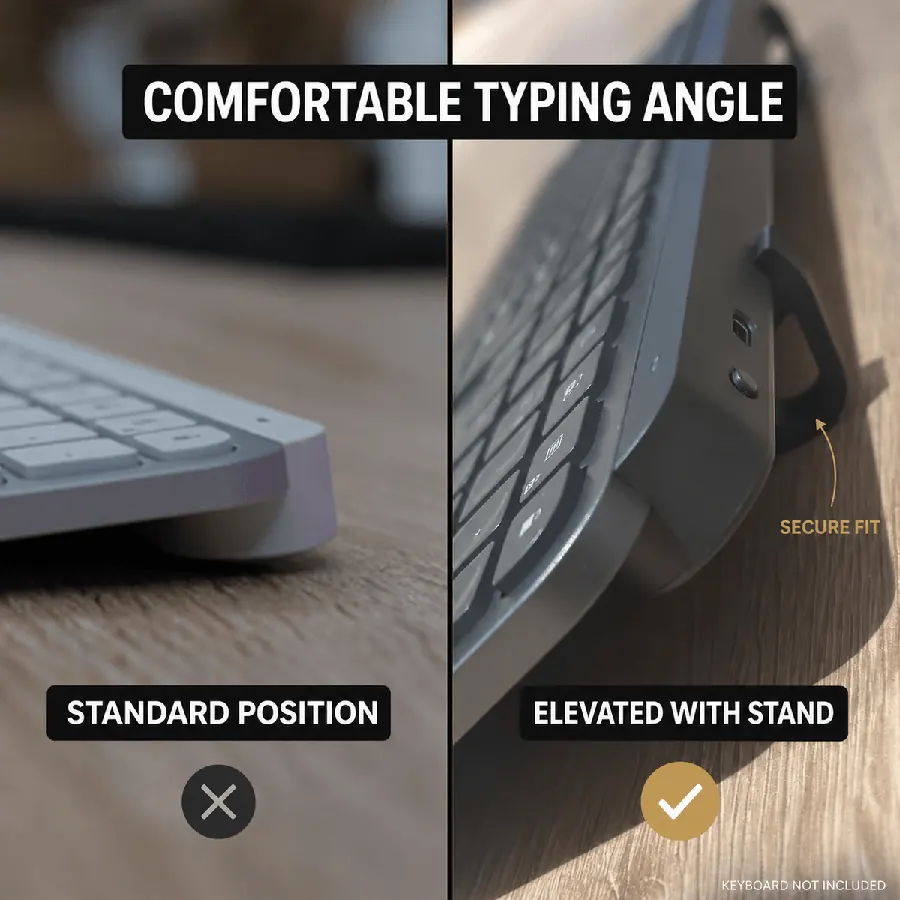
固定15°の角度で長時間のセッションでも手首の負担を軽減
コンパクト2ピースで数秒で取り付け可能 — 工具不要
MX Keys、MX Keys、MX Keys S、MX Keys Mini に対応
2個セットのAmazon現在価格
人体工学的キーボード昇降の賢い選択
*DIY: 不安定、角度が一貫しない、プロフェッショナルでない外観
エルゴノミックキーボードスタンドについて知っておくべきこと
はい!15°の高めの角度で、より快適なタイピング姿勢をサポートします。仕様の詳細。
MX Keys&Mini向けに設計されていますが、多くの標準サイズのキーボードで使用できます。同様のサイズの他機種でも多くのお客様がご利用されています。
Amazonの配送情報をご利用いただけます。米国では通常Amazonの現在の配送目安。国際配送は地域によりAmazonの現在の配送目安程度です。
KeyRiser は Logitech MX Keys ファミリー向けです。注文前にモデルを確認してください。
フルサイズワイヤレスキーボード
フルサイズワイヤレスキーボード
コンパクトワイヤレスキーボード
他のモデル用に設計されていません
Logitech MX Keys に、すっきりしたデスク、安定したフィット感、より快適なタイピング角度のためのコンパクトなライザーを追加しましょう。
デスクから
角度を上げたあとの声
MX Keys / MX Keys S / Mini向け15°スナップオンについての短い反応。かさばるスタンドは不要。
Snapped KeyRiser under my MX Keys in under a minute. Fixed 15° lift, zero tools. Desk still looks clean.
Finally not typing flat all day. That 15° rear raise on MX Keys is a small change with a big feel.
Tried a bulky stand before — ate half my desk. KeyRiser is just two PLA feet. Same keyboard, more space.
Pack of 2 arrived, clicked onto MX Keys Mini. Fit felt intentional, not generic wedge vibes.
Aftermarket for Logitech MX Keys done right: snap-on, low profile, no glue. My setup stays minimal.
WFH tip that stuck: raise the rear edge. KeyRiser locks a consistent 15° so I stop fiddling with stock feet.
MX Keys Mini + KeyRiser = compact board that doesn’t sit pancake-flat. Install was literally snap, type.
I don’t want a giant plastic tower under my keyboard. Two small risers > another appliance on the desk.
15° less-flat typing on the same MX Keys I already like. That’s the whole pitch — and it delivers.
PLA print quality surprised me for a 2-pack accessory. Solid seat under MX Keys S, no wobble.
Home office upgrade that didn’t require replacing the keyboard. Snap-on feet, fixed angle, done.
MX Keys S owner here — KeyRiser sits flush at the rear. Feels like it was designed around this board.
Clean look matters. KeyRiser disappears under the keyboard; you notice the angle, not a bulky stand.
Long coding sessions feel less “flat board fatigue.” Still my MX Keys — just raised 15° in the back.
Desk real estate is precious. Two riser feet beat any full-size stand I’ve tried for MX Keys.
Independent aftermarket accessory, not a Logitech product — and honestly that’s fine. Fit on Mini was spot on.
Love that it’s a pack of 2. One left, one right, keyboard sits level. Simple product, clear job.
Tilt and go: snapped both pieces on, typed a paragraph, never looked back. No tools, no adhesives.
Pairs nicely with a cream/wood desk aesthetic. Small PLA parts, big difference vs typing flat.
If your MX Keys feels too flat, this is the boring-but-effective fix. Fixed 15°, snap-on, keep your board.
Snapped KeyRiser under my MX Keys in under a minute. Fixed 15° lift, zero tools. Desk still looks clean.
Finally not typing flat all day. That 15° rear raise on MX Keys is a small change with a big feel.
Tried a bulky stand before — ate half my desk. KeyRiser is just two PLA feet. Same keyboard, more space.
Pack of 2 arrived, clicked onto MX Keys Mini. Fit felt intentional, not generic wedge vibes.
Aftermarket for Logitech MX Keys done right: snap-on, low profile, no glue. My setup stays minimal.
WFH tip that stuck: raise the rear edge. KeyRiser locks a consistent 15° so I stop fiddling with stock feet.
MX Keys Mini + KeyRiser = compact board that doesn’t sit pancake-flat. Install was literally snap, type.
I don’t want a giant plastic tower under my keyboard. Two small risers > another appliance on the desk.
15° less-flat typing on the same MX Keys I already like. That’s the whole pitch — and it delivers.
PLA print quality surprised me for a 2-pack accessory. Solid seat under MX Keys S, no wobble.
Home office upgrade that didn’t require replacing the keyboard. Snap-on feet, fixed angle, done.
MX Keys S owner here — KeyRiser sits flush at the rear. Feels like it was designed around this board.
Clean look matters. KeyRiser disappears under the keyboard; you notice the angle, not a bulky stand.
Long coding sessions feel less “flat board fatigue.” Still my MX Keys — just raised 15° in the back.
Desk real estate is precious. Two riser feet beat any full-size stand I’ve tried for MX Keys.
Independent aftermarket accessory, not a Logitech product — and honestly that’s fine. Fit on Mini was spot on.
Love that it’s a pack of 2. One left, one right, keyboard sits level. Simple product, clear job.
Tilt and go: snapped both pieces on, typed a paragraph, never looked back. No tools, no adhesives.
Pairs nicely with a cream/wood desk aesthetic. Small PLA parts, big difference vs typing flat.
If your MX Keys feels too flat, this is the boring-but-effective fix. Fixed 15°, snap-on, keep your board.
参考としてのお客様の反応(イメージ)