15 °
Fester 15°-Winkel reduziert die Handgelenkbelastung bei langen Sitzungen
KeyRiser verleiht Ihrer Logitech MX Keys, MX Keys S und MX Keys Mini einen festen Tippwinkel von 15° — in 60 Sekunden installiert, ohne Werkzeug, ohne Kleber.
KeyRiser gibt Logitech MX Keys, MX Keys S und MX Keys Mini eine stabile 15°-Heckhöhe. Preis auf Amazon prüfen.
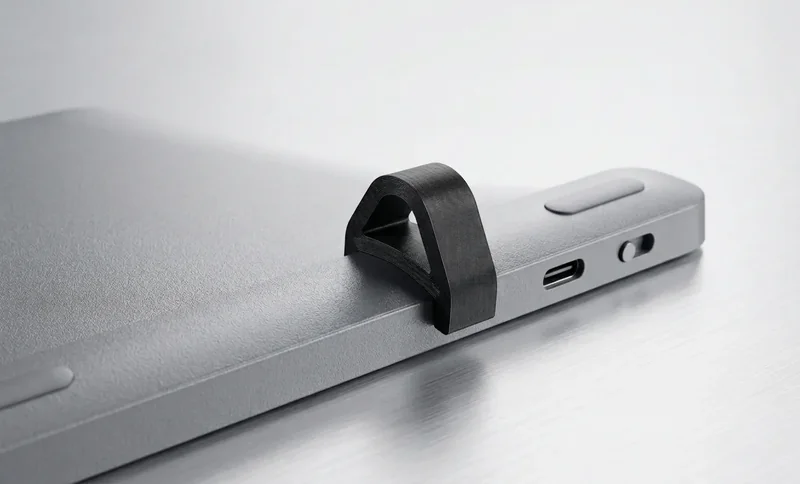
Gezielte Ergonomie für Logitech MX Keys Nutzer, die einen besseren Tippwinkel ohne Tastaturwechsel möchten
Hebt die hintere Kante Ihrer MX Keys an und unterstützt eine neutralere Tippstellung bei langen Arbeitstagen.
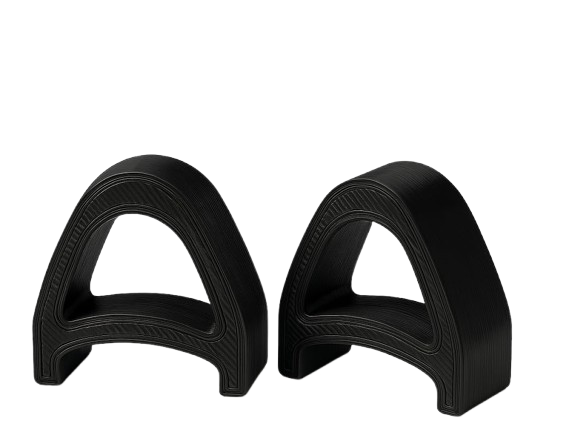
Für die Logitech MX Keys Familie entwickelt, damit die zwei Stützen sauber unter der Tastatur sitzen.
Ein flacher zweiteiliger Ständer mit professioneller Optik für moderne Schreibtische und Homeoffice-Setups.
Eingebaute Passform an MX Keys, das zweiteilige Paar und die Aufsteckmontage.
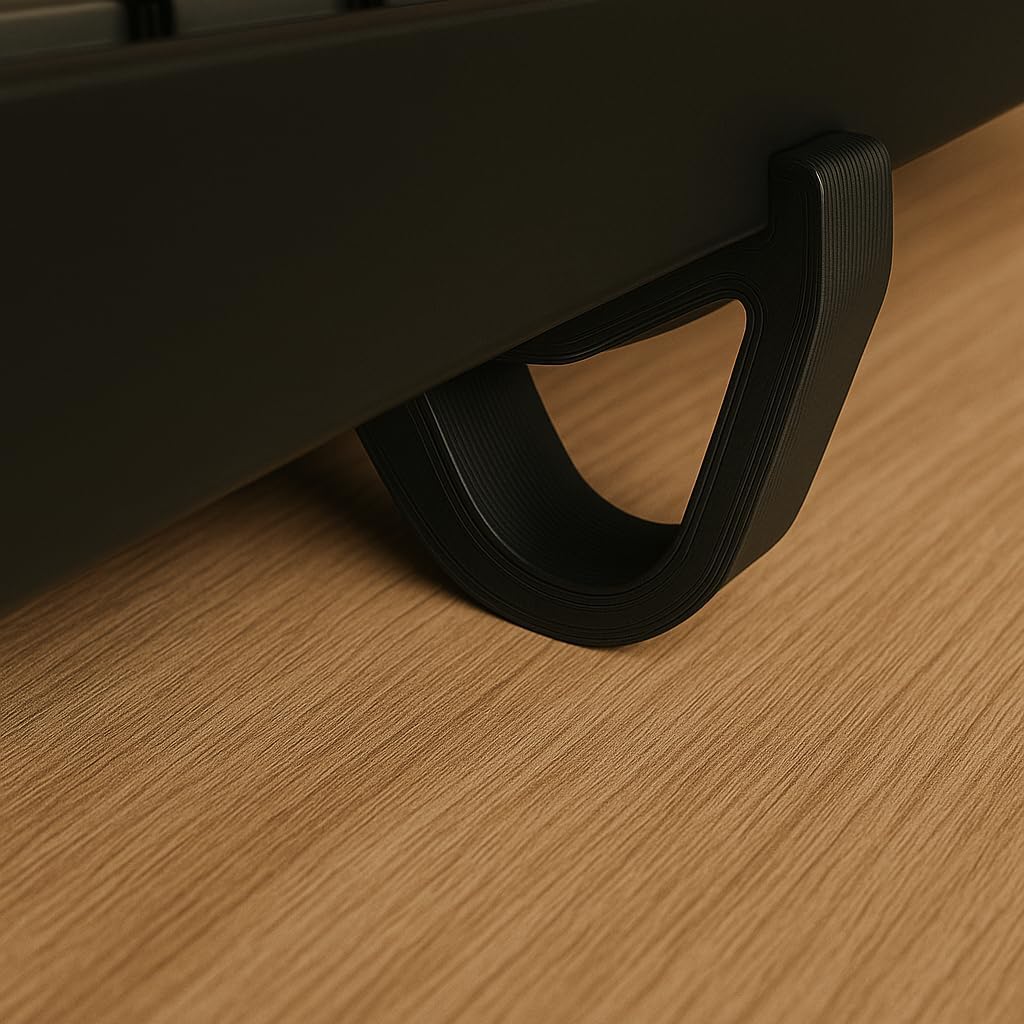
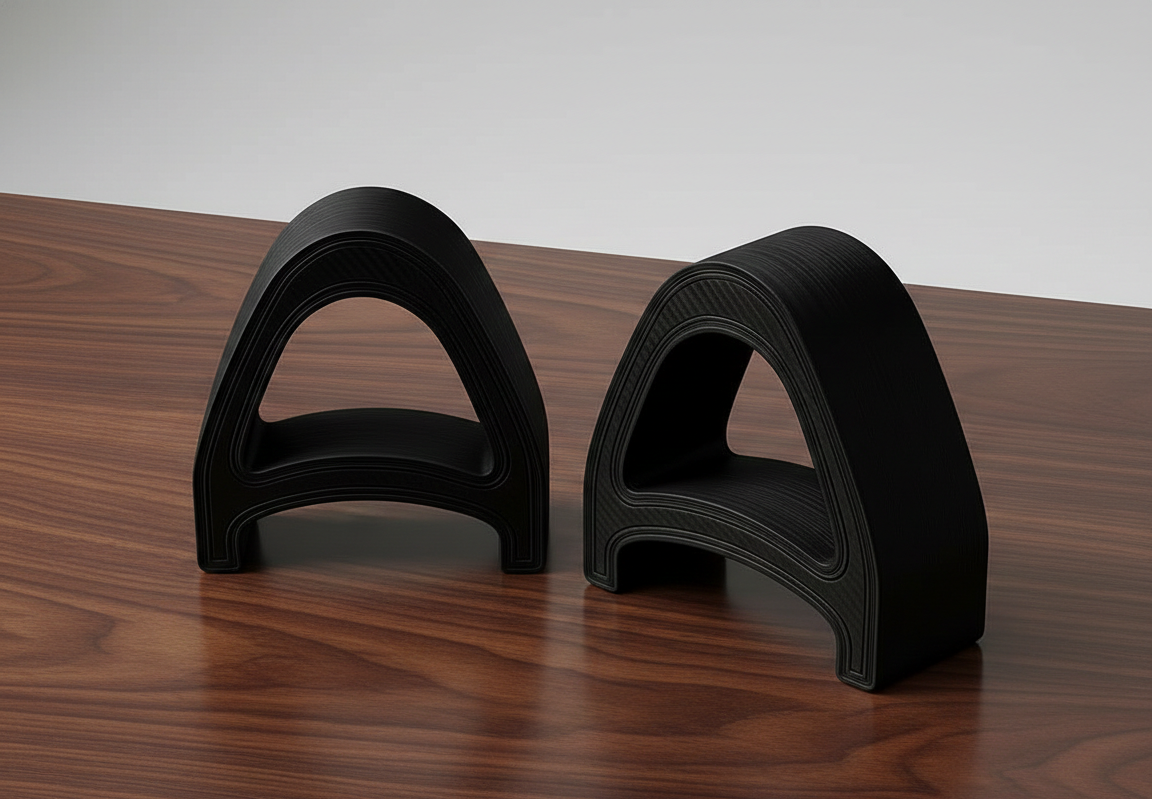
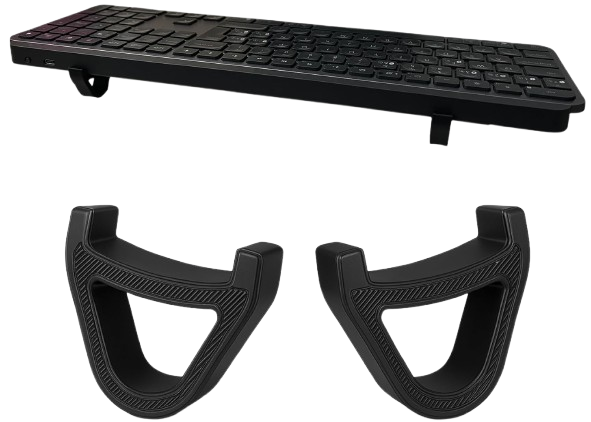
Drei einfache Schritte zu einem besseren MX Keys Tippwinkel
Setzen Sie KeyRiser unter Ihre Logitech MX Keys Tastatur — maßgefertigte Rillen arretieren es sofort.
Der präzise 15°-Winkel positioniert Ihre Handgelenke in einer neutralen, spannungsfreien Ausrichtung.
Tippen Sie mit Ihrer MX Keys in einem stabileren, handgelenkfreundlicheren Winkel für den Arbeitsalltag.
Keine generischen Versprechen: KeyRiser basiert auf klarer Passform, festem Winkel und produktspezifischem Design.
Entwickelt für Logitech MX Keys, MX Keys S und MX Keys Mini statt für generische Tastaturmaße.
Hebt die hintere Kante der Tastatur an, während Sie Ihre vorhandene Tastatur weiter nutzen.
Ein kompakter Riser unter der Tastatur, ohne Ihren Arbeitsablauf zu ändern.
Die wichtigsten Produktdetails, bevor er auf Ihren Schreibtisch kommt.
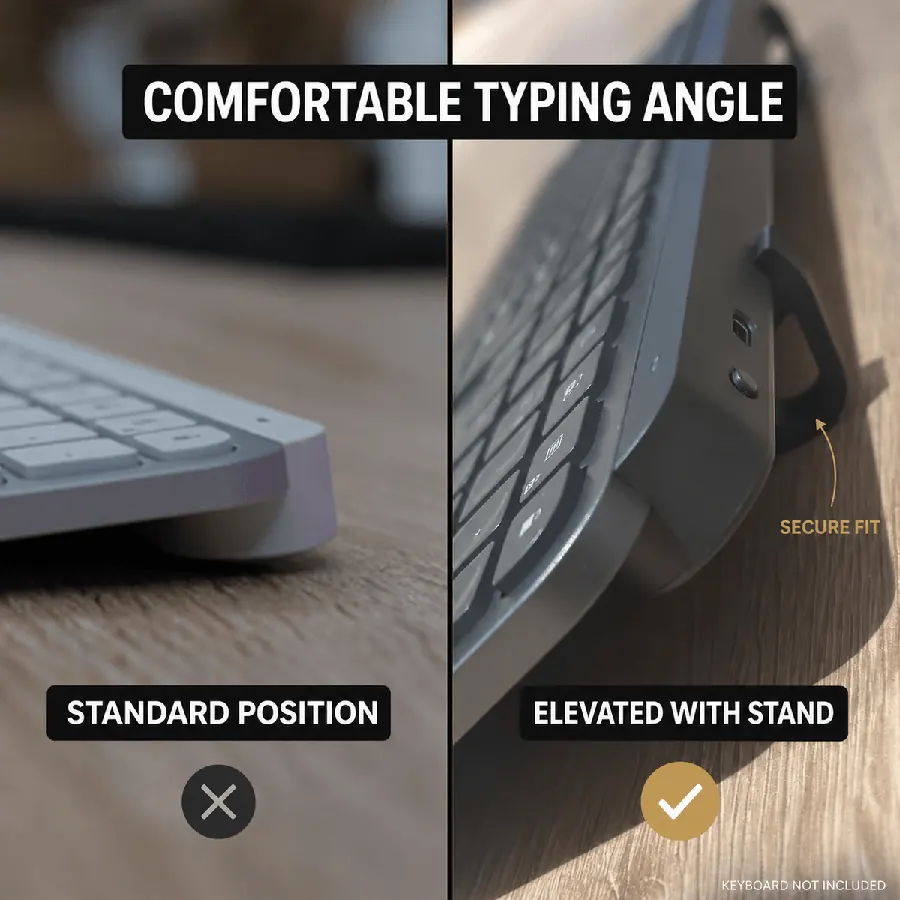
Fester 15°-Winkel reduziert die Handgelenkbelastung bei langen Sitzungen
Zwei kompakte Teile sind in Sekunden montiert — kein Werkzeug nötig
Kompatibel mit MX Keys, MX Keys, MX Keys S und MX Keys Mini
Aktueller Amazon-Preis für den zweiteiligen Riser
Die kluge Wahl für ergonomische Tastaturerhöhung
*DIY: Instabil, inkonsistenter Winkel, unprofessionell
Alles, was Sie über unseren ergonomischen Tastaturständer wissen müssen
Er ist dafür konzipiert. Unser Tastaturständer nutzt einen dedizierten 15°-Winkel für eine angenehmere Schreibposition. Viele Kunden berichten von Linderung innerhalb von Tagen. Mehr zu unseren Spezifikationen.
Obwohl speziell für Logitech MX Keys, Logitech MX Keys S und Logitech MX Keys Mini entwickelt, funktioniert unser Ständer mit den meisten Standard-Tastaturen. Die Maße sind für MX Keys optimiert.
Wir bieten Amazon-Versanddetails bei Amazon, in der Regel der aktuellen Amazon-Angabe in den USA. International variiert je nach Standort, meist der aktuellen Amazon-Angabe.
KeyRiser ist für die Logitech MX Keys Familie gemacht. Prüfen Sie Ihr Modell vor der Bestellung für eine korrekte Passform.
Vollwertige kabellose Tastatur
Vollwertige kabellose Tastatur
Kompakte kabellose Tastatur
Nicht für andere Modelle konzipiert
Erweitern Sie Ihre Logitech MX Keys mit einem kompakten Riser für einen aufgeräumten Schreibtisch, stabilen Sitz und bequemeres Tippen.
Vom Schreibtisch
Was Leute sagen, nachdem sie den Winkel anheben
Kurze Reaktionen zum 15°-Snap-on für MX Keys, MX Keys S und Mini — ohne sperrigen Ständer.
Snapped KeyRiser under my MX Keys in under a minute. Fixed 15° lift, zero tools. Desk still looks clean.
Finally not typing flat all day. That 15° rear raise on MX Keys is a small change with a big feel.
Tried a bulky stand before — ate half my desk. KeyRiser is just two PLA feet. Same keyboard, more space.
Pack of 2 arrived, clicked onto MX Keys Mini. Fit felt intentional, not generic wedge vibes.
Aftermarket for Logitech MX Keys done right: snap-on, low profile, no glue. My setup stays minimal.
WFH tip that stuck: raise the rear edge. KeyRiser locks a consistent 15° so I stop fiddling with stock feet.
MX Keys Mini + KeyRiser = compact board that doesn’t sit pancake-flat. Install was literally snap, type.
I don’t want a giant plastic tower under my keyboard. Two small risers > another appliance on the desk.
15° less-flat typing on the same MX Keys I already like. That’s the whole pitch — and it delivers.
PLA print quality surprised me for a 2-pack accessory. Solid seat under MX Keys S, no wobble.
Home office upgrade that didn’t require replacing the keyboard. Snap-on feet, fixed angle, done.
MX Keys S owner here — KeyRiser sits flush at the rear. Feels like it was designed around this board.
Clean look matters. KeyRiser disappears under the keyboard; you notice the angle, not a bulky stand.
Long coding sessions feel less “flat board fatigue.” Still my MX Keys — just raised 15° in the back.
Desk real estate is precious. Two riser feet beat any full-size stand I’ve tried for MX Keys.
Independent aftermarket accessory, not a Logitech product — and honestly that’s fine. Fit on Mini was spot on.
Love that it’s a pack of 2. One left, one right, keyboard sits level. Simple product, clear job.
Tilt and go: snapped both pieces on, typed a paragraph, never looked back. No tools, no adhesives.
Pairs nicely with a cream/wood desk aesthetic. Small PLA parts, big difference vs typing flat.
If your MX Keys feels too flat, this is the boring-but-effective fix. Fixed 15°, snap-on, keep your board.
Snapped KeyRiser under my MX Keys in under a minute. Fixed 15° lift, zero tools. Desk still looks clean.
Finally not typing flat all day. That 15° rear raise on MX Keys is a small change with a big feel.
Tried a bulky stand before — ate half my desk. KeyRiser is just two PLA feet. Same keyboard, more space.
Pack of 2 arrived, clicked onto MX Keys Mini. Fit felt intentional, not generic wedge vibes.
Aftermarket for Logitech MX Keys done right: snap-on, low profile, no glue. My setup stays minimal.
WFH tip that stuck: raise the rear edge. KeyRiser locks a consistent 15° so I stop fiddling with stock feet.
MX Keys Mini + KeyRiser = compact board that doesn’t sit pancake-flat. Install was literally snap, type.
I don’t want a giant plastic tower under my keyboard. Two small risers > another appliance on the desk.
15° less-flat typing on the same MX Keys I already like. That’s the whole pitch — and it delivers.
PLA print quality surprised me for a 2-pack accessory. Solid seat under MX Keys S, no wobble.
Home office upgrade that didn’t require replacing the keyboard. Snap-on feet, fixed angle, done.
MX Keys S owner here — KeyRiser sits flush at the rear. Feels like it was designed around this board.
Clean look matters. KeyRiser disappears under the keyboard; you notice the angle, not a bulky stand.
Long coding sessions feel less “flat board fatigue.” Still my MX Keys — just raised 15° in the back.
Desk real estate is precious. Two riser feet beat any full-size stand I’ve tried for MX Keys.
Independent aftermarket accessory, not a Logitech product — and honestly that’s fine. Fit on Mini was spot on.
Love that it’s a pack of 2. One left, one right, keyboard sits level. Simple product, clear job.
Tilt and go: snapped both pieces on, typed a paragraph, never looked back. No tools, no adhesives.
Pairs nicely with a cream/wood desk aesthetic. Small PLA parts, big difference vs typing flat.
If your MX Keys feels too flat, this is the boring-but-effective fix. Fixed 15°, snap-on, keep your board.
Illustrative Kundenreaktionen