15 °
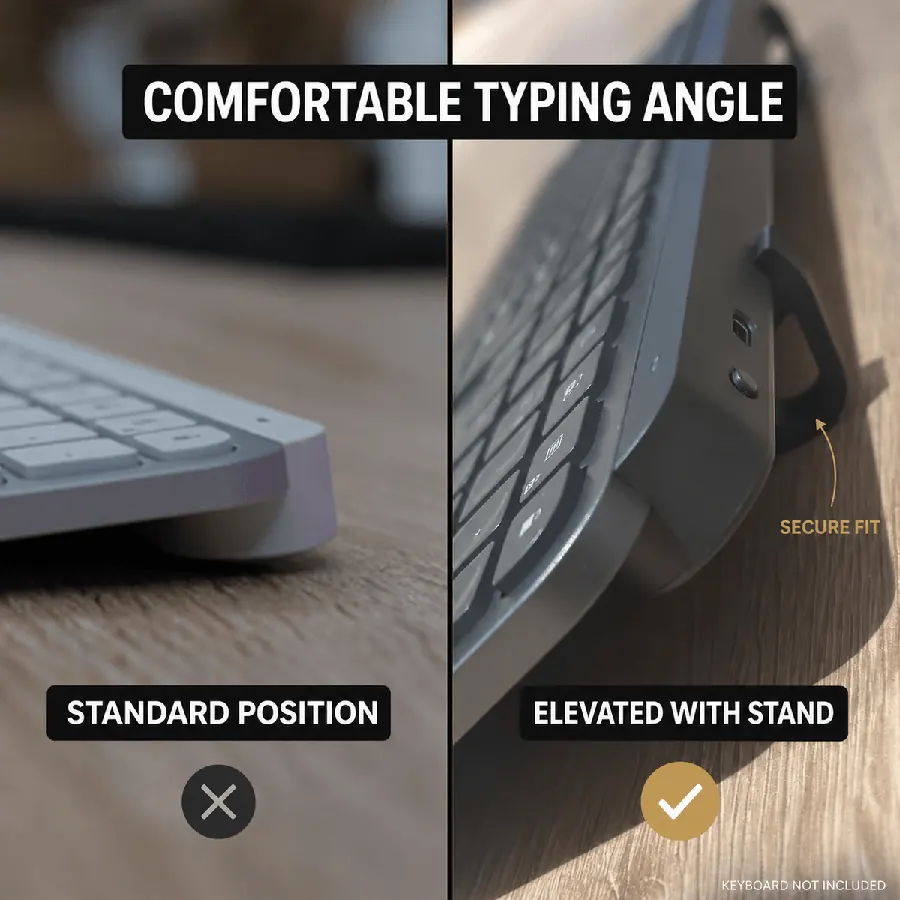
Ángulo fijo de 15° reduce la tensión en la muñeca en sesiones largas
KeyRiser añade un ángulo de tecleo fijo de 15° a Logitech MX Keys, MX Keys S y MX Keys Mini — se instala en segundos, sin herramientas ni adhesivo.
KeyRiser añade una elevación trasera estable de 15° a Logitech MX Keys, MX Keys S y MX Keys Mini. Consulta el precio en Amazon.
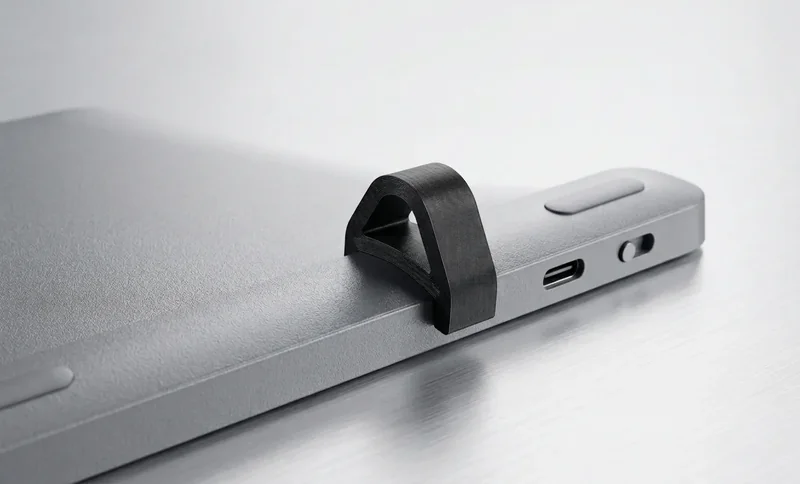
Diseño específico para usuarios de Logitech MX Keys que quieren un ángulo elevado sin cambiar de teclado
Eleva la parte trasera de teclados MX Keys compatibles para crear un ángulo de escritura más claro durante trabajo, programación y escritura.
Diseñado alrededor de la familia Logitech MX Keys para que las dos patas se coloquen de forma predecible, no como una cuña genérica.
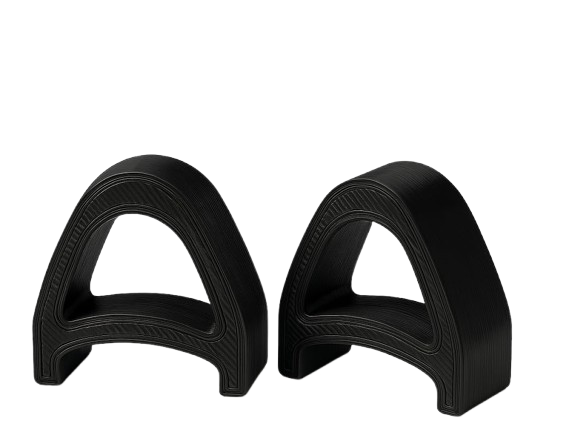
Un soporte de dos piezas con perfil bajo y aspecto profesional para escritorios modernos, oficina en casa y puestos de trabajo.
Ajuste instalado en MX Keys, el par de dos piezas y el montaje a presión.
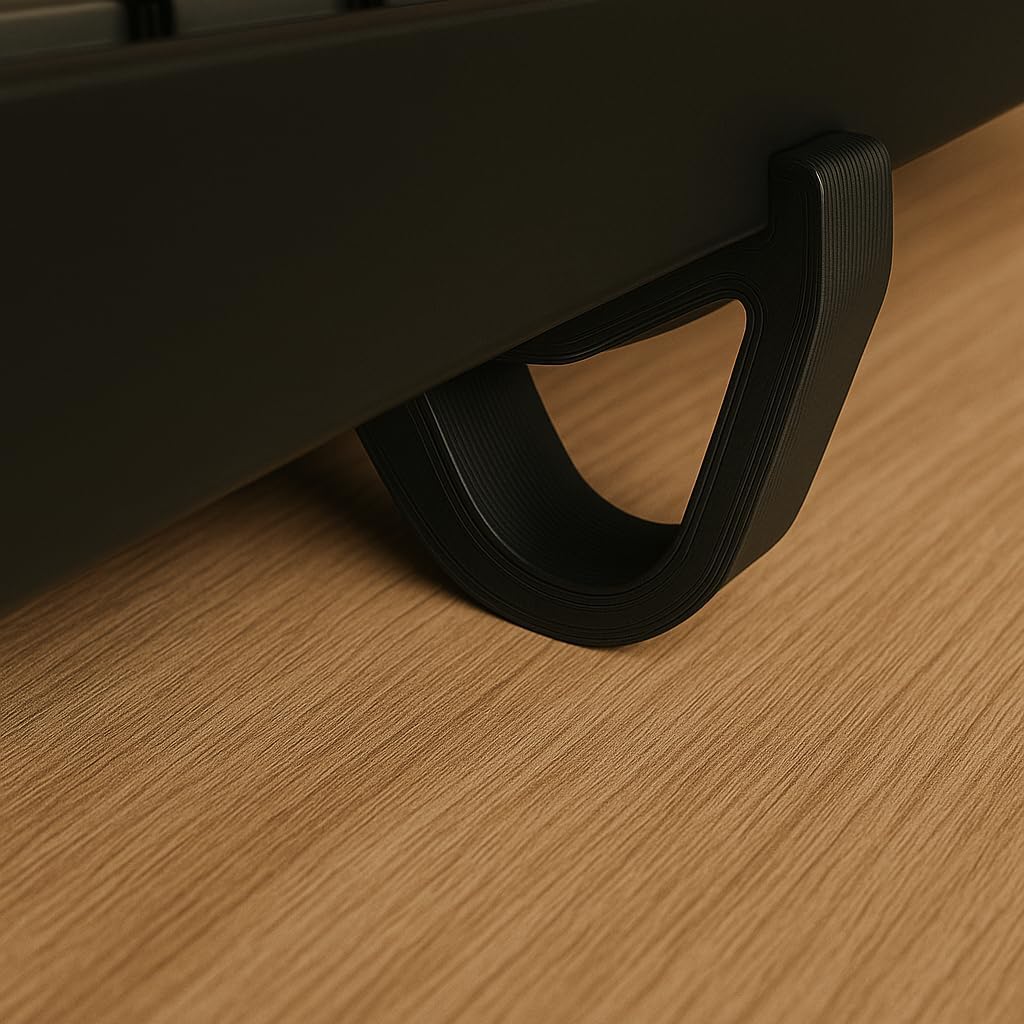
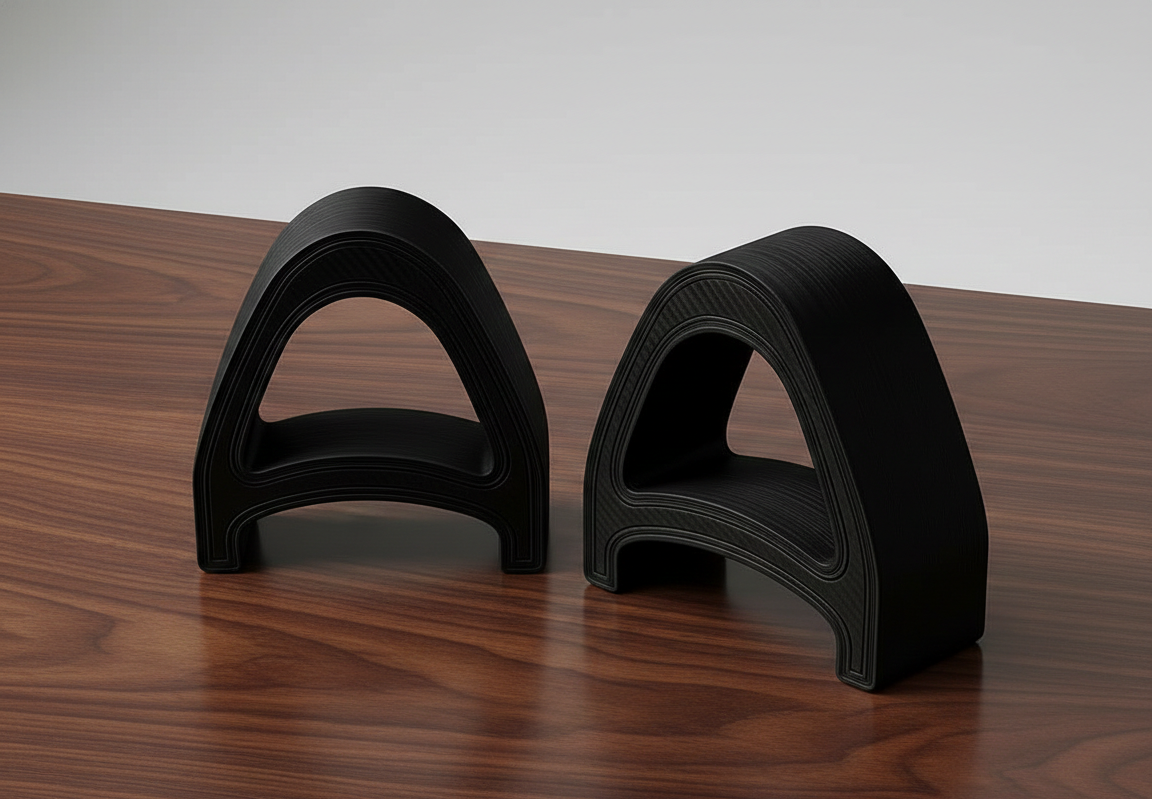
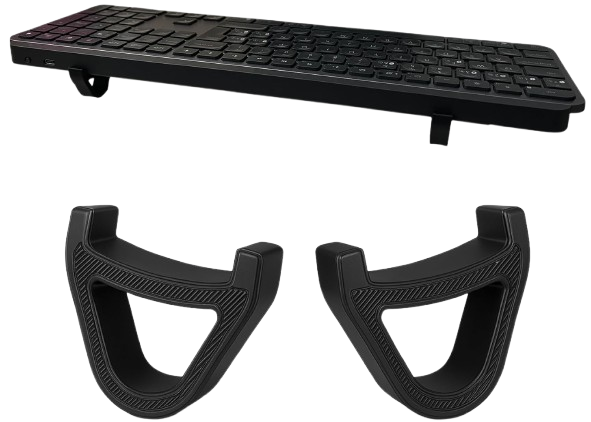
Tres pasos sencillos para mejorar el ángulo de escritura de MX Keys
Coloca una pata KeyRiser a cada lado del borde trasero de tu teclado Logitech MX Keys compatible.
La inclinación fija de 15° eleva la parte trasera sin cambiar tu distribución, atajos ni flujo de trabajo.
Escribe con tu MX Keys elevado a un ángulo más estable y cómodo para el trabajo diario.
Sin promesas genéricas: KeyRiser se basa en ajuste claro, ángulo fijo y diseño específico para el producto.
Diseñado para Logitech MX Keys, MX Keys S y MX Keys Mini, no para medidas genéricas de teclado.
Eleva la parte trasera del teclado para una posición de escritura más limpia sin cambiar tu teclado.
Un elevador compacto que se coloca bajo el teclado sin cambiar tu forma de trabajar.
Los detalles del producto que importan antes de añadirlo a tu escritorio.
Ángulo fijo de 15° reduce la tensión en la muñeca en sesiones largas
Dos piezas compactas se instalan en segundos — sin herramientas
Funciona con MX Keys, MX Keys, MX Keys S y MX Keys Mini
Precio actual en Amazon del elevador de dos piezas
La elección inteligente para elevar tu teclado ergonómicamente
*DIY: Inestable, ángulo inconsistente, aspecto no profesional
Todo lo que necesitas saber sobre nuestro soporte ergonómico de teclado
KeyRiser usa una elevación trasera fija de 15° para dar a los teclados Logitech MX Keys compatibles un ángulo de escritura más definido. La comodidad depende de tu escritorio, postura y hábitos de escritura.
KeyRiser está diseñado para Logitech MX Keys, Logitech MX Keys, Logitech MX Keys S y Logitech MX Keys Mini. No es un soporte universal, así que no lo uses con modelos no listados.
Amazon muestra las opciones de envío y estimaciones de entrega en el listing en vivo y durante el checkout. Pueden variar según stock, ubicación y cuenta.
KeyRiser está hecho para la familia Logitech MX Keys. Comprueba tu modelo antes de comprar para asegurar un ajuste correcto.
Teclado inalámbrico de tamaño completo
Teclado inalámbrico de tamaño completo
Teclado inalámbrico compacto
No diseñado para otros modelos
Mejora tu Logitech MX Keys con un elevador compacto diseñado para un escritorio más limpio, un ajuste estable y una escritura más cómoda.
Desde el escritorio
Lo que dicen al subir el ángulo
Reacciones breves sobre el ajuste snap-on a 15° para MX Keys, MX Keys S y Mini — sin un soporte voluminoso.
Snapped KeyRiser under my MX Keys in under a minute. Fixed 15° lift, zero tools. Desk still looks clean.
Finally not typing flat all day. That 15° rear raise on MX Keys is a small change with a big feel.
Tried a bulky stand before — ate half my desk. KeyRiser is just two PLA feet. Same keyboard, more space.
Pack of 2 arrived, clicked onto MX Keys Mini. Fit felt intentional, not generic wedge vibes.
Aftermarket for Logitech MX Keys done right: snap-on, low profile, no glue. My setup stays minimal.
WFH tip that stuck: raise the rear edge. KeyRiser locks a consistent 15° so I stop fiddling with stock feet.
MX Keys Mini + KeyRiser = compact board that doesn’t sit pancake-flat. Install was literally snap, type.
I don’t want a giant plastic tower under my keyboard. Two small risers > another appliance on the desk.
15° less-flat typing on the same MX Keys I already like. That’s the whole pitch — and it delivers.
PLA print quality surprised me for a 2-pack accessory. Solid seat under MX Keys S, no wobble.
Home office upgrade that didn’t require replacing the keyboard. Snap-on feet, fixed angle, done.
MX Keys S owner here — KeyRiser sits flush at the rear. Feels like it was designed around this board.
Clean look matters. KeyRiser disappears under the keyboard; you notice the angle, not a bulky stand.
Long coding sessions feel less “flat board fatigue.” Still my MX Keys — just raised 15° in the back.
Desk real estate is precious. Two riser feet beat any full-size stand I’ve tried for MX Keys.
Independent aftermarket accessory, not a Logitech product — and honestly that’s fine. Fit on Mini was spot on.
Love that it’s a pack of 2. One left, one right, keyboard sits level. Simple product, clear job.
Tilt and go: snapped both pieces on, typed a paragraph, never looked back. No tools, no adhesives.
Pairs nicely with a cream/wood desk aesthetic. Small PLA parts, big difference vs typing flat.
If your MX Keys feels too flat, this is the boring-but-effective fix. Fixed 15°, snap-on, keep your board.
Snapped KeyRiser under my MX Keys in under a minute. Fixed 15° lift, zero tools. Desk still looks clean.
Finally not typing flat all day. That 15° rear raise on MX Keys is a small change with a big feel.
Tried a bulky stand before — ate half my desk. KeyRiser is just two PLA feet. Same keyboard, more space.
Pack of 2 arrived, clicked onto MX Keys Mini. Fit felt intentional, not generic wedge vibes.
Aftermarket for Logitech MX Keys done right: snap-on, low profile, no glue. My setup stays minimal.
WFH tip that stuck: raise the rear edge. KeyRiser locks a consistent 15° so I stop fiddling with stock feet.
MX Keys Mini + KeyRiser = compact board that doesn’t sit pancake-flat. Install was literally snap, type.
I don’t want a giant plastic tower under my keyboard. Two small risers > another appliance on the desk.
15° less-flat typing on the same MX Keys I already like. That’s the whole pitch — and it delivers.
PLA print quality surprised me for a 2-pack accessory. Solid seat under MX Keys S, no wobble.
Home office upgrade that didn’t require replacing the keyboard. Snap-on feet, fixed angle, done.
MX Keys S owner here — KeyRiser sits flush at the rear. Feels like it was designed around this board.
Clean look matters. KeyRiser disappears under the keyboard; you notice the angle, not a bulky stand.
Long coding sessions feel less “flat board fatigue.” Still my MX Keys — just raised 15° in the back.
Desk real estate is precious. Two riser feet beat any full-size stand I’ve tried for MX Keys.
Independent aftermarket accessory, not a Logitech product — and honestly that’s fine. Fit on Mini was spot on.
Love that it’s a pack of 2. One left, one right, keyboard sits level. Simple product, clear job.
Tilt and go: snapped both pieces on, typed a paragraph, never looked back. No tools, no adhesives.
Pairs nicely with a cream/wood desk aesthetic. Small PLA parts, big difference vs typing flat.
If your MX Keys feels too flat, this is the boring-but-effective fix. Fixed 15°, snap-on, keep your board.
Reacciones ilustrativas de clientes