15 °
Ângulo fixo de 15° reduz a tensão no punho durante sessões longas
O KeyRiser adiciona um ângulo de digitação fixo de 15° ao Logitech MX Keys, MX Keys S e MX Keys Mini — instala em 60 segundos, sem ferramentas nem cola.
KeyRiser adiciona uma elevação traseira estável de 15° ao Logitech MX Keys, MX Keys S e MX Keys Mini. Veja o preço na Amazon.
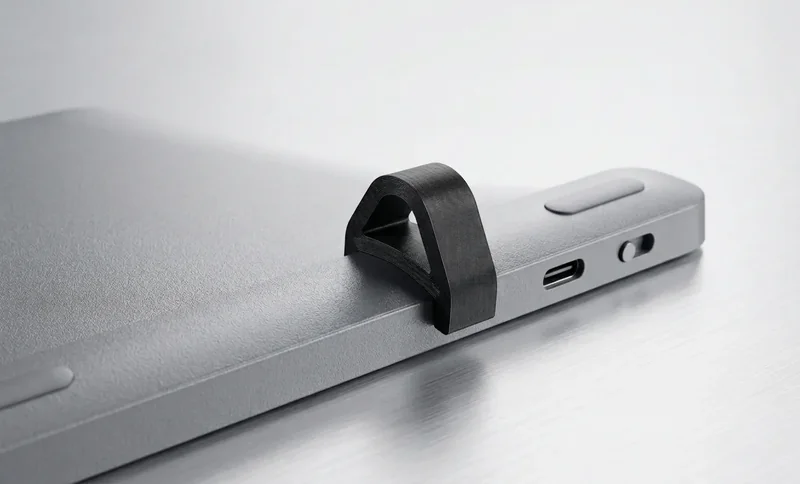
Ergonomia focada para usuários Logitech MX Keys que querem um ângulo melhor sem trocar de teclado
Eleva a parte traseira do MX Keys para favorecer uma posição de digitação mais neutra durante longas sessões de trabalho.
Projetado para a família Logitech MX Keys, para que as duas peças fiquem bem posicionadas sob o teclado.
Um suporte de duas peças, discreto e profissional, para mesas modernas, home office e estações de trabalho.
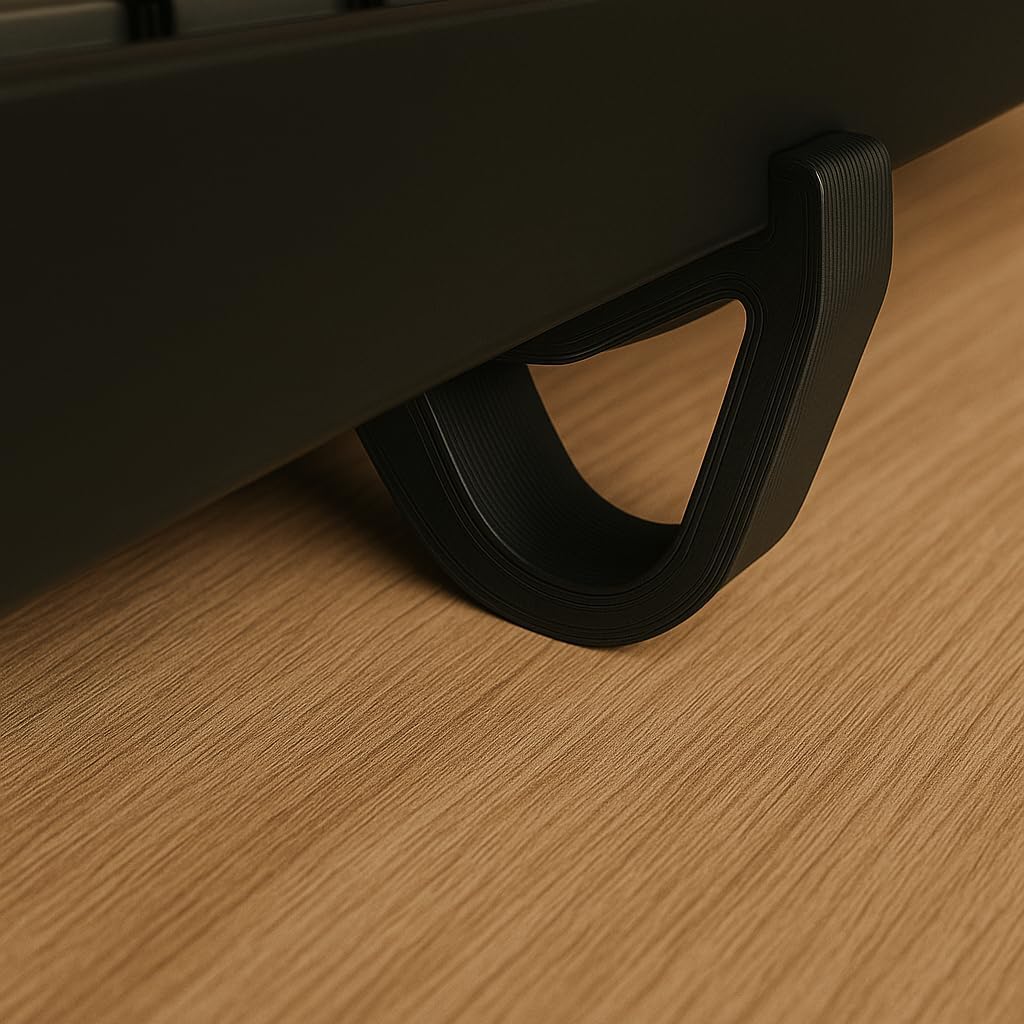
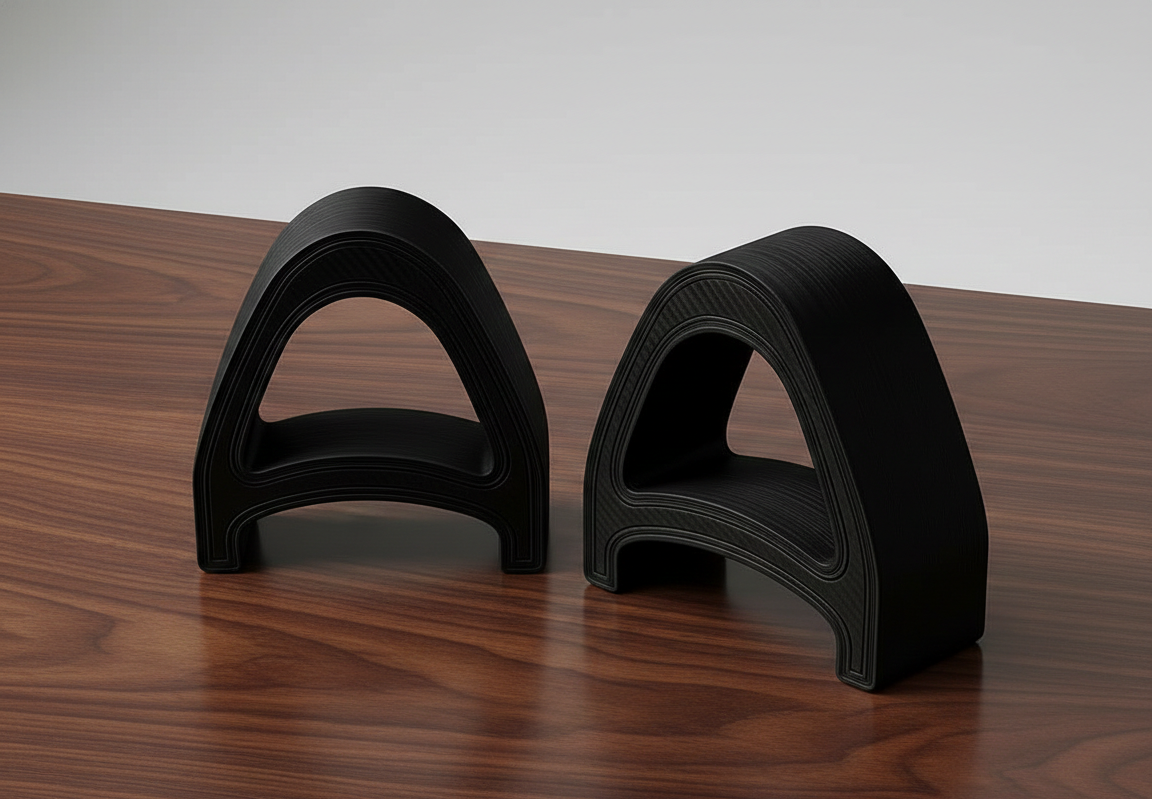
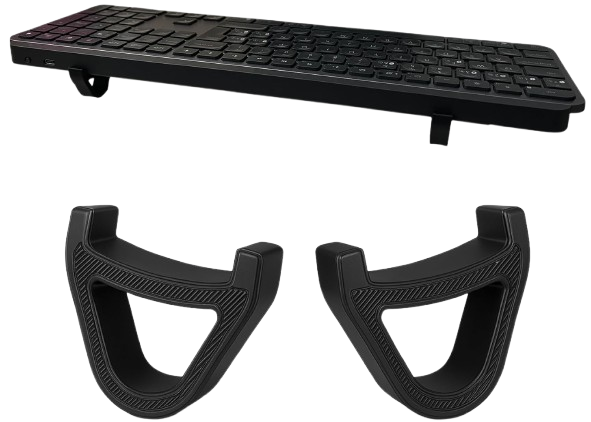
Encaixe instalado no MX Keys, o par de duas peças e a montagem por pressão.
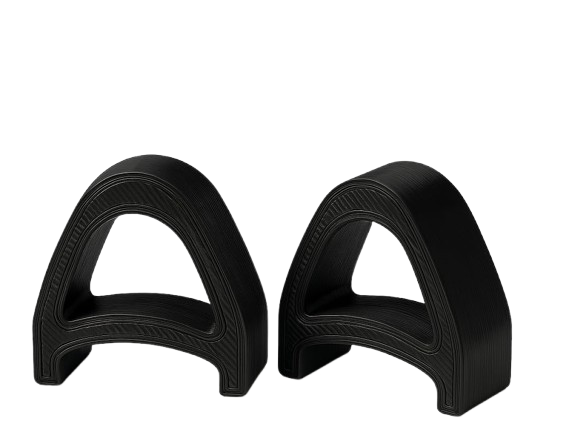
Três passos simples para melhorar o ângulo de digitação do MX Keys
Coloque o KeyRiser sob o seu teclado Logitech MX Keys — as ranhuras personalizadas o travam no lugar instantaneamente.
O ângulo preciso de 15° posiciona os seus pulsos em um alinhamento neutro e livre de tensão.
Digite com seu MX Keys elevado em um ângulo mais estável e confortável para o trabalho diário.
Sem promessas genéricas: KeyRiser combina compatibilidade clara, ângulo fixo e design específico.
Desenhado para Logitech MX Keys, MX Keys S e MX Keys Mini, não para medidas genéricas de teclado.
Eleva a parte traseira do teclado sem substituir o teclado que já usa.
Um elevador compacto sob o teclado sem alterar o seu fluxo de trabalho.
Os detalhes do produto que importam antes de colocá-lo na mesa.
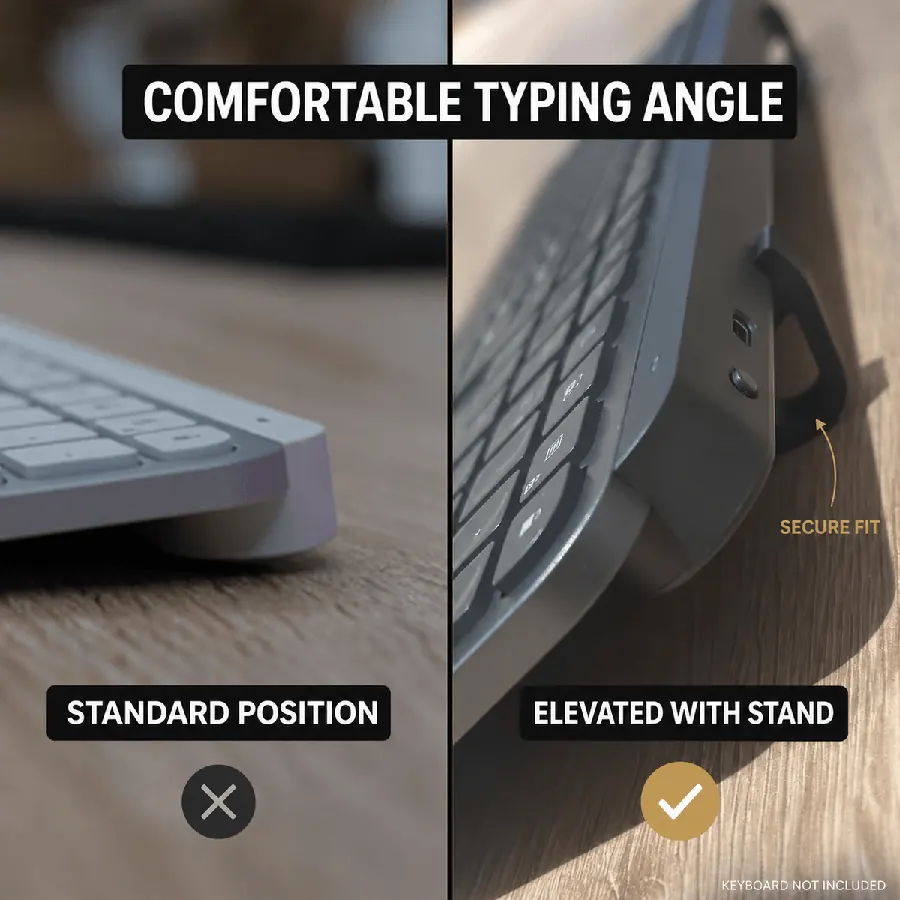
Ângulo fixo de 15° reduz a tensão no punho durante sessões longas
Duas peças compactas instaladas em segundos — sem ferramentas
Funciona com MX Keys, MX Keys, MX Keys S e MX Keys Mini
Preço atual na Amazon para o elevador de duas peças
A escolha inteligente para elevação ergonômica do teclado
*DIY: Instável, ângulo inconsistente, aparência não profissional
Tudo o que você precisa saber sobre nosso suporte de teclado ergonômico
Foi projetado para isso. Nosso suporte usa um ângulo elevado de 15° pensado para uma posição de digitação mais confortável. Saiba mais sobre as especificações.
Projetado para Logitech MX Keys e Mini, nosso suporte funciona com a maioria dos teclados padrão. Muitos clientes usam com outros teclados de tamanho similar.
Oferecemos detalhes de envio da Amazon na Amazon, normalmente a estimativa atual da Amazon nos EUA. Internacionalmente, a estimativa atual da Amazon conforme o destino.
KeyRiser é feito para a família Logitech MX Keys. Confira seu modelo antes de comprar para garantir o encaixe correto.
Teclado sem fio tamanho completo
Teclado sem fio tamanho completo
Teclado sem fio compacto
Não projetado para outros modelos
Melhore seu Logitech MX Keys com um elevador compacto feito para uma mesa mais limpa, encaixe estável e digitação mais confortável.
Da mesa
O que dizem depois de elevar o ângulo
Reações curtas sobre o encaixe snap-on de 15° para MX Keys, MX Keys S e Mini — sem um suporte volumoso.
Snapped KeyRiser under my MX Keys in under a minute. Fixed 15° lift, zero tools. Desk still looks clean.
Finally not typing flat all day. That 15° rear raise on MX Keys is a small change with a big feel.
Tried a bulky stand before — ate half my desk. KeyRiser is just two PLA feet. Same keyboard, more space.
Pack of 2 arrived, clicked onto MX Keys Mini. Fit felt intentional, not generic wedge vibes.
Aftermarket for Logitech MX Keys done right: snap-on, low profile, no glue. My setup stays minimal.
WFH tip that stuck: raise the rear edge. KeyRiser locks a consistent 15° so I stop fiddling with stock feet.
MX Keys Mini + KeyRiser = compact board that doesn’t sit pancake-flat. Install was literally snap, type.
I don’t want a giant plastic tower under my keyboard. Two small risers > another appliance on the desk.
15° less-flat typing on the same MX Keys I already like. That’s the whole pitch — and it delivers.
PLA print quality surprised me for a 2-pack accessory. Solid seat under MX Keys S, no wobble.
Home office upgrade that didn’t require replacing the keyboard. Snap-on feet, fixed angle, done.
MX Keys S owner here — KeyRiser sits flush at the rear. Feels like it was designed around this board.
Clean look matters. KeyRiser disappears under the keyboard; you notice the angle, not a bulky stand.
Long coding sessions feel less “flat board fatigue.” Still my MX Keys — just raised 15° in the back.
Desk real estate is precious. Two riser feet beat any full-size stand I’ve tried for MX Keys.
Independent aftermarket accessory, not a Logitech product — and honestly that’s fine. Fit on Mini was spot on.
Love that it’s a pack of 2. One left, one right, keyboard sits level. Simple product, clear job.
Tilt and go: snapped both pieces on, typed a paragraph, never looked back. No tools, no adhesives.
Pairs nicely with a cream/wood desk aesthetic. Small PLA parts, big difference vs typing flat.
If your MX Keys feels too flat, this is the boring-but-effective fix. Fixed 15°, snap-on, keep your board.
Snapped KeyRiser under my MX Keys in under a minute. Fixed 15° lift, zero tools. Desk still looks clean.
Finally not typing flat all day. That 15° rear raise on MX Keys is a small change with a big feel.
Tried a bulky stand before — ate half my desk. KeyRiser is just two PLA feet. Same keyboard, more space.
Pack of 2 arrived, clicked onto MX Keys Mini. Fit felt intentional, not generic wedge vibes.
Aftermarket for Logitech MX Keys done right: snap-on, low profile, no glue. My setup stays minimal.
WFH tip that stuck: raise the rear edge. KeyRiser locks a consistent 15° so I stop fiddling with stock feet.
MX Keys Mini + KeyRiser = compact board that doesn’t sit pancake-flat. Install was literally snap, type.
I don’t want a giant plastic tower under my keyboard. Two small risers > another appliance on the desk.
15° less-flat typing on the same MX Keys I already like. That’s the whole pitch — and it delivers.
PLA print quality surprised me for a 2-pack accessory. Solid seat under MX Keys S, no wobble.
Home office upgrade that didn’t require replacing the keyboard. Snap-on feet, fixed angle, done.
MX Keys S owner here — KeyRiser sits flush at the rear. Feels like it was designed around this board.
Clean look matters. KeyRiser disappears under the keyboard; you notice the angle, not a bulky stand.
Long coding sessions feel less “flat board fatigue.” Still my MX Keys — just raised 15° in the back.
Desk real estate is precious. Two riser feet beat any full-size stand I’ve tried for MX Keys.
Independent aftermarket accessory, not a Logitech product — and honestly that’s fine. Fit on Mini was spot on.
Love that it’s a pack of 2. One left, one right, keyboard sits level. Simple product, clear job.
Tilt and go: snapped both pieces on, typed a paragraph, never looked back. No tools, no adhesives.
Pairs nicely with a cream/wood desk aesthetic. Small PLA parts, big difference vs typing flat.
If your MX Keys feels too flat, this is the boring-but-effective fix. Fixed 15°, snap-on, keep your board.
Reações ilustrativas de clientes