15 °
고정 15° 각도로 장시간 사용 시 손목 부담을 줄여줍니다
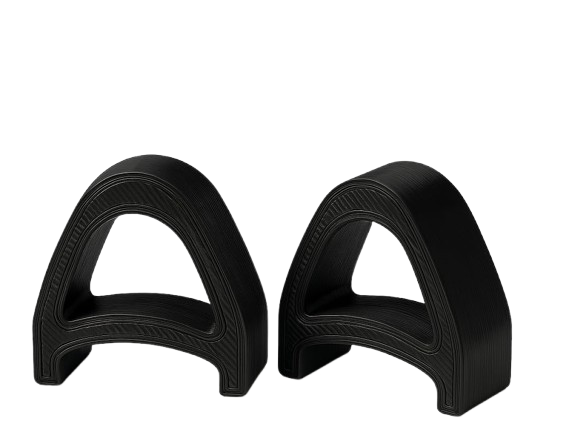
KeyRiser는 Logitech MX Keys, MX Keys S, MX Keys Mini에 고정 15° 타이핑 각도를 더합니다. 60초면 설치되고, 도구나 접착제가 필요 없습니다.
KeyRiser는 Logitech MX Keys, MX Keys S, MX Keys Mini에 안정적인 15° 후면 리프트를 더합니다. 가격은 Amazon에서 확인하세요.
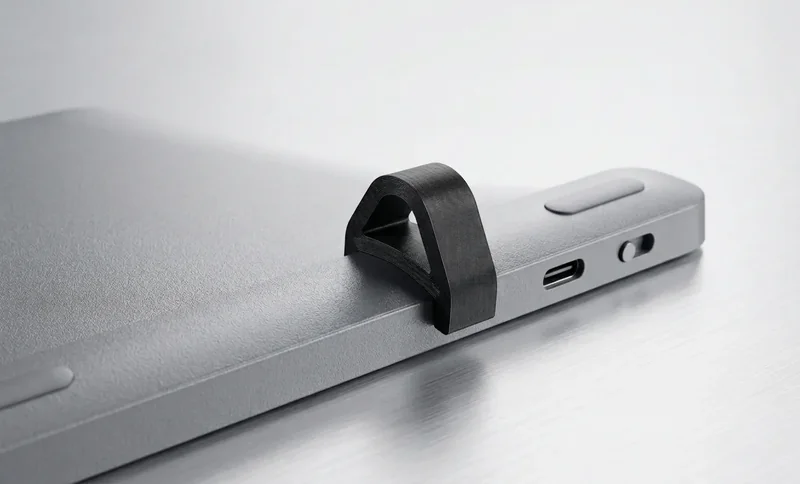
키보드를 바꾸지 않고 더 나은 각도를 원하는 Logitech MX Keys 사용자를 위한 집중형 인체공학
MX Keys의 뒤쪽을 들어 올려 긴 작업 시간에도 더 중립적인 타이핑 자세를 만들기 쉽게 합니다.
Logitech MX Keys 제품군을 기준으로 설계되어 두 개의 라이저가 키보드 아래에 깔끔하게 놓입니다.
현대적인 책상, 홈오피스, 업무 공간에 어울리는 낮은 프로필의 2피스 스탠드입니다.
MX Keys 장착 핏, 2피스 세트, 스냅온 설치.
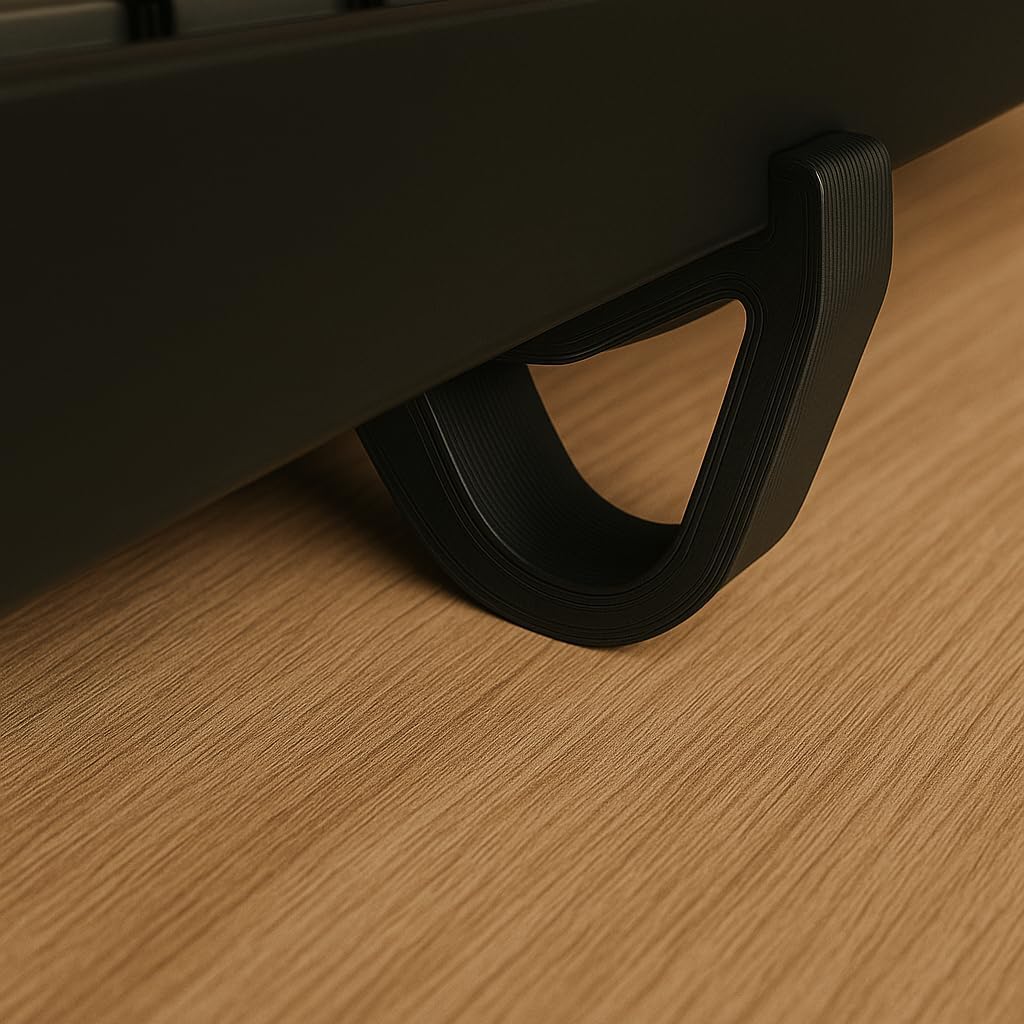
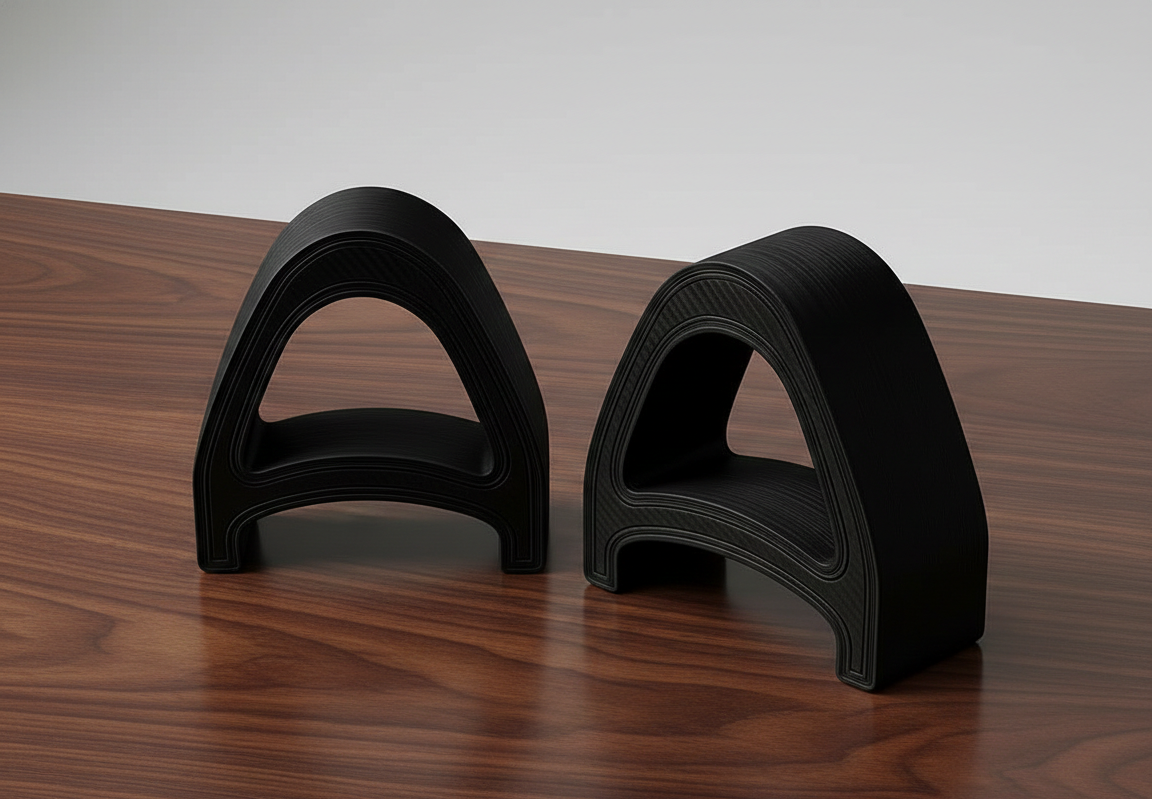
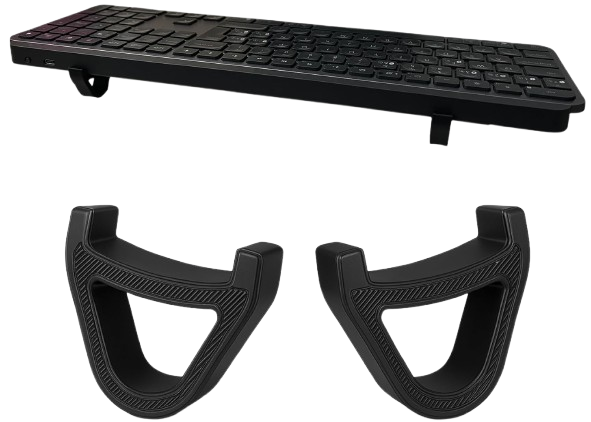
MX Keys 타이핑 각도를 개선하는 세 단계
Logitech MX Keys 키보드 아래에 KeyRiser를 놓으세요 — 맞춤형 홈이 즉시 제자리에 고정합니다.
정밀한 15° 각도가 손목을 중립적이고 긴장 없는 정렬로 위치시킵니다.
일상 작업에서 MX Keys를 더 안정적이고 손목에 편한 각도로 올려 타이핑하세요.
일반적인 약속이 아니라 명확한 호환성, 고정 각도, 제품 전용 설계를 기준으로 합니다.
Logitech MX Keys, MX Keys S 및 MX Keys Mini에 맞게 설계되었습니다.
기존 키보드를 유지하면서 뒤쪽을 들어 올려 타이핑 각도를 정리합니다.
작업 방식을 바꾸지 않고 키보드 아래에 놓는 컴팩트한 라이저입니다.
책상에 놓기 전에 알아두면 좋은 핵심 제품 정보입니다.
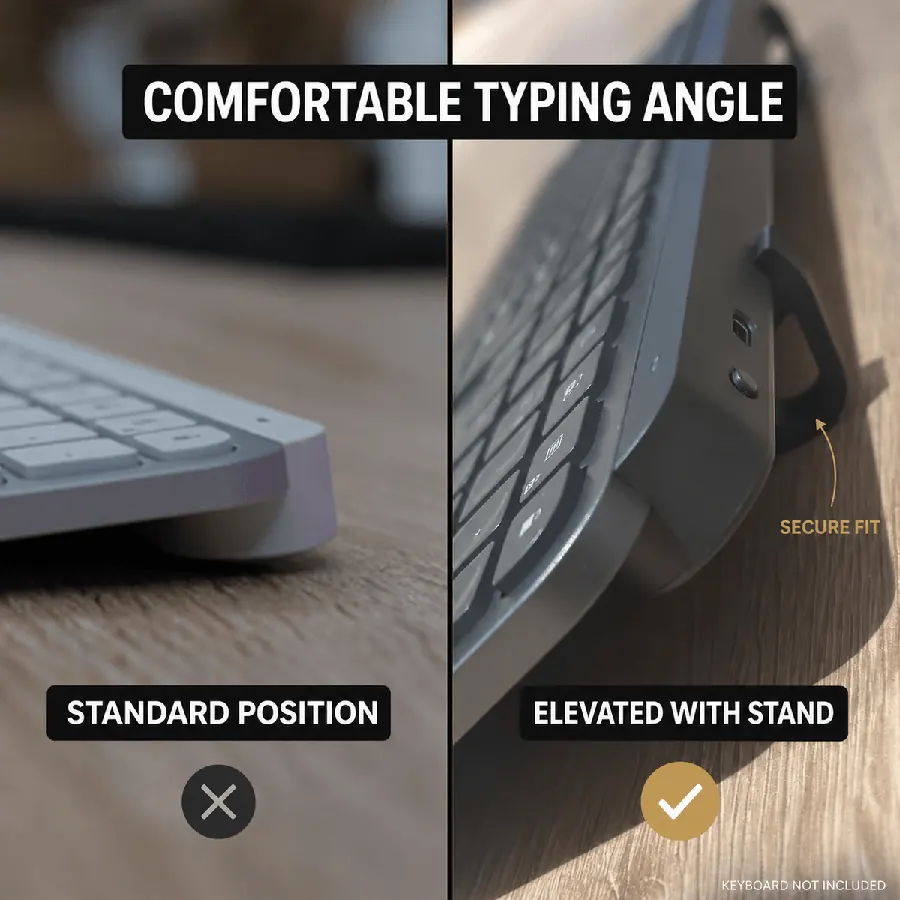
고정 15° 각도로 장시간 사용 시 손목 부담을 줄여줍니다
컴팩트한 두 조각으로 몇 초 만에 설치 — 도구 불필요
MX Keys, MX Keys S, MX Keys Mini와 호환
두 개 세트의 Amazon 현재 가격
인체공학적 키보드 높이 조절의 현명한 선택
*DIY: 불안정, 일관성 없는 각도, 전문적이지 않은 외관
인체공학 키보드 스탠드에 대해 알아야 할 모든 것
네! 15°로 높인 각도가 더 편안한 타이핑 자세를 돕습니다. 사양 자세히 보기.
MX Keys S 및 MX Keys Mini용으로 설계되었지만 대부분의 표준 크기 키보드에서 사용 가능합니다. 비슷한 크기의 다른 키보드로도 많은 고객이 사용 중입니다.
Amazon Prime Amazon 배송 정보을 제공하며, 미국 내 현재 Amazon 예상 배송. 해외는 지역에 따라 보통 현재 Amazon 예상 배송입니다.
KeyRiser는 Logitech MX Keys 제품군용입니다. 올바른 핏을 위해 주문 전 모델을 확인하세요.
풀사이즈 무선 키보드
풀사이즈 무선 키보드
컴팩트 무선 키보드
다른 모델용으로 설계되지 않음
깔끔한 책상, 안정적인 핏, 더 편한 타이핑 각도를 위해 설계된 컴팩트 라이저로 Logitech MX Keys를 업그레이드하세요.
책상에서
각도를 올린 뒤의 반응
MX Keys / MX Keys S / Mini용 15° 스냅온에 대한 짧은 반응 — 큰 스탠드 없이.
Snapped KeyRiser under my MX Keys in under a minute. Fixed 15° lift, zero tools. Desk still looks clean.
Finally not typing flat all day. That 15° rear raise on MX Keys is a small change with a big feel.
Tried a bulky stand before — ate half my desk. KeyRiser is just two PLA feet. Same keyboard, more space.
Pack of 2 arrived, clicked onto MX Keys Mini. Fit felt intentional, not generic wedge vibes.
Aftermarket for Logitech MX Keys done right: snap-on, low profile, no glue. My setup stays minimal.
WFH tip that stuck: raise the rear edge. KeyRiser locks a consistent 15° so I stop fiddling with stock feet.
MX Keys Mini + KeyRiser = compact board that doesn’t sit pancake-flat. Install was literally snap, type.
I don’t want a giant plastic tower under my keyboard. Two small risers > another appliance on the desk.
15° less-flat typing on the same MX Keys I already like. That’s the whole pitch — and it delivers.
PLA print quality surprised me for a 2-pack accessory. Solid seat under MX Keys S, no wobble.
Home office upgrade that didn’t require replacing the keyboard. Snap-on feet, fixed angle, done.
MX Keys S owner here — KeyRiser sits flush at the rear. Feels like it was designed around this board.
Clean look matters. KeyRiser disappears under the keyboard; you notice the angle, not a bulky stand.
Long coding sessions feel less “flat board fatigue.” Still my MX Keys — just raised 15° in the back.
Desk real estate is precious. Two riser feet beat any full-size stand I’ve tried for MX Keys.
Independent aftermarket accessory, not a Logitech product — and honestly that’s fine. Fit on Mini was spot on.
Love that it’s a pack of 2. One left, one right, keyboard sits level. Simple product, clear job.
Tilt and go: snapped both pieces on, typed a paragraph, never looked back. No tools, no adhesives.
Pairs nicely with a cream/wood desk aesthetic. Small PLA parts, big difference vs typing flat.
If your MX Keys feels too flat, this is the boring-but-effective fix. Fixed 15°, snap-on, keep your board.
Snapped KeyRiser under my MX Keys in under a minute. Fixed 15° lift, zero tools. Desk still looks clean.
Finally not typing flat all day. That 15° rear raise on MX Keys is a small change with a big feel.
Tried a bulky stand before — ate half my desk. KeyRiser is just two PLA feet. Same keyboard, more space.
Pack of 2 arrived, clicked onto MX Keys Mini. Fit felt intentional, not generic wedge vibes.
Aftermarket for Logitech MX Keys done right: snap-on, low profile, no glue. My setup stays minimal.
WFH tip that stuck: raise the rear edge. KeyRiser locks a consistent 15° so I stop fiddling with stock feet.
MX Keys Mini + KeyRiser = compact board that doesn’t sit pancake-flat. Install was literally snap, type.
I don’t want a giant plastic tower under my keyboard. Two small risers > another appliance on the desk.
15° less-flat typing on the same MX Keys I already like. That’s the whole pitch — and it delivers.
PLA print quality surprised me for a 2-pack accessory. Solid seat under MX Keys S, no wobble.
Home office upgrade that didn’t require replacing the keyboard. Snap-on feet, fixed angle, done.
MX Keys S owner here — KeyRiser sits flush at the rear. Feels like it was designed around this board.
Clean look matters. KeyRiser disappears under the keyboard; you notice the angle, not a bulky stand.
Long coding sessions feel less “flat board fatigue.” Still my MX Keys — just raised 15° in the back.
Desk real estate is precious. Two riser feet beat any full-size stand I’ve tried for MX Keys.
Independent aftermarket accessory, not a Logitech product — and honestly that’s fine. Fit on Mini was spot on.
Love that it’s a pack of 2. One left, one right, keyboard sits level. Simple product, clear job.
Tilt and go: snapped both pieces on, typed a paragraph, never looked back. No tools, no adhesives.
Pairs nicely with a cream/wood desk aesthetic. Small PLA parts, big difference vs typing flat.
If your MX Keys feels too flat, this is the boring-but-effective fix. Fixed 15°, snap-on, keep your board.
예시 고객 반응