Tech Neck Prevention: Screen Height and Desk Ergonomics
Prevent tech neck with correct screen height and desk ergonomics. Learn how monitor position, keyboard angle, and posture fix text neck. Starting today.
Quick answer: Tech neck — the forward head posture caused by looking at screens — is fixable with correct screen height, keyboard placement, and desk ergonomics. Raise your monitor so the top third of the screen is at eye level. Keep your keyboard at elbow height with a neutral wrist angle. KeyRiser helps by creating a stable typing angle so you do not lean forward to compensate for a flat keyboard.
Tech neck is not a medical diagnosis, but the term describes a real pattern. When the head shifts forward to look at a low screen, the cervical spine supports more weight. Over a workday, that load adds up.
Why Screen Height Is the First Thing to Fix
The human head weighs about 10 to 12 pounds in neutral alignment. For every inch the head moves forward, the effective weight on the neck roughly doubles. A low laptop screen or a monitor sitting directly on the desk can easily add 20 to 30 pounds of perceived load.
The correction is simple:
- The top of the monitor should be at or slightly below eye level
- You should not tilt your head up or down to see the screen content
- The screen should be about an arm’s length away
How to Adjust Without Buying Anything
Before buying monitor arms or stands, try:
- Stacking books or boxes under your monitor
- Using a laptop stand if you work on a laptop
- Adjusting your chair height so your gaze naturally meets the screen
These temporary fixes work well enough to test whether screen height is your main issue.
The Link Between Screen Height and Keyboard Position
Many people fix their screen height only to discover their keyboard position is now wrong. When the screen rises, the tendency is to keep the keyboard in the same spot and lean forward to type — which defeats the purpose.
The full correction requires three alignments:
- Screen at eye level — neck stays neutral
- Keyboard at elbow height — shoulders stay relaxed
- Wrists straight — rear lift if the desk is flat
How KeyRiser Supports the Neck-Back Connection
When keyboard angle is flat, some users lean forward slightly to get a better typing feel. That lean shifts the head forward and re-introduces the neck strain the screen height fix was supposed to solve.
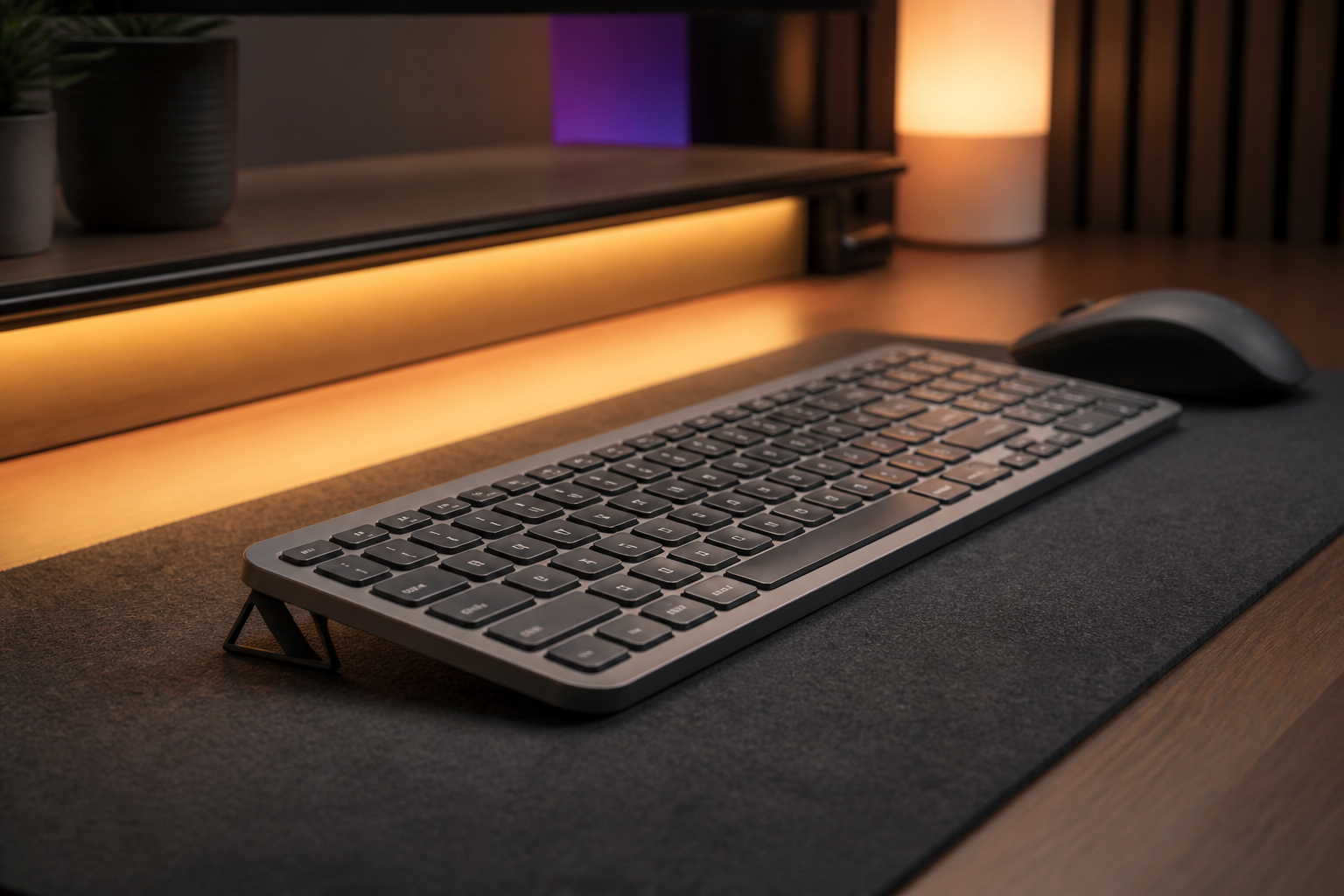
KeyRiser creates a 15-degree rear lift on MX Keys, MX Keys S, and MX Keys Mini. That angle keeps the wrists straight and removes the need to lean forward. The result is a posture chain that works from the feet up: stable chair height, straight wrists, relaxed shoulders, and a neutral neck.
Desk Ergonomics Checklist for Tech Neck Prevention
Use this checklist to audit your current setup:
- Top of monitor at eye level
- Screen an arm’s length away
- Keyboard at elbow height, not lower
- Wrists straight — not bent up or down
- Shoulders relaxed, not shrugged
- Head centered over shoulders, not forward
- Chair height adjusted so feet are flat on the floor
- Keyboard centered on your body, not offset
Stretches and Breaks That Help
Ergonomics is about setup. Movement is about recovery. Both matter.
- Chin tucks: Pull your chin straight back, hold for 5 seconds. Repeat 10 times.
- Shoulder rolls: Roll shoulders backward in a slow circle 10 times.
- Neck side stretch: Gently tilt your ear toward your shoulder, hold 15 seconds each side.
- The 20-20-20 rule: Every 20 minutes, look at something 20 feet away for 20 seconds.
These are not substitutes for good setup, but they reduce the accumulated load from static posture.
FAQ
Can tech neck be reversed?
Yes, in most cases. Correcting screen height, desk posture, and introducing regular movement breaks can reduce or eliminate symptoms within weeks.
Does a standing desk help tech neck?
A standing desk can help, but only if you also raise the screen and keyboard appropriately. Standing alone does not fix forward head posture.
Is KeyRiser useful for tech neck?
Indirectly, yes. Tech neck starts when the head moves forward. A flat keyboard can cause you to lean forward while typing. By improving keyboard angle, KeyRiser removes one reason to lean in.
Should I see a doctor for tech neck?
If you experience persistent numbness, tingling, or pain that does not improve with setup changes, consult a healthcare professional.
What is the ideal monitor height for ergonomics?
The top third of the screen should be at or slightly below eye level. Adjust so you look straight ahead, not up or down.
Internal Resources
If you are rebuilding your desk from scratch, start with the desk setup guide for programmers, then check the keyboard tilt science page to understand why angle matters at every level of the posture chain.
Final Takeaway
Tech neck prevention does not require expensive gear. The biggest wins come from raising your screen to eye level and keeping your keyboard at a neutral angle. If you use MX Keys, KeyRiser helps close the gap between a good monitor setup and a truly neutral typing position.
Ready for a Better Typing Angle?
Check KeyRiser on Amazon and confirm compatibility with your MX Keys model.
Buy Now - $9.99