5 Years Home Office: Hidden Price Your Body Is Paying
After 6 years of mass remote work, experts warn of an ergonomic crisis. Discover if you're at risk and the design-focused solutions. KeyRiser reduces wrist
5 Years of Home Office: The Hidden Price Your Body Is Paying (And How to Reverse It Before It’s Too Late)
January 2026. Nearly six years have passed since millions of people turned their dining tables, sofas, and makeshift desks into permanent offices. What began as a temporary solution in 2020 transformed into the new normal of work.
But while we celebrate the flexibility of remote work, our bodies have been keeping score silently. And now, in 2026, experts are seeing something alarming: a wave of musculoskeletal problems reaching its peak.
The “Ergonomic Debt”: Why 2026 Is the Year the Bill Comes Due
Physical therapists and ergonomists have a term for what we’re experiencing: ergonomic debt. It’s the cumulative damage that occurs when we work in suboptimal conditions for extended periods.
The Problem of “Pandemic Workers”
If you started working from home between 2020 and 2021, you belong to what some researchers call the “improvised ergonomics generation.” Here’s what probably happened:
- March 2020: You set up a “temporary office” with whatever you had
- 2020-2021: You got used to minor discomforts (they became “normal”)
- 2022-2024: Hybrid work maintained poor home configurations
- 2025-2026: Your body starts presenting the bill
The human body has an amazing capacity for adaptation. But that adaptation has a limit, and for many, that limit is arriving now.
The Statistics That Should Concern You
Recent data is revealing:
- 73% of remote workers report some type of musculoskeletal discomfort related to their work setup
- Wrist and forearm pain has increased 47% since 2019 among office workers
- Only 1 in 5 remote workers has a workspace that meets basic ergonomic guidelines
- Carpal tunnel syndrome and repetitive strain injuries (RSI) show concerning upward trends
The Massive Experiment Nobody Planned
What we’ve lived through since 2020 was, effectively, the largest workplace ergonomics experiment in history. Millions of people went from offices designed (with varying success) for work, to:
- Dining tables that were too high
- Kitchen chairs without lumbar support
- Laptops on sofas
- Keyboards in incorrect positions
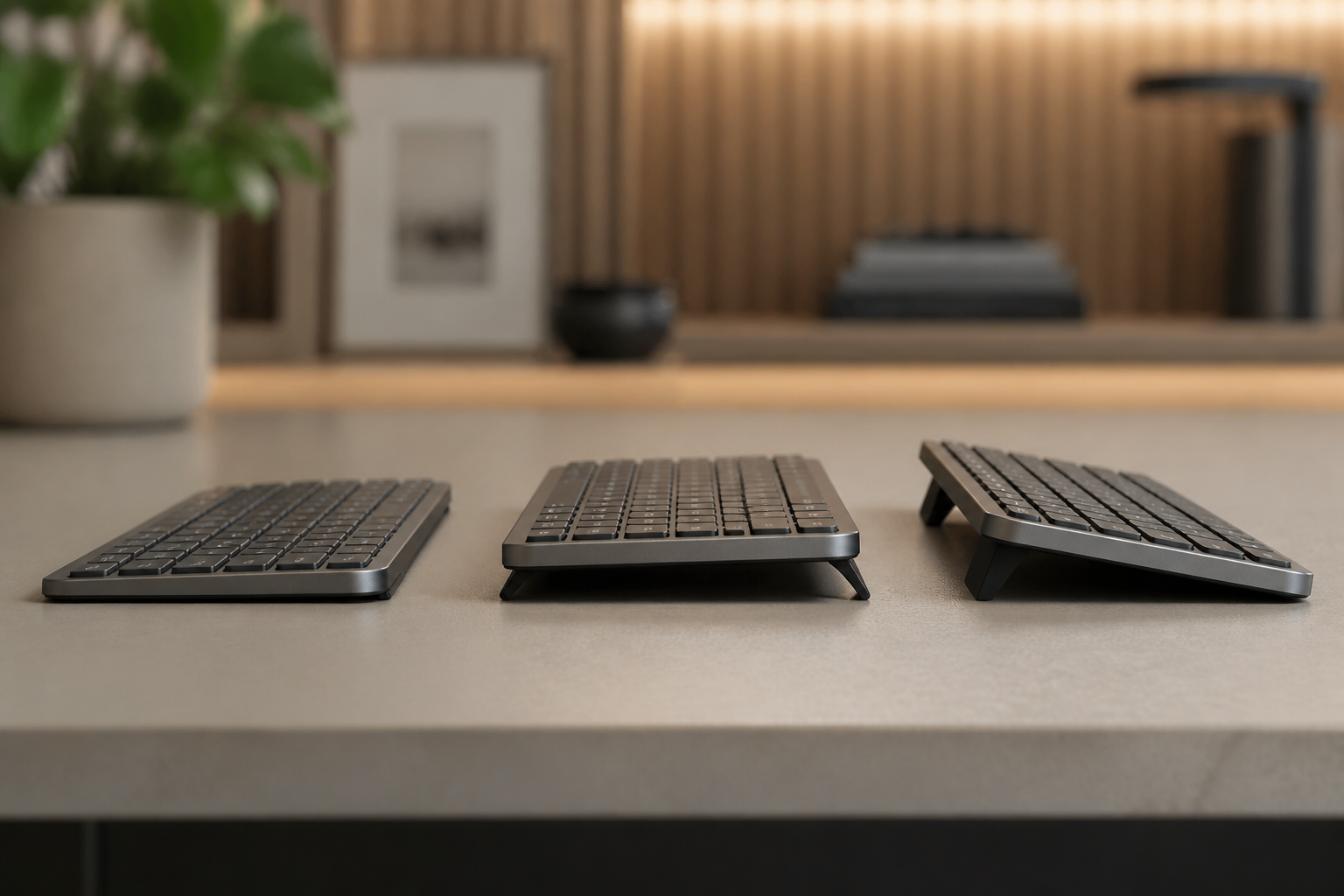
The Flat Keyboard Problem
One of the most underestimated factors is keyboard position. In a traditional office, many companies invested in ergonomic furniture. At home, most people simply placed their laptop or keyboard directly on the table.
The result: wrists constantly bent upward, in what ergonomists call “wrist extension.”
Research from OSHA and NIOSH demonstrates that this position:
- Increases pressure inside the carpal tunnel
- Creates friction on tendons and ligaments
- Fatigues forearm muscles more quickly
And the worst part: many users deployed the rear keyboard feet, believing it was the “right” thing to do, when it actually makes the problem worse by creating more wrist extension.
The 5 Warning Signs You Shouldn’t Ignore
Your body has been sending you signals. The question is: have you been listening?
1. Tingling in Fingers or Hands
Especially if it occurs at night or upon waking. May indicate median nerve compression.
2. Wrist Pain When Typing
If you need to “warm up” your wrists before you can work comfortably, it’s a red flag.
3. Forearm Fatigue
Feeling of heaviness or exhaustion in the forearms after work sessions.
4. Pain That Improves on Weekends
If your discomfort decreases when you’re not working and returns on Monday, your desk setup is probably the cause.
5. Need to Shake Your Hands
If you frequently feel the need to shake your hands to “wake them up,” pay attention.
Important: If you experience these symptoms persistently, consult a health professional. Ergonomic problems detected early are much easier to resolve.
The Good News: It’s Not Too Late
Here’s the hopeful part: ergonomic problems, especially in early stages, are highly reversible. Your body wants to heal; it just needs the right conditions.
The 80/20 Principle of Desk Ergonomics
You don’t need to spend thousands on high-end ergonomic furniture. According to experts, 80% of ergonomic benefits come from 20% of the changes. And the most impactful change you can make is surprisingly simple:
Correct your keyboard position.
Why Keyboard Angle Matters So Much
Research from OSHA and NIOSH demonstrates that negative keyboard tilt (where the rear is raised or level with the front) can:
- Reduce wrist extension by up to 60%
- Decrease muscle activity in shoulders and arms
- Increase time in “low-risk zone” from 28% to 67%
It’s one of the highest-impact, lowest-investment changes you can make.
The Practical Solution: Less Than 5 Minutes, Less Than $10
You don’t need to reorganize your entire home office. The most effective change according to science is achieving a fixed rear lift of 10-15 degrees on your keyboard.
Options
-
Professional keyboard tray: OSHA and NIOSH’s “gold standard” solution, but expensive ($50-200) and requires installation.
-
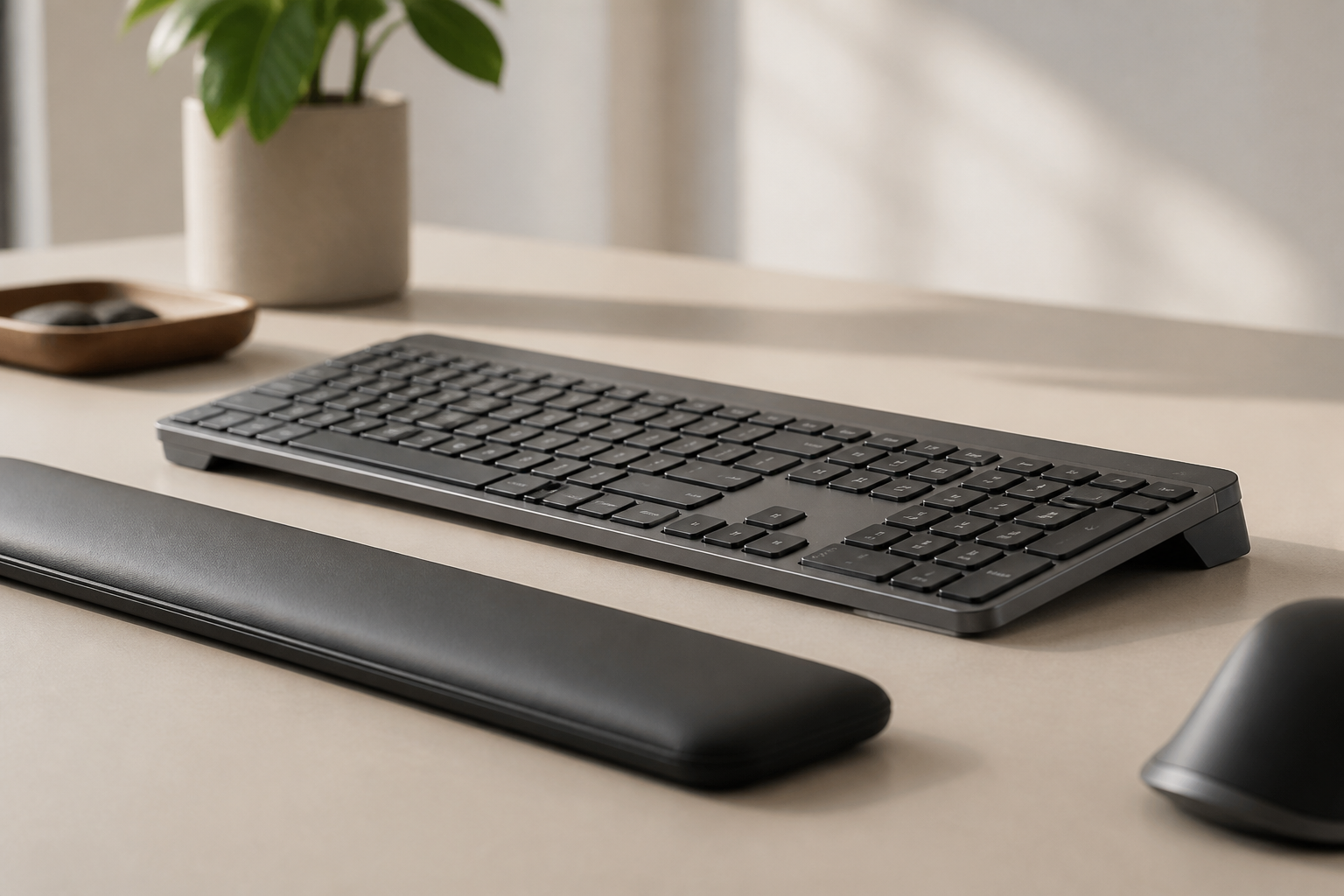
Ergonomic keyboard riser: Products like KeyRiser offer exactly the angle recommended by science for around $10. Installs in seconds and works with popular keyboards like the Logitech MX Keys.
-
Temporary DIY solution: You can experiment by placing something under the front of your keyboard to see if you notice a difference.
What to Avoid
- Keyboard feet: Create stock feet, exactly the opposite of what’s recommended
- Wrist rests during active typing: According to OSHA, designed for rest between sessions, not during
- Ignoring early signals: Small problems become big ones
The 30-Second Test: Is Your Setup Damaging You?
Take this quick assessment right now:
- Sit in your usual work position
- Place your hands on the keyboard as if you were going to type
- Observe your wrists from the side:
Are your wrists bent upward? → Your setup is creating unnecessary stress
Do they form a relatively straight line with your forearms? → Good position
Do you have the keyboard feet deployed? → You’re probably in stock feet (not recommended)
The Action Plan: This Week
Don’t wait for minor discomforts to become major problems. Here’s a concrete action plan:
Day 1: Assessment
- Take the 30-second test
- Identify if you’re using keyboard feet (if so, fold them down)
- Note any current discomfort
Day 2-3: Research
- Measure your desk and chair height
- Consider your improvement options (tray, riser, DIY)
Day 4-7: Implementation
- Implement at least ONE ergonomic change
- The highest impact: correct keyboard tilt
- Start noticing differences
Weeks 2-4: Adaptation
- Give your body time to adjust
- Maintain awareness of your posture
- Evaluate comfort improvements
Real Stories: The Before and After
Maria, a 34-year-old software developer, shares her experience:
“I had been working from home for three years with the same improvised setup. I started feeling tingling in my right hand at night. My physical therapist told me it was the beginning of problems that could worsen. I changed my keyboard tilt and within two weeks the tingling had completely disappeared.”
Carlos, a 41-year-old graphic designer:
“I always thought wrist pain was ‘part of the job.’ Turns out it was part of my bad setup. A $10 keyboard riser changed everything. I wish I had done it years ago.”
Frequently Asked Questions
Q: Can a simple angle change really make a difference?
A: Yes. Research from OSHA and NIOSH shows that negative keyboard tilt places 60% more typing movements in a “low-risk zone” for wrist problems. It’s one of the highest-impact changes you can make.
Q: How long does it take to notice a difference?
A: Varies by person. Some notice immediate improvement; others need 1-2 weeks of adaptation. If you have existing discomfort, improvement is usually more noticeable.
Q: Does this replace a doctor if I’m in pain?
A: No. Ergonomic changes are preventive and can help with mild discomfort. If you have persistent pain or significant symptoms, consult a health professional.
Q: Why didn’t anyone tell me this before?
A: Keyboard ergonomics is a relatively specialized field. In traditional offices, occupational health departments handled this. At home, that responsibility falls on us.
Q: Aren’t keyboard feet for better ergonomics?
A: It’s a common myth. The feet create stock feet, which increases wrist extension. Both OSHA and NIOSH recommend avoiding them if they cause your wrists to bend upward.
Conclusion: Your Body Deserves Better
Nearly six years have passed since remote work became the norm. If you’ve been working with an improvised setup all this time, your body has probably already sent you some signals.
The good news: it’s never too late to make positive changes.
The science is clear on this:
- Neutral wrist position reduces strain
- Negative keyboard tilt is the expert recommendation
- Small changes can have big impact
For less than $10 and 5 minutes of your time, you can start reversing years of ergonomic debt. Your future self will thank you.
Ready to make the change? KeyRiser on Amazon for $9.99 →
The simplest change backed by OSHA and NIOSH research to improve your desk ergonomics.
Sources and References
- OSHA and NIOSH ergonomic Web - Typing Posture
- OSHA Computer Workstations - Keyboards
- OSHA and NIOSH ergonomic Guidelines
- Studies on workplace ergonomics and remote work post-2020
Related Reading
Ready for a Better Typing Angle?
Check KeyRiser on Amazon and confirm compatibility with your MX Keys model.
Buy Now - $9.99