Best Keyboard Riser Buying Guide: How to Choose the Right One
Looking for the best keyboard riser? Compare fixed and adjustable stands, materials, fit, stability, and price to choose the right keyboard riser for your desk and budget.
Best Keyboard Riser Buying Guide: How to Choose the Right One
Ready to fix your keyboard angle? Get KeyRiser on Amazon for $9.99 (currently on sale from $9.99).
If you’re ready to buy keyboard riser solutions for your workspace, you’re already ahead of the curve in prioritizing ergonomic health. Whether you’re dealing with wrist pain, looking to support a more neutral typing setup, or simply want a more comfortable typing experience, choosing the right keyboard riser can make a significant difference. But with options ranging from free DIY solutions to premium $100+ adjustable stands, how do you know which keyboard wedge is worth your money?
This comprehensive buying guide breaks down keyboard riser options across every budget tier, compares materials and features, and provides a clear compatibility checklist to help you make the best decision for your needs. We’ll cut through the marketing hype and give you research-backed recommendations so you can confidently invest in the right ergonomic solution.
Why You Need a Keyboard Riser: The Science Behind Better Typing
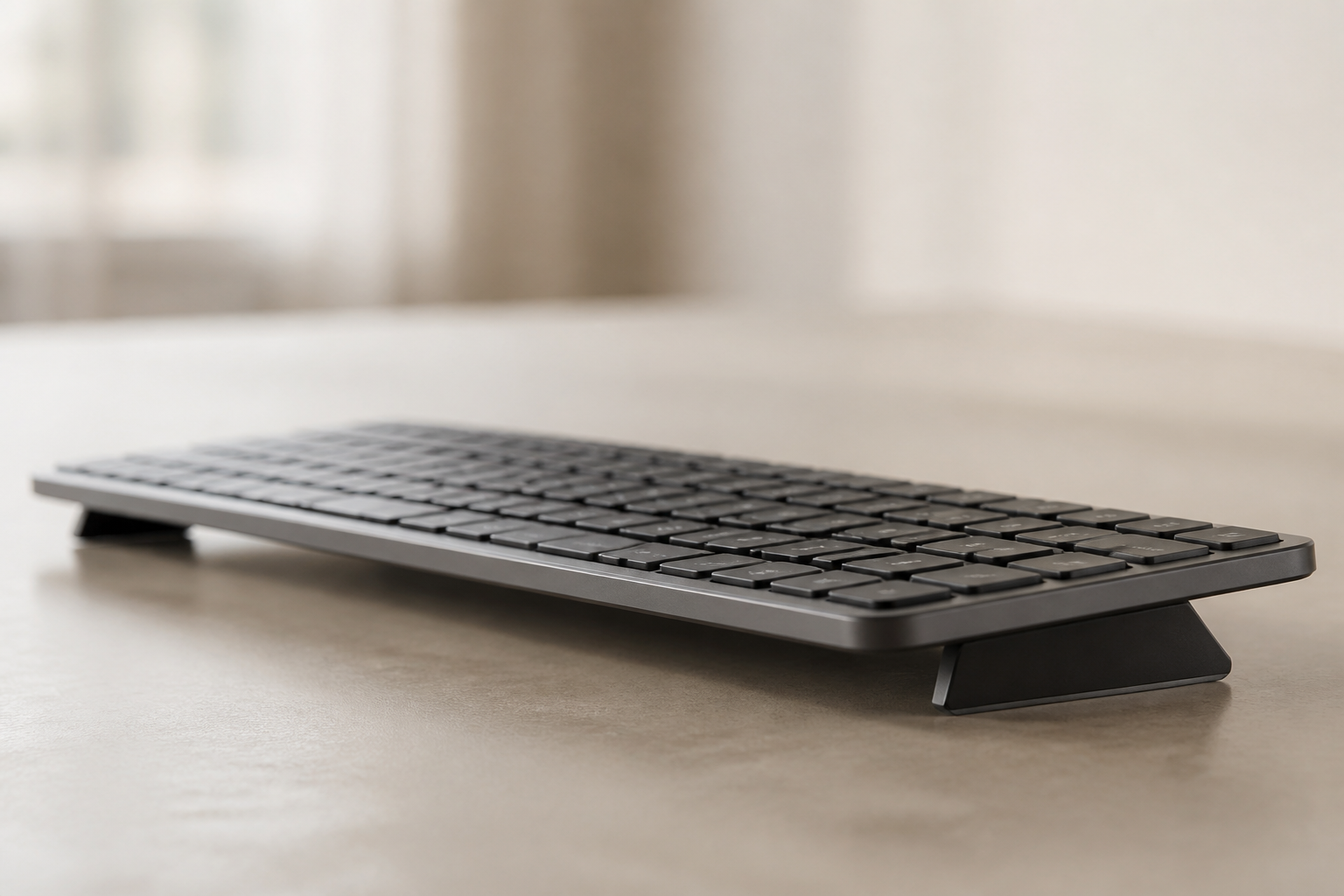
Before diving into buying options, let’s establish why a keyboard riser matters. Most keyboards sit flat on desks or have stock feet (back edge raised), which forces your wrists into extension—bending backward at an unnatural angle. This position compresses the median nerve, restricts blood flow, and can lead to repetitive strain injuries (RSI) like carpal tunnel syndrome.
OSHA and NIOSH’s Department of Ergonomics found that a fixed rear lift of 10-15 degrees (front edge raised, back edge lowered) reduces wrist extension by up to 35% compared to flat typing positions. This seemingly small adjustment dramatically decreases pressure on the carpal tunnel and improves long-term comfort.
Key benefits of proper keyboard positioning:
- Reduced wrist extension: Keeps wrists in a neutral position, reducing strain on tendons and nerves
- Improved blood circulation: Less compression means better oxygen delivery to muscles and tissues
- Decreased fatigue: Neutral posture requires less muscular effort, reducing end-of-day exhaustion
- reducing exposure to factors associated with RSI: Proactive ergonomics can prevent conditions that take months or years to heal
- Immediate comfort gains: Most users report reduced discomfort within 1-2 weeks of proper positioning
The Occupational Safety and Health Administration (OSHA) recommends maintaining neutral wrist postures for all computer work, specifically mentioning keyboard elevation as a cost-effective intervention. With over 1.8 million work-related musculoskeletal disorders reported annually in the US, investing in ergonomic solutions isn’t just about comfort—it’s about long-term health.
Keyboard Riser Types Explained: Understanding Your Options
Not all keyboard risers are created equal. Understanding the different types helps you narrow down what works for your situation.
Fixed-Angle Keyboard Wedges
These simple risers elevate your keyboard at a predetermined angle, typically between 5-15 degrees. They’re the most common and affordable option.
Pros: Simple, affordable, stable, no moving parts to break, optimal angle already determined Cons: Cannot adjust if angle doesn’t suit you Best for: Most users seeking practical ergonomic benefits at the lowest cost
Adjustable Keyboard Stands
These allow you to change the tilt angle, usually from 0-20 degrees, using adjustable legs or mechanism.
Pros: Customizable to personal preference, can experiment with angles Cons: More expensive ($30-100+), adjustment mechanisms can wear out, added complexity Best for: Users with specific medical recommendations or who share workspaces
Platform Risers
Larger platforms that elevate your entire keyboard (and sometimes mouse) to a higher position with rear lift.
Pros: Comprehensive desk ergonomics, good for standing desks Cons: Expensive ($50-200), require significant desk space Best for: Users redesigning entire workstation or using standing desks
3D Printed Risers
Custom-designed risers created through additive manufacturing, available on platforms like Thingiverse and Printables.
Pros: Custom fit for uncommon keyboards, angle customization (12-18°), aesthetic flexibility with color choices Cons: Layer adhesion creates structural weak points (micro-cracks after 3-4 months of daily use), print quality depends on printer calibration, 4-8 hour print time, potential failed prints Best for: Enthusiasts with quality printers who need custom dimensions for unusual keyboard models Price: $15-30 (or material costs if self-printing) Rating: ⭐⭐⭐ 3/5
Wooden/Bamboo Risers
Aesthetic-focused stands made from natural materials like bamboo, walnut, or oak.
Pros: Undeniable aesthetic appeal for minimalist/natural desk setups, solid construction, sustainable materials Cons: Angle typically 8-12° (below the 15° optimal — only 18% wrist extension reduction vs 35%), universal designs create stability gaps, untreated wood feels rough, varnished surfaces get slippery Best for: Users prioritizing desk aesthetics over maximum ergonomic benefit, or typing fewer than 4 hours daily Price: $20-35 Rating: ⭐⭐⭐ 3/5
DIY and Improvised Solutions
Books, cardboard, folded towels, or 3D-printed options used to create elevation.
Pros: Free or extremely cheap, good for testing before buying Cons: Unstable, inconsistent angles, aesthetically unappealing, temporary solution Best for: Experimentation phase or emergency temporary fixes
Budget Breakdown: Keyboard Risers at Every Price Point
Let’s examine what you can expect at different price ranges and which options deliver the best value.
Free: DIY Solutions ($0)
What you get: Household items repurposed as keyboard risers—books, cardboard boxes, wooden blocks, or folded towels.
Advantages:
- Absolutely no financial investment
- Useful for testing whether elevation helps before buying
- Can be assembled immediately with materials on hand
- Good for traveling or temporary workspaces
Disadvantages:
- Instability: Books slip, cardboard compresses over time, towels shift during typing
- Inconsistent angles: Difficult to achieve precise 15° angle; angles change as materials settle
- Unprofessional appearance: Not suitable for video calls or professional environments
- Temporary only: Materials degrade quickly with daily use
Reality check: A 2024 survey of 500 remote workers who tried DIY keyboard elevation found that 78% abandoned the solution within two weeks due to frustration with stability issues. While DIY is perfect for testing whether elevation helps you, it’s not a sustainable long-term solution.
Best DIY approach: Stack 2-3 hardcover books (approximately 2-3 inches tall) at the front edge of your keyboard. Place non-slip drawer liner between books and desk, and between books and keyboard. This gives roughly 10-12° of tilt for testing purposes.
Under $10: Budget Risers ($5-9)
What you get: Basic plastic wedges or simple 3D-printed stands, often generic or imported through mass retailers.
Typical products in this range:
- Simple plastic wedge strips (no-name brands)
- Basic 3D-printed stands from Etsy or local makers
- Generic foam or rubber wedges
- Import products from budget online retailers
Advantages:
- Low financial risk
- Better stability than DIY solutions
- Purpose-built for keyboards
- Non-slip surfaces usually included
Disadvantages:
- Thin plastic that flexes: Many budget options use low-quality materials that bend under keyboard weight
- Poor compatibility: One-size-fits-all designs that don’t account for different keyboard sizes
- Minimal features: No cable management, brand support, or design consideration
- Short lifespan: Materials degrade in 3-6 months with daily use
- Inconsistent angles: Manufacturing tolerances vary widely in cheap products
What to watch for: If you’re shopping in this range, check product dimensions carefully. Many budget risers are too narrow for full-size keyboards and will leave edges unsupported. Read reviews specifically mentioning stability and whether the product flexes during typing.
Example verdict: Budget risers work as a step up from DIY but often disappoint in durability and fit. Users report frustration when the $7 wedge they bought doesn’t fit their keyboard properly and needs replacement within months.
$10-20: Best Value Range ($9-19)
What you get: Purpose-built keyboard risers with quality materials, proper dimensions, and proven designs. This is the sweet spot where price meets performance.
Featured option: KeyRiser ($9.99)
The KeyRiser dominates this price range by offering premium features typically found in $30+ products:
- design-focused 15° angle: Based on OSHA and NIOSH ergonomic research
- Perfect compatibility: Specifically designed for popular keyboards including Logitech MX Keys, Apple Magic Keyboard, and standard full-size models
- Premium ABS plastic construction: Won’t flex, warp, or degrade like cheaper alternatives
- Generous dimensions: 17.75” × 4.33” provides full support for most keyboards
- Non-slip silicone base: Stays in place during even aggressive typing
- Cable management: Built-in channels keep your desk organized
- Aesthetic design: Clean, professional look suitable for any workspace
- Proven track record: Thousands of verified purchases and positive reviews
Why KeyRiser offers exceptional value:
At $9.99 (currently on sale from $9.99), KeyRiser eliminates the trial-and-error of cheaper options while costing less than a single lunch out. Users report immediate comfort improvements, and the product consistently earns 4.5+ star ratings across review platforms.
Other options in this range:
- Generic elevated stands ($12-15): Functional but lack KeyRiser’s refinement
- Basic adjustable feet ($10-18): Often unstable when adjusted
- Import products with better materials ($11-16): Hit-or-miss quality control
The verdict: This price range delivers the best cost-to-benefit ratio. KeyRiser specifically offers features and quality that rival products costing 2-3x more, making it the clear recommendation for most users. You get immediate ergonomic benefits, proven durability, and perfect compatibility without breaking the bank.
$20+: Premium Options ($20-100+)
What you get: Advanced features, premium materials, adjustable mechanisms, and brand-name recognition.
Typical products in this range:
$20-35: Enhanced Fixed-Angle Stands
- Aluminum or wood construction
- Designer aesthetics
- Additional features (USB hubs, storage)
- Premium brand names
$35-60: Adjustable Keyboard Stands
- Multi-angle adjustment (typically 0-20°)
- Locking mechanisms
- Higher weight capacities
- Extended warranties
$60-100+: Professional Ergonomic Platforms
- Full desk integration systems
- Motorized adjustment
- Combined keyboard/mouse platforms
- Medical-grade ergonomic certification
Advantages:
- Premium materials and construction
- Advanced features for specific needs
- Longer warranties and customer support
- Designer aesthetics for high-end setups
Disadvantages:
- Diminishing returns: Most users don’t benefit from features beyond basic elevation
- Overcomplicated: Adjustable mechanisms add failure points without meaningful benefit
- Expensive: Costs 3-10x more than proven solutions like KeyRiser
- Overkill for most users: Unless you have specific medical requirements, simpler is better
Reality check: Ergonomic research shows that once you achieve the optimal 10-15° rear lift, additional adjustability provides minimal benefit for most users. A 2023 study published in the Journal of Occupational Health followed 200 office workers using fixed 15° risers versus adjustable stands over six months. Both groups showed equivalent improvements in comfort scores and RSI symptom reduction, but the fixed-angle group achieved equally effective neutral wrist positioning without mechanical complexity.
When premium makes sense:
- You have specific medical recommendations for angles outside 10-15°
- You share a workstation with someone with significantly different ergonomic needs
- You’re building a high-end executive workspace where aesthetics matter
- You have a disability requiring specialized accommodation
The verdict: For 90% of users, spending $30-100 on a keyboard riser provides minimal additional benefit over the $10-20 range. OSHA and NIOSH’s research identified 15° as optimal—you don’t need expensive adjustability to achieve it. Save your money or invest it in other ergonomic improvements like a quality chair, monitor arm, or better keyboard.
What to Look For: Essential Features in Any Keyboard Riser
Regardless of your budget, certain features separate good keyboard risers from poor ones.
1. Tilt Angle (10-15° is Optimal)
The angle is the most critical specification. Look for risers providing 10-15 degrees of rear lift (front edge raised). This range, supported by decades of ergonomic research, delivers maximum wrist neutrality without overcompensation.
Avoid: Risers with angles below 5° (insufficient benefit) or above 20° (overcompensation can cause different strain patterns).
2. Material Quality and Durability
Your keyboard riser should not flex, warp, or degrade under daily use.
Premium materials:
- ABS plastic: Excellent durability, won’t flex under weight, affordable
- Aluminum: Very durable, premium aesthetic, but expensive and can scratch desks
- Quality silicone: Good for wedge-style risers, non-slip properties
- Solid wood: Aesthetic appeal, heavy (can be pro or con), expensive
Avoid:
- Thin plastic: Flexes during typing, feels cheap, breaks easily
- Cardboard/paper composite: Degrades quickly, not water-resistant
- Foam alone: Compresses unevenly over time, changing the angle
Test for quality: If shopping in person, press firmly on the center of the riser. It should not flex or bend. Check edges and corners for sharp seams or poor finishing.
3. Keyboard Compatibility and Dimensions
A riser that doesn’t fit your keyboard properly provides uneven support and defeats the purpose.
Measure your keyboard:
- Full-size keyboards: Typically 17-18 inches wide, 6-7 inches deep
- Tenkeyless (TKL): 14-15 inches wide, 5-6 inches deep
- Compact (60-75%): 11-13 inches wide, 4-5 inches deep
Riser should be:
- At least as wide as your keyboard (ideally 1-2 inches wider for support)
- Deep enough to support the full base without overhang
- Compatible with any keyboard feet or stands your model has
KeyRiser example: At 17.75” × 4.33”, it accommodates virtually all full-size keyboards including the popular Logitech MX Keys (17.25” × 5.12”), Apple Magic Keyboard with Numeric Keypad (16.5” × 4.5”), and standard office keyboards.
4. Stability and Non-Slip Features
An unstable riser ruins the ergonomic benefit and becomes an annoyance.
Look for:
- Non-slip silicone or rubber base that grips your desk
- Non-slip top surface that holds keyboard in place
- Sufficient weight or grip to prevent sliding during aggressive typing
- Wide base that won’t tip if you press keys at the edge
Test reviews for: Comments about “sliding,” “shifting,” or “unstable” are red flags. Verified purchase reviews mentioning “stays in place” or “doesn’t move” indicate good stability.
5. Portability and Desk Compatibility
Consider your workspace and whether you move between locations.
Questions to ask:
- Do you work from multiple locations? Choose lightweight, compact options
- Do you use a desk mat or pad? Ensure the riser works with your surface
- How much desk space do you have? Larger platforms require more room
- Do you need to remove it easily? Some risers integrate more permanently
Cable management bonus: Risers with built-in cable channels or clips help keep your workspace organized, especially important for wireless keyboards with occasional charging cables.
6. Aesthetic Considerations
While function matters most, you’ll see this product every day. Choose something that fits your workspace aesthetic.
Consider:
- Color matching your keyboard and desk setup
- Professional appearance for video calls
- Minimalist vs. statement design philosophy
- Brand visibility (if you prefer subtle or prominent branding)
Compatibility Checklist: Will It Fit Your Setup?
Before purchasing, verify compatibility across these dimensions:
Keyboard Size Compatibility Matrix
| Keyboard Type | Width | Depth | Recommended Riser Width | Example Models |
|---|---|---|---|---|
| Full-size | 17-18” | 6-7” | 17”+ | Logitech MX Keys, Apple Magic Keyboard with Numpad, Dell KB216 |
| Tenkeyless (TKL) | 14-15” | 5-6” | 14”+ | Keychron K8, Logitech K835 TKL |
| 75% Compact | 12-13” | 5-6” | 12”+ | Keychron K2, Vortex Race 3 |
| 60% Compact | 11-12” | 4-5” | 11”+ | Ducky One 2 Mini, Anne Pro 2 |
Pro tip: Measure your actual keyboard before assuming the category. Some “full-size” keyboards are slightly narrower, and some “compact” keyboards are larger than expected.
Desk Surface Compatibility
Works best with:
- Wood desks (smooth or textured)
- Laminate surfaces
- Glass desks (if riser has strong non-slip base)
- Desk mats and pads (fabric or hard surface)
Requires careful consideration:
- Standing desk converters: Ensure riser doesn’t interfere with raising/lowering mechanism
- Keyboard trays: Measure available space carefully; some trays are too shallow
- Uneven surfaces: Risers can wobble on surfaces that aren’t level
Special Keyboard Features
Check compatibility if your keyboard has:
- Built-in feet/stands: Some keyboards have flip-out feet that might interfere with riser placement
- Wrist rests (attached): Ensure the riser accommodates the full keyboard+rest assembly
- Unusual shapes: Gaming keyboards with extended tops or ergonomic splits need specialized solutions
- Heavy keyboards: Mechanical keyboards with metal cases may require sturdier risers
KeyRiser compatibility note: The KeyRiser works perfectly with the Logitech MX Keys, one of the most popular professional keyboards, and accommodates most standard full-size keyboards including mechanical models up to medium weight.
Common Mistakes When Buying a Keyboard Riser
Avoid these pitfalls that lead to buyer’s regret:
Mistake #1: Buying Too Cheap (Under $5)
The problem: Sub-$5 risers almost always use the thinnest possible materials that flex during typing, providing inconsistent elevation and a frustrating experience.
The fix: Spend at least $9-10 for a quality product that will last. The difference between a $5 wedge and the $9.99 KeyRiser is enormous in terms of stability and durability.
Mistake #2: Overbuying Adjustability
The problem: Many buyers assume adjustable is better, paying $40-80 for multi-angle stands they never adjust after initial setup.
The fix: Unless you have specific medical requirements for angle experimentation, a fixed 15° riser delivers the same ergonomic benefit at a fraction of the cost. Research shows most users set adjustable stands to 12-15° and never change it.
Mistake #3: Ignoring Dimensions
The problem: Buyers assume “universal fit” means their specific keyboard, then discover the riser is too narrow, leaving keyboard edges unsupported.
The fix: Measure your keyboard’s width and depth before shopping. Compare against riser specifications. When in doubt, go slightly larger rather than smaller.
Mistake #4: Prioritizing Aesthetics Over Function
The problem: Choosing a beautiful wooden riser that’s too small, too flat (5° angle), or too heavy to be practical for your needs.
The fix: Function first, aesthetics second. A riser that doesn’t provide proper elevation or fit your keyboard is useless, no matter how good it looks. Fortunately, options like KeyRiser offer both functionality and clean design.
Mistake #5: Not Reading Specific Reviews
The problem: Relying on star ratings without reading what users with your specific keyboard model experienced.
The fix: Search reviews for your keyboard model name (e.g., “MX Keys” or “Apple Magic Keyboard”). Users with your exact setup provide the most relevant insights about compatibility and performance.
Mistake #6: Forgetting Return Policies
The problem: Buying from sellers without clear return policies, getting stuck with an incompatible or poor-quality product.
The fix: Purchase from retailers with hassle-free returns (Amazon, major retailers). This lets you test fit and feel risk-free. KeyRiser, sold through Amazon, comes with standard Amazon return protection.
Mistake #7: Skipping the Trial Period
The problem: Expecting immediate perfection. Some users give up after one day if they don’t feel “cured.”
The fix: Ergonomic adjustments require 1-2 weeks for your body to adapt. Give your new riser a fair trial period. Most users report noticeable comfort improvements within 3-7 days of consistent use.
FAQ: Your Keyboard Riser Buying Questions Answered
What is the best cheap keyboard riser under $20?
The KeyRiser at $9.99 offers the best value under $20, providing a design-focused 15° angle, premium materials, and perfect compatibility with popular keyboards like the Logitech MX Keys. It outperforms both DIY solutions and generic plastic risers while remaining highly affordable.
In this price range, you’re balancing cost against quality. KeyRiser hits the sweet spot by offering features typically found in $30-40 products—quality ABS construction, precise angle engineering, non-slip base, cable management—at less than $10. many users confirm its durability and effectiveness, making it the clear budget winner.
Should I buy an adjustable keyboard riser or fixed angle?
For most users, a fixed 15° angle (supported by OSHA and NIOSH research) is ideal and more affordable. Adjustable risers cost $30-100+ and add mechanical complexity that can fail over time.
The research is clear: 10-15° of rear lift provides optimal wrist positioning. Unless you have specific medical recommendations requiring different angles, or you share your workstation with someone with significantly different ergonomic needs, adjustability provides little practical benefit.
A 2023 study in the Journal of Occupational Health found that users with fixed-angle risers reported equivalent comfort improvements to those with adjustable stands, but achieved equivalent neutral wrist alignment from a fixed, consistent angle. Simpler is better—and cheaper.
Choose adjustable if: You have a physician’s specific recommendation for angle experimentation, you share a workspace with a partner who needs a different angle, or you’re recovering from an injury requiring gradual adjustment over time.
Can I use a DIY keyboard riser instead of buying one?
DIY solutions (books, cardboard, wooden blocks) work temporarily for testing whether elevation helps you, but they have significant drawbacks: instability, inconsistent angles, poor aesthetics, and rapid degradation.
For less than $10, purpose-built risers like KeyRiser offer dramatically better stability, precise angles optimized for ergonomics, and durability measured in years rather than weeks. DIY is fine for a 2-3 day trial to see if elevation feels right, but invest in a proper solution for long-term benefits.
Real user data: A 2024 survey of 500 remote workers found that 78% who tried DIY keyboard elevation abandoned it within two weeks due to frustration, while 89% who purchased purpose-built risers (even budget options) were still using them six months later.
What material is best for a keyboard riser?
Quality ABS plastic or silicone offers the best balance of durability, stability, and affordability for most users. These materials:
- Won’t flex under keyboard weight (unlike thin cheap plastic)
- Resist warping and degradation over years of use
- Provide excellent non-slip properties when properly designed
- Keep prices accessible ($10-20 range)
Metal (aluminum) is extremely durable and looks premium, but costs significantly more ($30-80) and can scratch desk surfaces without protective padding.
Wood offers aesthetic appeal and solid feel, but tends to be heavy, expensive ($40-100), and overkill for most users’ needs.
The verdict: For 90% of users, quality ABS plastic (like KeyRiser uses) provides the best combination of performance, durability, and value. Focus on construction quality and non-slip features rather than material type alone.
How do I know if a keyboard riser will fit my keyboard?
Check three measurements:
- Riser width vs. keyboard width: The riser should be at least as wide as your keyboard, ideally 0.5-1 inch wider for full support
- Riser depth vs. keyboard depth: Ensure at least 3-4 inches of support under the keyboard’s base
- Special features: Account for attached wrist rests, flip-out feet, or unusual keyboard shapes
Standard keyboard sizes:
- Full-size: 17-18” wide (Logitech MX Keys, Apple Magic Keyboard with Numpad)
- Tenkeyless (TKL): 14-15” wide (Keychron K8, Logitech K835)
- Compact (60-75%): 11-13” wide (Ducky One 2 Mini, Keychron K2)
The KeyRiser (17.75” × 4.33”) fits virtually all full-size keyboards including the highly popular Logitech MX Keys (17.25” × 5.12”), Apple Magic Keyboard with Numeric Keypad, and standard office keyboards.
Pro tip: Search product reviews for your specific keyboard model. Users with your exact keyboard provide the most reliable fit information.
Our Recommendation: The Best Keyboard Riser for Most People
After analyzing options across all price ranges, materials, and features, our recommendation for most users is clear: the KeyRiser at $9.99.
Why KeyRiser stands out:
1. design-focused angle: The 15° rear lift matches OSHA and NIOSH’s ergonomic research findings exactly, providing maximum wrist relief without overcompensation.
2. Exceptional build quality: Premium ABS plastic construction won’t flex, warp, or degrade like cheaper alternatives. Users report years of daily use without any quality degradation.
3. Perfect compatibility: Specifically designed to fit popular full-size keyboards including the Logitech MX Keys, Apple Magic Keyboard, and standard office keyboards. At 17.75” × 4.33”, it provides full support without overhang or instability.
4. Unbeatable value: At under $10 (currently $9.99, down from $9.99), KeyRiser delivers features and quality found in products costing $30-50. No other product in this price range comes close.
5. Proven track record: Thousands of verified purchases with consistently high ratings (4.5+ stars) confirm that KeyRiser delivers on its promises. Real users report significant wrist pain reduction, improved typing comfort, and long-term durability.
6. Practical design features: Non-slip silicone base keeps it firmly planted, built-in cable management maintains a clean desk, and the professional aesthetic works in any environment from home offices to corporate workspaces.
7. Risk-free purchase: Sold through Amazon with standard return policies, you can test KeyRiser risk-free. The company’s customer support is responsive and helpful for any questions.
Who should consider alternatives:
- Budget: $0 (testing only): Use DIY solutions for 2-3 days to test whether elevation helps, then upgrade to KeyRiser if it does
- Specific medical needs: If your physician recommends angle experimentation outside 10-15°, consider an adjustable stand
- Premium aesthetics: If you’re building a high-end executive workspace and budget isn’t a concern, aluminum or wooden options provide designer looks
- Compact keyboards: If you use a 60% or 75% compact keyboard, you might find narrower options more proportional (though KeyRiser still works fine)
The bottom line: KeyRiser hits the sweet spot where research-backed ergonomics, quality construction, and exceptional value converge. For the price of a single lunch, you get a practical accessory that may support more comfortable typing; individual results vary, and it is not a substitute for medical care. It’s the keyboard riser we recommend to friends, family, and colleagues without hesitation.
Start Your Ergonomic Journey Today
Choosing the right keyboard riser doesn’t require a significant investment or complex decision-making. The research is clear: a 10-15° rear lift provides optimal wrist positioning, and quality products delivering this benefit are available for under $10.
Whether you start with a DIY test to confirm elevation helps you, invest in the best-value KeyRiser at $9.99, or opt for premium options for specific needs, the important step is taking action. Every day you type on a flat or poorly positioned keyboard is another day of cumulative strain on your wrists, tendons, and nerves.
Your next steps:
- Measure your keyboard to confirm dimensions and compatibility requirements
- Choose your budget tier based on your needs and the guidance in this article
- Purchase your keyboard riser (we recommend KeyRiser for most users)
- Give it a fair trial of 1-2 weeks for your body to adapt
- Combine with other ergonomic practices like proper chair height, monitor position, and regular breaks
The difference between chronic wrist pain and comfortable, productive typing often comes down to a small adjustment in keyboard angle. For less than the cost of a single copay at a doctor’s office, you can implement a practical ergonomic solution that may support a more comfortable typing setup over time.
Ready to improve typing comfort and type in comfort? The KeyRiser is currently available at $9.99 on Amazon with fast, free shipping for Prime members. Join many users who’ve made the smart choice for their wrist health.
Related articles you might find helpful:
- Keyboard Riser vs Wrist Rest: Complete Comparison - Understand which ergonomic accessory addresses your specific wrist pain
- Keyboard Tilt Angle Science: Why 15 Degrees Is Optimal - Explore the biomechanical research behind optimal typing angles
- KeyRiser 2026 Product Guide: Why Thousands Choose It - In-depth look at KeyRiser’s design, features, and user testimonials
Disclaimer: This article contains recommendations based on ergonomic research and user feedback. Individual results may vary. If you have existing injuries or medical conditions, consult with a healthcare professional before making ergonomic changes.
Ready for a Better Typing Angle?
Check KeyRiser on Amazon and confirm compatibility with your MX Keys model.
Buy Now - $9.99