3D Printing & Ergonomics: Personalized Accessories Future
Discover how 3D printing revolutionizes workplace ergonomics. Custom keyboard stands, tailored accessories, and personalized solutions for workplace health.
3D Printing and Ergonomics: The Future of Personalized Accessories
3D printing has evolved from an exclusive laboratory and factory technology to an accessible tool that is transforming how we design our workspaces. When we combine this technology with ergonomic principles, we get something revolutionary: accessories perfectly adapted to each person’s unique needs.
In this article, we’ll explore how 3D printing is redefining the future of workplace ergonomics, what types of personalized accessories are trending, and why this combination represents the next frontier in preventing repetitive strain injuries.
The Silent Revolution on Your Desk
For decades, office workers have had to adapt to products designed for an “average user” who, in reality, doesn’t exist. Every person has different hand sizes, distinct postures, and unique ergonomic needs. 3D printing breaks this paradigm by enabling the manufacture of accessories that adapt to the user, not the other way around.
Why Personalization Matters
Consider these revealing statistics:
- 78% of office workers experience some type of musculoskeletal discomfort
- Repetitive strain injuries (RSI) cost companies more than $20 billion annually in the United States alone
- Only 23% of commercial ergonomic products fit users correctly
The reason is simple: mass products are designed to satisfy the largest possible number of users, which inevitably means compromises. A “one-size-fits-all” wrist rest can’t work equally well for someone with small hands as for someone with large hands.
How 3D Printing Transforms Ergonomics
1. Parametric Design: Your Body, Your Measurements
Parametric design allows creating 3D models that automatically adjust according to specific variables. Imagine a keyboard stand you could configure based on:
- The exact angle your occupational therapist recommends
- The precise height that matches your desk setup
- The specific width of your keyboard, whether it’s a Logitech MX Keys or any other model
This millimeter-level customization capability was unthinkable just a decade ago with traditional manufacturing methods.
2. Rapid Iteration: Perfection Through Trial
One of the most significant advantages of 3D printing is the ability to iterate quickly. If a prototype doesn’t work perfectly, you simply modify the design and print a new version. This process, which in traditional manufacturing would take weeks and cost thousands of dollars, can be completed in hours with 3D printing.
Ergonomic accessory designers can now:
- Test multiple tilt angles
- Experiment with different curvatures
- Optimize support points based on real feedback
- Create custom versions for users with special needs
3. Specialized Materials for Every Need
3D printing technology has evolved beyond basic plastic. Today we have:
TPU (Thermoplastic Polyurethane)
- Flexible and resistant
- Ideal for grip surfaces
- Absorbs vibrations
PETG (Polyethylene Terephthalate Glycol)
- Heat resistant
- Superior durability
- Professional finish
PLA+ (Enhanced Polylactic Acid)
- Biodegradable
- Excellent dimensional accuracy
- Perfect for prototypes and final products
Specialized Resins
- Ultra-smooth surfaces
- Microscopic details
- Optional antimicrobial properties
Ergonomic Accessories That Are Changing the Game
Precision Keyboard Stands
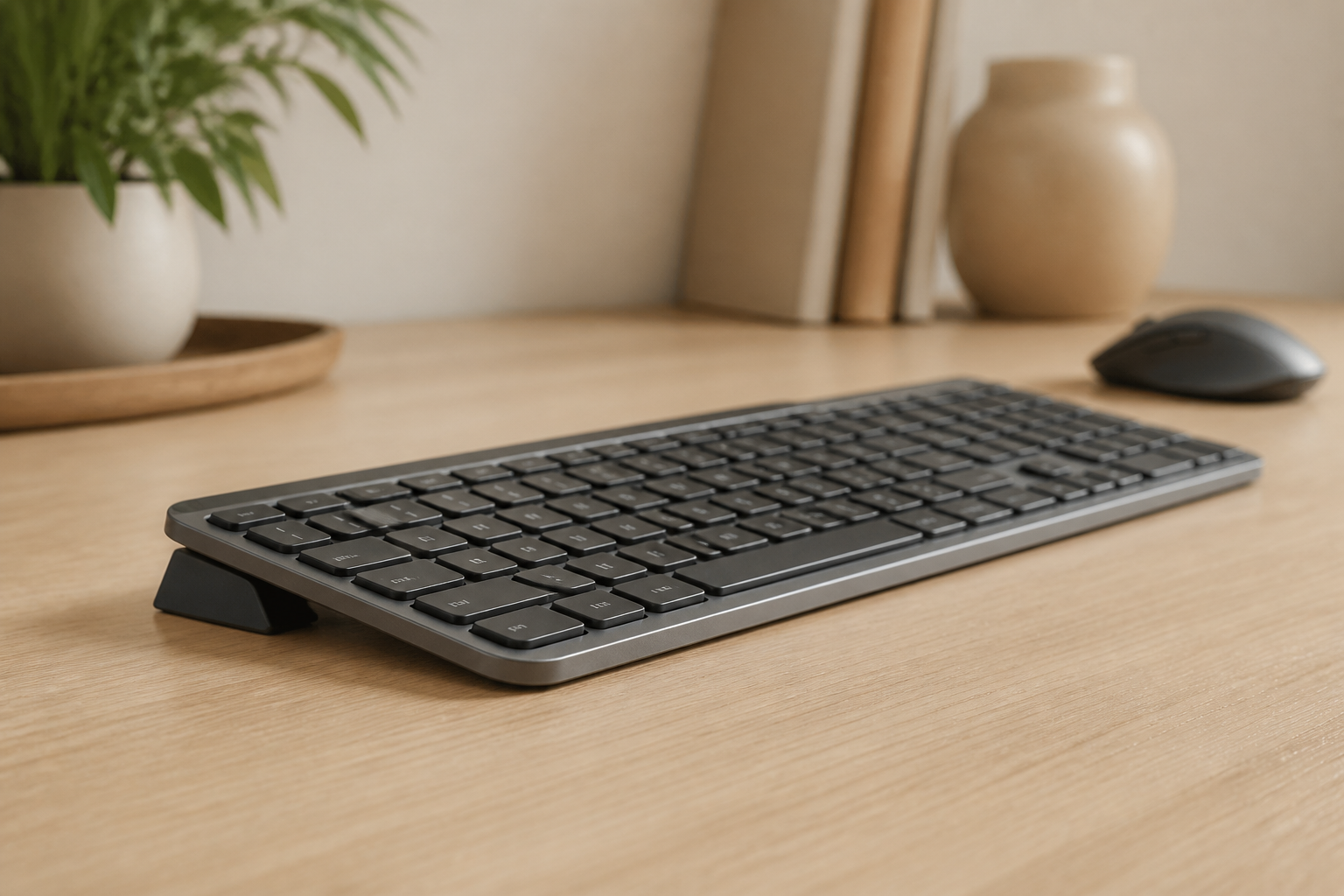
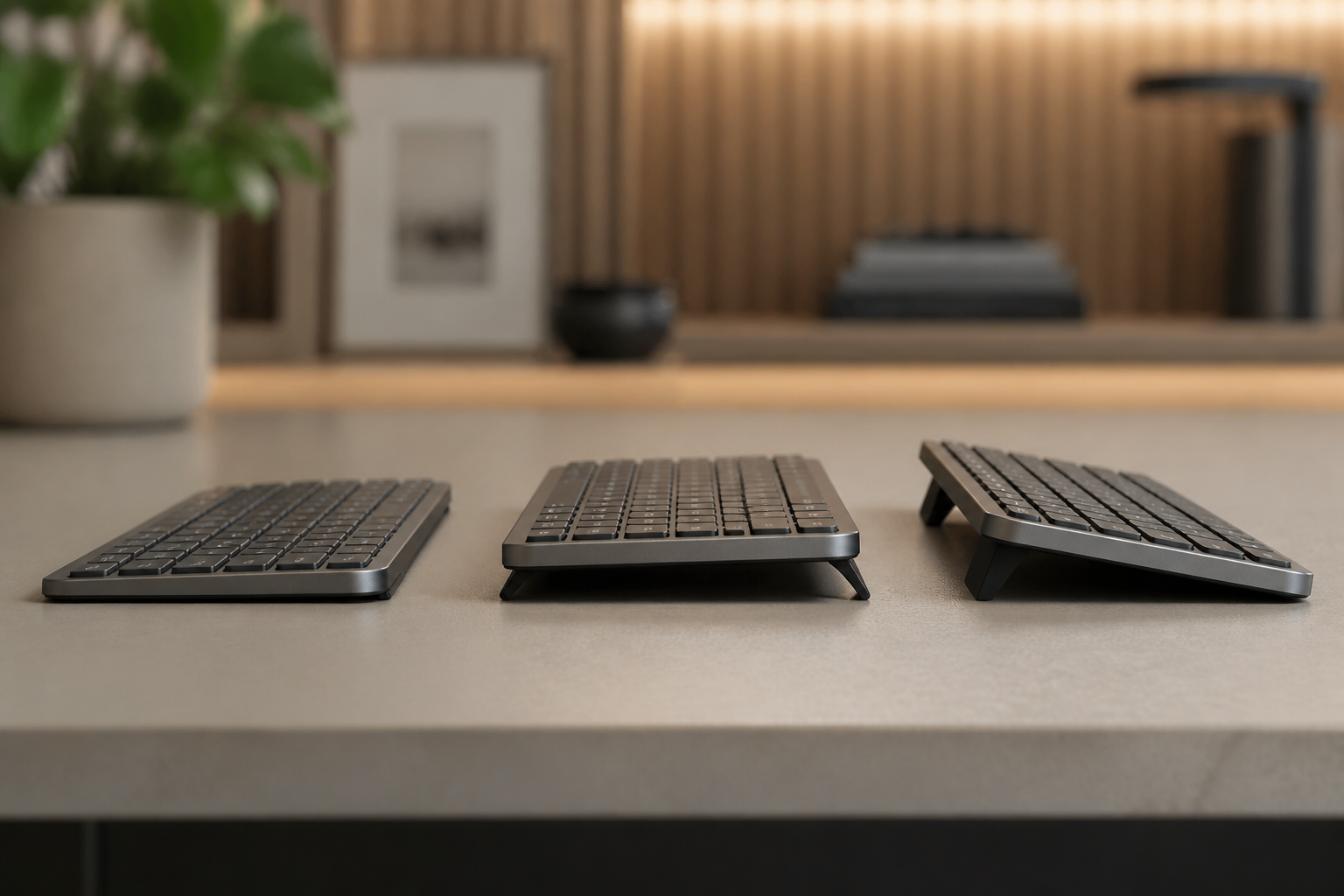
Your keyboard angle has a dramatic impact on wrist health. Studies consistently demonstrate that a rear lift of approximately 15 degrees significantly reduces tension in the carpal tunnel.
3D-printed keyboard stands offer unique advantages:
✅ fixed by design angle - No compromises with “good enough” angles ✅ Perfect compatibility - Designed for specific keyboard models ✅ Superior stability - Non-slip bases integrated into the design ✅ Customizable aesthetics - Colors and finishes that complement your setup
The KeyRiser, for example, uses precisely this approach: a 15° angle backed by ergonomic research, combined with a design that fits perfectly with the Logitech MX Keys.
Anatomical Wrist Rests
Unlike generic gel wrist rests, 3D-printed models can:
- Follow your wrist’s natural curve
- Include zones of different firmness
- Incorporate ventilation channels to reduce sweating
- Adapt to your keyboard’s specific position
Adjustable Monitor Stands
Monitor height is critical for support a more comfortable setup. 3D-printed stands allow:
- Height adjustments in minimal increments
- Custom tilt angles
- Designs that optimize desk space
- Integrated cable management
Ergonomic Desk Organizers
Keeping frequently used objects within reach reduces extension movements that cause fatigue. Custom organizers can be designed for:
- The exact layout of your tools
- Optimal heights for each object
- Angles that facilitate gripping
- Specific spaces for specific devices
The Health Impact: Beyond Comfort
Carpal Tunnel Syndrome Prevention
Carpal tunnel affects millions of workers every year. Continuous pressure on the median nerve, caused by incorrect wrist postures, is the main cause. Personalized ergonomic accessories attack this problem at its root:
- Keep the wrist in neutral position during typing
- may support comfort for some users on sensitive points
- Distribute weight evenly
- Reduce the need for compensatory movements
Muscle Fatigue Reduction
Muscle fatigue is cumulative. Small repeated tensions over 8 hours daily, 5 days a week, become chronic problems. Ergonomic customization reduces these micro-tensions by:
- Optimizing every contact point
- Eliminating forced positions
- Allowing more natural movements
- Reducing the force needed for repetitive tasks
Productivity Improvement
A OSHA and NIOSH study found that workers with ergonomically optimized workstations showed:
- 17% more productivity
- 25% fewer errors
- 32% fewer fatigue reports
- Proper keyboard tilt maintains neutral wrist alignment, preventing micro-strain during long typing sessions. This technology already exists and is becoming more accessible every day.
AI for Postural Optimization
Artificial intelligence algorithms can analyze your posture in real-time and suggest precise modifications to your accessories to correct problems before they become injuries.
Smart Materials
New materials that respond to temperature, pressure, or humidity will enable accessories that dynamically adapt to usage conditions.
Practical Considerations: 3D Printing vs. Commercial Products
When to Choose 3D Printing
3D printing is ideal when:
- You have very specific ergonomic needs
- Commercial products don’t fit your setup
- You need rapid iterations to find the optimal solution
- You value aesthetic customization
- You have access to a 3D printer or printing service
When to Choose Quality Commercial Products
Well-designed commercial products remain excellent options when:
- They’re backed by solid ergonomic research
- They offer the demonstrated optimal angle and support
- They have quality and durability guarantees
- They provide an immediate solution without a learning curve
The best option often combines both worlds: a base product designed with practical ergonomic principles, complemented with personalized accessories according to individual needs.
How to Start with Personalized Ergonomics
Step 1: Evaluate Your Current Setup
Before customizing, you need to understand your pain points:
- Where do you feel tension after working?
- What positions are uncomfortable for you?
- What angles feel most natural?
Step 2: Start with the Fundamentals
The biggest impact comes from optimizing the elements you use most frequently. For most office workers, this means:
- Keyboard angle - The foundation of all good typing ergonomics
- Monitor height - Critical for neck and back
- Mouse position - Prevents shoulder and forearm strain
Step 3: Iterate and Adjust
Perfect ergonomics isn’t achieved in a day. Try different configurations, listen to your body, and adjust as needed.
The KeyRiser Case: Science-Based Ergonomics
The KeyRiser represents exactly this philosophy of optimized ergonomics. With its design-informed 15° tilt and specific design for the Logitech MX Keys, it offers:
- Optimal angle without complicated adjustments
- Perfect compatibility with one of the most popular keyboards on the market
- Quality construction that is intended for daily use
- Accessible price that democratizes professional ergonomics
You don’t need to invest in expensive specialized ergonomic equipment or learn to use 3D design software. Sometimes, the best solution is a well-thought-out product that does exactly what you need.
Conclusion: The Future is Personal
3D printing and ergonomics are converging to create a future where every worker can have accessories perfectly adapted to their needs. Whether you opt for custom 3D-printed solutions or commercial products designed with solid ergonomic principles, the important thing is not to settle for the status quo.
Your body is unique. Your way of working is unique. Your tools should reflect that uniqueness.
The technology is there. The ergonomic knowledge is documented. All that’s left is for you to take action to protect your long-term health.
Ready to take the first step toward optimized ergonomics? Start with the fundamentals: the correct angle for your keyboard. Get your KeyRiser for check Amazon for current price (regular price $9.99) →
Related articles:
Ready for a Better Typing Angle?
Check KeyRiser on Amazon and confirm compatibility with your MX Keys model.
Buy Now - $9.99