Build Professional Ergonomic Setup Under $50 in 2026
Ergonomics doesn't need expensive gear. Transform your workspace on a budget with proven DIY solutions. KeyRiser ergonomic stand under $50 reduces wrist strain
2026 Guide: How to Build a Professional Ergonomic Setup for Under $50
A persistent myth exists in January 2026: that to have a healthy and efficient workspace, you need to spend thousands of dollars on Scandinavian designer chairs and motorized standing desks with presence sensors.
The reality is that smart ergonomics is based on physics (angles, heights, and supports), not the price tag. If you work at a computer, whether you’re a programmer, writer, or manager, you can eliminate 90% of your physical discomfort with minimal investment. Here we show you how to configure a professional-level setup for less than the cost of an annual subscription to any streaming service.
The Philosophy of “Ergonomic Hacking”
In 2026, hybrid work is the norm, but many companies still don’t provide full home budgets. “Ergonomic hacking” is about identifying where commercial hardware is irreplaceable and where ingenuity can save you hundreds of dollars.
1. The Screen: The Book Trick (Investment: $0)
The most common and destructive error for the neck is having the monitor or laptop too low. This forces a constant flexion of the neck, which in 2026 we know as “text neck” or tech-neck.
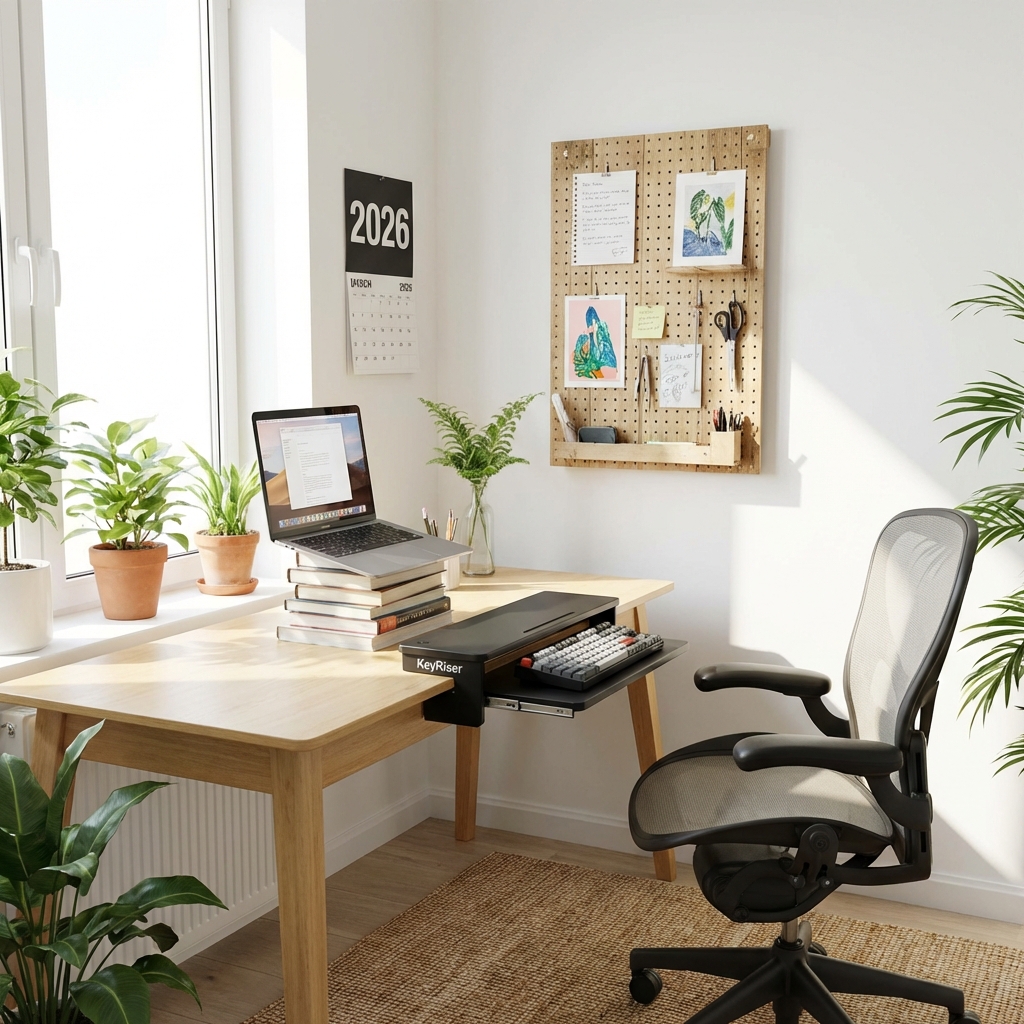
- The DIY Solution: Use a stack of stable books (hardcover if possible) or a reinforced shoebox to raise your monitor.
- The Biomechanical Goal: The top third of the screen should be exactly at eye level when you’re sitting up straight. This ensures your gaze is level and your shoulders relaxed.
- Real Savings: You save between $30 and $80 on commercial monitor stands that do exactly the same thing.
2. Lumbar Support: The Rolled Towel Technique (Investment: $0)
You don’t need a $1,200 chair to protect your lower back. Most home chairs lack adequate support for the natural curve of the lower back (lumbar lordosis).
- The DIY Solution: Take a medium bath towel, roll it up firmly, and place it horizontally right in the curve of your lower back while sitting.
- The Trick: You can use elastic bands to secure the towel to the chair. The key is for the roll to fill the gap between your back and the backrest, preventing the spine from “slouching.”
- Benefit: Reduces pressure on intervertebral discs immediately.
3. The Masterpiece: Keyboard Ergonomics (Investment: $12.99)
This is where home ingenuity usually fails. You can’t “make” a stable, non-slip keyboard tilt with books without compromising typing speed or hardware safety. Your keyboard’s tilt is the factor that most influences the development of Carpal Tunnel Syndrome, an epidemic in 2026.
- The Solution: The KeyRiser. For only $12.99, this stand raises your keyboard to the optimal 15-degree angle.
- Why it’s vital: By raising the back of the keyboard, your wrists move from a position of forced extension to a neutral position. It is the cheapest and most effective improvement that exists for forearm muscle health.
- Compatibility: Ideal for users of flat keyboards like the Logitech MX Keys.
4. Task Lighting: The End of Eye Strain (Investment: ~$15)
Eye strain causes headaches we often mistake for stress. In 2026, with screens getting brighter, contrast with the environment is crucial.
- The Solution: A basic LED lamp directed at your work surface (not the screen).
- Recommendation: Look for a lamp with adjustable color temperature (neutral for day, warm for night). Avoid powerful overhead lights that generate distracting glare on the monitor.
- Additional Hacks: Place the lamp on the opposite side of the hand you write with to avoid shadows.
5. High-Stability Footrest (Investment: $0)
If your feet don’t rest flat on the floor, circulation in your legs suffers and your pelvis tilts, affecting your entire lumbar posture.
- The DIY Solution: A stable Amazon box filled with old magazines or a cabin suitcase you don’t use.
- The Goal: Your knees should be slightly below or at the same level as your hips. This discharges tension from the sacral area.
”Premium Low Cost” Budget Breakdown:
| Item | Proposed Solution | Cost |
|---|---|---|
| Monitor Height | Stack of books / Reinforced box | $0.00 |
| Lumbar Support | Rolled bath towel | $0.00 |
| Keyboard Tilt | KeyRiser (PLA+ 3D) | $12.99 |
| Lighting | LED desk lamp | $14.95 |
| Footrest | Filled cardboard box | $0.00 |
| Cable Management | Binder clips | $2.00 |
| ESTIMATED TOTAL | $26.94 |
As you can see, we didn’t even reach $30! With the remaining $20 from your initial $50 budget, you could invest in an indoor plant (like a Sansevieria) that purifies your office air or a large desk mat.
The Psychological Factor: An Environment That Inspires
An ergonomic setup doesn’t just protect your body; it also sends a signal to your brain: “This is a professional workspace.” In 2026, mental separation between home and work is harder than ever. Having an organized and physically comfortable workstation is crucial to avoid burnout.
Postural Maintenance Tips in 2026:
- Active Micro-breaks: Every 45 minutes, use an alarm to get up and do wrist circles.
- Strategic Hydration: Keep a water bottle out of reach. It will force you to get up to drink, encouraging movement.
- Elbow Audit: Ensure your elbows are always close to your body, not extended forward. The KeyRiser + MX Keys combo facilitates this position naturally.
Conclusion
Health should not be a privilege for those who can afford high-end office furniture. In 2026, being productive and healthy is a matter of knowledge and small smart adjustments.
With KeyRiser as the only specific piece of hardware and a little creativity with items you already have at home, you can transform a basic table into a high-performance ergonomic workstation. Your wrists, neck, and back will thank you for years to come.
Start your ergonomic transformation with KeyRiser for only $12.99 →
Frequently Asked Questions about Low-Cost Setup
Do books really work to raise the monitor?
Yes, structurally they are very stable. The only drawback is aesthetic, but from an ergonomic point of view, the only thing that matters is the resulting height.
Can I have an ergonomic setup using only a laptop?
It’s very difficult. For real ergonomics, you must separate the screen from the keyboard. If you use a laptop, raise it (with books) and use an external keyboard with a proper stand.
Is it worth buying a cheap vertical mouse?
A vertical mouse helps with forearm pronation, but if your budget is limited, it’s much more of a priority to correct monitor height and keyboard tilt first.
[!TIP] Visual Hack: Wrap the box or books you use as a stand with neutral or wood-colored wrapping paper to make your setup look much more professional and coordinated without spending extra money.
Recommended Internal Links:
Ready to Eliminate Wrist Pain?
Get your ergonomic keyboard stand today and start typing pain-free.
Frequently Asked Questions
Everything you need to know about our ergonomic keyboard stand
How can I prevent wrist pain while typing?
The best way to prevent wrist pain is to maintain a neutral wrist position. Use an ergonomic keyboard stand with a 15° angle, keep your wrists straight, and take regular breaks. Our keyboard stand helps align your wrists in the optimal position. Read more ergonomic tips on our blog.
What is the ideal keyboard angle for ergonomics?
Research shows that a 15° angle is optimal for reducing wrist strain. This angle allows your wrists to maintain a neutral position, preventing the repetitive stress that leads to carpal tunnel syndrome and RSI. Our keyboard stand is specifically designed with this scientifically-proven angle. Check our product specifications.
Can keyboard ergonomics really improve productivity?
Absolutely! When you're not distracted by wrist pain or discomfort, you can type faster and work longer. Studies show that proper ergonomics can improve typing speed by up to 25% and reduce errors. Many professionals report significant productivity gains after improving their workstation setup.
How long does it take to see results from ergonomic improvements?
Most people notice improvement within the first week of using proper ergonomic equipment. Pain reduction is often immediate, while long-term benefits like increased productivity and reduced fatigue develop over 2-4 weeks of consistent use.
Is an ergonomic keyboard stand worth it?
Yes! An ergonomic keyboard stand is one of the most cost-effective ways to improve your workstation. For under $15, you can reduce wrist pain, prevent long-term injuries, and boost productivity. It's much more affordable than expensive ergonomic keyboards while providing similar benefits. Discover KeyRiser today.