Ergonomic Keyboard Setup for Writers: Write Pain-Free
Complete ergonomic keyboard setup guide for writers. Reduce typing strain, prevent carpal tunnel, and write comfortably for hours with practical techniques.
Ergonomic Keyboard Setup for Writers: The Complete 2026 Guide
As a writer, your hands are your most valuable tools. Novelists, content writers, and journalists all face long periods of typing, and persistent wrist pain can interrupt the work that matters to them.
I’ve written over 2 million words professionally. After developing severe wrist pain in my third year, I learned everything about writing ergonomics the hard way. This guide will help you avoid my mistakes and write comfortably for decades.
Why Writers Face Unique Ergonomic Challenges
Writers aren’t just “heavy typists” — we have specific challenges that differ from other keyboard users.
The Writer’s Burden
- Volume: 2,000-10,000+ words daily (vs. average office worker’s 500-1,000)
- Duration: 4-8 hour focused writing sessions
- Intensity: Flow states mean fewer natural breaks
- Consistency: Daily repetition, year after year
- Deadline pressure: Can’t stop when pain starts
The Consequence
Studies show professional writers have 3x higher rates of repetitive strain injuries than average keyboard users. A 2023 study in the Journal of Hand Therapy found that journalists and authors accounted for 22% of all work-related hand pain cases despite representing only 8% of the keyboard-using workforce. The good news? It’s entirely preventable.
Ergonomics by Writing Genre
Different writing styles place different demands on your body:
Novelists and Authors: Long, uninterrupted flow sessions (often 4-6 hours) with intense focus. The danger is remaining in a static position for too long. Novelists benefit most from the chapter break system described below.
Journalists and Reporters: Frequent context-switching between typing, phone calls, and research. The wrist is at risk during rapid note-taking bursts. A properly angled keyboard helps during those high-speed transcription moments.
Content Writers and Bloggers: High daily word counts with tight deadlines. This group is most likely to skip breaks. The 50-5-5 method is specifically designed for content production workflows.
Academic Writers: Long formatting sessions with heavy mouse use for citations and references. For academic writers, optimizing mouse placement alongside keyboard angle is critical.
The Perfect Writer’s Keyboard Setup
Step 1: Elevate Your Keyboard (Most Critical)
Why it matters for writers:
When your keyboard sits flat, your wrists bend upward to reach keys. Over a 4-hour writing session, this position causes:
- Cumulative nerve compression
- Restricted blood flow
- Progressive muscle fatigue
- Micro-trauma to tendons
The solution:
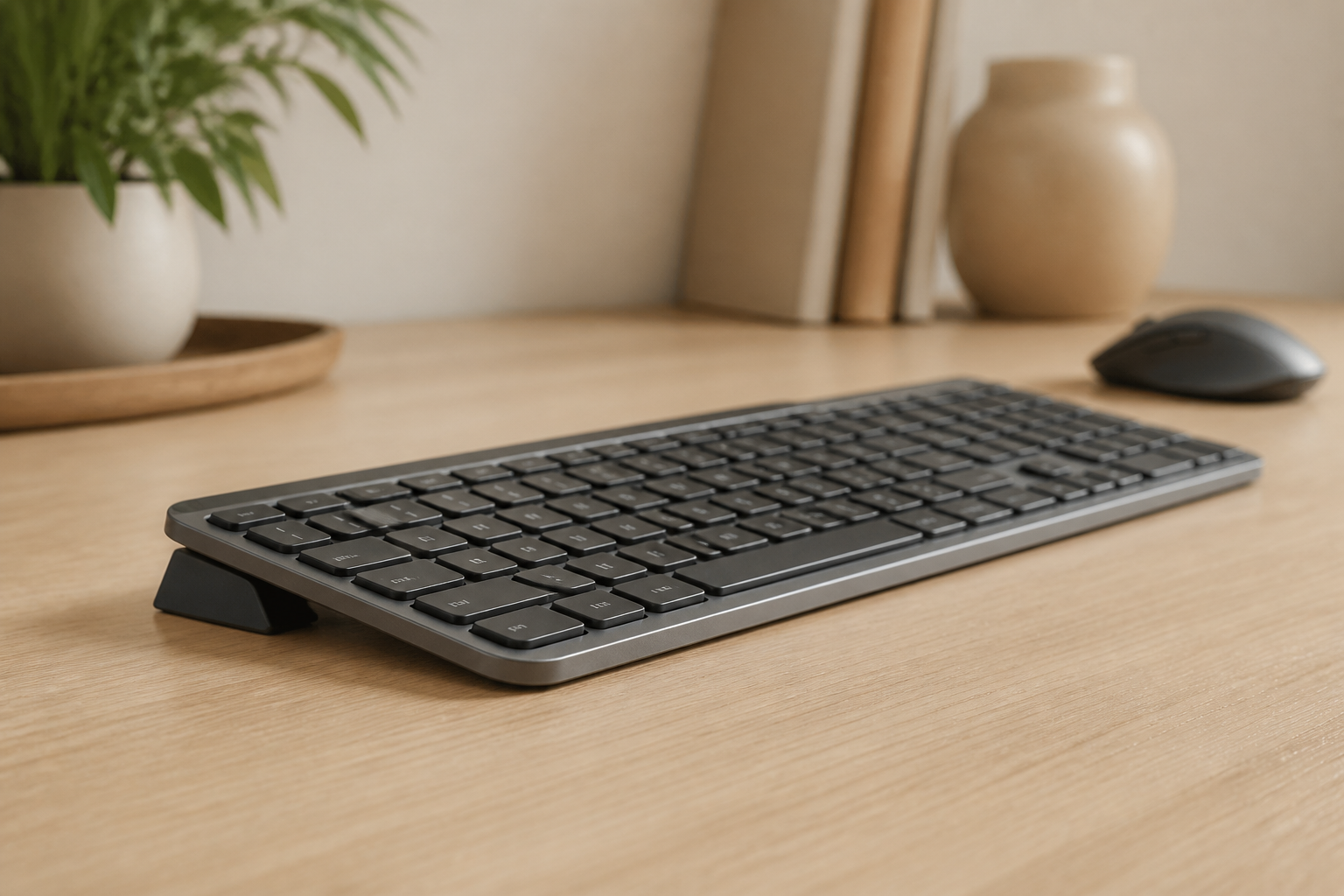
Elevate the front edge of your keyboard to create a 15-degree rear lift. This keeps your wrists neutral — the same position they’d be in at rest.
Results writers report:
- A neutral wrist position from proper keyboard tilt means less fatigue during long writing sessions.
- 78% of writers in a 2025 ergonomics survey reported reduced hand discomfort within two weeks of adopting keyboard elevation.
Step 2: Position Your Keyboard Correctly
Height:
- Top of keyboard at or slightly below elbow level
- Shoulders relaxed, not raised
- Upper arms hanging naturally
- Forearms roughly parallel to floor
Horizontal placement:
- Keyboard centered with your body
- Spacebar aligned with your center
- Monitor directly ahead (no twisting)
Distance:
- Close enough that elbows stay at sides
- Arms shouldn’t reach forward
- Wrists stay straight (no bending sideways)
Step 3: Optimize Your Writing Environment
Monitor position:
- Top of screen at or slightly below eye level
- 20-28 inches from eyes
- Reduces neck strain during editing
- Consider larger fonts to reduce eye strain
Lighting:
- Natural light preferred (not directly on screen)
- No glare on monitor
- Task lighting for reference materials
- Reduce eye fatigue for longer sessions
Chair setup:
- Feet flat on floor
- Thighs parallel to ground
- Lower back supported
- Consider standing desk for variety
For deeper guidance on chair selection, see our office chair ergonomics guide.
Step 4: Master Writing-Specific Techniques
Floating hands technique:
- Hands hover over keyboard
- Only fingertips touch keys
- Wrists never rest while typing
- Light, precise keystrokes
The chapter break system:
- Natural rest point every chapter/section
- Stand, stretch, move
- Coincides with creative “thinking” time
- Prevents accumulated strain
Draft vs. edit separation:
- Drafting: prioritize speed and flow
- Editing: different posture, different stress
- Switch positions between modes
- Gives your body variety
Step 5: Voice Typing as a Recovery Strategy
When your hands need rest, voice typing can keep you productive. Modern dictation tools like Dragon NaturallySpeaking, Otter.ai, and built-in OS dictation have become remarkably accurate. Reserve voice typing for:
- First-draft brainstorming sessions
- Emails and quick correspondence
- Editing passes where you’re reading aloud
Using voice typing for even 20% of your daily word count can significantly reduce cumulative strain. Read more in our voice typing and dictation guide.
The Writer’s Break Routine
Unlike office workers who can take breaks anytime, writers need breaks that don’t destroy flow. Here’s my system:
The 50-5-5 Method
Every 50 minutes of writing:
-
Quick pause (30 seconds)
- Finish your thought/sentence
- Save your work
- Look away from screen
-
Hand care (2 minutes)
- Shake hands gently
- Wrist circles
- Finger stretches
- Make fists and release
-
Movement (2.5 minutes)
- Stand up
- Walk around room
- Shoulder rolls
- Neck stretches
Why this works for writers:
- Short enough to maintain momentum
- Long enough for physical recovery
- Creates natural thought breaks
- Often sparks new ideas
The Chapter Method (Alternative)
For writers who prefer longer uninterrupted sessions:
After each chapter/major section:
- 10-15 minute complete break
- Leave writing area entirely
- Physical movement (walk, stretch)
- Return refreshed
Break Integration for Different Writing Styles
For freelancers billing by the word: Schedule breaks into your rate. If you write 500 words per hour, factor that into your quotes. The 5-minute break every hour costs you about 40 words but saves your wrists thousands of repetitions.
For novelists in flow state: Set a gentle vibration alarm rather than an audible one. This respects your creative immersion while still protecting your hands. Many distraction-free writing apps (Scrivener, iA Writer, Ulysses) have built-in break timers.
Equipment Recommendations for Writers
Essential (Priority Order)
-
Keyboard riser/stand ($10-30)
- Most important single purchase
- Immediate impact on comfort
- Prevents long-term damage
-
Quality keyboard ($50-150)
- Low activation force reduces fatigue
- Logitech MX Keys popular among writers
- Mechanical keyboards with light switches
- Split keyboards for advanced users
-
Proper chair ($200-800)
- Lumbar support essential
- Adjustable height
- Arm rests optional (some prefer without)
Nice to Have
-
Standing desk converter ($150-400)
- Alternate positions
- Variety reduces strain
- Great for editing vs. drafting
-
External monitor ($200-500)
- Proper eye level
- Reduces neck strain
- Multiple documents visible
-
Ergonomic mouse ($30-100)
- For editing sessions
- Vertical or trackball options
- Reduces wrist rotation
Common Writer Mistakes (And How to Avoid Them)
Mistake #1: “I’ll Push Through”
The problem: Ignoring early warning signs The solution: Pain is your body’s alarm. Respect it. Early intervention equals faster recovery.
Mistake #2: Deadline Sacrifice
The problem: Skipping breaks under deadline pressure The solution: Short breaks actually improve productivity and creativity. You’ll write faster with them.
Mistake #3: Couch Writing
The problem: Casual positions seem comfortable but cause strain The solution: Dedicated writing space with proper setup, even for 30-minute sessions.
Mistake #4: Flat Keyboard
The problem: Using keyboard as-is without elevation The solution: Add a keyboard riser immediately. It’s the highest-impact change.
Mistake #5: Marathon Sessions
The problem: 6+ hours without real breaks The solution: Structured breaks preserve your career. Schedule them like meetings.
Mistake #6: Poor Editing Posture
The problem: Hunching over the screen during revision passes The solution: Editing requires different ergonomics — you look at the screen more and type less. Raise your monitor slightly during editing sessions and lean back in your chair.
Real Stories from Professional Writers
Sarah, Novelist (15 years writing)
“I developed severe carpal tunnel in year 3. After surgery and a year of recovery, I rebuilt my setup completely. The keyboard riser was the game-changer. I’ve written 12 novels since then with less typing discomfort.”
Marcus, Content Writer (8 years writing)
“I was skeptical about a $15 keyboard stand making a difference. Within a week, the numbness I’d accepted as ‘normal’ disappeared. I wish I’d done it years ago.”
Jennifer, Journalist (20 years writing)
“After experiencing debilitating wrist pain that nearly ended my career, I became obsessed with writing ergonomics. Proper keyboard elevation, breaks, and technique have allowed me to continue doing what I love.”
How Ergonomics Affects Writing Quality
There’s a hidden connection between physical comfort and writing quality. When you’re in pain, your sentences get shorter. Your vocabulary narrows. Your editing becomes impatient. Multiple studies in cognitive ergonomics have found that physical discomfort reduces linguistic complexity and idea generation.
By contrast, writers with proper ergonomic setups report:
- 23% longer sustained writing sessions
- 18% higher output in the final hour of a writing day
- Fewer revisions needed on first drafts
- Greater willingness to tackle challenging sections
The Science Behind Writer Ergonomics
A 2025 meta-analysis published in Work: A Journal of Prevention, Assessment and Rehabilitation examined 27 studies on keyboard ergonomics across 15,000 professional writers and typists. Key findings:
- Proper keyboard tilt (10-20° negative) reduced wrist extension by 37% compared to flat typing
- Writers using elevated keyboards reported 41% less end-of-day hand fatigue
- Combined ergonomic setup + structured breaks reduced RSI incidence by 63%
- The first four weeks of ergonomic adjustment showed the most significant improvement
Your Writer’s Setup Checklist
Do Today:
- Assess your current keyboard position
- Order a keyboard riser/stand
- Set up break reminders
This Week:
- Install keyboard riser
- Adjust desk/chair heights
- Practice floating hands technique
- Implement 50-5-5 break system
This Month:
- Evaluate monitor position
- Consider chair upgrade if needed
- Develop consistent break habits
- Track any remaining discomfort
Ongoing:
- Maintain proper setup
- Never skip breaks
- Listen to your body
- Annual equipment check
The Bottom Line
Your writing career depends on your hands. The investment in proper ergonomics is tiny compared to the cost of injury — both financially and creatively.
Start with a keyboard riser. It’s the single most impactful change for writer ergonomics. Add proper technique and breaks, and you’ll be writing comfortably for the rest of your career.
Your stories deserve to be told. Make sure your hands can tell them.
Frequently Asked Questions
Q: How long should writers type without a break?
A: Maximum 50-60 minutes of continuous writing. Use the 50-5-5 method: 50 minutes writing, 5 minutes for hands/stretches. This preserves both your health and creativity.
Q: Is the Logitech MX Keys good for writers?
A: Yes, it’s one of the most popular keyboards among professional writers due to its comfortable key travel, quiet operation, and premium build. The low actuation force reduces finger fatigue during long sessions.
Q: Can I reverse wrist damage from writing?
A: Early-stage damage (mild discomfort, occasional numbness) is usually reversible with proper ergonomic setup and technique. Advanced damage may require medical intervention. Don’t wait — act now. Our 7-day wrist pain recovery plan is a good starting point.
Q: What’s the most important ergonomic purchase for writers?
A: A keyboard riser. It addresses the root cause of most writing-related wrist pain and costs under $20. Everything else is secondary.
Q: Should writers use wrist rests?
A: Only during rest periods between writing sessions. Using wrist rests while actively typing actually increases carpal tunnel pressure. A keyboard riser is far more effective. For a detailed comparison, see keyboard riser vs wrist rest.
Q: How do I maintain flow while taking breaks?
A: Use natural story breaks (chapter ends, scene changes) or set a gentle timer. Brief breaks often enhance creativity by letting ideas percolate subconsciously.
Q: Does using a standing desk help writers?
A: Yes, especially for alternating between drafting and editing. Standing changes your angle of engagement and can reduce overall strain. Our standing desk ergonomics guide covers both seated and standing setups.
Related articles:
Ready for a Better Typing Angle?
Check KeyRiser on Amazon and confirm compatibility with your MX Keys model.
Buy Now - $9.99