
Best Monitor Arms for Dual Monitors (2026 Setup Guide)
Monitor arms for dual setups compared by weight, reach and desk clamp, plus the height chain that keeps two screens and your keyboard working together.
Short answer: for a two-screen desk, the best monitor arm in 2026 is the HUANUO FlowLift dual arm if you want one clamp and one budget, and the Ergotron LX if you would rather buy a single premium arm now and add a second later. Both free the desk depth that a monitor stand eats. If you cannot clamp anything to your desk — a glass top, a deep lip, a rented apartment — a laptop-style stand such as the Rain Design iLevel 2 is the safer route.
The part most buying guides skip is what happens after the screens move. Raising a monitor changes the height chain above the desk: screen, then keyboard, then hands. Get the screen right and leave the keyboard flat, and you have traded neck strain for a shoulder that climbs toward the mouse. This guide covers the arms first, then the chain.
Amazon links below are affiliate links. If you buy through one, we may earn a small commission at no extra cost to you. KeyRiser is our own product, and we say where it fits rather than pretending every article is about it.
Why a monitor arm, and why not just a stand
A monitor stand is a shelf. It raises the screen and keeps the footprint. An arm is a jointed bracket clamped to the desk that holds the screen in the air and leaves the space underneath for the keyboard, a notebook, or nothing at all.
 Desk complementPzloz LED Desk Lamp for Office and HomeSimple LED desk lamp for office and home reading—compact base that leaves room for a keyboard and riser.View on AmazonPaid link
As an Amazon Associate I earn from qualifying purchases.
That difference matters for three reasons:
- Depth. A 27-inch monitor on its factory stand needs 20–25 cm of desk depth behind the keyboard. An arm replaces that with a clamp at the rear edge, which is how people with 60 cm deep desks fit two screens and still have room for their hands.
- Height range. Most stands give you 8–10 cm of adjustment. A gas-spring arm gives you 20–30 cm, which is the difference between “close enough” and “top of the screen at eye level”.
- Angle and distance. An arm lets you pull the screen closer for text work and push it back for video, without moving the base.
What an arm does not do is fix a desk that is too high, a chair that is too low, or a keyboard that sits flat while everything else rises. It is one link in a chain.
What to check before buying
- VESA pattern. Almost every monitor uses 75 × 75 mm or 100 × 100 mm. Check the back of your screen; adapters exist but add depth.
- Weight range. A gas spring is tuned for a range, not a single number. A 2 kg monitor on an arm rated 3–9 kg will float up and refuse to stay put.
- Reach. Measure from the clamp to where you want the screen. Short arms force the monitor forward, which is the opposite of what a dual setup usually needs.
- Desk thickness and edge. Most clamps cover 10–90 mm. Glass tops and thin hollow-core desks need a reinforcement plate, and some desks cannot be clamped at all.
- One arm or two. A dual arm moves both screens as one unit. Two singles cost more but let you place each screen independently — usually better for a laptop plus monitor pair of different sizes.
- Cable routing. The arm should have a channel. Cables hanging from a lifted screen are the reason people give up on arms.
The shortlist at a glance
| Product | Type | Best for | Main trade-off |
|---|---|---|---|
| HUANUO FlowLift dual | Gas-spring dual arm | Two similar monitors on a budget | Both screens share one joint |
| Ergotron LX | Premium single arm | One screen now, second later | Costs more than a dual kit |
| Rain Design iLevel 2 | Adjustable laptop stand | Laptops and no-clamp desks | Not a VESA arm |
1. HUANUO FlowLift dual monitor arm — best value for two screens
The FlowLift is the arm most people should look at first for a two-monitor desk. It clamps once, holds two screens on gas springs, and costs roughly what a single premium arm costs. Each side has its own height, tilt and swivel adjustment, and the centre joint lets you pull both screens forward together when you switch from reading to a call.
It is not a precision instrument. The springs are tuned for mid-weight panels — the 22 to 27-inch range is the sweet spot — and a very light panel may need the tension backed almost all the way off. The clamp is wide and the plate is generous, which is what you want on a normal 18 mm desk.
Buy it if you have two similar monitors, a normal desk top, and a budget. Do not buy it if one screen is a 32-inch and the other is a 24-inch: the weight difference will fight the shared centre joint all day.
2. Ergotron LX — best single arm, and the one to grow with
The LX is the arm that outlives the desk. The build is aluminium, the gas spring is rated for a wide weight band, and the range of motion is smooth enough that you stop noticing it. It costs more than the HUANUO, and for a single screen it is still the easier recommendation if you care about the thing lasting a decade.
The reason it belongs in a dual-monitor guide is the upgrade path. Buy one LX now for the main screen, add a second arm when the second screen arrives, and you end up with two independent arms for less than some dual kits plus a replacement. Independent arms are also the only sane option when the two screens are different sizes or one is vertical.
One caveat: the LX needs a desk edge it can grip, and it needs the monitor to be within its weight band. Check both before ordering.
3. Rain Design iLevel 2 — when you cannot clamp
Not every desk accepts a clamp. Glass tops, desks with a deep rear lip, standing-desk frames with a crossbar, and rented furniture you are not allowed to modify all rule out a VESA arm. In that case the practical answer is a rigid adjustable stand rather than an arm.
The iLevel 2 holds a laptop at an adjustable height and angle with a front slider, so the screen can sit closer to eye level while the laptop keyboard stays out of the way. It is not a monitor arm and it does not hold a 27-inch panel, but for the very common “laptop plus one monitor” desk it solves the height problem without touching the desk structure.
The height chain: screen, keyboard, hands
Once the screens are on arms, the desk has a new geometry. Rebuild it in this order:
- Screen top at eye level. Sit upright, look straight ahead, and the top third of the screen should be at or slightly below your eyeline. On a dual setup, set both screens to the same height unless one is used for reference material only.
- Screen distance at arm’s length. Roughly 50–70 cm from your eyes, depending on text size and whether you wear glasses.
- Keyboard at elbow height. Relax your shoulders, let your elbows hang, and the key surface should sit near elbow height with the forearm roughly level.
- Wrists neutral. The hand should follow the line of the forearm, not bend up to reach the keys.
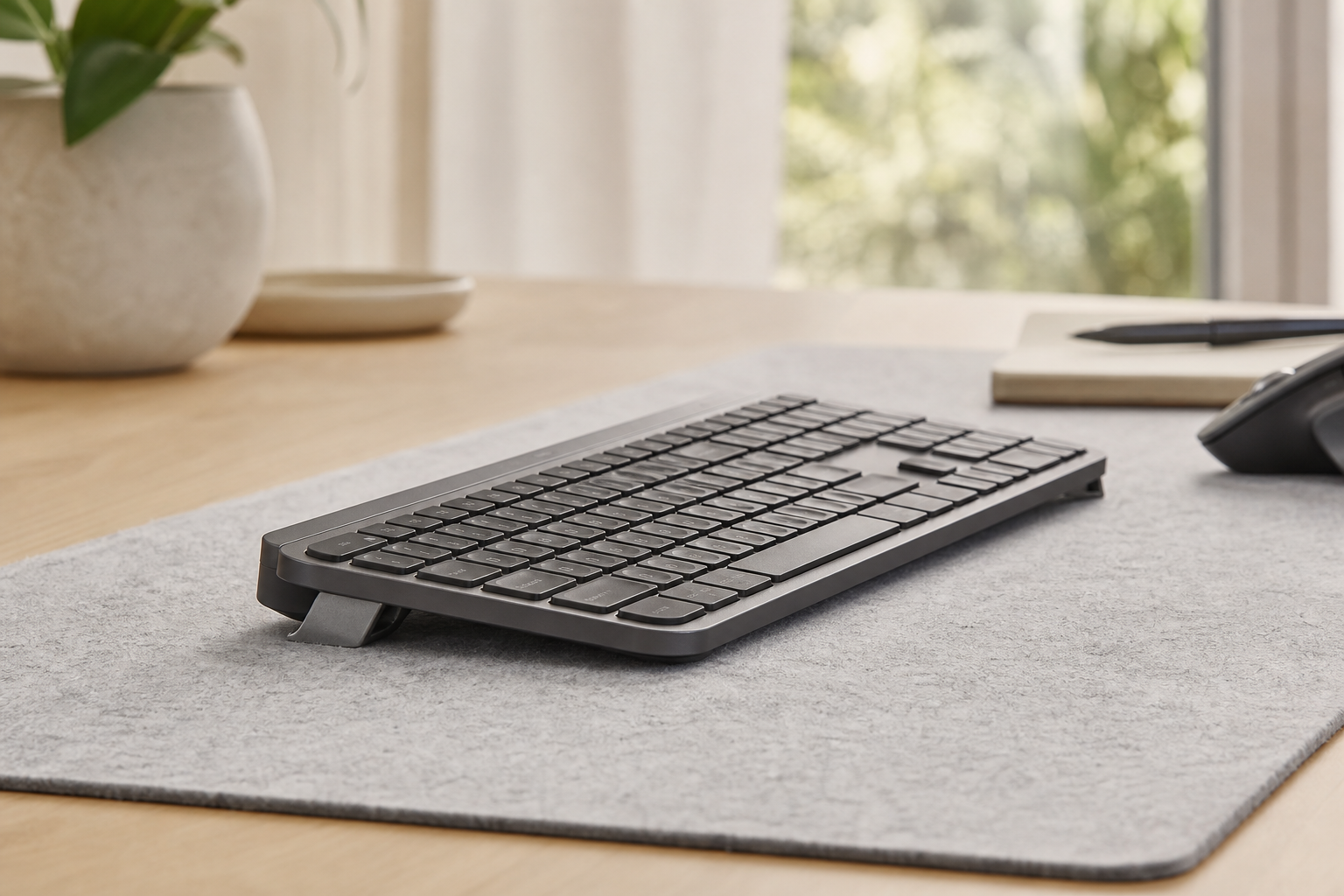
Step 4 is where a lot of otherwise good setups fail. A Logitech MX Keys lying flat on the desk asks the wrist to extend slightly to reach the keycaps, because the front edge sits low and the back edge sits only a couple of centimetres higher. Raising the rear of the keyboard a fixed 15° brings the key surface closer to the line of the forearm. That is what KeyRiser does, and it is a smaller change than replacing the keyboard.
The reason it belongs in a monitor-arm article is arithmetic. An arm usually raises the screen by 10–20 cm compared with the factory stand. If the keyboard stays flat, the gap between the two grows, and people compensate by reaching up with the shoulders or sliding forward in the chair. Fixing the keyboard height is the cheap half of the adjustment.
If you want to audit the whole chain rather than just the screen, our workspace optimization blueprint walks through the measurements in order, and the dual-monitor desk setup guide covers the specific case of a programmer with a laptop and two panels.
Dual arm or two singles?
The honest answer depends on how similar your screens are.
- Two nearly identical monitors, same use: a dual arm is cheaper, tidier and perfectly fine.
- Different sizes, or one vertical: two singles. A shared centre joint cannot balance a 32-inch and a 24-inch, and you will spend the first week re-tightening it.
- Laptop plus monitor: one monitor arm plus a laptop stand. Mounting a laptop on a VESA arm is possible with a tray, but it is more hardware than most desks need.
- Frequent switching between sitting and standing: a dual arm with a stable centre joint is easier to move as one unit.
What still goes wrong after installation
- The arm droops. The spring tension is set for the wrong weight. Most arms have a tension screw behind the joint; adjust with the monitor mounted.
- The desk flexes. A 1.5 cm desk top with two heavy screens will bow. A reinforcement plate spreads the load and costs very little.
- The screen sits too far forward. Long arms and deep monitors push the screen toward your face. Measure the reach before you buy, not after.
- Cables pull the arm back. Route them along the arm with slack at the joint, then fix the bundle to the desk leg.
- The keyboard ends up under the screen. This is the common one. When the screen comes forward, the keyboard has to move back, and the desk runs out of depth. A riser does not create depth, but it does let you keep the keyboard in a usable position without lifting your hands to a shelf.
Check which MX Keys model you own if you are pairing a riser with a new desk layout; the three models differ in footprint and in where the rear edge sits.
Frequently asked questions
Can one monitor arm hold two monitors?
Only if it is sold as a dual arm with two VESA heads. A single-head arm rated for 9 kg cannot be split, and stacking two monitors on one joint usually exceeds both the weight rating and the balance range.
Do monitor arms damage desks?
A clamp concentrates load on a small area. On solid wood or laminate it is fine. On hollow-core, thin melamine or glass it can crush or crack the surface, which is why reinforcement plates exist. Check the desk material before tightening anything.
How high should a monitor arm be?
High enough that the top of the screen is at or just below eye level when you sit upright. If you wear progressive lenses, you may need the screen lower so you are not tilting your head back to read through the bottom of the lens.
Is a monitor arm better for your neck than a stand?
It gives you more range, so it is easier to reach the correct height — but only if you actually set it. A correctly placed monitor stand beats a badly adjusted arm every time.
Does raising the monitor mean I need a keyboard riser?
Not automatically, but the two changes interact. Raising the screen increases the vertical distance to a flat keyboard. If your shoulders start climbing after the arm goes in, the keyboard is the next thing to check rather than the screen.
Can I use a monitor arm on a standing desk?
Yes, and it is one of the best upgrades for one. The arm moves with the desk, so the screen height relationship survives the transition between sitting and standing. Just confirm the desk top thickness and that the frame does not block the clamp.
The verdict
For two similar screens, buy the HUANUO FlowLift and spend the savings on a better chair or a keyboard riser. For one screen you intend to keep for years, buy the Ergotron LX and add a second arm later. If your desk cannot take a clamp at all, the Rain Design iLevel 2 is the honest fallback.
Then set the chain in order: screen top at eye level, screen at arm’s length, keyboard near elbow height, wrists neutral. The arm fixes the top of that chain. The bottom of it is still the keyboard, and a 15° rear lift is the smallest change that keeps the two ends consistent.
Ready for a Better Typing Angle?
Check KeyRiser on Amazon and confirm compatibility with your MX Keys model.
Buy Now - $16.99Related Articles


Complete your MX Keys setup
KeyRiser first, then the desk complements
KeyRiser addresses keyboard angle. These recommendations cover adjacent setup needs without replacing it.
Complete your MX Keys setup
KeyRiser lifts your keyboard; these complements cover mouse, wrist, monitor, or desk support — they do not replace it.
 Desk complementErgotron LX Monitor ArmA premium gas-spring monitor arm that frees up desk depth for your keyboard and mouse — essential when you raise the keyboard with KeyRiser and need the monitor at eye level.View on AmazonPaid link
 Desk complementHUANUO FlowLift Dual Monitor StandA gas-spring dual-monitor arm that frees desk depth after you raise the keyboard. It complements KeyRiser; it is not a keyboard stand.View on AmazonPaid link
 Desk complementRain Design iLevel 2An adjustable laptop stand with a front slider for precise height/angle — raises your laptop screen to eye level while KeyRiser keeps your MX Keys at the perfect 15° typing angle.View on AmazonPaid link
As an Amazon Associate, we earn from qualifying purchases.