Best Ergonomic Accessories for Keychron and NuPhy 2026
Ergonomic accessory guide for low-profile Keychron and NuPhy keyboards: risers, wrist rests, and complete setups to support typing comfort and improve typing.
The Best Ergonomic Accessories for Keychron and NuPhy Keyboards in 2026
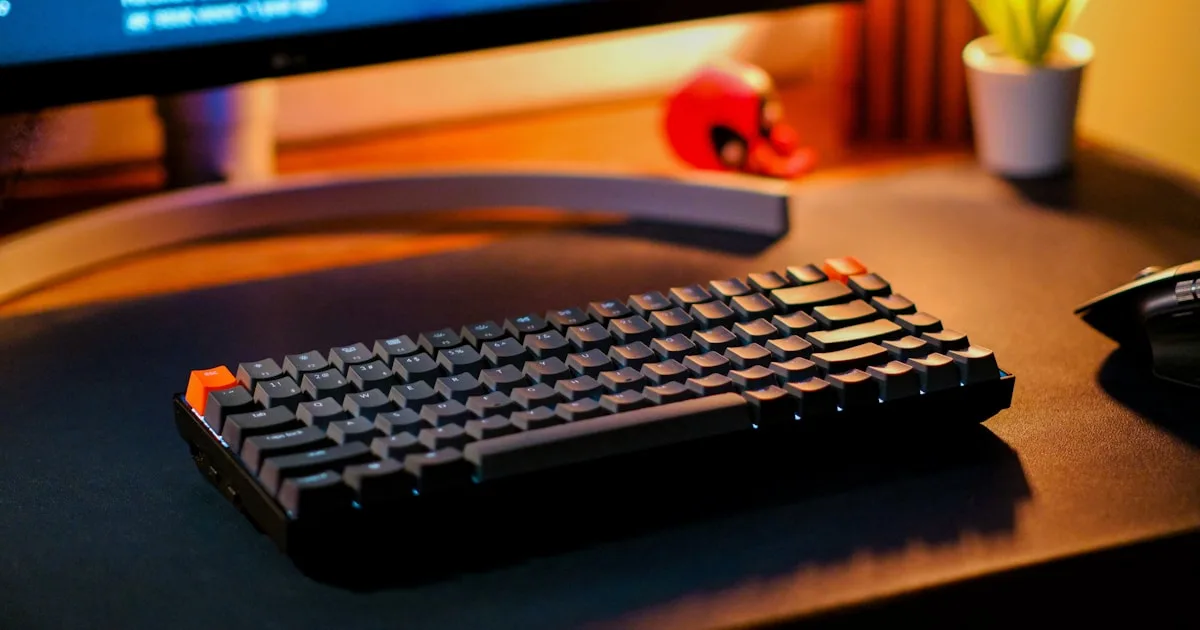
Low-profile mechanical keyboards from Keychron (K3, K5 Pro, K7) and NuPhy (Air75 V2, Air96) have become the favorite choice of programmers, writers, and keyboard enthusiasts. They are light, sound great, and look impeccable. But they have a problem almost no review mentions: they don’t include adjustable ergonomic tilt, and their low profile makes them especially treacherous for wrist posture.
If you spend hours typing on a Keychron or NuPhy and are starting to feel tension, tingling, or discomfort in your wrists, the keyboard isn’t the problem: it’s the missing accessory. This guide covers the ergonomic accessories that actually matter in 2026, which ones are worth it, and how to build a complete setup without overspending.
Why Low-Profile Keyboards Need Ergonomic Accessories
The low profile hides a counterintuitive ergonomic risk. Because they are so thin, many users place them directly on the desk with no elevation at all. The result: wrists bend upward (wrist extension) to reach the keys — exactly the posture research associates with median nerve compression and carpal tunnel syndrome.
What’s more, most Keychron and NuPhy models have minimal or non-existent rear feet, and when they exist they only create stock feet — the angle ergonomics advises against. In other words, the keyboard forces you to choose between typing flat (wrist extension) or raising the back (wrist extension, worse).
The solution isn’t to stop using these keyboards, which are excellent. It’s to add the accessory the manufacturers forgot: something that raises the front edge and creates a rear lift.
The Keyboard Riser: The Missing Accessory
The keyboard riser is the most important accessory for a Keychron or NuPhy, and the most underestimated one. Its function isn’t decorative: it raises the front edge of the keyboard so your wrists stay aligned with your forearms.
What to look for in 2026:
- 10-15 degree angle: the range ergonomics research associates with less carpal tunnel pressure. Many generic risers offer 4-8 degrees, which barely changes anything.
- Anti-slip base: essential with light keyboards like the Air75, which weigh little and slide easily if the base doesn’t grip.
- Fit for your keyboard: a riser designed for the dimensions of your specific model stays stable; a generic one may be too short or too wide and shift as you type.
- Solid construction: high-density 3D printing or metal. Cheap plastic deforms over time and loses the angle.
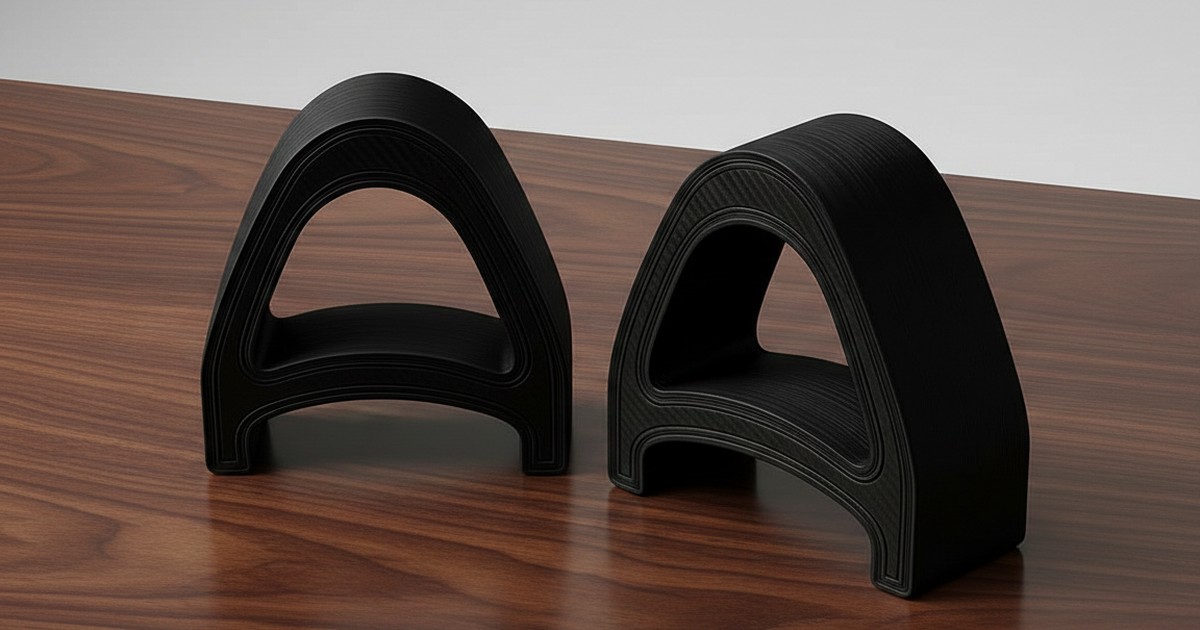
The KeyRiser, originally designed for the Logitech MX Keys, works just as well with low-profile mechanical keyboards of similar dimensions: it offers the recommended 15 degrees, an anti-slip rubber base, and a build that won’t crack.
Wrist Rests: When They Help and When They Don’t
The wrist rest is the most-purchased accessory and the most misunderstood. The key point: you shouldn’t rest your wrist while typing, but the palm of your hand, and only during pauses.
- When it helps: if your desk is hard and cold, a gel or foam wrist rest makes resting during pauses and breaks more comfortable. It also prevents direct forearm contact with the desk edge.
- When it doesn’t help: resting an extended wrist on gel while typing compresses the carpal tunnel from below, exactly the opposite of what you need. A wrist rest doesn’t correct the keyboard angle; it masks it.
The rule of thumb: the wrist rest complements, it doesn’t replace. If you already have rear lift and neutral wrists, a quality wrist rest adds comfort. If you don’t have tilt, the riser first, then (optionally) the wrist rest.
Other Accessories That Complete the Setup
Beyond the riser and wrist rest, these accessories make a difference in a Keychron or NuPhy setup:
Laptop stand. If you type with an external keyboard in front of a laptop, the screen sits too low. A stand raises the screen to eye level and prevents neck strain, the silent companion of wrist pain.
Vertical or ergonomic mouse. The keyboard gets all the attention, but the mouse is usually the first to cause discomfort. A vertical mouse keeps the forearm in neutral rotation. It’s one of the best value accessories.
Mouse pad with wrist rest. A small piece that prevents contact with the cold desk and keeps your grip stable.
Lumbar support and footrest. They aren’t keyboard accessories, but back and leg posture determines wrist posture. A 10-15 cm footrest corrects the effective height of your desk without buying a new one.
Cable organizer. Keeping cables tidy reduces arm tension when reaching for the keyboard and, incidentally, improves the look of the desk.
Accessory Comparison
| Accessory | Wrist impact | Posture impact | Cost | Priority |
|---|---|---|---|---|
| Keyboard riser (10-15°) | High | High | $10-35 | 1 |
| Wrist rest | Low if misused | Medium | $10-30 | 2 |
| Laptop stand | Low | High (neck) | $20-60 | 2 |
| Vertical mouse | Medium | Medium | $25-70 | 3 |
| Footrest | Low | Medium (back) | $15-35 | 3 |
| Cable organizer | Low | Low | $10-25 | 4 |
How to Build an Ergonomic Keychron/NuPhy Setup Step by Step
Building a complete setup takes no more than ten minutes:
- Place the keyboard at elbow height: sit with your forearms parallel to the floor. Adjust the chair first; the keyboard should be at that height or slightly below.
- Raise the front edge of the keyboard with a 10-15 degree riser. Check that your wrist stays aligned with your forearm, bending neither up nor down.
- Raise the screen with a stand until the top edge is at eye level.
- Place the wrist rest only if you need it for pauses, and never rest your wrist while typing.
- Adjust the mouse: at the same level as the keyboard, with your arm relaxed and shoulder down.
- Schedule breaks: every 45-60 minutes, stand up and stretch your wrists and shoulders. No accessory replaces pauses.
FAQ
Are Keychron and NuPhy keyboards bad for ergonomics?
No. They are excellent keyboards; the problem is that they don’t include adjustable ergonomic tilt and their low profile invites typing with extended wrists. With a 10-15 degree riser at the front edge, most users achieve a neutral posture without changing keyboards.
Which accessory is most important for a low-profile keyboard?
The keyboard riser. It’s the only accessory that directly corrects the wrist angle by creating rear lift. The wrist rest adds comfort during pauses but doesn’t correct posture if the keyboard is flat or positively tilted.
Can I use the KeyRiser with my Keychron or NuPhy?
The KeyRiser is designed with the exact measurements of the Logitech MX Keys, MX Keys S, and MX Keys Mini, and its base works with any low-profile keyboard of similar dimensions. For keyboards with very different measurements, look for a riser with a 10-15 degree angle and an anti-slip base.
How much does a complete ergonomic setup cost?
With clear priorities, between $30 and $90: a riser ($10-35), a wrist rest if you need it ($10-30), and a laptop stand ($20-60). That’s a fraction of the cost of a new “ergonomic” keyboard and much less than a physiotherapist visit.
Conclusion: Fewer Accessories, Better Chosen
The industry sells hundreds of ergonomic accessories, but for a Keychron or NuPhy the hierarchy is clear: keyboard angle first, everything else after. A 10-15 degree riser with an anti-slip base corrects the root problem — wrist extension — and turns an impeccable low-profile keyboard into a tool that works in favor of your health.
The rest of the accessories (wrist rest, laptop stand, vertical mouse) add up, but only when the postural base is right. Start with the riser, check that your wrists stay aligned with your forearms, and add pieces only if you notice something missing.
For keyboards of dimensions similar to the MX Keys — like many Keychron and NuPhy models — the KeyRiser offers the 15 degrees backed by research, an anti-slip rubber base, and a high-density 3D printed build designed to last. It’s the accessory your keyboard’s manufacturer forgot to include.
Related articles you may find useful:
- Do Keyboard Risers Really Work? Evidence-Based Answer
- Keyboard Riser vs. Wrist Rest: Complete Comparison
- 3 Months Using KeyRiser: Real Experience
- The KeyRiser Keyboard Ergonomics Guide
Ready for a Better Typing Angle?
Check KeyRiser on Amazon and confirm compatibility with your MX Keys model.
Buy Now - $9.99Related Articles


Complete your MX Keys setup
KeyRiser first, then the desk complements
KeyRiser addresses keyboard angle. These recommendations cover adjacent setup needs without replacing it.