Tingling Hands When Typing: Causes, Ergonomic Fixes
Tingling or numb hands while typing can be an early sign of median nerve compression. Learn the ergonomic fixes that address the cause — keyboard angle, desk...
Tingling Hands When Typing: Causes, Ergonomic Fixes, and When to See a Doctor
Tingling in the thumb, index finger, or middle finger during or after typing is one of the earliest signs of median nerve compression in the carpal tunnel. It is not normal. It is not “just how your hands are.” It is a signal from the nerve that something mechanical is pressing on it — usually wrist extension from a keyboard that is too flat, too high, or too far away. This article covers the causes, the three ergonomic fixes that address the root geometry, and the red-flag symptoms that warrant a clinician visit rather than another piece of desk equipment.
What the Tingling Means: Median Nerve Compression
The median nerve runs from your forearm through a narrow channel in your wrist called the carpal tunnel. The tunnel is about the diameter of your thumb. Through it pass the median nerve and nine flexor tendons. When the wrist is extended — bent upward with the palm facing down — the tunnel narrows and the nerve is compressed against the transverse carpal ligament. The signal the compressed nerve sends back is tingling, numbness, or a “pins and needles” sensation in the thumb, index finger, middle finger, and the thumb-side half of the ring finger.
The pinky finger is not affected by median nerve compression — it is served by the ulnar nerve, which runs through a different channel. If your pinky is tingling, the problem is ulnar, not median, and the ergonomic fix is different (usually the elbow or the desk edge, not the keyboard tilt).
The key detail: tingling that appears during typing and fades within minutes of stopping is an early-stage symptom. Tingling that persists after typing, especially at night, is a later-stage symptom. The earlier you correct the geometry, the higher the probability the nerve recovers fully without medical intervention.
Cause 1: Wrist Extension From a Flat Keyboard
This is the most common cause, and the one most people miss. Low-profile keyboards — Logitech MX Keys, Apple Magic Keyboard, most laptop keyboards — ship nearly flat. When a flat keyboard sits on a standard 29-inch desk and the typist’s forearms are parallel to the floor, the wrists extend 20-30 degrees upward to reach the keys. Twenty degrees of wrist extension sustained for eight hours compresses the median nerve thousands of times per day.
Marklin and Simmons (1997), in a study published in the Journal of the American Industrial Hygiene Association, measured carpal tunnel pressure during typing under three keyboard tilt conditions. Negative tilt — the rear of the keyboard higher than the front — produced the lowest pressure. Positive tilt — the keyboard feet deployed toward the user — produced the highest.
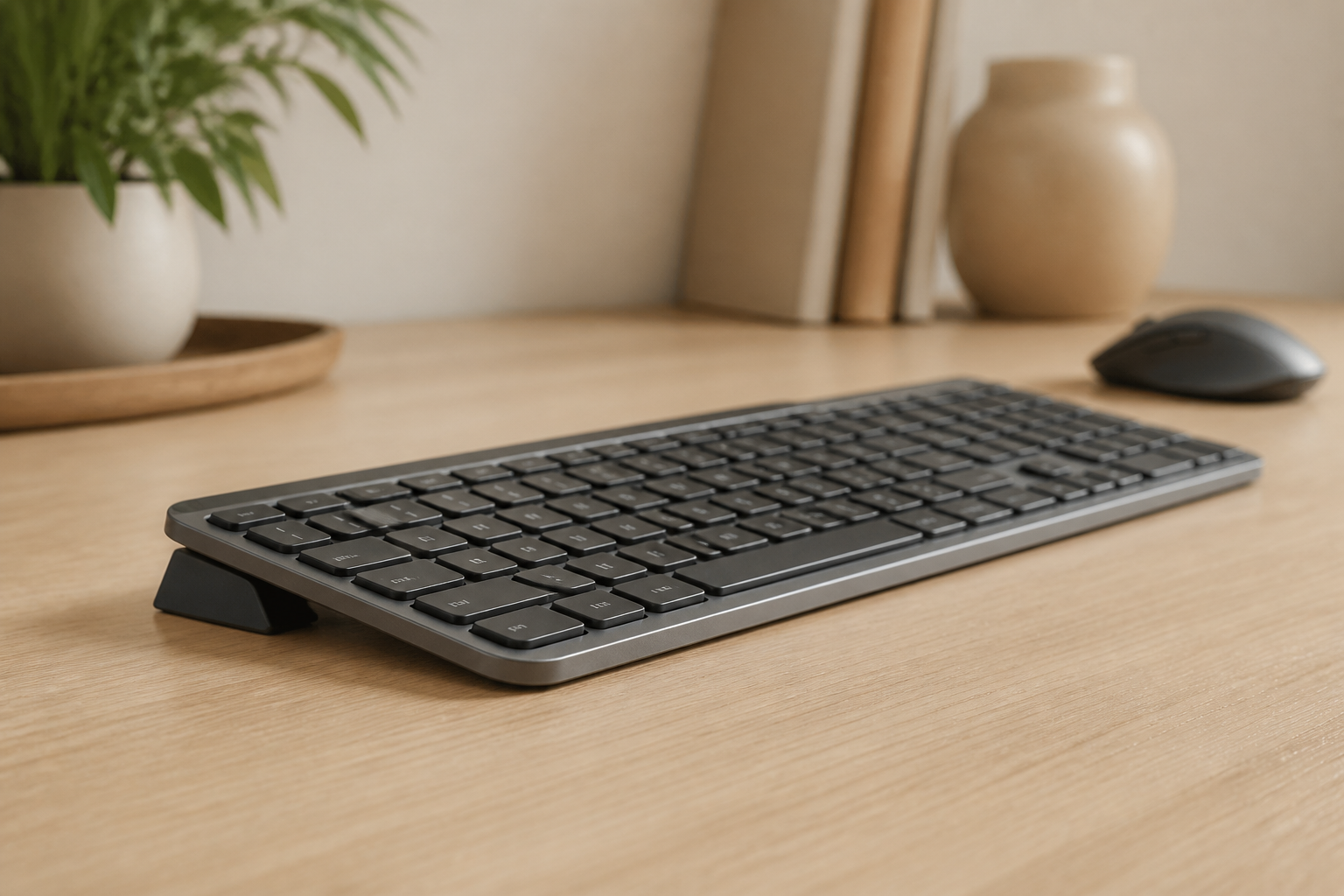
The fix: a rear-lift keyboard riser that lifts the rear of the keyboard 12-15 degrees above the front. The wrists approach neutral. The tunnel pressure drops. Tingling, in most early-stage cases, improves within two to four weeks of correcting the angle.
Cause 2: Keyboard Too High or Too Low
If the keyboard is above elbow height, the shoulders lift and the wrists extend further to compensate. If the keyboard is below elbow height, the shoulders round forward and the load shifts to the upper back, but the wrist angle may actually improve — the trade-off is shoulder discomfort, not wrist tingling.
The fix: adjust chair height so elbows sit at approximately 90 degrees with forearms parallel to the floor. The top of the keyboard’s home row should be within one inch of elbow height. If the chair cannot reach the right height, the desk is the problem. A keyboard tray that mounts below the desk surface lowers the keyboard without replacing the desk.
Cause 3: No Breaks — Cumulative Static Load
The carpal tunnel pressure during any single keystroke is small. The problem is the cumulative load over hours. Typing for three hours without a break produces more nerve compression than typing for six hours with a break every 20 minutes. The 20-8-2 protocol — a 30-second micro-break every 20 minutes, a 2-minute stand-break every hour — is the simplest, highest-ROI intervention for tingling hands. The micro-break drops tunnel pressure to baseline. The stand-break resets posture.
The most common failure mode: the timer goes off, but the user ignores it because they are in flow. If the timer doesn’t interrupt you, it isn’t a real timer. Use a timer integrated into your code editor, a physical Pomodoro timer on the desk, or a smartwatch haptic alarm — something that forces attention.
Red Flags: When to Book a Clinician Appointment
Tingling that meets any of these criteria belongs in a doctor’s office, not an ergonomics guide:
- Tingling at night that wakes you up. This is a hallmark of moderate carpal tunnel syndrome. The nerve has been compressed enough during the day that the reduced blood flow during sleep triggers symptoms. Do not wait.
- Weakness in grip. Dropping a coffee cup, difficulty opening a jar, or a feeling that your thumb is “clumsy.” Motor nerve involvement means the compression has progressed beyond the sensory-only stage.
- Visible muscle wasting at the base of the thumb. The thenar muscles (the fleshy pad at the base of the thumb) shrink when the motor branch of the median nerve is compromised. This is an advanced sign. It is usually permanent without surgical intervention.
- Numbness that does not go away. If the fingers are numb even when you are not typing — at rest, during a walk, while watching TV — the nerve has sustained more compression than the body can recover from on its own.
- Symptoms in both hands simultaneously. Bilateral tingling or numbness can indicate a systemic condition (diabetes, thyroid, vitamin B12 deficiency) rather than a mechanical wrist problem.
The right clinician: start with your primary care physician for triage. They may refer to a hand-and-wrist orthopedic specialist, a neurologist for nerve conduction studies, or a physical therapist with hand-and-wrist certification. Do not self-diagnose carpal tunnel syndrome from a Reddit thread. The symptoms of carpal tunnel, cervical radiculopathy (a pinched nerve in the neck), and thoracic outlet syndrome overlap significantly. The right diagnosis determines the right treatment.
What to Track Before the Appointment
If you book a clinician appointment, track three data points for the week before:
- When the tingling occurs. During typing? After typing? At night? In the morning? The timing localizes the nerve.
- Which fingers tingle. Thumb, index, middle, and half the ring finger = median nerve. Pinky and ring finger = ulnar nerve. The whole hand = possible cervical or thoracic issue.
- A 0-10 discomfort scale, three times a day. Morning, mid-day, end of day. The pattern — improving through the day, worsening through the day, or flat — tells the clinician whether the problem is cumulative or positional.
Summary
Tingling hands during typing is a mechanical problem until it is a medical one. The mechanical fix — a rear-lift keyboard riser, elbow-height keyboard positioning, and a strict 20-8-2 break cadence — is effective for the majority of early-stage cases. The boundaries are sharp: night-time tingling, grip weakness, muscle wasting, and persistent numbness belong in a clinician’s office. The earlier you address the mechanical cause, the less likely you are to cross the boundary.
The highest-leverage fix for typing-related hand tingling is the keyboard angle. Get the KeyRiser — 15° rear lift →
Related: Wrist Pain Prevention Guide | Keyboard Risers Buyer’s Guide | Keyboard Ergonomics: The Science
Frequently Asked Questions
Q: Why do my hands tingle when I type but not when I use a mouse?
A: Typing involves sustained wrist extension across both hands simultaneously. Mouse use typically involves one hand in a more neutral position for shorter intermittent periods. The sustained extension is what compresses the median nerve. If tingling occurs only with the mouse hand, check the mouse height relative to your elbow — a mouse that is too high or too far away can produce the same wrist extension pattern.
Q: How long does it take for tingling to go away after fixing the keyboard angle?
A: Most published case-series data shows meaningful improvement within two to four weeks of correcting the wrist angle and maintaining break cadence. Some users report improvement within days. If there is no improvement after four weeks, the cause is unlikely to be purely mechanical — see a clinician.
Q: Can I use a wrist rest to fix the tingling?
A: A wrist rest supports the heel of the palm during pauses. It does not change the keyboard angle. For tingling caused by wrist extension during active typing, a wrist rest is insufficient. The keyboard angle must be corrected at the source — the tilt of the keyboard itself.
Q: Is tingling always carpal tunnel syndrome?
A: No. Tingling in the hands can be caused by carpal tunnel (median nerve), cubital tunnel (ulnar nerve at the elbow), cervical radiculopathy (pinched nerve in the neck), thoracic outlet syndrome (compression at the shoulder), or systemic conditions (diabetes, B12 deficiency, thyroid). A clinician can differentiate with a physical exam and, if necessary, nerve conduction studies. Do not self-diagnose.
Ready for a Better Typing Angle?
Check KeyRiser on Amazon and confirm compatibility with your MX Keys model.
Buy Now - $9.99