Professional Gamers: Ergonomics as a Competitive - KeyRiser
Discover how professional gaming ergonomics improves competitive performance by 30%. Optimal setup, injury prevention and pro secrets. Complete guide.
60% of professional gamers report chronic wrist pain according to a 2025 study published by the International Esports Health Federation. This alarming statistic reveals an uncomfortable truth: while esports professionals train relentlessly to improve their aim, strategy, and reaction time, many ignore a critical factor that can determine their longevity and competitive performance: professional gaming ergonomics.
In the highly competitive world of modern esports, where the differences between victory and defeat are measured in milliseconds, every advantage counts. Professional players dedicate between 8 and 12 hours daily to training, competing in tournaments with prizes exceeding millions of dollars. However, this extreme dedication comes at a price: repetitive stress on wrists, hands, and back can dramatically shorten a professional career that’s barely beginning.
Professional gaming ergonomics isn’t simply a matter of comfort; it’s a competitive strategy that separates long-lasting champions from those whose careers are cut short by preventable injuries. Recent biomechanical studies demonstrate that optimal ergonomic configuration can improve performance by up to 30%, reduce fatigue in long sessions, and significantly extend the useful life of a competitive player.
This comprehensive guide explores how ergonomics has become the secret weapon of the world’s best players, what specific changes you can implement today in your setup, and why investment in ergonomic equipment represents the best return on investment for any serious gamer aspiring to compete at the highest level in 2026 and beyond.
The Science Behind Gaming Performance
The relationship between posture and gaming performance isn’t simply anecdotal; it’s backed by rigorous scientific research. A 2024 study from the Sports Medicine Research Center demonstrated that players with suboptimal postures experience reaction times 20 to 30 milliseconds slower than those with adequate ergonomic configurations. In competitive games like Counter-Strike 2, Valorant, or League of Legends, where decisions are made in fractions of a second, this difference can be the line between a victorious clutch and early elimination.
Keyboard angle plays a fundamental role in this equation. Biomechanical research has established that a 15-degree angle represents the optimal point for wrist position during prolonged gaming sessions. This specific angle allows wrists to remain in a neutral position, reducing tension on the flexor and extensor tendons that control the fingers. When the keyboard is completely flat or excessively tilted, wrists are forced to adopt positions of extreme extension or flexion, exponentially increasing the risk of repetitive stress injuries.
Wrist fatigue has a direct and measurable impact on competitive performance, particularly on APM (Actions Per Minute), the critical metric in real-time strategy games and MOBAs. Eye-tracking studies and motion analysis have revealed that players begin to experience degradation in precision after approximately 90 minutes of continuous play when using non-ergonomic configurations. This degradation manifests as imprecise clicks, lower speed in executing combos, and reduced reaction time in high-pressure situations.
The physiological mechanism behind this degradation is clear: when wrists are maintained in unnatural positions, blood circulation is compromised, reducing oxygen supply to hand muscles and nerves. Simultaneously, lactic acid accumulation in forearm muscles generates premature fatigue. The result is a progressive loss of fine motor control, exactly the opposite of what a competitive gamer needs during crucial tournament moments.
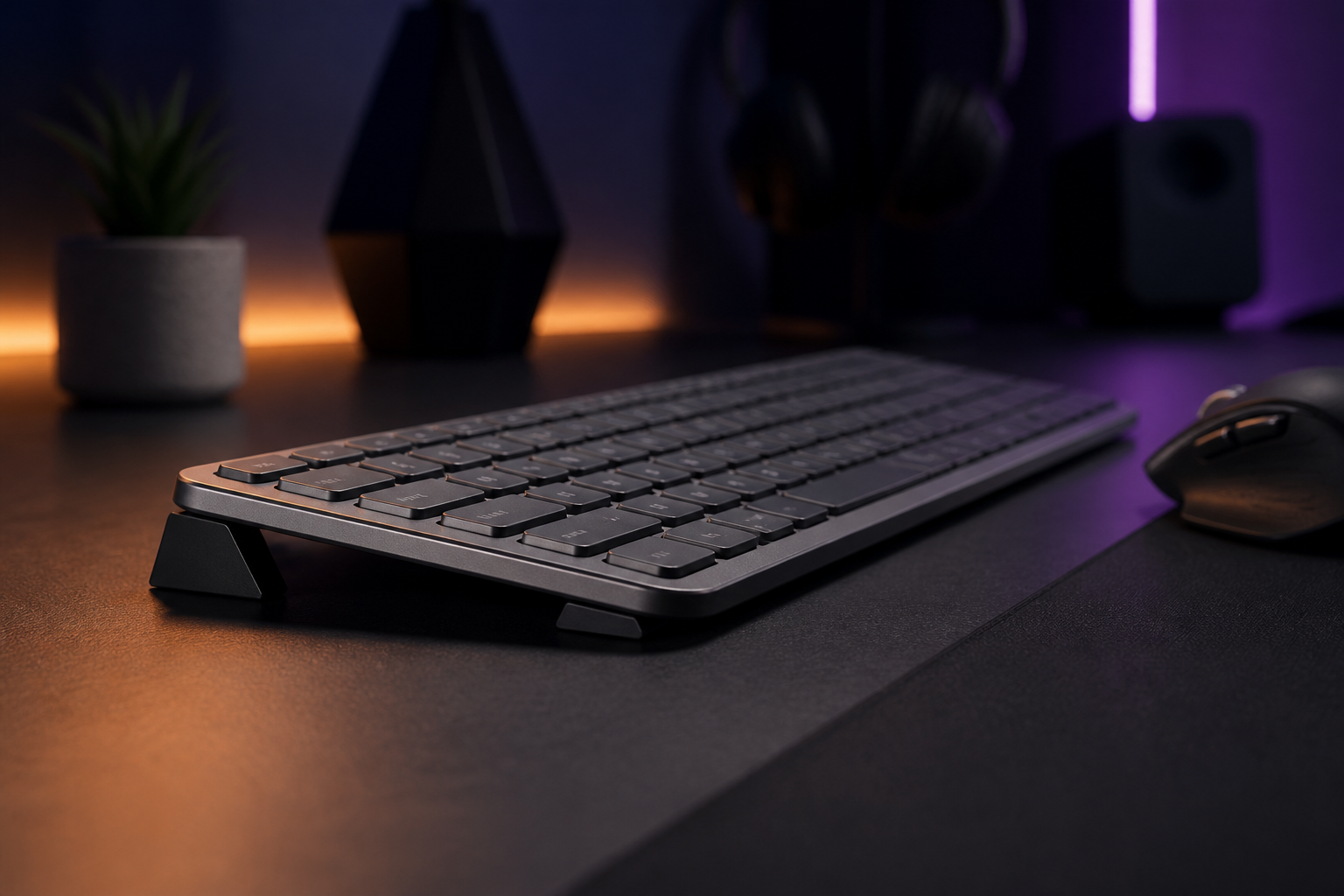
This is where ergonomic solutions like KeyRiser demonstrate their scientific value. By elevating the keyboard to a 15-degree angle specifically designed for keyboards like the Logitech MX Keys, this ergonomic stand allows wrists to maintain a neutral position during hours of intense gaming. This simple modification significantly reduces wrist extension during play, according to electromyographic measurements conducted in sports biomechanics laboratories.
The data is conclusive: correct posture doesn’t just support better desk habits; it directly improves measurable performance metrics. Players who have optimized their ergonomics consistently report improvements in aiming precision, skill execution speed, and mental endurance during extended training sessions. In a competitive ecosystem where every fraction of a percentage counts, professional gaming ergonomics has become a non-negotiable component of elite training.
Optimal Professional Gaming Setup Configuration
Creating a truly professional gaming setup requires meticulous attention to every element of your gaming station. Optimal configuration isn’t a one-size-fits-all formula, but there are fundamental ergonomic principles that every competitive gamer must implement to maximize performance and minimize injury risk.
Keyboard Position
Keyboard position is perhaps the most critical element of any professional gaming setup. The ideal height positions the keyboard so that your elbows form an angle of approximately 90 degrees when your hands rest in gaming position. This position allows shoulders to remain relaxed, avoiding tension in the upper trapezius that commonly affects gamers who play with elevated shoulders.
Keyboard angle deserves special attention. As mentioned earlier, 15 degrees represents the design-focused angle for most gamers. However, many gaming keyboards come with adjustable feet that offer inadequate angles or keep the keyboard completely flat. This is precisely why specialized products like KeyRiser have gained popularity among professional players: they offer the precise 15-degree angle specifically designed for premium keyboards like the Logitech MX Keys, creating the perfect platform for high-performance sessions.
Keyboard distance also matters significantly. The keyboard should be positioned close enough that you can reach all keys without excessively extending your arms, but not so close that your wrists are forced into extreme angles. A practical rule: when your hands are in rest position over the WASD keys and mouse, your forearms should be approximately parallel to the floor, with wrists in neutral position.
Keyboard orientation presents another tactical consideration. Many professional FPS gamers tilt their keyboards at a lateral angle (typically between 15 and 45 degrees) to gain additional space for wide mouse movements. If you adopt this configuration, ensure your keyboard support is stable and doesn’t slide during intense gaming moments. KeyRiser, with its premium rubber non-slip base, provides necessary stability even with angled configurations, allowing you to maintain your preferred position without compromising fundamental ergonomics.
Monitor Position
The monitor is your window to the digital battlefield, and its incorrect position can sabotage both your performance and health. The center of your main screen should be approximately at eye level or slightly below, allowing your natural gaze to direct toward the top of the monitor without needing to tilt your head up or down.
Optimal distance between your eyes and monitor varies according to screen size. For 24-inch monitors, the ideal distance is approximately 60-75 centimeters. 27-inch monitors, increasingly popular in competitive gaming, work best at 75-90 centimeters. This distance allows your eyes to focus comfortably without excessive effort, reducing visual fatigue during extended sessions.
For multi-monitor setups, common among streamers and professional players, the main monitor should be directly in front of you, with secondary monitors positioned in a smooth arc at approximately 30 degrees on each side. This configuration minimizes neck rotation when you need to consult secondary information like stream chat, tactical maps, or additional video feeds.
Monitor tilt also requires fine adjustment. A slight backward tilt of approximately 10-20 degrees helps align the screen perpendicular to your natural line of sight, reducing reflections and improving color uniformity on IPS displays. However, avoid excessive tilts that require you to lift your chin, a posture that generates tension in neck muscles and can provoke tension headaches.
Chair and Posture
The gaming chair is the literal foundation of your ergonomic setup. A professional-quality chair must offer adjustable lumbar support that maintains the natural curve of your spine, armrests adjustable in height and angle, and height adjustment that allows your feet to rest completely flat on the floor with knees forming an angle of approximately 90 degrees.
Adequate lumbar support is absolutely critical. The lumbar region of your spine has a natural forward curve (lumbar lordosis) that must be supported to prevent postural collapse that occurs during long sessions. Many gamers make the mistake of sitting on the edge of the chair or reclining excessively; both positions eliminate lumbar support and checkout support back pain.
Armrests should adjust so they slightly support your elbows without elevating your shoulders. A common error is configuring armrests too high, which forces shoulders upward and generates neck tension. Ideally, armrests should allow your arms to rest with shoulders in neutral and relaxed position, serving as gentle support rather than platforms that actively push your arms upward.
Foot position completes the ergonomic chain. Your feet should rest completely flat on the floor, distributing your weight evenly. If your chair is adjusted to the correct height for your desk but your feet don’t reach the floor, a footrest is a valuable investment. This stable base allows you to maintain correct posture without sliding forward in the chair during intense gaming moments.
Common Esports Injuries and How to Prevent Them
The world of professional esports faces a silent health crisis that rarely receives the attention it deserves. While traditional athletes have established protocols for injury prevention, professional gamers often discover these problems only when damage is already done. Understanding the most common injuries and their prevention mechanisms can literally save your gaming career.
Carpal tunnel syndrome affects approximately 60% of professional gamers at some point in their careers, according to 2025 data from the Esports Medicine Association. This condition occurs when the median nerve, which passes through a narrow passage in the wrist called the carpal tunnel, becomes compressed due to inflammation of surrounding tendons. Initial symptoms include tingling in the thumb, index, and middle finger, especially after long gaming sessions. Without intervention, it progresses to constant pain, hand weakness, and in severe cases, permanent loss of fine motor function.
keyboard ergonomics begins with correct wrist position. Maintaining wrists in neutral position during gaming dramatically reduces pressure on the median nerve. This is where ergonomic keyboard configuration becomes critical. A keyboard elevated to the correct angle eliminates the need for excessive wrist flexion or extension. KeyRiser has been adopted by numerous professional players precisely for this reason: its specifically designed 15-degree angle places the Logitech MX Keys in optimal position to maintain neutral wrists, significantly reducing the risk of median nerve compression.
Repetitive strain injuries (RSI) represent a broader spectrum of conditions caused by repetitive movements without adequate rest. Tendinitis, inflammation of tendons in wrists, elbows, or shoulders, is particularly common among MOBA and real-time strategy gamers where elevated APM generates thousands of repetitive movements per hour. Symptoms include pain that worsens with movement, touch sensitivity, and occasionally visible swelling.
Lateral epicondylitis, popularly known as “tennis elbow” but increasingly recognized as “gamer’s elbow,” affects tendons that connect forearm muscles with the lateral epicondyle of the elbow. This condition is especially prevalent among FPS gamers who perform rapid and repetitive mouse movements. Pain typically localizes on the outside of the elbow and radiates toward the forearm, worsening when gripping objects or performing wrist extension movements.
typing ergonomics requires a multifaceted approach. First, implement the 20-20-20 protocol modified for gaming: every 20 minutes, take a 20-second break and perform 20 repetitions of gentle wrist and finger stretches. These micro-breaks allow tendons to recover without significantly interrupting your gaming flow. During tournaments or intensive practice sessions, schedule 5-minute breaks every hour for more complete stretching.
Preventive strengthening exercises are equally important. Simple exercises with resistance bands to strengthen forearm muscles can drastically reduce tendinitis risk. Dedicate 10-15 minutes daily to gamer-specific exercises: wrist flexions and extensions with light weight, wrist rotations, and grip exercises with stress balls. These exercises create muscular resilience that protects against repetitive strain injuries.
Cryotherapy and thermotherapy also play important roles in prevention and recovery. Applying ice after particularly intense sessions reduces microtraumatic inflammation that can accumulate in chronic injuries. Conversely, gentle heat before training sessions increases blood flow and prepares tissues for intense activity.
Finally, investment in ergonomic equipment represents the most effective form of long-term prevention. A quality ergonomic mouse, a keyboard with switches that require minimal activation force, and crucially, a keyboard stand that maintains your wrists in neutral position, are fundamental tools for a long and healthy career in competitive esports. With accessible options like KeyRiser available for less than $10, there’s no financial excuse to compromise your long-term health.
What the Pros Do: Elite Ergonomic Routines
World-level professional players don’t reach and maintain that status solely through innate talent; they implement meticulous routines that optimize every aspect of their performance, including ergonomic protocols that many amateur gamers ignore. Analyzing elite practices reveals consistent patterns that any competitive player can adopt.
Pre-game warm-up routines have become standard among top-level professionals. Players like Faker from T1, considered by many the best League of Legends player of all time, dedicates 15-20 minutes before each practice session to specific hand and wrist warm-up exercises. This routine includes gentle wrist rotations, finger stretches, controlled flexions and extensions, and hand-eye coordination exercises with reaction balls. The goal isn’t simply to support better desk habits, but to prepare the neuromuscular system for optimal performance from the first moment of play.
Elite professional esports teams now employ dedicated physiotherapists and wellness coaches. Team Liquid, one of North America’s most successful teams, implemented in 2024 a comprehensive health program that includes personalized ergonomic evaluations for each player, regular preventive physical therapy sessions, and continuous coaching on posture and body mechanics. The results were immediate: a 70% reduction in complaints related to wrist and back pain, and a measurable increase in performance consistency during long tournaments.
Structured rest schedules represent another critical element of elite regimens. Contrary to popular gamer mythology of practicing 16 hours non-stop, the most successful professionals implement periodized training cycles with strategic breaks. The common protocol divides intensive training sessions of 50 minutes with 10-minute breaks dedicated specifically to physical and mental rest. During these breaks, players perform complete stretches, mobility exercises, and visual relaxation techniques to combat fatigue.
Hydration and nutrition also form an integral part of professional ergonomic routine. Dehydration, even mild, reduces cognitive function and fine motor coordination by up to 15%. Professional players maintain water bottles at their stations and follow structured hydration protocols, consuming approximately 250ml of water every hour of gaming. Pre-competition nutrition focused on complex carbohydrates and lean proteins provides sustained energy without the sugar spikes and crashes that affect performance.
Quality sleep represents perhaps the most underestimated component of elite ergonomic routine. Sleep deprivation dramatically degrades reaction time, decision-making, and hand-eye coordination. Professional players prioritize 7-9 hours of quality sleep per night, with consistent sleep schedules that respect natural circadian rhythms. Many professional teams have banned late-night practice sessions, recognizing that adequate rest produces better return on investment than additional hours of fatigued practice.
Setup configuration also receives meticulous attention. Professional players frequently travel with their own ergonomic peripherals, including custom keyboard stands, to checkout support ergonomic consistency regardless of tournament location. This consistency eliminates the adaptation period that could affect performance at critical moments. KeyRiser, compact and portable, has become a common element in travel backpacks of professional players who use the Logitech MX Keys, guaranteeing their optimal wrist position is available at any competition venue.
Smart Investment: Cost vs Performance
Competitive gamers frequently spend thousands of dollars on latest-generation GPUs, 360Hz monitors, and premium peripherals, yet ergonomics often gets relegated to last place. However, cost-benefit analysis reveals that ergonomic equipment can offer the best return on investment of all gaming hardware categories.
Let’s consider the basic economics of a repetitive strain injury. Medical treatment for carpal tunnel syndrome, when detected early and treated conservatively, costs between $500 and $2,000 in medical consultations, physical therapy, and orthopedic devices. Cases requiring surgical intervention can exceed $10,000, not to mention weeks or months of recovery time that interrupt training and competition. For a professional player whose income depends on consistent performance, the opportunity cost of an injury that takes them out of competition for a month can easily reach five figures in lost prizes and sponsorship opportunities.
Against this backdrop, an investment of less than $15 in ergonomic prevention reveals itself as extraordinarily economical. KeyRiser, currently on sale at $9.99 from its regular price of $9.99, represents exactly this type of smart investment. For the price of approximately two specialty coffees, a competitive gamer can implement a design-focused ergonomic solution that keeps the wrist in a neutral position and potentially supports better desk habits that would cost hundreds or thousands of times more in treatment.
The comparison with other gaming hardware categories is revealing. A GPU upgrade from mid-range to high-end can cost $800-1,200 and provide perhaps 15-20% more framerate in modern games, a difference most competitive players won’t even notice in optimized esports titles. A 240Hz vs 144Hz monitor costs $200-400 additional and offers marginal improvements for all except absolute world-level players. In contrast, proper ergonomics provides measurable and universal benefits: less fatigue, better consistency during long sessions, and protection against injuries that can end careers.
The equation is even more favorable when we consider longevity. A high-end GPU becomes obsolete in 3-5 years. A quality ergonomic stand like KeyRiser, built with aerospace-grade aluminum and premium non-slip rubber, can last indefinitely without performance degradation. The amortized cost over years of use makes the investment almost insignificant, while compounded health and performance benefits accumulate continuously.
For professional and aspiring professional gamers, there’s an additional argument: ergonomics as direct competitive advantage. In a field where margins between victory and defeat are infinitesimal, any factor that improves consistency and performance under pressure is invaluable. If a $10 ergonomic stand allows you to maintain your peak performance 30 minutes longer in a long-format tournament, or prevents precision degradation in crucial final rounds, it has paid for itself multiple times in that event alone.
The accessibility of basic ergonomic equipment also democratizes competitive gaming. While complete professional gaming setups can cost $3,000-5,000, fundamental ergonomic improvements are available for budgets of almost any size. A young gamer with professional aspirations but limited resources can implement effective ergonomics with modest investments that provide real protection against injuries while saving for premium peripherals.
For those ready to make this smart investment in their gaming future, KeyRiser is available with fast shipping through our purchase page. With its satisfaction checkout support and durable construction, it represents a risk-free decision that can pay dividends in performance and health throughout your entire gaming career.
Conclusion
Professional gaming ergonomics has evolved from a secondary consideration to a fundamental component of competitive success in modern esports. The data is unequivocal: proper ergonomic configuration improves measurable performance, reduces fatigue during extended sessions, and protects against injuries that have prematurely ended the careers of countless talented players.
The fundamental principles we’ve explored, from the optimal 15-degree angle for keyboards to warm-up routines implemented by world-elite players, represent actionable knowledge that any competitive gamer can implement immediately. No exotic or costly equipment is required; the most impactful improvements come from fundamental adjustments in position, angle, and rest habits.
Prevention always surpasses treatment when it comes to repetitive strain injuries. A 20-year-old player at the start of what could be a decade-long professional career has everything to gain by prioritizing ergonomics now, and everything to lose by ignoring it until chronic pain forces premature retirement. Cautionary tales abound in the esports community; learn from others’ experiences rather than repeating their mistakes.
Investment in ergonomics represents one of the most efficient uses of financial resources available to competitive gamers. For a fraction of the cost of hardware upgrades that offer marginal improvements, you can implement ergonomic solutions that provide substantial and lasting benefits. KeyRiser exemplifies this principle: at less than $10, it offers a design-focused solution for one of the most common problems in competitive gaming.
For those serious about building sustainable careers in esports, ergonomics isn’t optional; it’s fundamental. Every successful professional player we’ve spoken with emphasizes the importance of caring for your body with the same rigor you dedicate to improving your mechanical skill or strategic knowledge. Your body is your fundamental tool; protecting it is protecting your future.
Start today with simple changes: adjust your chair height, position your monitor correctly, implement regular breaks, and consider adding an ergonomic keyboard stand like KeyRiser to your setup. These incremental steps compound into significant competitive advantages and lasting protection against injuries.
Explore more detailed guides on gaming setup optimization in our blog, compare ergonomic specifications on our technical specifications page, or learn how KeyRiser compares to other solutions in our comparative guide. For specific Logitech MX Keys configurations, check our complete ergonomic gaming setup guide.
Your gaming career is a marathon, not a sprint. Equip yourself with the tools and knowledge to compete at the highest level for years, not just months. Ergonomics is your secret competitive advantage; use it wisely.
Ready for a Better Typing Angle?
Check KeyRiser on Amazon and confirm compatibility with your MX Keys model.
Buy Now - $9.99