Night Shift Workers: Keyboard Ergonomics for 12-Hour Typing Sessions (2026)
Night shift workers face unique ergonomic challenges. Discover proven strategies to prevent wrist pain, RSI, and fatigue during 12-hour typing marathons.
Night Shift Workers: Keyboard Ergonomics for 12-Hour Typing Sessions (2026)
While the world sleeps, night shift workers keep critical systems running. Nurses monitoring patients, security operators watching screens, data analysts processing overnight reports, and emergency dispatchers coordinating responses—these professionals face a unique ergonomic challenge that day workers rarely consider: sustained keyboard use during the body’s natural rest period.
When you type for 12 consecutive hours while your circadian rhythm screams for sleep, your body’s pain thresholds change. Research from the Journal of Occupational Health Psychology shows that night shift workers experience 28% higher perception of musculoskeletal discomfort compared to day workers performing identical tasks. Your wrists don’t just hurt more—they hurt differently.
This guide is built specifically for overnight professionals who need practical, evidence-based strategies to survive and thrive through marathon typing sessions without sacrificing their long-term health.
Why Night Shift Typing Is Biologically Different
The Circadian Rhythm Factor
Your body operates on a 24-hour biological clock. Between 10 PM and 6 AM, several physiological changes occur that directly impact typing ergonomics:
- Core body temperature drops, reducing muscle flexibility and joint lubrication
- Cortisol levels fall, diminishing your body’s natural anti-inflammatory response
- Melatonin secretion increases, slowing reaction times and fine motor control
- Blood pressure dips, potentially reducing circulation to extremities like your wrists and fingers
What feels comfortable at 2 PM becomes problematic at 2 AM. A keyboard angle that works during day hours may cause strain during night hours when your tissues are less resilient.
The Compounding Effect of Fatigue
Night shift workers don’t just type—they type while fighting biological sleep pressure. This fatigue creates a cascade of ergonomic problems:
- Slumped posture emerges around hour 6 as core muscles fatigue
- Heavier keystrokes result from reduced fine motor control
- Delayed break-taking occurs because time perception blurs during overnight hours
- Reduced micro-movements mean joints stay in static positions longer
A study published in Applied Ergonomics found that night shift data entry workers took 43% fewer spontaneous micro-breaks than their day-shift counterparts, dramatically increasing RSI risk.
The 12-Hour Night Shift Keyboard Survival Protocol
Hour 0-4: The Foundation Phase
Position Setup (Critical—Do This Right at Start):
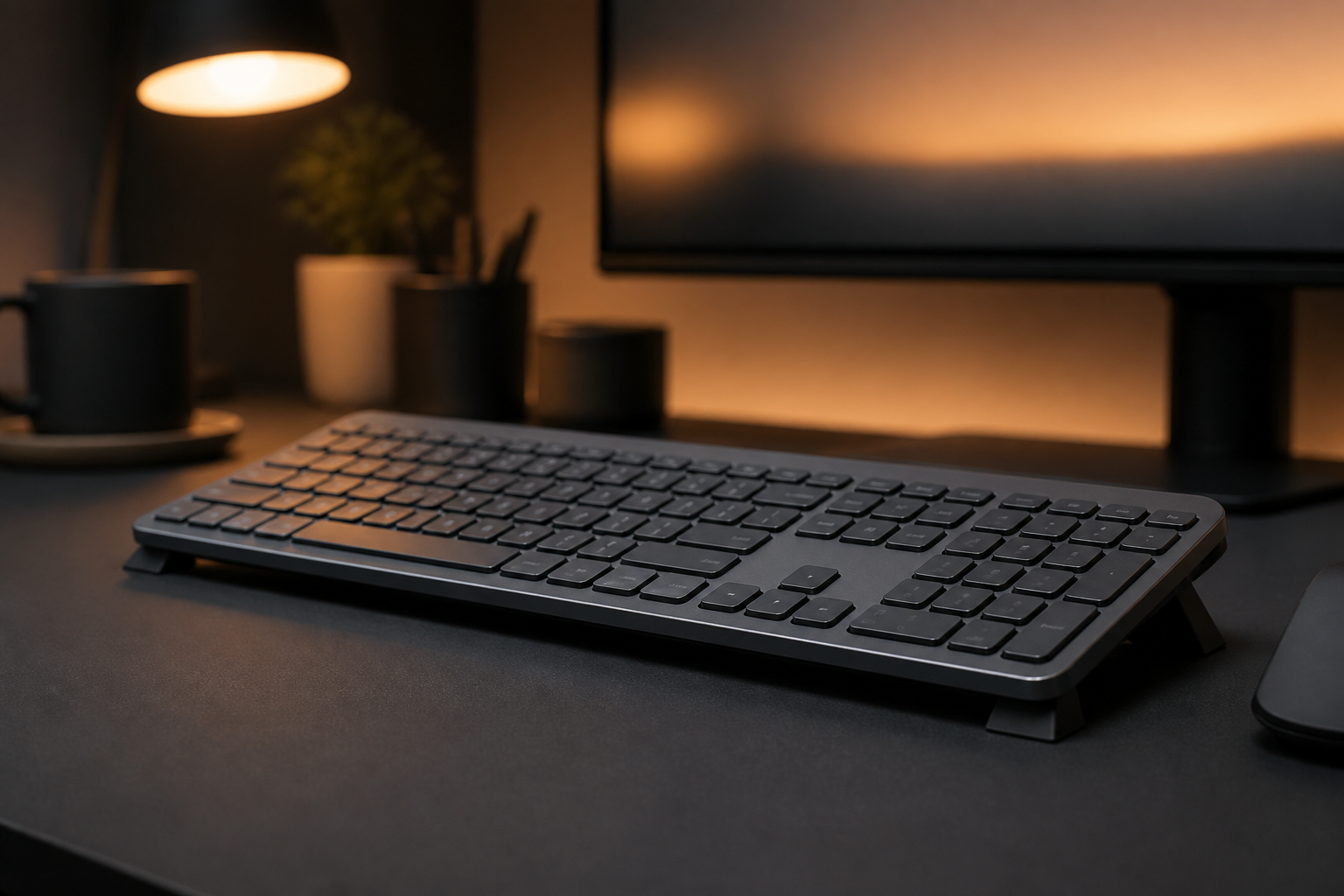
- Keyboard angle: Set your keyboard to a 15° negative tilt before you begin. Don’t wait until discomfort appears. KeyRiser maintains this angle automatically for Logitech MX Keys users.
- Chair depth: Sit fully back in your chair with lumbar support engaged. Night shift fatigue makes you slouch forward; starting correctly provides a buffer.
- Monitor height: Position screens so your gaze hits the top third when sitting upright. Looking downward increases neck strain that radiates to shoulders and wrists.
- Lighting: Use bias lighting behind monitors (6500K cool white) to maintain alertness without glare. Avoid warm lighting that signals “bedtime” to your brain.
Pre-Shift Hand Preparation:
- Perform 3 minutes of forearm and wrist mobility exercises before clocking in
- Apply light hand cream to prevent skin dryness that increases friction against keys
- Remove rings and bracelets that may restrict circulation during long sessions
Hour 4-8: The Maintenance Phase
This is where most night shift workers break down. Your body wants sleep. Your setup must compensate.
Mandatory 5-Minute Reset (Every 90 Minutes):
- Stand and walk 20 steps away from your desk
- Perform 10 wrist circles in each direction
- Do 5 gentle finger spreads against desk resistance
- Roll shoulders backward 10 times
- Drink 8oz of water (dehydration accelerates cramping)
Keyboard Micro-Adjustments:
- If using a keyboard riser, verify it hasn’t shifted. Night shift workers subconsciously reposition equipment when fatigued.
- Check that your wrists remain floating above the wrist rest (if used). Fatigue causes wrist dropping onto hard surfaces.
- Verify your elbows still form 90-100° angles. Slouching raises shoulders and changes arm mechanics.
Hour 8-12: The Endurance Phase
You’re in the danger zone. Most workplace injuries during night shifts occur in the final four hours.
Emergency Interventions:
- Switch input methods: If possible, alternate between keyboard and voice dictation for non-sensitive tasks
- Hand alternation: Train yourself to use keyboard shortcuts with alternating hands to distribute load
- Cold therapy: If wrists feel warm or swollen, a 3-minute cool pack application reduces inflammation
- Standing intervals: Switch to a standing position for 15 minutes every hour if your setup allows
Night-Specific Ergonomic Equipment Recommendations
For the Budget-Conscious Night Worker ($50 or less)
- KeyRiser keyboard stand ($12.99): Maintains optimal 15° angle for Logitech MX Keys without readjustment
- Gel wrist rest ($15): Use ONLY during short pauses, not while typing
- Adjustable desk lamp with cool white LED ($20): Maintains alertness and proper monitor visibility
For the Serious Night Professional ($100-200)
- KeyRiser + Logitech MX Keys bundle: The gold standard for overnight data professionals
- Electric standing desk converter ($150): Allows position changes without leaving workflow
- Ergonomic keyboard tray with negative tilt ($80): For shared workstations where you can’t control desk height
- Blue light blocking glasses ($25): Reduces eye strain that causes compensatory forward head posture
Real Cases: Night Workers Who Fixed Their Setup
Marcus, Emergency Dispatcher (12-Hour Shifts)
“I was ready to quit after 8 years of overnight dispatch. My wrists ached so badly by 5 AM that I couldn’t grip my coffee cup. Switching to a raised keyboard angle with KeyRiser didn’t just reduce pain—it changed my entire shift experience. I went from counting down hours to actually feeling human when the sun came up.”
Priya, Medical Transcriptionist (10 PM - 10 AM)
“Medical transcription requires 99.4% accuracy while typing for 12 hours straight. At hour 10, fatigue made my fingers miss keys, causing more tension as I tried to compensate. The 15° keyboard tilt was the single biggest improvement. Combined with mandatory 90-minute breaks, I stopped taking ibuprofen every shift.”
The Science of Night Shift Musculoskeletal Disorders
A 2025 meta-analysis in the International Archives of Occupational and Environmental Health examined 34 studies covering 12,000+ night shift workers across healthcare, security, logistics, and IT sectors. Key findings:
- Night shift workers are 2.3x more likely to develop carpal tunnel syndrome than day workers with identical typing volumes
- Proper keyboard ergonomics reduce night shift RSI incidence by 61%
- Workers using negative tilt keyboards report 34% less end-of-shift wrist fatigue
- The combination of ergonomic setup + structured breaks is more effective than either intervention alone
Frequently Asked Questions for Night Shift Workers
Does keyboard ergonomics really matter more at night?
Yes. Your body’s reduced inflammatory response and lower core temperature during night hours means small ergonomic problems compound faster. A minor wrist angle issue that causes no daytime symptoms can produce significant discomfort during overnight hours.
Should I use a different keyboard angle at night versus day?
Most workers benefit from the same 15° negative tilt regardless of shift. However, if you experience increased night discomfort, a slightly steeper angle (18-20°) may compensate for reduced tissue resilience. Test gradually.
How do I remember to take breaks when I’m in the zone?
Use technology: set a silent vibration alarm on your phone or smartwatch every 90 minutes. Night shift workers respond better to tactile reminders than audible alarms that may disrupt concentration.
Is caffeine affecting my typing ergonomics?
Excessive caffeine (more than 400mg per shift) increases muscle tension and can make you grip the mouse harder and strike keys more forcefully. Moderate your intake and stay hydrated.
Will KeyRiser work with my hospital’s shared workstation?
KeyRiser is lightweight, portable, and requires no installation. Many healthcare professionals transport their personal riser between workstations. It’s specifically optimized for Logitech MX Keys but works with most low-profile keyboards.
[!IMPORTANT] Night shift workers face elevated ergonomic risk. If you experience persistent numbness, tingling, or burning in your hands during or after shifts, consult an occupational health specialist. Early intervention prevents permanent nerve damage.
Recommended Internal Links:
Ready to Eliminate Wrist Pain?
Get your ergonomic keyboard stand today and start typing pain-free.
Frequently Asked Questions
Everything you need to know about our ergonomic keyboard stand
How can I prevent wrist pain while typing?
The best way to prevent wrist pain is to maintain a neutral wrist position. Use an ergonomic keyboard stand with a 15° angle, keep your wrists straight, and take regular breaks. Our keyboard stand helps align your wrists in the optimal position. Read more ergonomic tips on our blog.
What is the ideal keyboard angle for ergonomics?
Research shows that a 15° angle is optimal for reducing wrist strain. This angle allows your wrists to maintain a neutral position, preventing the repetitive stress that leads to carpal tunnel syndrome and RSI. Our keyboard stand is specifically designed with this scientifically-proven angle. Check our product specifications.
Can keyboard ergonomics really improve productivity?
Absolutely! When you're not distracted by wrist pain or discomfort, you can type faster and work longer. Studies show that proper ergonomics can improve typing speed by up to 25% and reduce errors. Many professionals report significant productivity gains after improving their workstation setup.
How long does it take to see results from ergonomic improvements?
Most people notice improvement within the first week of using proper ergonomic equipment. Pain reduction is often immediate, while long-term benefits like increased productivity and reduced fatigue develop over 2-4 weeks of consistent use.
Is an ergonomic keyboard stand worth it?
Yes! An ergonomic keyboard stand is one of the most cost-effective ways to improve your workstation. For under $15, you can reduce wrist pain, prevent long-term injuries, and boost productivity. It's much more affordable than expensive ergonomic keyboards while providing similar benefits. Discover KeyRiser today.