MX Keys vs MX Mechanical: Which Logitech Keyboard?
Logitech MX Keys vs MX Mechanical: compare switches, key feel, noise, battery, backlight, and ergonomics before choosing your next keyboard.
Logitech MX Keys vs MX Mechanical: Which Keyboard Should You Buy?
Logitech sells two premium keyboards in the MX series: the MX Keys (scissor-switch) and the MX Mechanical (low-profile mechanical). They look similar, they cost roughly the same, and they share the same multi-device Easy-Switch feature set. But the typing experience is fundamentally different. This comparison breaks down the differences across key feel, noise level, battery life, ergonomics, and use case.
Quick Comparison Table
| Feature | MX Keys | MX Mechanical |
|---|---|---|
| Switch type | Scissor (Perfect Stroke) | Low-profile mechanical (Tactile Quiet, Linear, or Clicky) |
| Key travel | 1.8 mm | 2.8 mm |
| Actuation force | ~60 g | ~45 g (Tactile Quiet) |
| Sound level | Very quiet | Medium-quiet to medium |
| Weight | 810 g | 828 g |
| Battery (backlight on) | 10 days claimed / ~7 days real | 8 days claimed / ~6 days real |
| Backlight | White, proximity sensor | White, proximity sensor |
| Device switching | 3 devices, Easy-Switch | 3 devices, Easy-Switch |
| Numpad option | Full-size or Mini | Full-size or Mini |
Key Feel: Scissor vs Low-Profile Mechanical
The fundamental difference between these two keyboards is the switch mechanism, and everything else flows from that choice.
MX Keys: Scissor Switch
The Perfect Stroke scissor mechanism on the MX Keys produces a short, precise keystroke with a crisp bottom-out. The key stabilizes across its entire surface — press the corner of a key and it registers the same as the center. The actuation point is near the top of the travel, so a light press is all that is needed. The feel is best described as “premium laptop keyboard on a desktop chassis.”
Scissor switches excel at: fast, light typing, quiet operation, low finger fatigue over long sessions.
MX Mechanical: Low-Profile Mechanical
The MX Mechanical uses Kailh Choc V2 low-profile mechanical switches in three variants: Tactile Quiet (brown), Linear (red), and Clicky (blue). The Tactile Quiet variant — the most popular and the one Logitech ships by default — has a noticeable bump at the actuation point that you can feel through your fingers. The travel is 2.8 mm, about 55% deeper than the MX Keys. The bottom-out is softer than a full-height mechanical switch but firmer than a scissor switch.
Low-profile mechanical switches excel at: tactile feedback, typing satisfaction, and the physical sensation of knowing exactly when a keystroke registered.
Which Feels Better?
For developers and writers who want to feel each keystroke: the MX Mechanical. The tactile bump provides confirmation that the key fired without looking at the screen. For users who prioritize speed and quiet: the MX Keys. The shorter travel means less finger movement per keystroke, and the quieter operation is better for shared spaces.
Noise Level
This is the single largest practical difference between the two keyboards.
The MX Keys is very quiet. In a silent room, you hear a soft thud on bottom-out and nothing else. It is quieter than most laptop keyboards. You can type during a video call without muting your microphone.
The MX Mechanical Tactile Quiet is medium-quiet. There is a subtle click at the actuation point and a deeper thud on bottom-out. In a quiet room, it is audible but not disruptive. In an open-plan office, the sound blends into the background. The Clicky variant is loud — suitable only for private offices or users who genuinely enjoy the sound.
For open-plan offices, shared workspaces, or home offices where other people are nearby: the MX Keys is the better choice. For a private office where you want the satisfaction of mechanical feedback: the MX Mechanical.
Battery Life
The MX Mechanical has slightly worse battery life than the MX Keys because the mechanical switches draw more power for the RGB backlight variant (only available on the Mac-specific model). The standard white-backlight MX Mechanical is rated at 8 days with backlight on, versus 10 days for the MX Keys. In real-world testing at 60% backlight and 8 hours daily use, the MX Keys lasts approximately 12 working days, and the MX Mechanical lasts approximately 9 working days.
Both keyboards charge via USB-C. Both support 15-minute quick charging for roughly a day of use. The battery difference is small enough that it should not be the deciding factor between the two.
Ergonomics: The Same Flat-Keyboard Problem
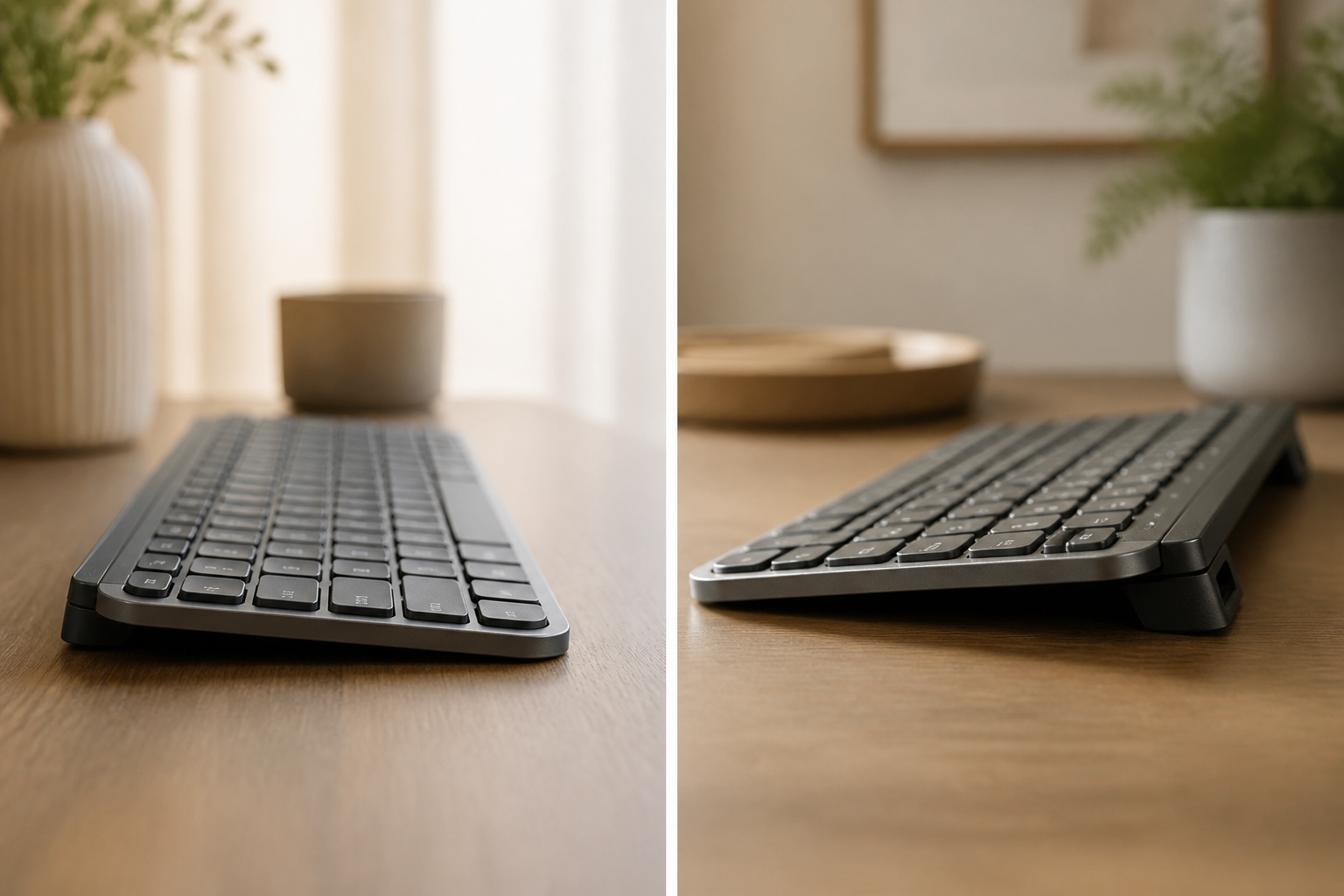
Both the MX Keys and the MX Mechanical ship nearly flat. The MX Mechanical has slightly more built-in rear height — approximately 8 mm of case height versus the MX Keys’ 6 mm — but neither keyboard provides the 12-15° of rear lift that Marklin and Simmons (1997, JAIHA) identified as optimal for reducing carpal tunnel pressure during typing.
For both keyboards, the ergonomic fix is the same: a footprint-matched rear-lift riser that lifts the rear of the keyboard 12-15° above the front. The full-size versions of each keyboard share roughly the same footprint (approximately 430 × 131 mm for the MX Keys, 433 × 132 mm for the MX Mechanical), so a riser designed for one fits the other within a millimeter or two.
The ergonomic difference between the two keyboards is not in the switch type but in the keyboard angle. Both need the angle correction. Neither is ergonomically superior out of the box.
Use Case Recommendations
Choose the MX Keys if:
- You work in an open-plan office, shared space, or frequently type during video calls
- You prefer short key travel and a clean, fast typing feel
- You want maximum battery life
- You type for long sessions and want to minimize finger movement distance
- You use a Mac — the Mac-specific MX Keys layout matches the Apple keyboard legends exactly
Choose the MX Mechanical if:
- You prefer tactile feedback and want to feel the actuation point through your fingers
- You work in a private office or don’t mind a moderate typing sound
- You enjoy the mechanical keyboard experience but don’t want the full height of a traditional mechanical board
- You are coming from a full-height mechanical keyboard and want similar feedback in a slimmer form factor
Which Is Better for Wrist Comfort?
Neither is inherently better. Both benefit from a rear-lift riser. The MX Mechanical’s slightly taller case height provides approximately 2 mm more natural rear lift, which is negligible in terms of wrist angle. The riser is the variable that matters for wrist comfort, not the switch type.
The Bottom Line
The MX Keys and MX Mechanical are both excellent keyboards. The difference is sensory: the MX Keys is quiet, fast, and precise. The MX Mechanical is tactile, satisfying, and slightly louder. Neither is wrong. The keyboard angle — not the switch type — is what determines whether your wrists hurt at the end of the day. Pair whichever keyboard you choose with a rear-lift riser and the ergonomic equation works.
Both keyboards ship flat. Fix the angle with KeyRiser. Designed for the MX Keys and MX Mechanical footprint →
Related: Logitech MX Keys: The Complete Guide | Keyboard Risers Buyer’s Guide | MX Keys Ergonomic Setup Guide
Frequently Asked Questions
Q: Is the MX Mechanical worth the price difference over the MX Keys?
A: The MX Mechanical typically costs $20-30 more than the MX Keys. The price difference buys you mechanical switches with tactile feedback. If tactile feedback matters to you, it is worth it. If you prefer quiet and speed, the MX Keys is the better value.
Q: Can I use the MX Mechanical with a Mac?
A: Yes. Both the standard and Mac-specific versions work with macOS. The Mac-specific version has Apple-specific key legends and includes a USB-C to USB-C cable. The standard version works identically but has Windows/Alt legends instead of Option/Command.
Q: Which keyboard is better for gaming?
A: Neither MX keyboard is designed for gaming — they are productivity keyboards. For gaming, Logitech’s G series mechanical keyboards provide faster polling rates and gaming-specific features. For casual gaming, the MX Mechanical Linear variant is the better of the two.
Q: Does the MX Keys have the same key spacing as the MX Mechanical?
A: Yes. Both keyboards use 19 mm key pitch (center-to-center spacing). The keycap shape differs slightly — MX Mechanical keycaps are slightly more sculpted — but touch-typists can switch between the two without adjustment.
Ready for a Better Typing Angle?
Check KeyRiser on Amazon and confirm compatibility with your MX Keys model.
Buy Now - $9.99