Keyboard Setup for Lawyers, Paralegals & Legal Researchers (2026)
A practical keyboard setup for lawyers, paralegals and legal researchers: keep case files within reach, reduce wrist extension and use a stable 15° riser for long document days.
Legal work is not one kind of typing. A lawyer may draft a contract for two hours, switch to a dozen short client emails, then spend the afternoon reading a 300-page disclosure with one hand on the keyboard and the other on a paper file. A paralegal may spend the morning updating a case-management system and the afternoon preparing exhibits. A legal researcher may move between a search database, a PDF, a citation manager and a word processor without ever leaving the same chair.
That variety is exactly why a generic “sit up straight” checklist is not enough. The keyboard has to work for drafting, reviewing, searching and annotating — often with documents spread across the desk. This guide covers the setup that keeps the hands and wrists close to neutral during a real legal workday, and explains where a model-specific riser such as KeyRiser fits without turning the desk into a contraption.
Why legal work puts unusual load on the wrists
Most office ergonomics advice assumes the keyboard is the only input device and the screen is directly ahead. Legal work adds three complications:
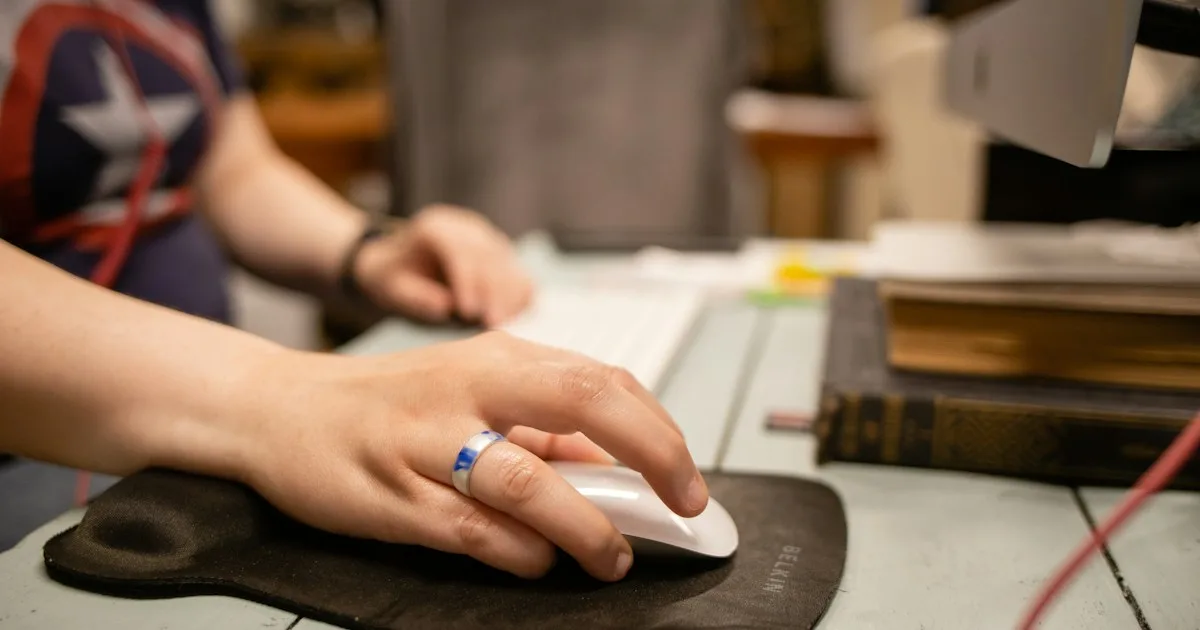
 Desk complementMROCO Ergonomic Mouse Pad with Gel Wrist Rest, BlackGel-cushioned mouse pad with a smooth Lycra surface and non-slip base. Keeps mouse comfort separate from your KeyRiser keyboard zone.View on AmazonPaid link
As an Amazon Associate I earn from qualifying purchases.
- Paper and screen compete for space. Case files, exhibit binders, notes and a second monitor often push the keyboard toward the front edge of the desk, where the wrists have no support and the shoulders round forward.
- Reading and typing alternate quickly. A lawyer highlights a clause, types a comment, scrolls a PDF, then returns to the document. The wrist moves between a flat typing position and a mouse or trackpad position dozens of times an hour.
- Deadlines compress recovery time. During a filing or closing, sessions get longer and breaks get shorter. Small awkward angles become noticeable by the end of the week.
None of this means legal professionals need a specialist keyboard. It means the keyboard should be stable, at a consistent angle, and positioned so the hands can return to the same neutral place after every interruption.
The 15-minute setup that works on a legal desk
Start with the chair and the documents, not with a new accessory.
- Set the chair height first. Feet flat, knees roughly level with the hips, shoulders relaxed. If the chair is too low, the wrists bend up to reach the keyboard; if it is too high, the shoulders lift.
- Put the keyboard in front of the letter keys, not the whole keyboard. Full-size keyboards with a numpad look centered when the case is centered, but the letters end up left of the body. Align the letter block with your sternum.
- Clear a real lane for the mouse. Do not let a document stack sit between the keyboard and the mouse. If the desk is narrow, move the paper file to a reading stand rather than pushing the keyboard away.
- Keep the elbows close to the body. The forearms should slope gently down or stay level. Reaching forward to type is a sign the keyboard is too far away.
- Check the wrist angle in a mirror or phone photo. The hand should be roughly in line with the forearm, not bent upward or twisted outward.
- Add angle only after the flat position is stable. A riser is useful when the keyboard sits flat and the wrists still extend upward, or when the front edge digs into the desk. It is not a substitute for chair height and distance.
The test is simple: type a real paragraph, then stop. If you have to lift your hands off the keyboard to reset your shoulders, the setup is still too far forward.
Where KeyRiser fits in a legal workspace
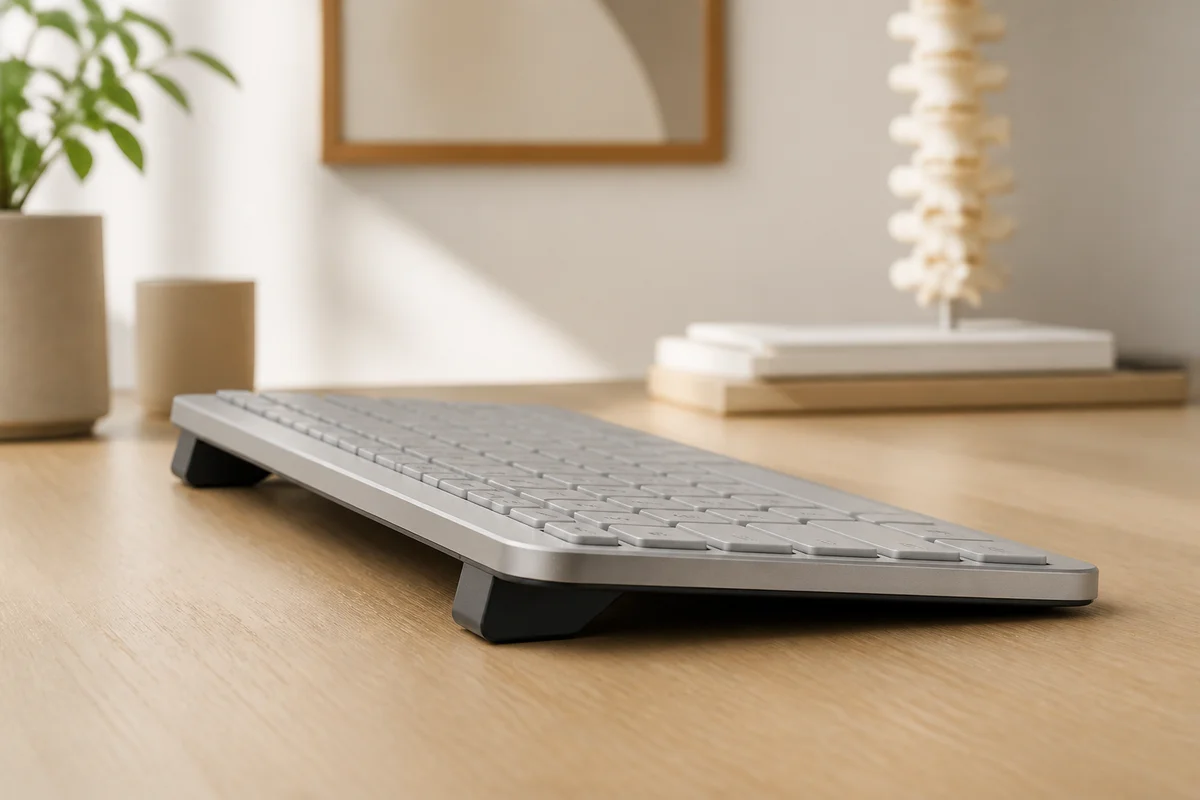
KeyRiser is a two-piece riser for the Logitech MX Keys, MX Keys S and MX Keys Mini. It lifts the rear edge of the keyboard to a fixed 15° angle. For legal professionals, the relevant advantages are consistency and a small footprint:
- The angle is the same every morning. Unlike a stack of books or a folded pad, the keyboard returns to the same position, which matters when you are switching between drafting and document review all day.
- The keyboard footprint does not grow. A full-size MX Keys with a numpad already takes up substantial desk space. KeyRiser sits under the existing keyboard rather than adding a tray.
- It keeps the ports and shortcuts accessible. The riser supports the rear edge without covering the top row or the USB-C port on supported models.
- It is model-specific. This is not a universal stand. Check that you own an MX Keys, MX Keys S or MX Keys Mini before buying; the compatibility page shows the fit.
If your desk is shared, hot-desked or used by more than one person, a fixed riser also removes the daily guesswork of rebuilding an improvised stack. That repetition is exactly where discomfort tends to start.
Documents, second screens and case files
The keyboard is only one part of a legal workstation. Three layout rules make the biggest difference:
- Put the document you are reading closest to the screen. A paper file placed beside the keyboard forces the eyes and neck to turn repeatedly. A reading stand or a document holder keeps the file upright and closer to eye level.
- Keep the second monitor for reference, not for typing. If you draft on the laptop and read on a second screen, put the keyboard in front of the screen you actually look at most.
- Do not use the wrist rest as a typing platform. A wrist rest supports the heel of the hand between bursts of typing. Resting the wrist on it while typing increases pressure on the carpal tunnel.
For legal research, the same principle applies to PDFs and browser tabs: the more windows you cycle through, the more the hand leaves the keyboard. Keyboard shortcuts help, but only if the keyboard stays in one predictable place.
Buying signals: when a riser is worth testing
A riser is worth a trial when several of these are true:
- Your wrists feel tired after a long document-review day even though the keyboard is flat.
- You regularly prop the back of the keyboard with a book, a notebook or a folded cloth.
- The front edge of the keyboard presses into your palm or wrist.
- You want a more neutral wrist position without replacing a keyboard you already like.
- You own an MX Keys, MX Keys S or MX Keys Mini and want a stable, removable accessory rather than a permanent desk modification.
A riser is not the right first purchase if the chair is far too low, the monitor is off to one side, or the keyboard is already at shoulder height. Fix those first. Ergonomics is a stack of small adjustments, and the keyboard angle is only one layer.
Common mistakes in law offices
- Centering the entire full-size keyboard. Align the letter block with the body and let the numpad sit to the right.
- Putting the keyboard on top of a paper stack. This creates an unstable surface and often raises the front edge as well.
- Buying a universal stand for an MX Keys. Fit matters. A loose stand lets the keyboard slide during fast typing.
- Ignoring the mouse hand. The wrist that hurts is not always the typing hand. Check mouse distance and shoulder position too.
- Waiting for pain before changing anything. Small adjustments are easier to evaluate before a busy filing period, not in the middle of one.
A realistic day with the setup
A simple routine makes the setup stick:
- Morning: clear the desk, put the keyboard in the same position, and start with the chair height you used yesterday.
- Mid-morning: stand up, roll the shoulders back, and check that the keyboard has not drifted toward the front edge.
- After lunch: reset the paper files and the mouse lane before the afternoon review block.
- End of day: put the keyboard back in its usual place and leave the riser attached, so tomorrow starts from the same baseline.
The goal is not a perfect posture held for eight hours. It is a setup that makes the neutral position the easy default, even when the day is busy.
Related KeyRiser resources
- Check current Amazon availability
- Confirm MX Keys, MX Keys S or MX Keys Mini fit
- Compare KeyRiser with a generic stand
- Read the keyboard ergonomics by job type guide
- See specifications and setup details
FAQ
Is KeyRiser compatible with the Logitech MX Keys S?
Yes. KeyRiser is designed for the Logitech MX Keys, MX Keys S and MX Keys Mini. It is not a universal stand, so check your exact model on the compatibility page before ordering.
Can a keyboard riser help with wrist pain from document review?
It can change the keyboard angle and may make a neutral wrist position easier to hold. It is not medical treatment, and individual results vary. Persistent pain, numbness or tingling should be assessed by a qualified healthcare professional.
Should lawyers use a wrist rest with a riser?
A wrist rest can support the heel of the hand between typing bursts, but it should not be used as a platform while actively typing. Keep the wrists floating or lightly supported, and avoid pressing the wrist into a hard edge.
Does a riser work on a shared or hot-desked office?
Yes, if the keyboard is yours or the office supplies the same supported model. A fixed riser is easier to reset than an improvised stack, but it is not a universal fit for every keyboard in a shared office.
Will a 15° angle feel too steep at first?
Some people notice the change immediately; others need a few short sessions. Start with 15–20 minutes of real typing, then increase gradually. If the angle feels aggressive, stop and reassess chair height and keyboard distance first.
Where should the keyboard sit relative to a second monitor?
Put the keyboard in front of the screen you look at most. If you draft on one screen and read on another, the drafting screen should own the keyboard lane, and the reference screen should sit to the side at a comfortable viewing angle.
This guide is educational content, not medical or legal advice. If pain, numbness, tingling, weakness or swelling persists, consult a qualified medical professional. Product availability, price and returns are controlled by Amazon.
Ready for a Better Typing Angle?
Check KeyRiser on Amazon and confirm compatibility with your MX Keys model.
Buy Now - $16.99Related Articles



Complete your MX Keys setup
KeyRiser first, then the desk complements
KeyRiser addresses keyboard angle. These recommendations cover adjacent setup needs without replacing it.
Complete your MX Keys setup
KeyRiser lifts your keyboard; these complements cover mouse, wrist, monitor, or desk support — they do not replace it.
 Desk complementRazer Gaming Mouse Bungee V3 ChromaWeighted mouse bungee with a flexible arm that keeps wired cables off the pad.View on AmazonPaid link
 Desk complementLogitech MX Palm RestThe official MX Keys palm rest. KeyRiser lifts the rear; this cushions contact — they do different jobs.View on AmazonPaid link
 Desk complementSushret Cloud Wrist Rest Keyboard, Cloud Wrist Pad Set with PU LeatherCloud-shaped PU-leather palm and mouse rests for a playful desk. Flat support in front of the keyboard; complements KeyRiser.View on AmazonPaid link
 Desk complementVANKEY Keyboard Wrist Rest, Memory Foam Keyboard Wrist PadLycra-covered memory-foam palm rest with anti-slip grip. Soft front-of-board support for an MX Keys setup on KeyRiser.View on AmazonPaid link
As an Amazon Associate, we earn from qualifying purchases.