
Broken Keyboard Feet? Definitive, More Stable Solutions
Broken keyboard feet? Guide with DIY fixes, a comparison table and the durable alternative: a 15° keyboard riser for MX Keys and similar keyboards today.
Broken Keyboard Feet? Definitive, More Stable Solutions
If you are reading this, one of your keyboard’s plastic feet has probably just snapped — or it has been held together with tape for weeks. This failure is far more common than it seems: the rear feet of premium keyboards use thin plastic hinges that crack with daily use, and when they break, they leave the keyboard lopsided, unstable, and at the wrong angle.
The good news is that you do not need to buy a new keyboard. In this guide you will see why feet break, what risks come from typing without them, and what the real solutions are — from DIY fixes to the definitive alternative: a fixed-angle keyboard riser that is more stable than the original feet.
Why Keyboard Feet Break
The rear feet of most keyboards share a fragile design: two small ABS plastic hinges that swing outward and click into a notch. That mechanism supports the keyboard’s weight every time you raise it, but it has three structural weaknesses:
- Thin, stressed plastic: the hinge works under constant tension, and the plastic becomes brittle over time, especially with temperature changes.
- Concentrated pressure points: the keyboard’s entire weight rests on two small points; when you type with force, the vibration and pressure eventually crack the notch.
- No official replacement: manufacturers do not sell spare feet. When one breaks, your only “official repair” is buying a whole new keyboard.
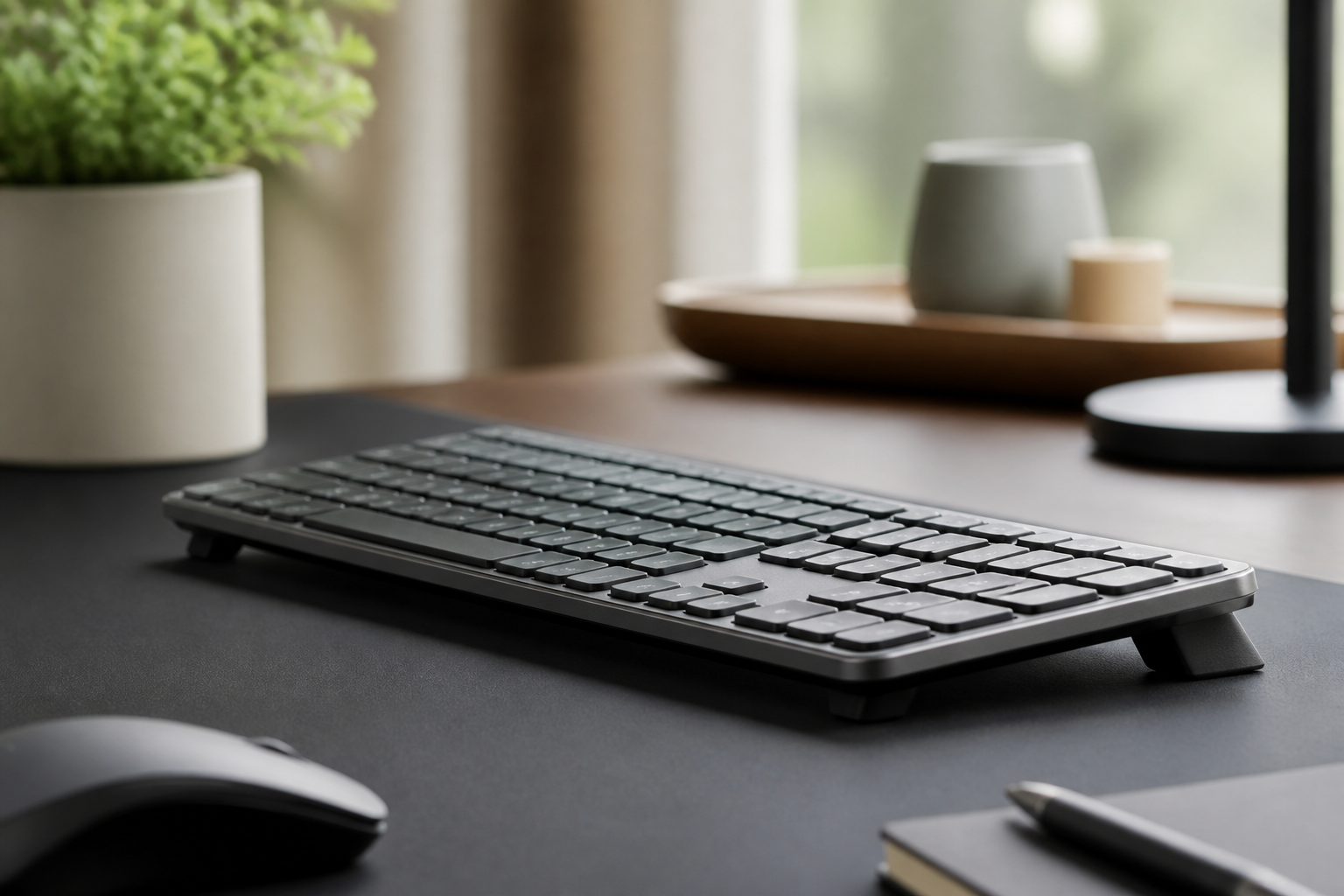
On low-profile keyboards like the Logitech MX Keys, MX Keys S, or MX Keys Mini the problem is even more common because the chassis is thin and the feet are proportionally smaller and more fragile.
The Risks of Typing Without Feet
It may seem like a minor problem, but a keyboard with a broken foot creates three real issues:
- Typing instability: the keyboard rocks on the broken foot, slides across the desk, and you lose accuracy. To compensate, your hands tense your shoulders and forearms without you noticing.
- Wrong, asymmetrical angle: with only one foot, the keyboard tilts to one side. That forces a twisted posture of wrists, forearms, and shoulders — different on each hand.
- Ergonomic risk: most keyboards are designed to be used flat or with the rear feet folded. Without feet, many users leave the keyboard completely flat, which on taller desks produces wrist extension — the posture most associated with pain, tingling, and carpal tunnel syndrome.
This is not an exaggeration: a broken foot is not just a cosmetic issue. It is a long-term health problem disguised as a minor annoyance.
DIY Fixes and Their Limits
Before spending money, it is natural to try fixing it with what you have at home. These are the most common DIY fixes and why none of them is a permanent solution:
Duct tape or superglue. It works for a few days, but the broken hinge stays under tension and the crack reappears. Glue hardens the plastic and makes it even more brittle.
Folded cardboard or erasers. They raise the keyboard, but they compress, slide, and create an imprecise tilt. A soft material under the keyboard also absorbs vibration, so you type on an unstable base.
Stacked coins or bottle caps. They are stable, but not non-slip: the keyboard slides on them, and the angle depends on how many coins you stack, not on your ergonomics.
Screws or wooden shims. They work better than cardboard, but they scratch the desk, have no grip, and are hard to adjust if you change desks.
None of these options solves the underlying problem: you need stable, non-slip elevation at an angle designed for your wrist — not an improvised patch.
Comparison: Options for Replacing Broken Keyboard Feet
| Solution | Stability | Non-slip | Ergonomic angle | Durability | Cost |
|---|---|---|---|---|---|
| No feet (flat keyboard) | Medium | — | Poor on tall desks | — | $0 |
| Tape / glue | Low | No | Not controlled | Days | ~$0 |
| Cardboard / erasers | Low | No | Not controlled | Weeks | ~$0 |
| Coins / bottle caps | Medium | No | Not controlled | Medium | ~$0 |
| Dedicated keyboard riser | High | Yes | Yes (10-15°) | Years | $10-30 |
The table makes it clear: only a dedicated riser solves all four variables at once. The rest are temporary fixes that end up costing more in annoyance than they save in money.
The Definitive Solution: A Fixed-Angle Keyboard Riser
A keyboard riser like the KeyRiser completely replaces the function of broken feet, but with a design the original feet never had:
- Solid construction: high-density 3D printing that does not crack or deform, unlike thin plastic hinges.
- Non-slip base: grippy rubber on the base keeps the keyboard fixed in place, even when typing fast or on standing desks.
- Fixed 15° ergonomic angle: the rear lift recommended by ergonomics research, not an arbitrary angle.
- No moving parts: with no hinges, there is nothing to break. It is a one-piece solution built to last.
- Exact compatibility: specific versions for the Logitech MX Keys, MX Keys S, and MX Keys Mini, with the precise dimensions of each model.
In practice, users who have broken their keyboard feet describe the change as going from “a lopsided keyboard” to “a keyboard that finally feels solid.” On top of that, you solve the ergonomic problem you probably had without knowing it: wrist extension from typing on a flat keyboard or one raised at the back.
How to Choose the Right Solution for Your Keyboard
Not every riser works with every keyboard. Before buying, check three things:
- The angle: look for a 10-15 degree tilt, the range research associates with lower carpal tunnel pressure. Generic risers usually give 4-8 degrees, which is not enough.
- The fit: a riser designed for your specific model (dimensions, depth, foot position) is always more stable than a universal one.
- The grip: the base must be non-slip. A smooth riser on a polished desk slides exactly like a broken foot.
If your keyboard is an MX Keys or MX Keys Mini, the choice is direct: the KeyRiser is built with the exact measurements of those models and the 15-degree angle backed by OSHA and NIOSH studies and OSHA guidelines. If you use another keyboard, look for a riser with the same three characteristics.
Frequently Asked Questions
Can a broken keyboard foot be repaired?
Yes, but no DIY repair is permanent. Gluing or reinforcing the broken hinge usually lasts a few days or weeks because the plastic stays under tension. The durable solution is to replace the feet’s function with a fixed-angle keyboard riser, which also improves ergonomics with a 15-degree rear lift.
Is it bad to use the keyboard without feet?
Not necessarily — it depends on your desk height. If your desk is low and your forearms stay parallel to the floor with the keyboard flat, it is acceptable. But if the flat keyboard forces your wrists to bend upward (wrist extension), you are accumulating tension on the median nerve. In that case, a 10-15° rear lift is recommended.
Can I use a keyboard riser with any keyboard?
Universal risers work with many keyboards, but stability depends on the fit. A riser designed for the exact dimensions of your keyboard (like the KeyRiser for MX Keys, MX Keys S, and MX Keys Mini) stays fixed and does not slide, while a generic one may be too short or too wide and move while typing.
Is it worth buying a new keyboard over a broken foot?
In most cases, no. A keyboard with a broken foot is perfectly functional; the problem is stability and angle. For under $30, a keyboard riser solves both and adds an ergonomic improvement the original keyboard never had. Buying a new keyboard only makes sense if you also wanted to upgrade models.
Conclusion: More Stable Than the Original Feet
A broken keyboard foot is not the end of your keyboard. It is the moment to leave fragile plastic hinges behind and move to a solution built to last: a fixed-angle riser with a non-slip base and the correct ergonomic tilt.
The essentials in summary:
- Original feet break by design: thin plastic, constant tension, and no official spare parts.
- Continuing to type with a broken foot causes instability, an asymmetrical angle, and wrist pain risk.
- DIY fixes (tape, cardboard, coins) are temporary and imprecise.
- A dedicated 10-15° riser is the only stable, non-slip, ergonomic option.
If your keyboard is a Logitech MX Keys, MX Keys S, or MX Keys Mini, the KeyRiser is designed exactly for your model: high-density 3D printing, non-slip rubber base, and the 15-degree angle backed by ergonomics research. It costs less than a dinner out and lasts longer than the keyboard itself.
Related articles you might find helpful:
- Do Keyboard Risers Really Work?
- Keyboard Riser vs Wrist Rest: Complete Comparison
- 3 Months Using KeyRiser: Real Experience
- Carpal Tunnel Prevention Guide
Ready for a Better Typing Angle?
Check KeyRiser on Amazon and confirm compatibility with your MX Keys model.
Buy Now - $9.99Related Articles

Complete your MX Keys setup
KeyRiser first, then the desk complements
KeyRiser addresses keyboard angle. These recommendations cover adjacent setup needs without replacing it.