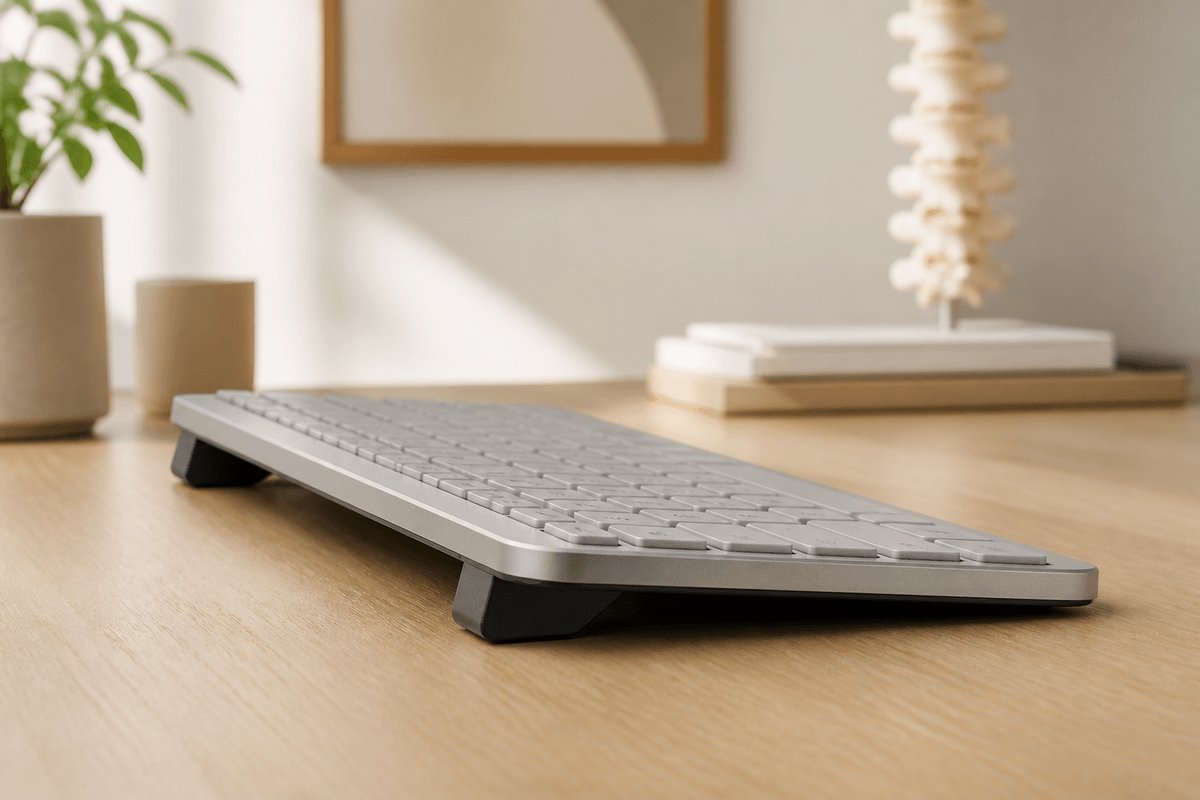
Flat Keyboard Position and Wrist Pain: What Research Says
Learn how keyboard position affects wrist comfort, what OSHA and Cornell guidance recommends, and how to test a neutral setup without overclaiming medical benefits.
Why Your Keyboard Position Matters More Than You Think: The Science of Negative Tilt
A keyboard should let you type with relaxed shoulders, level forearms, and wrists that are not forced sharply upward or downward. A flat setup works for some desks; others benefit from testing a modest rear lift. If you spend several hours a day typing, your keyboard’s angle is worth checking before buying another keyboard. Most of us just place it on the desk and start working.
But it turns out that your keyboard position can have a significant impact on wrist comfort, and there’s serious scientific research to back this up.
What OSHA and NIOSH Research Says
OSHA and NIOSH’s Human Factors and Ergonomics Laboratory has extensively studied keyboard positioning. Their findings are revealing.
The Honeywell Study
In a study conducted with 38 Honeywell Inc. employees, ergonomic researchers found that workers using rear-lift keyboard platforms (where the back of the keyboard is lower than the front) maintained their hands in safe positions 67% of the time.
In comparison, workers using other configurations only achieved safe positions between 28% and 42% of the time.
The Low-Risk Zone
Professor Alan Hedge, an ergonomics specialist at OSHA and NIOSH, published research in the journal Ergonomics demonstrating that keyboards on lowered trays with a gentle rear lift place 60% more typing movements within a low-risk zone for wrist problems, compared to keyboards on desktops.
Specific Laboratory Data
ergonomic laboratory measurements showed that a conventional keyboard on a rear-lift tray produced the lowest wrist extension of all conditions tested: only 2 degrees in the left hand and -2 degrees in the right (essentially neutral).
Electromyography (EMG) data also showed that muscle activity in the trapezius and front deltoid muscles was lower with the rear-lift configuration compared to keyboards on desktops.
Official Recommendations
OSHA Guidelines
The U.S. Occupational Safety and Health Administration (OSHA) provides clear guidelines on keyboard ergonomics:
“Shoulders should be relaxed, and wrists should not bend up or down or to either side during keyboard use.”
OSHA also specifically warns:
“Do not use keyboard feet if they increase bending of the wrist.”
Those little flip-out feet that come on the back of most keyboards? OSHA suggests they can be counterproductive if they cause your wrists to bend upward.
OSHA and NIOSH Guidelines
According to the OSHA and NIOSH ergonomic Web workstation guides, using an external keyboard on a rear-lift tray is a “gold standard” recommendation for preventing computer-related strain.
OSHA and NIOSH specifically advises never using the legs that many keyboards have attached to the upper part of their bottom surface, as doing so would place the keyboard at a positive slope, which should be avoided.
Why Neutral Position Matters
When you type with wrists bent upward (which happens with flat keyboards on high desks or with keyboard feet deployed), several things occur:
- Tendons and their sheaths bend around the wrist bones
- Tendons can rub against bones and ligaments, which can lead to irritation
- Swelling within the carpal tunnel can restrict nerves and blood vessels
- Non-neutral postures can stretch tendons, blood vessels, and nerves over ligaments or bones
The neutral position—where your wrist forms a relatively straight line with your forearm—minimizes these issues.
The Reality About Carpal Tunnel Syndrome
Let’s be honest about something important: the relationship between keyboard use and carpal tunnel syndrome (CTS) is more complex than many articles suggest.
What Research Says
A systematic review published in BMC Musculoskeletal Disorders concluded that evidence is “insufficient to conclude that computer work causes CTS.” Carpal tunnel syndrome has multiple risk factors, including:
- Age
- Sex (more common in women)
- Obesity
- Medical conditions such as diabetes
- Previous wrist trauma
What We DO Know
Although direct causality is debated, what is well-established is that:
- Neutral wrist position is more comfortable during long typing sessions
- Negative tilt reduces wrist extension in measurable ways
- Lower muscle tension is recorded with proper ergonomic configurations
- OSHA and OSHA and NIOSH guidelines recommend avoiding bent wrist postures
You don’t need to believe your keyboard will cause you serious injury to benefit from a more comfortable position.
The Practical Solution
The good news is that improving your keyboard ergonomics doesn’t require expensive equipment or complicated changes.
What You Need
The goal is to achieve a rear lift of approximately 10-15 degrees—where the back of your keyboard is slightly lower than the front, or at least at the same level.
Options
-
Adjustable keyboard tray: The “gold standard” solution according to OSHA and NIOSH, but can be expensive and requires installation.
-
Dedicated keyboard riser: Products like KeyRiser are specifically designed to provide the correct rear lift angle for around $10.
-
Temporary solution: You can experiment by placing something under the front of your keyboard to raise it slightly and see if you notice a difference in comfort.
What to Avoid
-
Keyboard feet: Contrary to popular intuition, deploying the rear keyboard feet creates stock feet, the opposite of what’s recommended.
-
Wrist rests during active typing: OSHA notes that wrist rests are designed for resting between typing sessions, not during. Applying pressure to the carpal tunnel area while typing can be counterproductive.
How to Evaluate Your Current Setup
Take this quick test:
- Sit in your normal working position
- Place your hands on your keyboard as if you were going to type
- Observe the angle of your wrists:
- Are they bent upward? → You need to adjust
- Do they form a relatively straight line with your forearms? → Good position
If you notice your wrists bending upward, consider:
- Lowering your desk or chair height
- Using a keyboard tray
- Using a keyboard riser with rear lift
Benefits Beyond Comfort
ergonomic research also found some interesting secondary benefits:
- Improved typing speed: Study subjects showed speed improvements with proper positioning
- Reduced errors: Error rates also decreased
- Less fatigue: Reports of less tiredness at end of day
These benefits make sense: when your body isn’t compensating for an uncomfortable position, it can focus better on the task.
Conclusion
You don’t need to believe alarming statistics to take your keyboard ergonomics seriously. Research from respected institutions like OSHA and NIOSH and OSHA guidelines offer clear evidence-based recommendations.
Negative keyboard tilt:
- Reduces wrist extension
- Decreases muscle tension
- Is recommended by ergonomics experts
For about $10 and a minute of setup, you can implement what research suggests as a more comfortable typing configuration.
It’s not a checkout support against injury—no product can honestly promise that—but it’s a simple adjustment backed by real science.
Want to try rear lift? KeyRiser on Amazon for $9.99 →
A small change backed by OSHA and NIOSH research.
Frequently Asked Questions
Q: Is this really backed by scientific research?
A: Yes. The studies cited come from OSHA and NIOSH’s Human Factors and Ergonomics Laboratory, and the guidelines are from OSHA. You can verify the sources directly at ergo.human.cornell.edu and osha.gov.
Q: Does a flat keyboard cause carpal tunnel syndrome?
A: The relationship is complex. Systematic reviews indicate that evidence is insufficient to conclude that computer use causes carpal tunnel syndrome. However, neutral wrist position is more comfortable and reduces measurable tension in muscles and tendons.
Q: What tilt angle is correct?
A: ergonomic research used approximately 12 degrees of rear lift. The generally recommended range is 10-15 degrees. More than 25 degrees could create opposite problems.
Q: Shouldn’t I use my keyboard feet?
A: According to OSHA and NIOSH, no—if they increase upward wrist bending. The feet create stock feet, the opposite of what’s recommended.
Q: Does a wrist rest help?
A: Depends on how you use it. OSHA indicates that wrist rests are designed for resting between typing periods, not during. Your hands should move freely and be elevated above the wrist rest while actively typing.
Q: How quickly will I notice a difference?
A: Varies by person. Some people notice greater comfort immediately; others after a few days of adaptation. If you have existing discomfort, also consider consulting with a health professional.
Related Reading
- Keyboard Tilt Angle Science: Why 15 Degrees is Optimal
- keyboard ergonomics: Complete Guide
- Repetitive Strain Injury Prevention Guide
- Why Keyboard Ergonomics Matter for Your Health
Sources
Ready for a Better Typing Angle?
Check KeyRiser on Amazon and confirm compatibility with your MX Keys model.
Buy Now - $9.99