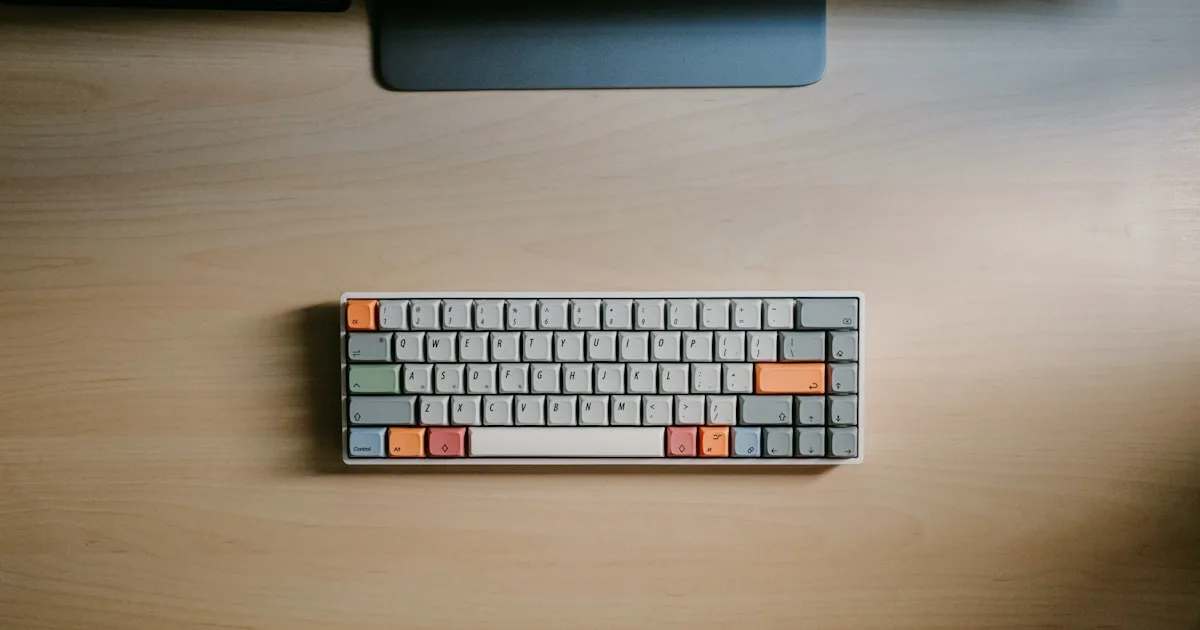
Negative vs. Positive Keyboard Tilt: Which Angle Supports Comfortable Typing?
Negative or positive keyboard tilt? Biomechanical analysis, research findings, and how to achieve a neutral 15° angle with KeyRiser for safer typing today.
Negative Tilt vs. Positive Tilt Keyboards: Which Keyboard Positioning and Typing Comfort?
Almost every keyboard comes with fold-out rear feet that raise the back edge. It is the default adjustment most people flip open without thinking — and according to ergonomics research, it may be the worst possible angle for your wrists. The question that separates people who develop wrist pain from those who don’t is simple: which way should your keyboard tilt?
The short answer: rear lift (rear edge raised above the front) is what the evidence associates with less carpal tunnel pressure, while stock feet (the rear-feet angle) increases wrist extension, the most studied risk factor in typing injuries. In this guide you’ll see the biomechanics, the studies, and how to apply the correct angle.
What Keyboard Tilt Means
Tilt is measured by the relative position of the front edge versus the back edge:
- Positive tilt: the back edge is higher than the front (rear feet deployed or keyboard propped up at the back). Your wrists bend upward to reach the keys.
- Flat keyboard: both edges at the same height. A neutral starting point, but not always enough.
- Negative tilt: the rear edge is raised above the front, with the keyboard sloping down and away from you. Your wrists stay aligned with your forearms.
The word “negative” sounds worse than it is: it is the tilt that brings your wrists closest to neutral — the same position they would take hanging relaxed at your sides.
What Happens to Your Wrist with Each Tilt
When your hand is in a neutral position, your wrist forms a straight line with your forearm. Any sustained deviation from that line compresses the tissues of the carpal tunnel — the narrow channel through which the median nerve and flexor tendons pass.
With stock feet (rear feet): your wrists extend upward. Biomechanics studies measure 25-35 degrees of extension with positively tilted keyboards, and pressure inside the carpal tunnel rises proportionally. That pressure, held for hours, is the most documented mechanism behind tingling, numbness, and carpal tunnel syndrome in people who type.
With rear lift: your wrists return toward the neutral line (0-10 degrees). The forearm muscles that hold the wrist up work less, and the hand sits closer to its resting line. The result is not just comfort — it is less fatigue at the end of the day.
The difference is not theoretical. When researchers measured pressure inside the carpal tunnel with sensors, rear lift reduced it by up to 40% compared with stock feet.
The Trap of Keyboard Rear Feet
It is worth understanding why rear feet exist if they are so harmful. They were designed in the typewriter era, when the mechanics demanded that posture, and they have persisted out of inertia. Today they serve no ergonomic purpose: they only raise the edge that shouldn’t be raised.
The problem is that rear feet create exactly the angle modern ergonomics advises against:
- They push the wrist into extension, the highest-risk posture.
- They raise the back edge, while the front edge — the one that should be higher — stays flat on the desk.
- They combine badly with wrist rests: resting an extended wrist on gel compresses the carpal tunnel from below, making the problem worse.
That is why ergonomists explicitly recommend folding the rear feet and raising the front edge instead. It is the single-action adjustment that changes your typing posture the most.
What the Evidence Says
Research on keyboard tilt is among the most solid in office ergonomics:
- OSHA and NIOSH (Human Factors and Ergonomics Laboratory): Dr. Alan Hedge’s studies show rear lift reduces wrist extension and maintains typing performance. Extension above 15 degrees is associated with a significant increase in repetitive strain injury risk.
- OSHA guidelines: the Occupational Safety and Health Administration recommends positioning the keyboard so wrists stay straight and neutral, which typically requires rear lift.
- Direct pressure measurement: studies with intracarpal pressure sensors confirm reductions of up to 40% in carpal tunnel pressure with negative versus stock feet.
- Electromyography (EMG): muscle activity in the forearm extensors drops by around 30% with rear lift, which translates to less fatigue in long sessions.
The consensus is consistent: rear lift is the safest for the majority of computer users.
Comparison: Positive Tilt vs. Negative Tilt
| Aspect | Positive tilt (rear feet) | Negative tilt (front raised) |
|---|---|---|
| Wrist position | 25-35° extension | Neutral or near-neutral (0-10°) |
| Carpal tunnel pressure | High | Up to 40% lower |
| Median nerve | Compressed | Decompressed |
| Forearm fatigue | High | ~30% lower |
| Typing speed | Unchanged | Unchanged after adaptation |
| Ergonomic recommendation | Discouraged | Recommended (OSHA, OSHA and NIOSH) |
When Negative Tilt Isn’t Enough
Negative tilt is necessary, but it is not sufficient on its own. Three situations deserve attention:
Desk too high. If your desk forces you to shrug your shoulders, no keyboard angle compensates. Adjust seat height first or use a footrest; the keyboard should sit at or slightly below elbow height.
Keyboard trays. On trays under the desk, rear lift may require a 25-30 degree angle, too steep. In that case, aim for the flattest neutral position possible.
Standing desks. When standing, your arm naturally hangs down and your wrist tends to extend. Negative tilt helps, but you must make sure the surface height allows forearms parallel to the floor.
In all cases, keyboard tilt is one piece of the system: monitor at eye level, elbows at 90 degrees, a chair with lumbar support, and regular breaks.
How to Achieve the Right Negative Tilt
There are several ways to achieve a 10-15 degree rear lift:
- Fold the rear feet: the first step, always.
- Raise the front edge: with books, wedges, or a dedicated riser. Books are free but unstable and unsightly; generic wedges usually give 4-8 degrees, which is not enough.
- Use a dedicated 15-degree riser: the KeyRiser raises the front edge of the Logitech MX Keys, MX Keys S, and MX Keys Mini to the 15 degrees cited in the research, with an anti-slip base that keeps the angle fixed through hours of typing.
The rule of thumb: if your wrists bend upward when you type, your keyboard is at the wrong angle. The correct adjustment is the one that leaves your wrist aligned with your forearm.
FAQ
Is positive or negative keyboard tilt better?
Negative tilt. Raising the front edge of the keyboard keeps your wrists aligned with your forearms and reduces carpal tunnel pressure by up to 40%, according to studies with direct measurement. Positive tilt (rear feet) forces wrist extension, the posture associated with pain, tingling, and carpal tunnel syndrome.
Should I use the keyboard’s rear feet?
Not if your goal is ergonomics. Rear feet create stock feet, which extends your wrists. The recommendation from OSHA and ergonomics research is to keep wrists straight and neutral, which you achieve by folding the rear feet and raising the front edge of the keyboard.
What is the ideal keyboard tilt angle?
Research points to a 10-15 degree rear lift for most users. Below that, the effect on the wrist is minimal; above that, the keyboard becomes uncomfortable and can strain your shoulders. Generic risers usually offer 4-8 degrees; specific ones like KeyRiser offer the recommended 15 degrees.
Does rear lift affect my typing speed?
Not in the long run. After a short adaptation period of 3-7 days, speed and accuracy return to normal levels, and some users even improve because they type with less fatigue. OSHA and NIOSH’s research confirms that rear lift does not penalize performance.
Conclusion: How Keyboard Angle Affects Typing Comfort
The choice between positive and rear lift is not a matter of taste: it is one of the ergonomic decisions with the most evidence behind it. Your keyboard’s rear feet are creating the wrist posture that research associates with typing injuries. A 10-15 degree rear lift is what keeps your median nerve decompressed and your forearms relaxed.
The change is cheap and reversible: fold the rear feet, raise the front edge, and check that your wrist is aligned with your forearm. For Logitech MX Keys, MX Keys S, and MX Keys Mini users, the KeyRiser makes that adjustment permanent: 15 degrees of rear lift, an anti-slip base, and a build that won’t break. It’s the difference between a keyboard that tires you out and one that works with you.
Related articles you may find useful:
Ready for a Better Typing Angle?
Check KeyRiser on Amazon and confirm compatibility with your MX Keys model.
Buy Now - $9.99Related Articles


Complete your MX Keys setup
KeyRiser first, then the desk complements
KeyRiser addresses keyboard angle. These recommendations cover adjacent setup needs without replacing it.