
Minimalist Desk Setup: Raise Your Keyboard Without Clutter
Create a cleaner minimalist desk without sacrificing keyboard stability. Use a riser, simple cable planning, and ergonomic checks that work daily. Every day.
Minimalist Desk Setup: Raise Your Keyboard Without Clutter
A minimalist desk is not an empty desk. It is a desk where every visible object has a job, every cable has a route, and the keyboard stays comfortable to use after the first photograph. If you want to raise a Logitech MX Keys without making the workspace look improvised, start with the keyboard’s footprint, the screen position, and the space your hands actually need.
This guide builds a clean setup around three principles: remove objects that do not solve a problem, choose accessories that perform one clear function, and keep enough open space to move naturally. A keyboard riser can support the visual and ergonomic goals, but only if it is stable and compatible with the keyboard.
Minimalism starts with measurements
Before buying another accessory, measure four things:
- Desk width and depth.
- Distance from the front edge to the monitor.
- Keyboard width and depth.
- The clearance needed for your mouse, notebook, or other daily tools.
A riser that overhangs the desk or pushes the keyboard into the mouse area creates clutter even if the product itself looks sleek. Use painter’s tape to mark the keyboard footprint for one day. If the tape outline already feels cramped, rearrange the desk before adding height.
The keyboard should remain close enough for relaxed shoulders and should be centered with your body. The monitor can move back on an arm or stand to free depth, but do not push the keyboard forward until your forearms have to reach.
The visual role of a keyboard riser
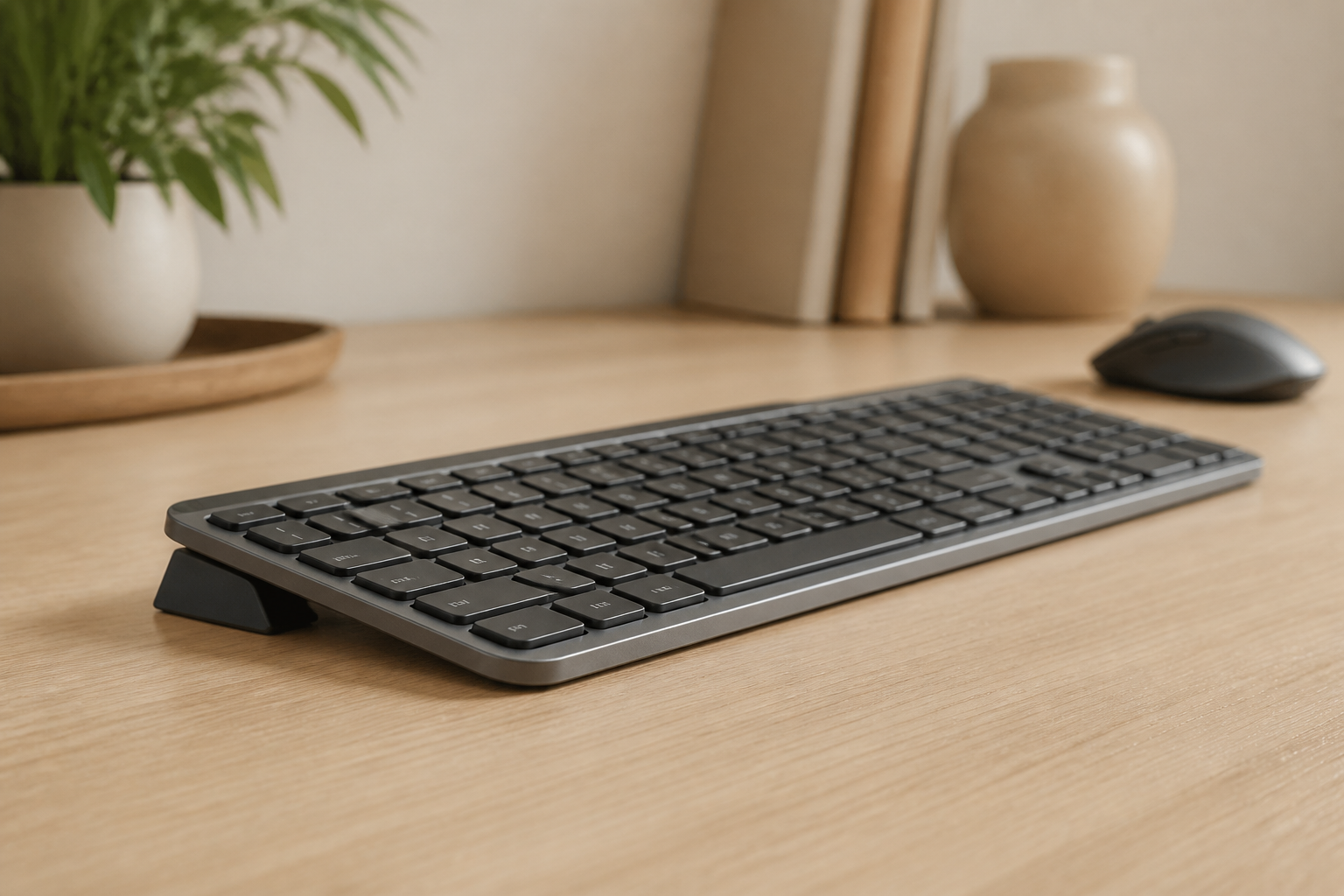
A keyboard riser changes one visible object while removing the need for books, folded cardboard, or a large adjustable platform. For compatible Logitech MX Keys, MX Keys S, and MX Keys Mini models, KeyRiser provides a fixed 15° rear lift through a compact pair of riser feet.
That fixed geometry can make a minimalist desk easier to maintain: the keyboard returns to the same position, the angle does not depend on a temporary stack, and the accessory has a defined footprint. The goal is not to make the riser the focal point. It should disappear into the logic of the desk.
Do not choose an accessory only because it appears in a clean desk photo. Confirm the exact keyboard model, the contact points, the final angle, and whether the support stays stable while typing. A beautiful object that rocks is not a minimalist solution; it is a recurring distraction.
A simple layout that works
1. Keep the monitor in the visual center
Place the primary screen directly in front of you. If you use a second screen, angle it toward you and decide which one is primary before arranging the keyboard. The keyboard should follow your body, not the outer edge of a multi-monitor row.
2. Create a keyboard zone
Leave a clear rectangle for the keyboard and mouse. Do not place a phone stand, notebook, plant, or charging dock inside that rectangle. The open area is part of the ergonomic design, not wasted space.
3. Route cables behind the work zone
Bundle only the cables that travel together. Use clips or a sleeve at the back edge of the desk, leaving enough slack for charging and cleaning. Do not pull cables tight across the keyboard or mouse path.
4. Give the riser a stable base
Place the riser on a clean, level surface. Dust, crumbs, and soft desk mats can reduce stability. If the keyboard rocks, remove it and inspect the contact points rather than adding random material underneath.
5. Keep one object for one function
A monitor arm raises the screen. A keyboard riser changes keyboard geometry. A lamp lights the work area. Avoid stacking products that duplicate the same function unless the dimensions require it.
Ergonomics without visual noise
A clean desk should still support a comfortable working posture. Use the side-view check below:
- Shoulders relaxed rather than lifted.
- Elbows near the sides and roughly bent at a right angle.
- Keyboard close enough that the forearms do not reach forward.
- Wrists able to stay in a straight, comfortable line while typing.
- Screen positioned so you do not lean forward to read.
- Feet supported by the floor or a stable footrest.
These are starting points, not a medical prescription. The OSHA computer workstation guidance explains why workstation components should be adjusted together rather than judged in isolation.
If a 15° rear lift makes the keyboard too high for your desk, adjust the chair or desk first when possible. If the setup still feels wrong, reduce the angle or remove the accessory. Minimalism includes keeping only what helps.
Materials, color, and visual consistency
Use a small material palette. A black keyboard, dark monitor arm, and matte black riser usually create a quiet visual line. A wood desk can support a warmer palette, but avoid adding a different finish for every accessory.
The most important material property is not the color: it is the contact with the desk and keyboard. Look for a stable surface, smooth edges, and a design that does not require tape or glue for normal use. The underside should not mark the desk, and the keyboard should not slide during ordinary typing.
When buying a 3D-printed accessory, check that the product page states the material and intended models. “3D printed” describes a manufacturing method, not automatic quality. Fit, layer integrity, surface finish, and support design matter more than the label alone.
The 15-minute declutter protocol
- Remove everything that has not been used in the last workday.
- Put the keyboard and mouse in their natural typing position.
- Mark the screen, lamp, and notebook positions with small pieces of tape.
- Route cables behind the monitor or along the rear desk edge.
- Add the riser only after the keyboard zone is clear.
- Type a normal task for fifteen minutes.
- Remove or move any object that makes you reach, twist, or raise a shoulder.
- Take one photo from the front and one from the side for future resets.
The photos are useful when you clean the desk or work from another room. A minimalist setup is easier to maintain when it has a repeatable reset point.
Common aesthetic mistakes
Buying a large platform to solve a small angle problem. A full tray may consume valuable depth. Use the smallest stable solution that meets your needs.
Hiding cables by creating tension. A cable that is invisible but pulls the keyboard is not organized. Leave working slack.
Copying a photo instead of the workflow. A desk designed for a photographer may not suit a programmer or writer. Design around your tasks.
Adding a wrist rest automatically. A wrist rest can be useful during pauses, but it should not force your hands into a fixed position while typing. Test it instead of treating it as mandatory.
Optimizing for zero objects. Removing a lamp, foot support, or external keyboard can make the desk less usable. Minimalism is functional, not punitive.
Is KeyRiser right for a minimalist desk?
KeyRiser makes sense when you use a compatible Logitech MX Keys model and want a compact, fixed-angle accessory rather than improvised supports or a large adjustable platform. It is not the correct choice for every keyboard, and a clean design does not remove the need to check height and stability.
Review KeyRiser compatibility and current availability. For the larger setup, read the keyboard riser buying guide and the MX Keys ergonomic setup guide.
Frequently asked questions
Can I keep a minimalist desk with a keyboard riser?
Yes. Choose a compact, model-specific riser and remove temporary supports such as books or loose wedges. Keep the keyboard zone clear so the accessory serves one visible purpose.
Does a riser make the keyboard too tall?
It can, depending on desk and chair height. Test the complete setup from the side. If your shoulders lift or elbows move away from your body, adjust the workstation or use a different angle.
What should I do with cables?
Route them along the rear or underside of the desk with enough slack for movement and cleaning. Never pull a charging cable tight across the typing area.
Is a wrist rest necessary in a clean setup?
No. It is optional and should not be used to hide a poor keyboard height. Try typing and resting separately; keep it only if it improves your actual workflow.
Is a minimalist setup better for health?
Not automatically. Minimalism reduces visual and physical clutter, but comfort depends on the complete arrangement, work habits, and regular changes of position.
This article is educational and is not medical advice. If pain, numbness, tingling, or weakness persists, consult a qualified health professional.
Sources
Ready for a Better Typing Angle?
Check KeyRiser on Amazon and confirm compatibility with your MX Keys model.
Buy Now - $9.99Related Articles


Complete your MX Keys setup
KeyRiser first, then the desk complements
KeyRiser addresses keyboard angle. These recommendations cover adjacent setup needs without replacing it.