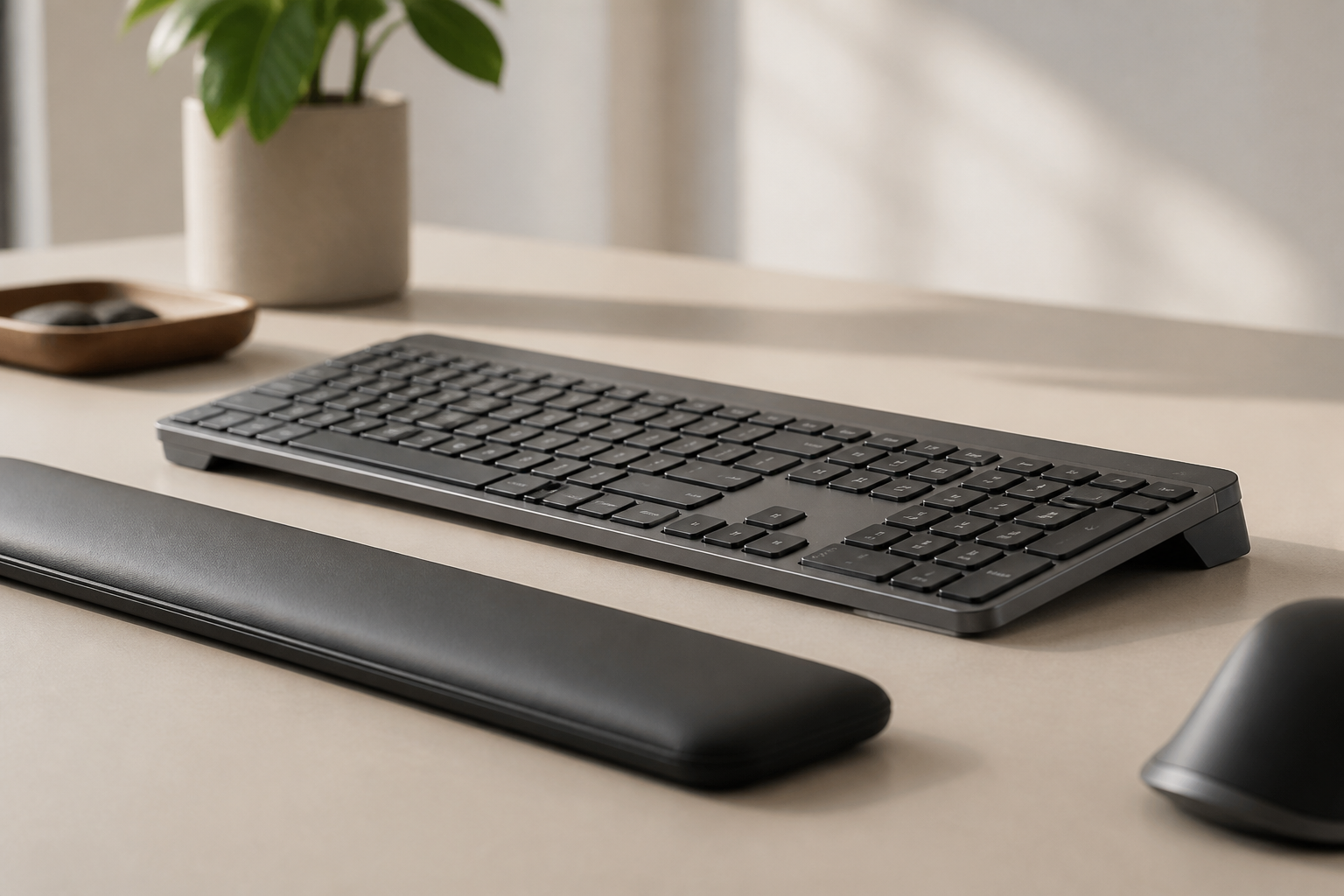
KeyRiser White Edition: Coming Soon to Amazon
KeyRiser is coming in Arctic White — a clean new finish for light and minimalist desks. Be the first to know when the White Edition launches on Amazon.
KeyRiser White Edition: Coming Soon to Amazon
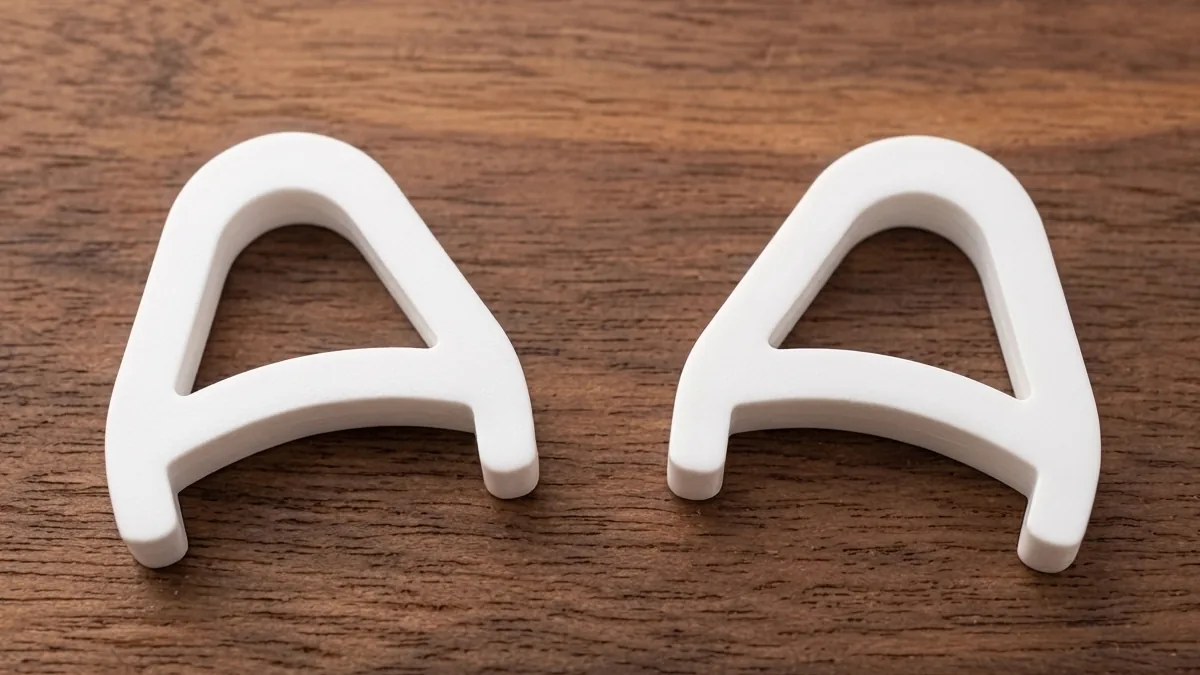
We are happy to share the news many of you have asked for: KeyRiser is coming in Arctic White. The White Edition keeps everything you already know — the ergonomic 15-degree angle, the stable non-slip base, the tool-free installation — in a clean new finish designed for light and minimalist desks. The launch is coming soon on Amazon, and this article tells you everything we can share right now.
Why white?
Since KeyRiser launched, the most requested addition has been a lighter color. The classic black finish fits dark and industrial setups perfectly, but a growing number of workspaces are bright, Scandinavian, or minimal — white desks, light wood, natural light. An all-black accessory can feel like the one wrong note in an otherwise light room.
Arctic White answers that. It is a warm, matte white that blends with white and light-gray desks, white and silver keyboards such as the Logitech MX Keys in its light variants, and bright home offices. If your setup is clean and bright, the White Edition is designed to disappear into it — quietly doing its ergonomic job without fighting the aesthetic.
Everything you already love, unchanged
The White Edition is not a redesign; it is a new finish of the same product. That means:
- The same 15-degree rear lift, the angle range most commonly recommended to bring your wrists closer to neutral while typing.
- The same precision fit for the Logitech MX Keys, MX Keys S, and MX Keys Mini.
- The same stable, non-slip base, so your keyboard stays put even during long typing sessions.
- The same instant installation — place it under your keyboard, no tools, no adhesive, no setup time.
- The same quality materials and finish standards you expect from KeyRiser.
If you already know how KeyRiser feels under the MX Keys, you already know exactly what the White Edition will feel like. The only difference is the color.
Who is the White Edition for?
Arctic White is the right choice if:
- Your desk is white, light wood, or light gray. The white finish matches instead of contrasting.
- You have a light-colored keyboard. Silver, white, or light-gray Logitech MX Keys variants pair naturally with it.
- Your home office is bright or minimal. If your room leans Scandinavian or clean and simple, white keeps the visual weight off your desk.
- You want the ergonomics without the “gaming gear” look. Some risers read as dark plastic tech; the White Edition reads as a considered piece of the desk.
If your setup is dark or you prefer the classic look, the black KeyRiser is not going anywhere — it remains the standard option in the lineup.
And this one is personal for us: many of you already use the MX Keys or MX Keys Mini in a light or white finish, and you told us that a black riser was the last dark object left on your desk. That is a big part of why Arctic White exists — we did not forget you. One thing is worth repeating, though: none of this is mandatory. Every KeyRiser color fits every supported model, so whichever MX Keys you own — black or white — you can pick the color you like best.
What Arctic White looks like in practice
A few details worth knowing before you decide whether white is your color:
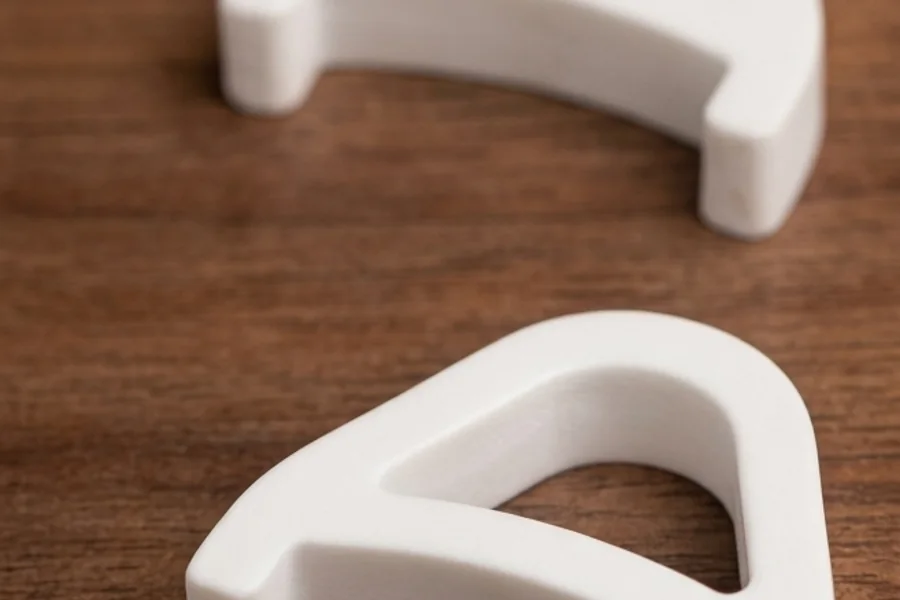
- Matte, not glossy. Arctic White uses a matte finish, so it does not glare under bright desk lamps or window light, and fingerprints are far less visible than on a glossy surface.
- Warm, not clinical. It is a soft, warm white rather than a stark, hospital-style white, so it fits comfortably next to light wood and beige tones without looking cold.
- Pairs with light keyboards and desks. If your MX Keys is the silver or light variant and your desk is white or light wood, the white edition blends with the whole setup instead of sitting on top of it as a dark block.
- Hides dust about as well as any light surface. Light surfaces ask for the same occasional wipe as the rest of your desk — nothing special, just normal care.
If you are torn between colors, picture the corner of your desk where the riser will live. Arctic White is for bright, airy, minimalist spaces. The classic black remains the safer choice for darker or busier setups, or when you want the riser to visually anchor the keyboard.
How we chose Arctic White
Choosing a color sounds easy until you look at what white actually means: there are dozens of whites, and most of them disagree with each other. We tested a range of finishes and tints before settling on Arctic White, and the criteria were straightforward:
- It had to sit naturally next to white and light-gray desks without looking like a plastic afterthought.
- It had to match the light variants of the Logitech MX Keys family without clashing.
- It had to keep the same durability and easy-to-clean surface as the black edition.
- It had to photograph well in bright, natural light — the kind of light most white home offices actually have.
The name came from the same place as the color: clean, bright, and a little bit Scandinavian. Arctic White is not a one-off novelty finish — it is a considered addition to the lineup, and we expect it to become the preferred option for light desks.
What to do while you wait
If the White Edition is exactly what you have been waiting for, there are still useful things you can do today:
- Measure your desk setup. Check whether your desk height and chair height put your elbows at a comfortable angle — the riser works best when the rest of the setup is already close.
- Confirm your keyboard model. The White Edition fits the same family as the black version: MX Keys, MX Keys S, and MX Keys Mini. The compatibility page lists everything.
- Try the angle in advance. If you are new to risers, prop the back of your keyboard up about 15 degrees for a day and see how your wrists feel. You will know exactly what to expect the moment the White Edition lands.
- Save the product page and subscribe to the newsletter so you do not miss the launch announcement.
- Read the rest of the blog in the meantime — there are plenty of ergonomics guides to get your setup ready.
The wait is short, and the setup work you do now makes the launch day more useful.
When will it be available?
We are in the final stages of preparation and are working to bring the White Edition to Amazon soon. We know you would like an exact date, and we will announce it here and on the KeyRiser site the moment it is confirmed. If you want to be first in line:
- Bookmark the product page and check back — the White Edition will appear there the moment it is live.
- Subscribe to our newsletter for the launch announcement directly in your inbox.
- Follow the blog — every update will be posted on the blog as soon as it happens.
A small note about something else new
While we are on the subject of what is coming next: the White Edition is not the only thing we are preparing. There is another surprise in the works — something new that we think you will enjoy. We are not ready to share the details yet, but keep an eye on the blog and the newsletter. You will hear about it here first.
FAQ
When will the KeyRiser White Edition launch?
We are in the final stages of preparation and will announce the exact launch date on the blog and the newsletter as soon as it is confirmed. No pre-orders are available yet.
Will the White Edition cost more than the black version?
We plan to keep the White Edition in the same price range as the classic black KeyRiser. Exact pricing will be announced at launch.
Will there be any functional difference between white and black?
None. Both editions share the exact same 15-degree angle, compatibility, stability, and materials. The only difference is the finish.
Will the black KeyRiser be discontinued?
No. The classic black finish remains the standard option and will continue to be available.
Does the White Edition work with my MX Keys Mini?
Yes. Like the black version, the White Edition is designed for the full Logitech MX Keys family — MX Keys, MX Keys S, and MX Keys Mini. Check the compatibility page for details.
Will the White Edition be limited edition?
We plan for Arctic White to be a permanent part of the lineup, not a limited run. If anything changes, we will announce it well in advance on the blog and the newsletter.
I already own the black KeyRiser. Should I buy white too?
The White Edition is the same product in a new finish. If your setup is light and you want it to match, you can absolutely own both — one for the home desk, one for the office. If you only need one, the color that matches your desk is the one to choose.
Will the packaging change for the White Edition?
Beyond a white-accent label so you can tell the editions apart at a glance, the packaging experience stays the same — the same protection, the same quick setup guide, the same everything you expect.
Does the color I choose depend on my keyboard model?
No. Color and fit are independent: the same KeyRiser fits the Logitech MX Keys, MX Keys S, and MX Keys Mini in either finish. Black and white are the same product, so MX Keys, MX Keys S, and MX Keys Mini owners can each buy the color they prefer — matching your keyboard is a nice bonus, never a requirement.
The bottom line
The KeyRiser White Edition brings everything ergonomic about the classic version to light and minimalist desks — same angle, same stability, same ease of use, now in Arctic White. The launch is coming soon on Amazon, and updates will be published here and on the blog first. In the meantime, if you have not tried a riser yet, the classic black KeyRiser is available now — and the FAQ answers everything else about fit, angle, and materials.
Ready for a Better Typing Angle?
Check KeyRiser on Amazon and confirm compatibility with your MX Keys model.
Buy Now - $9.99