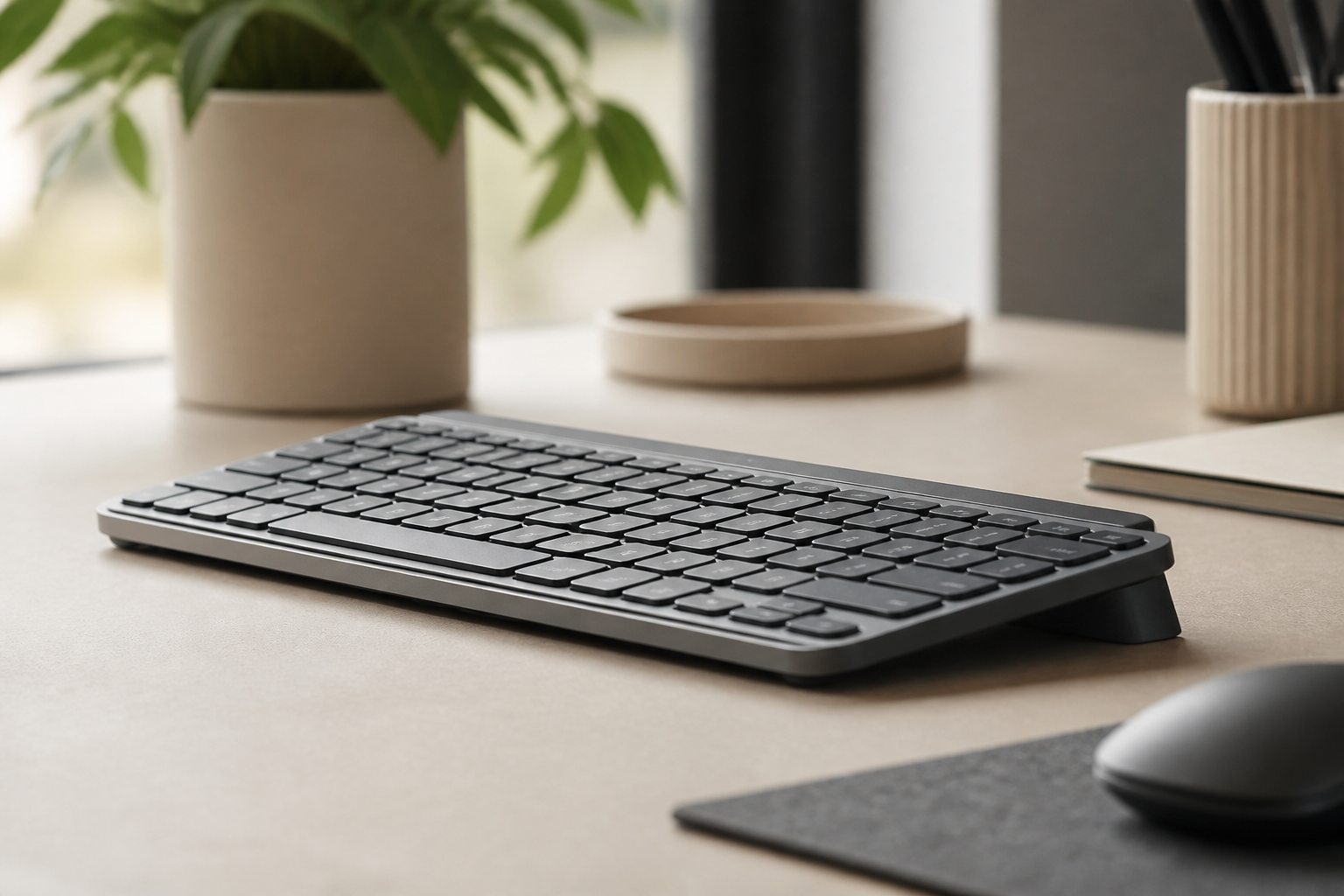
Best Logitech MX Keys Accessories for Desk Comfort 2026
Discover the best Logitech MX Keys accessories for a cleaner, more ergonomic desk setup, including the upgrades that improve comfort every day. Includes safe
Best Logitech MX Keys Accessories in 2026
TL;DR
The best Logitech MX Keys accessories do not need to turn your desk into a gadget showroom. The highest-impact upgrades usually solve five simple problems: keyboard angle, mouse reach, monitor height, lighting, and cable clutter. For most people, the first accessory worth buying is a stable keyboard riser like KeyRiser, because it changes how your wrists sit every time you type. After that, the right mouse, monitor arm, desk mat, and lighting setup can make the whole workspace feel more focused, cleaner, and easier to use for long sessions.
If you use a Logitech MX Keys or Logitech MX Keys Mini every day, buying accessories should be less about collecting gear and more about removing friction. The keyboard itself is already strong: quiet, low-profile, and easy to live with. The weak point is that most desks still leave too much work to your wrists, shoulders, and eyes.
That is why the best accessory stack is not the one with the most pieces. It is the one that makes your setup easier to maintain from Monday morning to Friday evening. Below are the accessories that actually change comfort, posture, and day-to-day usability for MX Keys users.
1. A Keyboard Riser That Fixes Angle First
If you buy only one accessory, start with keyboard angle. Most users spend too much time thinking about switches, keycaps, or desk decor and not enough time thinking about the position of the hands during a normal typing session.
A good keyboard riser helps because it addresses one of the most common problems with the MX Keys family: the keyboard sits low and flat unless your desk already happens to be in a very friendly position. For many users, that means the wrists slowly bend upward while typing. Over time, that can turn a premium keyboard into a setup that feels more tiring than it should.
KeyRiser is the most direct upgrade for that problem because it was built specifically for Logitech MX Keys and Logitech MX Keys Mini. It is a focused accessory, not a generic platform. That matters because a keyboard riser should feel invisible once installed. You should not be fighting wobble, slipping, or a strange footprint on the desk.
Who should buy it:
- MX Keys users who type for hours every day
- People who feel wrist tension on flat desks
- Buyers who want a simple ergonomic upgrade without replacing the keyboard
Who can skip it:
- Users whose current desk and tray already keep the wrists neutral
- People who need height adjustment more than keyboard angle
If you want to compare this route with other options, the compare page and best keyboard risers page are the right next stops.
2. An Ergonomic Mouse That Reduces Side Reach
The second upgrade is usually the mouse, not because mice are more exciting than keyboard accessories, but because mouse reach quietly shapes shoulder tension. This becomes even more important with the full-size MX Keys, where the numpad pushes the mouse farther to the side.
The right mouse depends on how you work:
- If you spend a lot of time in spreadsheets, editing tools, or browsers, comfort matters more than ultra-light weight.
- If you make fine selections all day, stability and shape matter more than aggressive styling.
- If you switch between laptop and desktop often, multi-device convenience may matter as much as pure ergonomics.
The real question is not “Which mouse is best?” but “Does my mouse keep my right or left arm in a relaxed position?” If your shoulder stays lifted, rotated, or stretched outward, the rest of the setup has to compensate for that.
Who should prioritize this accessory:
- Full-size MX Keys users with limited desk width
- Designers, editors, analysts, and anyone who alternates between keyboard and mouse constantly
- People whose shoulder gets tired before their wrists do
Who can wait:
- MX Keys Mini users who already have a very compact, comfortable mouse setup
- Keyboard-heavy users who touch the mouse only occasionally
3. A Monitor Arm That Lets the Desk Breathe
One of the most underrated Logitech MX Keys accessories is not a keyboard accessory at all. It is a monitor arm. Many home office setups fail because the keyboard, mouse, notes, coffee, and screen are all competing for the same flat surface.
A monitor arm changes the geometry of the desk in two ways:
- It frees up space behind the keyboard
- It makes it easier to place the monitor at a reasonable height and distance
That matters because ergonomic fixes do not happen in isolation. If the screen is too low, people lean forward. If the keyboard is too far because the monitor stand eats the center of the desk, shoulders follow. A monitor arm often solves both at once by giving the keyboard and mouse a cleaner working zone.
This is especially useful if:
- Your desk is shallow
- You use documents or a notebook beside the keyboard
- You want the MX Keys centered on your body rather than pushed forward
Who should skip it:
- Users on very simple setups where the current monitor stand already works
- Anyone using an all-in-one or fixed display with good existing height
If your desk still feels cramped after moving the monitor, check the setup guidance on support and guides.
4. Better Task Lighting for Long Typing Sessions
Lighting is rarely the first accessory people buy, but it often decides whether the desk feels calm or fatiguing by late afternoon. Bad lighting does not only affect the eyes. It changes posture. People lean in, rotate the head, or work with unnecessary tension when the screen and keyboard area feel visually uneven.
For MX Keys users, good lighting usually means:
- controlled brightness
- reduced glare on the monitor
- enough desk light to see the keyboard area, notebook, or accessories comfortably
You do not need a dramatic studio setup. A clean task lamp that gives predictable light is enough. The goal is a desk that feels readable, not theatrical.
Who benefits most:
- Users working in darker rooms
- Night workers
- People sharing rooms where overhead lighting is inconsistent
Who can skip it:
- Anyone already working with stable natural light and low glare
5. A Desk Mat That Improves the Whole Working Zone
A desk mat sounds cosmetic until you use one that actually improves the surface under the keyboard and mouse. For Logitech MX Keys users, the main benefit is not appearance. It is consistency.
A good desk mat can help by:
- giving the mouse a more predictable tracking surface
- reducing small vibrations or surface noise
- visually defining the typing area so the desk feels more organized
This is particularly helpful on hard or uneven desks where accessories tend to drift visually or physically throughout the week. If the mat is too soft, too reflective, or too bulky, it becomes another object to manage. But the right one can make the whole setup feel more intentional.
Who should prioritize it:
- Users with rough or busy desk surfaces
- People who want a cleaner unified zone for keyboard and mouse
- Anyone trying to make a small desk feel less chaotic
Who can skip it:
- Users already happy with the desk surface and mouse tracking
6. Cable Management That Removes Daily Annoyance
Cable management is not glamorous, but it is one of the easiest ways to make a workspace feel more premium. Once you use wireless peripherals like MX Keys, the remaining visible cables become more annoying, not less. A charging cable hanging across the desk or a monitor cable pulling through the back of the setup creates visual noise that makes the desk feel unfinished.
Good cable management helps with:
- cleaner monitor positioning
- easier cleaning
- fewer accidental tugs when moving accessories
- a more deliberate-looking workspace
This is a good “finish the setup” accessory. Buy it after the core ergonomic upgrades, not before.
Which MX Keys Accessory Should You Buy First?
If you are prioritizing, use this order:
- Keyboard riser
- Mouse
- Monitor arm
- Task lighting
- Desk mat
- Cable management
That order follows impact, not novelty. A stand like KeyRiser changes hand position every single time you type. A mouse changes reach. A monitor arm changes the layout. Everything else supports those improvements.
If you are completely new to ergonomic shopping, start with product details, specifications, and the buy page. If your question is compatibility or setup rather than shopping, support and FAQ will get you there faster.
FAQ
What is the single best accessory for Logitech MX Keys?
For most users, it is a keyboard riser because keyboard angle affects every typing session. That is why KeyRiser tends to be the highest-impact first upgrade for compatible MX Keys models.
Do I need different accessories for MX Keys and MX Keys Mini?
Sometimes. The Mini usually gives you more mouse space, while the full-size model often benefits more from careful mouse positioning and desk width planning.
Are expensive accessories always better?
No. The best accessories remove friction. A simple stable riser or lamp that actually improves daily use is more valuable than a premium accessory that only looks good in product photos.
What should I check before buying accessories?
Check desk depth, mouse reach, screen height, and how your wrists feel after a normal work block. Buy for the problem you already have, not the one marketing language tells you to imagine.
Final Takeaway
The best Logitech MX Keys accessories are the ones that make the keyboard easier to use for real work. Start with angle, then fix reach, then clean up the rest of the desk. For many people, that means beginning with KeyRiser, not because every desk needs more gear, but because the right first accessory can make the entire setup feel better immediately.
Ready for a Better Typing Angle?
Check KeyRiser on Amazon and confirm compatibility with your MX Keys model.
Buy Now - $12.99Frequently Asked Questions
Everything you need to know about our ergonomic keyboard stand
How can I make typing more comfortable?
Start with desk height, keyboard position, relaxed shoulders, and regular breaks. A keyboard riser can change the typing angle for supported keyboards, but comfort depends on the full setup. Read more ergonomic tips on our blog.
What is the ideal keyboard angle for ergonomics?
There is no single ideal angle for every person. KeyRiser uses a fixed 15° rear lift so MX Keys users can try a more defined keyboard angle without replacing their keyboard. Check our product specifications.
Can keyboard ergonomics really improve productivity?
A more comfortable workstation can make long typing sessions easier to sustain, but productivity gains vary by person, work style, and desk setup.
How long does it take to see results from ergonomic improvements?
Some setup changes feel different immediately, while others take time to evaluate. Try changes gradually and consult a qualified professional for persistent pain, numbness, or suspected injury.
Is an ergonomic keyboard stand worth it?
It can be worth it if you want to keep your keyboard and test a different typing angle. KeyRiser is model-specific for MX Keys, MX Keys S, and MX Keys Mini. Discover KeyRiser today.